1. Introduction
The EZVIZ C3W Pro is a high-performance wired outdoor smart Wi-Fi security camera designed to provide reliable surveillance for your property. Featuring 1080p Full HD video, advanced color night vision, and AI-powered human shape detection, this camera offers comprehensive monitoring day and night. Its IP67 weather-resistant design ensures durability in various outdoor conditions. The camera also supports two-way talk, local storage via MicroSD card, and seamless integration with smart home ecosystems like Amazon Alexa and Google Assistant.

Figure 1: EZVIZ C3W Pro Outdoor Smart Wi-Fi Security Camera.
2. Contenu de la boîte
Upon unboxing your EZVIZ C3W Pro camera, verify that all the following items are included:
- EZVIZ C3W Pro Camera
- Adaptateur secteur
- Base de montage
- Vis de fixation et chevilles
- Gabarit de perçage
- Kit étanche pour câble réseau
- Guide de démarrage rapide

Figure 2: Included items in the EZVIZ C3W Pro package.
3. Installation
3.1. Installation physique
- Choisissez un emplacement de montage : Choisissez un emplacement extérieur dégagé. view of the area you wish to monitor. Ensure the camera is within Wi-Fi range and has access to a power outlet. The camera is IP67 rated for dust and water resistance.
- Utilisez le gabarit de perçage : Place the provided drill template on the desired mounting surface and mark the screw holes.
- Trous de forage : Drill pilot holes at the marked positions. Insert the wall plugs if mounting on masonry or concrete.
- Montez la base : Fixez la base de montage de la caméra à la surface à l'aide des vis fournies.
- Fixez la caméra : Fixez la caméra à sa base de montage et ajustez son angle pour une couverture optimale.
Figure 3: EZVIZ C3W Pro camera mounted for outdoor use.
3.2. Installation de la carte microSD (facultatif)
For local video storage, you can install a MicroSD card (up to 256GB). Locate the MicroSD card slot on the camera, typically protected by a cover secured with screws. Carefully open the cover, insert the MicroSD card, and then re-secure the cover to maintain the camera's weather resistance.
3.3. Mise sous tension
Connect the camera to the power adapter and plug it into a suitable outdoor power outlet. The camera will power on and its indicator light will begin to flash blue, indicating it's ready for network configuration.
3.4. EZVIZ App Configuration
- Téléchargez l'application EZVIZ : Download and install the EZVIZ app from the App Store (iOS) or Google Play Store (Android).
- Créer un compte: Launch the app and register for a new EZVIZ account if you don't already have one.
- Ajouter un appareil : Log in to your EZVIZ account. Tap the '+' icon in the upper right corner of the home screen to add a new device. Select 'Cameras'.
- Scannez le code QR : Scannez le code QR situé sur le boîtier de l'appareil photo ou dans le guide de démarrage rapide.
- Se connecter au Wi-Fi : Follow the in-app prompts to connect your camera to your 2.4GHz Wi-Fi network. Ensure your phone is connected to the same 2.4GHz Wi-Fi network during this process.
- Configuration complète : Une fois la connexion établie, vous pouvez nommer votre caméra et ajuster les paramètres initiaux.
Video 1: EZVIZ C3W Pro Setup Guide. This video demonstrates the step-by-step setup process for the camera.
4. Utilisation de l'appareil photo
4.1. Vivre View & Basic Controls
Access the live video feed from your camera through the EZVIZ app. From the live view interface, vous pouvez :
- Prenez des instantanés : Capturez des images fixes à partir du flux en direct.
- Enregistrer une vidéo : Enregistrer manuellement des clips vidéo.
- Zoom numérique : Zoom in up to 8x to view détails.
4.2. Conversation bidirectionnelle
The C3W Pro features a built-in microphone and speaker, allowing for two-way communication. Tap the 'Talk' button in the app to speak through the camera and hear responses from the monitored area.
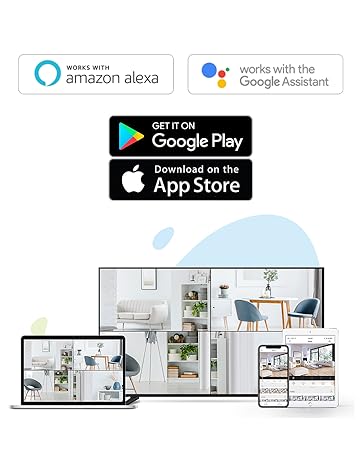
Figure 4: Using the two-way talk feature via the EZVIZ app.
4.3. Modes de vision nocturne
La caméra propose trois modes de vision nocturne :
- Mode IR (noir et blanc) : Standard infrared night vision for clear black and white images in low light.
- Mode couleur : Utilizes built-in spotlights to provide full-color night vision, even in complete darkness.
- Vision nocturne intelligente : By default, the camera operates in black and white mode. When motion is detected, it automatically switches to color night vision and activates the spotlights.

Figure 5: Night vision modes: Color Night Vision and Black & White Vision.
4.4. Détection de mouvement et alertes
The C3W Pro uses AI-powered human shape detection to minimize false alarms. You can customize detection settings:
- Détection de la forme humaine : Enable this feature to only receive alerts when a human shape is detected.
- Zone de détection de mouvement : Définir des zones spécifiques à l'intérieur du champ de vision de la caméra view where motion detection will be active. This helps to ignore irrelevant movements (e.g., trees swaying).
- Sensibilité de détection de mouvement : Adjust the sensitivity level to fine-tune how easily motion triggers an alert.
- Défense active : When motion is detected, the camera can trigger a loud siren and flash its spotlights to deter intruders.

Figure 6: AI-Powered Person Detection in action.
4.5. Intégration à la maison intelligente
The EZVIZ C3W Pro is compatible with popular smart home platforms:
- Amazon Alexa : Utilisez les commandes vocales pour view Le flux vidéo de votre caméra sur les appareils Alexa compatibles.
- Assistant Google : Integrate with Google Assistant for voice control and viewing on Google Home devices.

Figure 7: EZVIZ C3W Pro working with Amazon Alexa.
Vidéo 2 : Fin officielleview of the EZVIZ C3W Pro's key features, including color night vision, AI detection, and two-way talk.
5. Entretien
- Nettoyage régulier : Nettoyez régulièrement l'objectif et le boîtier de l'appareil photo avec un chiffon doux et sec.amp Utiliser un chiffon pour garantir une image nette. Éviter les produits chimiques agressifs.
- Mises à jour du micrologiciel : Keep your camera's firmware updated through the EZVIZ app to ensure optimal performance, security, and access to new features.
- Vérifier les connexions : Regularly inspect power and network cable connections for any signs of wear or damage, especially in outdoor environments.
6. Dépannage
6.1. No Power / Offline
- Assurez-vous que l'adaptateur secteur est correctement connecté à la fois à l'appareil photo et à une prise de courant fonctionnelle.
- Vérifiez si la prise de courant fonctionne en y branchant un autre appareil.
- Vérifiez que votre réseau Wi-Fi est actif et que la caméra est à portée.
6.2. Mauvaise qualité d'image
- Nettoyez l'objectif de l'appareil photo pour enlever toute saleté ou trace de doigt.
- Assurez-vous qu'aucun objet ne se trouve devant l'objectif.
- Check your Wi-Fi signal strength in the EZVIZ app; a weak signal can affect video quality.
- Adjust the video resolution settings in the app if your network bandwidth is limited.
6.3. Excessive False Alarms
- Enable AI-powered Human Shape Detection in the app settings.
- Adjust the Motion Detection Area to exclude areas with frequent irrelevant motion (e.g., trees, busy roads).
- Lower the Motion Detection Sensitivity in the app.
7. Spécifications
| Numéro de modèle | EZC3W3H2L28 |
| Résolution de capture vidéo | 1080p |
| Technologie de connectivité | Wireless (Wi-Fi 2.4GHz with Dual External Antennas) |
| Évaluation de la protection internationale | IP67 (résistant aux intempéries et à la poussière) |
| Gamme de vision nocturne | 98 pieds |
| Caractéristiques spéciales | Motion Sensor, Night Vision (Color, Black & White, Smart), AI-Powered Human Detection, Two-Way Talk, Active Defense (Siren & Strobe Light) |
| Stockage | MicroSD Slot (up to 256GB), Secure Cloud Storage (Optional) |
| Appareils compatibles | iOS, Android, Amazon Alexa, Google Assistant |
| Source d'énergie | Wired (Power Adapter Included) |
| Dimensions (L x l x H) | 9 x 4.1 x 3.7 pouces |
| Poids de l'article | 1.28 livres |
8. Garantie et assistance
Pour toute information concernant la garantie, l'assistance technique ou les demandes de service, veuillez consulter le site officiel d'EZVIZ. website or contact their customer support directly. Details can typically be found in the Quick Start Guide or on the product packaging.


