1. Introduction
Thank you for choosing Baseus W11 True Wireless Earbuds. This manual provides detailed instructions for the proper use and maintenance of your device. Please read it carefully before use.

Image: Baseus W11 True Wireless Earbuds and Charging Case.
2. Contenu de la boîte
Le forfait comprend les éléments suivants :
- Baseus W11 True Wireless Earbuds (Left and Right)
- Étui de chargement sans fil
- Câble de chargement USB-C
- Multiple sizes of silicone ear tips (XS, S, M, L)
- Manuel d'utilisation
Video: TWS W11 Operation Guide Video, demonstrating unboxing and initial setup steps.
3. Produit terminéview
Écouteurs
- Zone de contrôle tactile
- Microphone
- Contacts de charge
- Embout d'oreille en silicone
Étui de chargement
- Emplacements de chargement des écouteurs
- Témoin lumineux de la batterie
- Port de chargement USB-C
- Bouton de fonction

Image: Baseus W11 Earbuds inside their charging case, showing the earbuds and charging contacts.
4. Installation
4.1 Charge initiale
Before first use, ensure the charging case and earbuds are fully charged. Remove any insulation stickers from the earbud charging contacts.
- Connectez le câble USB-C à l'étui de chargement et à une source d'alimentation.
- Vous pouvez également placer l'étui de chargement sur un chargeur sans fil compatible.
- Le voyant lumineux sur le boîtier indiquera l'état de charge.

Image: Baseus W11 charging case on a wireless charging pad, illustrating wireless charging capability.

Image: Baseus W11 charging case connected via USB-C cable, showing fast charging feature.
4.2 Couplage avec un appareil
- Ouvrez le boîtier de charge. Les écouteurs passeront automatiquement en mode appairage.
- Sur votre appareil (smartphone, tablette, etc.), activez le Bluetooth.
- Rechercher "Baseus Encok W11" in the list of available Bluetooth devices and select it to connect.
- Une fois la connexion établie, vous entendrez un signal sonore et les écouteurs seront prêts à l'emploi.
4.3 Installation de l'application Baseus
For enhanced features like anti-lost function, gesture customization, and firmware updates, download the official Baseus app from your device's app store.

Image: Baseus app interface showing anti-lost function, low latency, and button customization options.
5. Mode d'emploi
5.1 Port des écouteurs
Choose the ear tips that provide the most comfortable and secure fit for your ears. Insert the earbuds into your ear canal and gently twist them to lock them in place.

Image: Man wearing Baseus W11 earbuds while running, demonstrating the secure and comfortable fit for active use.
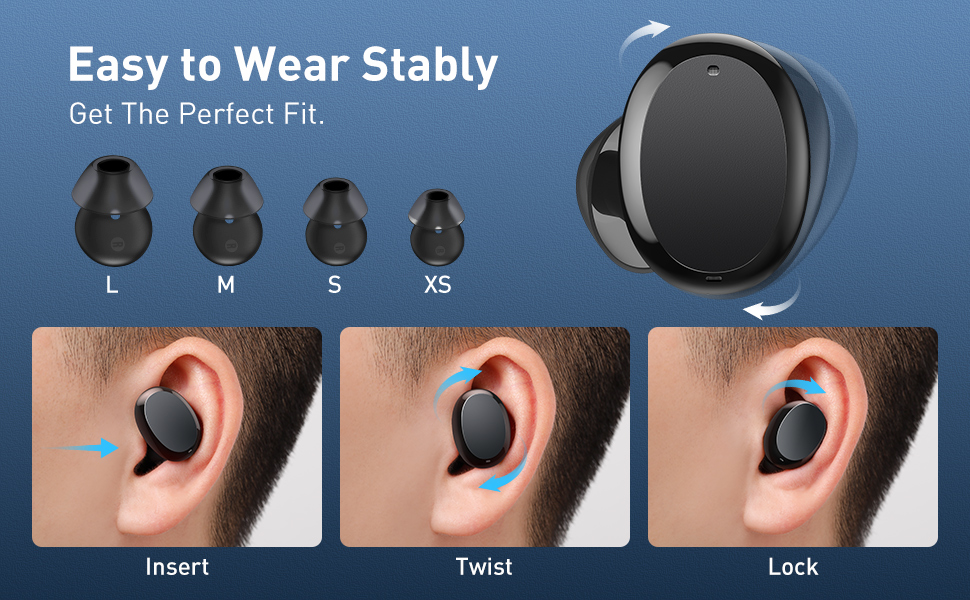
Image: Diagram illustrating the three steps to achieve a secure fit for the Baseus W11 earbuds: insert, twist, and lock.
5.2 Commandes tactiles
The earbuds feature smart touch controls. Functions can be customized via the Baseus app.
- Lecture/Pause : Double-tap Left/Right earbud.
- Piste suivante : Long press Right earbud.
- Piste précédente: Long press Left earbud.
- Activer l'assistant vocal: Triple-tap Left/Right earbud.
- Répondre/raccrocher l'appel : Double-tap Left/Right earbud.
- Rejeter l'appel : Long press Left/Right earbud.
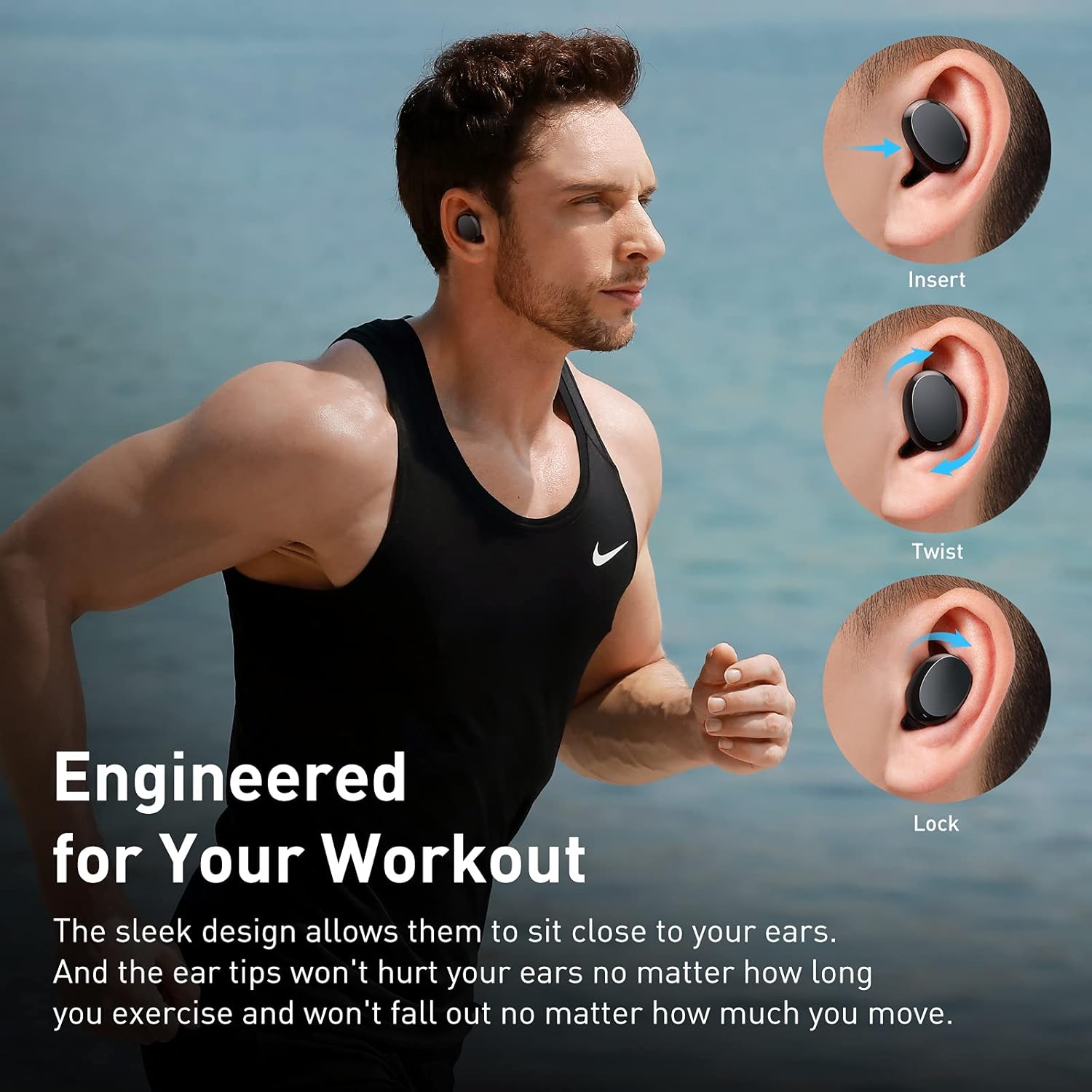
Image: Diagram illustrating the various touch control functions for the Baseus W11 earbuds, including play/pause, track skipping, voice assistant, and call management.
5.3 Utilisation d'un seul écouteur
The Baseus W11 earbuds support independent use. You can use either the left or right earbud individually while the other is charging or stored.
6. Chargement
6.1 Chargement des écouteurs
Place the earbuds into the charging case. They will automatically begin charging. The case's indicator light will show the charging status.
6.2 Chargement du boîtier
The charging case can be charged via the included USB-C cable or wirelessly using a compatible Qi-certified wireless charger.
6.3 Chargement rapide
The earbuds feature fast charging. A 10-minute charge can provide up to 4 hours of playback time.
7. Entretien
7.1 Indice d'étanchéité (IPX8)
The Baseus W11 earbuds are IPX8 waterproof, providing protection against sweat and rain. This makes them suitable for sports and outdoor activities. Avoid prolonged submersion in water.
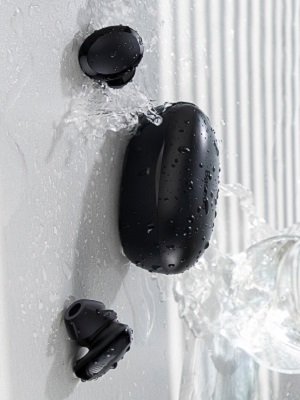
Image: Baseus W11 earbuds and case with water splashing, demonstrating IPX8 waterproof rating.
7.2 Nettoyage
Regularly clean the earbuds and charging case with a soft, dry cloth. Ensure charging contacts are free from dust and debris to maintain optimal charging performance.
8. Dépannage
- Les écouteurs ne se connectent pas : Ensure both earbuds are fully charged and removed from the case. Check your device's Bluetooth settings and try reconnecting. If issues persist, try resetting the earbuds (refer to the app or full user manual for specific reset instructions).
- Un des écouteurs ne fonctionne pas : Ensure both earbuds are charged. Try placing them back in the case and taking them out again. If only one earbud connects, try re-pairing them as a pair.
- Problèmes de qualité sonore : Ensure ear tips are properly fitted to create a good seal. Check the audio source and volume levels on both your device and the earbuds.
- Écouteurs perdus : Use the anti-lost function in the Baseus app to locate misplaced earbuds by making them emit a sound.
Video: Great Waterproof Wireless Earbuds with Locator App, demonstrating the app's anti-lost feature.
9. Spécifications
| Fonctionnalité | Spécification |
|---|---|
| Nom du modèle | NGTW060001 (W11) |
| Technologie de connectivité | Sans fil (Bluetooth) |
| Technologie de communication sans fil | Bluetooth V5.0 |
| Capacité de la batterie des écouteurs | 40mAh (0.148Wh) |
| Capacité de la batterie du boîtier de charge | 300mAh (1.11Wh) |
| Plage de réponse en fréquence | 20 Hz-20 kHz |
| Interface de chargement | Type C |
| Niveau de résistance à l'eau | Étanchéité IPX8 |
| Type de pilote audio | Pilote dynamique de 10 mm |
| Méthode de contrôle | Application, tactile |
| Poids | 5.1 onces (poids total de l'article) |
| Matériel | Durable Plastic or Rubber |
10. Garantie et assistance
Baseus products come with a standard manufacturer's warranty. For warranty claims, technical support, or any product-related inquiries, please contact Baseus customer service through their official website ou les coordonnées fournies dans l'emballage de votre produit.
Pour plus d'aide, visitez : www.baseus.com/support