1. Introduction
The Brita Tahoe Water Filter Pitcher is designed to provide healthier, great-tasting tap water by reducing impurities. This BPA-free pitcher has a 10-cup capacity and includes one Standard filter. It features a flip-top lid for easy refilling and a convenient handle for pouring. The integrated SmartLight filter indicator helps you monitor filter life, ensuring optimal performance.

Image 1.1: The Brita Tahoe 10-Cup Water Filter Pitcher with a filter installed. This image shows the pitcher's clear body, white lid, and the filter cartridge.
2. Consignes de sécurité
- Use with potable (safe to drink) water only. Do not use with water that is microbiologically unsafe or of unknown quality without adequate disinfection before or after the system.
- Keep the pitcher and filter out of reach of children.
- Do not expose the pitcher to direct sunlight or extreme temperatures.
- Wash the pitcher components (excluding the filter) regularly with mild detergent and warm water.
- The filter is not intended to purify water; it reduces specific contaminants as listed in the product specifications.
3. Contenu du colis
Your Brita Tahoe Water Filter Pitcher package should include the following items:
- 1 x Brita Tahoe 10-Cup Pitcher (with lid and reservoir)
- 1 x Brita Standard Water Filter

Image 3.1: The Brita Tahoe pitcher and filter as packaged for retail. The image displays the pitcher and a filter cartridge within the product box.
4. Instructions de configuration
Follow these steps to prepare your Brita Tahoe pitcher for first use:
- Wash Pitcher Components: Before first use, wash the pitcher, lid, and reservoir by hand with mild soap and rinse thoroughly. Do not wash the filter.
- Préparer le filtre : Rinse the new Brita Standard filter under cold tap water for 15 seconds.
- Insérer un filtre : Remove the lid and reservoir from the pitcher. Insert the filter into the reservoir by aligning the groove on the filter with the ridge in the reservoir. Press down firmly until the filter is secure.
- Activate SmartLight Indicator: On the lid, locate the SmartLight indicator button. Press and hold this button for 5 seconds until a green light flashes, indicating the filter life tracker has been reset.
- Remplir et jeter : Fill the reservoir with cold tap water. Allow the water to filter through. Discard the first two pitchers of filtered water, as this helps to flush out any carbon dust.

Image 4.1: An illustration detailing the easy setup process for the Brita Tahoe pitcher. It shows rinsing the filter, inserting it, activating the SmartLight, and filling the reservoir.
5. Mode d'emploi
Using your Brita Tahoe pitcher is straightforward:
- Remplissage: Lift the flip-top lid and fill the reservoir with cold tap water. The water will filter through to the main pitcher compartment.
- Verser : Once the water has filtered, simply tilt the pitcher to pour. The convenient handle provides a secure grip.
- SmartLight Indicator: The SmartLight indicator on the lid will flash green, yellow, or red to indicate filter status. A green light means the filter is good, yellow means it's time to replace soon, and red means it's time to change the filter.
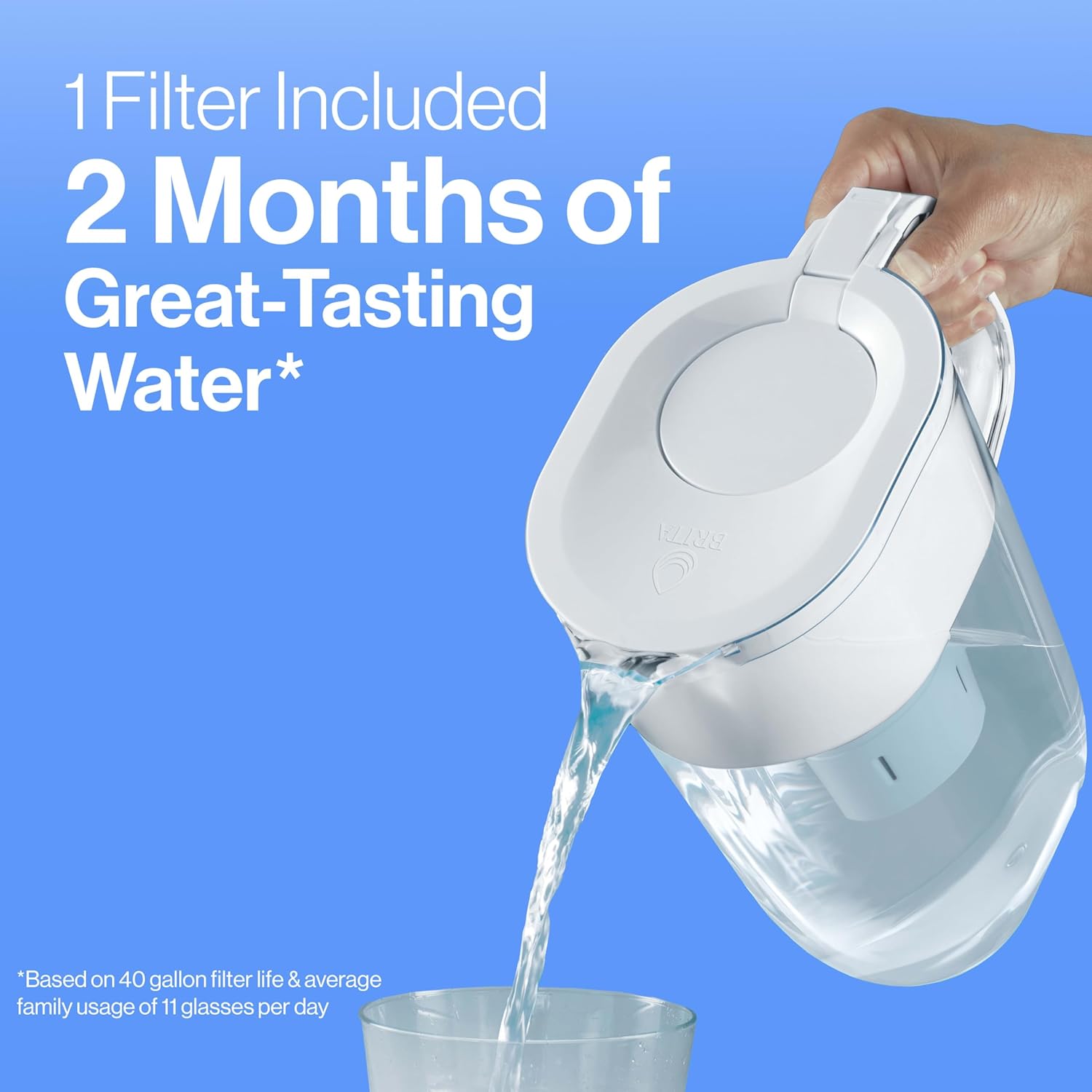
Image 5.1: A hand pouring filtered water from the Brita Tahoe pitcher into a glass. This demonstrates the ease of use for daily hydration.

Image 5.2: A diagram highlighting key features of the Brita pitcher, including the SmartFilter Alert, easy-to-pour design, included filter, and BPA-free material.
6. Entretien
6.1 Remplacement du filtre
Regular filter replacement is crucial for optimal performance and water quality. The SmartLight indicator will signal when it's time to change your filter.
- Standard Filters: Replace your Brita Standard filter after approximately 40 gallons or every two months, whichever comes first.
- Elite Filters (Compatible): If using Brita Elite filters, replace them after approximately 120 gallons or every six months, whichever comes first.
To replace the filter, simply remove the old filter from the reservoir and follow the 'Prepare the Filter' and 'Insert Filter' steps from the Setup Instructions (Section 4) for the new filter. Remember to reset the SmartLight indicator after each filter change.

Image 6.1 : Un gros plan view of a Brita Original filter, highlighting its ability to reduce contaminants such as chlorine, mercury, cadmium, copper, and zinc.

Image 6.2: A cutaway diagram illustrating how the Brita Original filter works, showing the ion-exchange resin, activated carbon, and built-in mesh screens.
6.2 Cleaning the Pitcher
For best results, clean your Brita pitcher regularly:
- Remove the filter before cleaning.
- Hand wash the pitcher, lid, and reservoir with a mild dish soap and warm water.
- Rincez soigneusement tous les composants.
- Do not place the lid with the SmartLight indicator in the dishwasher or submerge it in water, as this may damage the electronics.
7. Dépannage
| Problème | Cause possible | Solution |
|---|---|---|
| débit de filtration lent | Filter may be clogged or not seated correctly. | Remove the filter, rinse it under cold water, and re-insert it firmly. If the problem persists, replace the filter. |
| L'eau a un goût ou une odeur inhabituelle | Filter needs replacement or was not properly primed. | Check the SmartLight indicator. If it's yellow or red, replace the filter. Ensure the new filter is rinsed for 15 seconds before insertion and the first two pitchers are discarded. |
| SmartLight indicator not working | Indicator not reset or battery issue. | Press and hold the SmartLight button for 5 seconds to reset. If it still doesn't work, contact Brita customer support. |
| Black flecks in water | Carbon dust from a new filter. | This is normal for new filters. Discard the first two pitchers of filtered water. If flecks persist, re-rinse the filter. |
8. Spécifications
- Marque: Brita
- Nom du modèle : Tahoe
- Numéro de modèle de l'article : OB60/OB03
- Capacité: 10 tasse
- Matériel: Plastique (sans BPA)
- Dimensions du produit : 10.22"L x 5.68"l x 10.39"H
- Poids de l'article : 1.3 livres
- Méthode de purification : Activated Carbon, Carbon Block
- Dossier spécial : Certifié NSF
- Niveau maximal de TDS de l'eau prise en charge (PPM) : 500
- Code à barres : 060258506846

Image 8.1: The Brita Tahoe pitcher with its dimensions (length, width, height) and 10-cup capacity clearly marked. It also indicates it is 'Fridge Friendly'.
9. Informations sur la garantie
For detailed warranty information regarding your Brita Tahoe Water Filter Pitcher, please refer to the official Brita website or the warranty card included with your product packaging. Brita typically offers a limited warranty covering defects in materials and workmanship.
10. Assistance
If you have any questions, require assistance, or need to order replacement filters, please visit the official Brita support page:


