1. Introduction
The ABB AD1NO-R-15m is an analog time switch designed for daily scheduling with a 15-minute switching interval. This modular device features one normally open (NO) channel and includes a power reserve function to maintain timekeeping during power outages. It is suitable for various electrical scheduling applications.
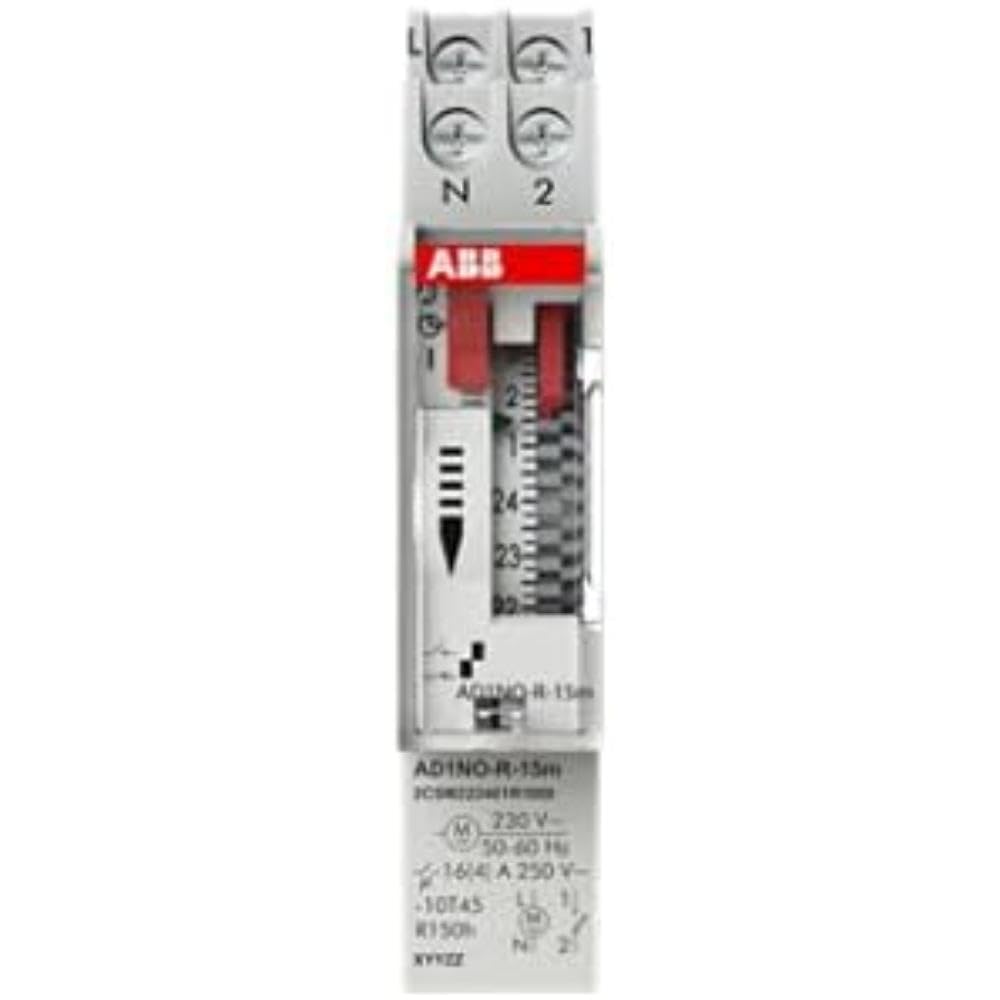
Figure 1 : Face avant view of the ABB AD1NO-R-15m Modular Device Switch, highlighting its compact design and control interface.
2. Consignes de sécurité importantes
Veuillez lire et comprendre toutes les consignes de sécurité avant d'installer, d'utiliser ou d'entretenir cet appareil. Le non-respect de ces consignes peut entraîner un choc électrique, un incendie ou des blessures graves.
- L'installation et la maintenance doivent être effectuées exclusivement par du personnel qualifié.
- Disconnect power before installation, maintenance, or servicing to prevent electric shock.
- Assurez-vous que tout le câblage est conforme aux codes et réglementations électriques locaux et nationaux.
- N’utilisez pas l’appareil s’il semble endommagé.
- Cet appareil est conçu pour une utilisation en intérieur dans des environnements secs.
3. Produit terminéview
The AD1NO-R-15m is an analog time switch with the following key features:
- Cadran analogique : For setting daily schedules.
- 15-Minute Switching: Allows precise control over connected circuits with 15-minute intervals.
- 1 Normally Open (NO) Channel: Controls one electrical circuit.
- Réserve de marche : Maintains timekeeping for a specified duration during power interruptions.
- Conception modulaire : Suitable for integration into standard electrical panels on a DIN rail.
Note: The power reserve ensures the timer continues to function accurately even if the main power supply is temporarily lost.
4. Configuration et installation
Follow these steps for proper installation of the AD1NO-R-15m Modular Device Switch:
- Coupure de courant : Before beginning, ensure the main power supply to the installation area is completely disconnected at the circuit breaker or fuse box. Verify with a voltage testeur.
- Montage: Mount the AD1NO-R-15m switch onto a standard DIN rail within an appropriate electrical enclosure. Ensure it is securely fastened.
- Câblage :
- Connect the incoming phase (L) and neutral (N) wires to the designated input terminals of the time switch.
- Connect the load wire from the output terminal of the time switch to the device you wish to control.
- Ensure all connections are tight and secure. Refer to the wiring diagram printed on the device for specific terminal identification.
- Restauration de puissance : Once all connections are verified and secure, close the electrical enclosure and restore power to the circuit.
Always consult a qualified electrician for installation if you are unsure or lack experience with electrical wiring.
5. Mode d'emploi
To set the time and program the switching schedule:
- Définir l'heure actuelle : Rotate the analog dial clockwise until the current time aligns precisely with the reference arrow or marker on the device's face.
- Program Switching Times: The dial features small segments around its perimeter. Push in the segments corresponding to the times you want the connected circuit to be ON. Pull out segments for OFF periods. Each segment typically represents a 15-minute interval.
- Operating Mode (if applicable): If your model includes a manual override switch (e.g., ON, AUTO, OFF), ensure it is set to "AUTO" for programmed operation.
The internal power reserve will automatically charge when the device is powered, ensuring continued accurate timekeeping during short power outaget.
6. Entretien
The AD1NO-R-15m is designed for minimal maintenance. Follow these guidelines to ensure optimal performance:
- Nettoyage: Keep the device clean and free from dust. Use a dry, soft cloth for cleaning. Do not use liquid cleaners, abrasive materials, or solvents.
- Inspection: Periodically inspect the wiring connections for tightness and any signs of wear, corrosion, or damage. Ensure all terminals are secure.
- Conditions environnementales : Veillez à ce que l'environnement d'exploitation reste dans les plages de température et d'humidité spécifiées afin d'éviter tout dommage.
There are no user-serviceable parts inside this device. Do not attempt to open the casing, car cela annulera la garantie et pourrait vous exposer à des risques électriques.
7. Dépannage
If you encounter issues with your AD1NO-R-15m switch, refer to the table below for common problems and solutions:
| Problème | Cause possible | Solution |
|---|---|---|
| L'appareil ne commute pas | Pas d'alimentation électrique | Check the circuit breaker or fuse. Ensure wiring connections are correct and secure. |
| L'appareil ne commute pas | Programmation incorrecte | Re-check the dial settings and ensure the correct segments are pushed in or pulled out for desired ON/OFF times. |
| L'appareil ne commute pas | Manual override engaged | Set the operating mode switch to "AUTO" for programmed operation. |
| L'heure est incorrecte après la coupure de courant.tage | Power reserve depleted or faulty | Allow the device to charge its power reserve by keeping it connected to power. If the issue persists, contact customer support. |
If the problem persists after attempting these solutions, please contact ABB customer support for further assistance.
8. Spécifications techniques
- Modèle: AD1NO-R-15m
- Numéro de pièce : 2CSM222461R1000
- Fabricant: FIGUE
- Taper: Minuterie analogique
- Switching Interval: 15 minutes
- Chaînes : 1 Normalement ouvert (NON)
- Réserve de marche : Oui
- Poids de l'article : Environ 2.82 onces (80 grammes)
- Dimensions du produit : Environ 3.54 x 0.69 x 2.6 pouces (90 x 17.5 x 66 mm)
- Type de montage : DIN Rail (Wall Mount)
- Composants inclus : Modular device switch
- Piles requises : No (features internal power reserve)
- ASIN: B09BP4PFMF
- Première disponibilité : 21 décembre 2024
Remarque : les spécifications sont sujettes à changement sans préavis.
9. Garantie et assistance
Informations sur la garantie
For detailed warranty terms and conditions, please refer to the official ABB warranty statement provided with your purchase or visit the official ABB webConsultez le site. Conservez votre preuve d'achat pour toute réclamation au titre de la garantie.
Assistance clientèle
For technical assistance, troubleshooting, or service inquiries, please contact ABB customer support through their official website ou les coordonnées fournies dans l'emballage de votre produit.
ABB Officiel Website: www.abb.com


