1. Introduction
Merci pour votre achatasing the BYTECH BYMCLB116BK Projector Decor Light-Rainbow. This device is designed to project vibrant rainbow light effects, enhancing room ambiance and providing unique lighting for creative photography. Please read this manual thoroughly before use to ensure proper operation and maintenance.

Image 1.1: The BYTECH BYMCLB116BK Projector Decor Light-Rainbow packaging, highlighting its key features including rainbow glow, secure stabilization, 360-degree rotation and tilt, and USB connectivity.
2. Consignes de sécurité
- Gardez l'appareil à l'abri de l'eau et de l'humidité.
- N'exposez pas l'appareil à des températures extrêmes ou à la lumière directe du soleil.
- Évitez de laisser tomber ou de soumettre l'appareil à des impacts violents.
- N’essayez pas de démonter ou de réparer l’appareil vous-même. Confiez toute intervention à un personnel qualifié.
- Use only the provided USB cable or a certified equivalent for power.
- Veillez à placer l'appareil sur une surface stable et plane afin d'éviter tout basculement.
- Tenir hors de portée des enfants et des animaux domestiques.
3. Contenu du colis
Veuillez vérifier attentivement le contenu du colis. Si des articles sont manquants ou endommagés, contactez votre revendeur.
- 1 x BYTECH BYMCLB116BK Projector Decor Light-Rainbow
- 1 x USB Power Cable (with wired remote control)
- 1 x Manuel d'utilisation
4. Installation
- Déballer: Carefully remove the Projector Decor Light from its packaging.
- Placement: Place the projector on a stable, flat surface. Consider the desired projection area and distance from the wall or ceiling for optimal effect. The device features 360-degree rotation and tilt for flexible positioning.
- Connecter l'alimentation : Insert the small end of the USB power cable into the USB port on the projector. Connect the larger end of the USB cable to a standard USB power adapter (not included) or a powered USB port (e.g., on a computer or power bank).
- Secure Stabilization: Ensure the base is firmly placed to prevent accidental movement, utilizing its secure stabilization feature.
5. Mode d'emploi
The BYTECH Projector Decor Light is designed for simple operation.
- Marche/Arrêt : Once connected to a power source, locate the wired remote control on the USB cable. Press the power button on the remote to turn the light on or off.
- Réglage de la luminosité/du mode : Use the other buttons on the wired remote control to cycle through different brightness levels or projection modes, if available. Refer to the remote's markings for specific functions.
- Ajuster l'angle de projection : Ajustez manuellement le lamp head to rotate and tilt 360 degrees to direct the rainbow light projection to your desired area.
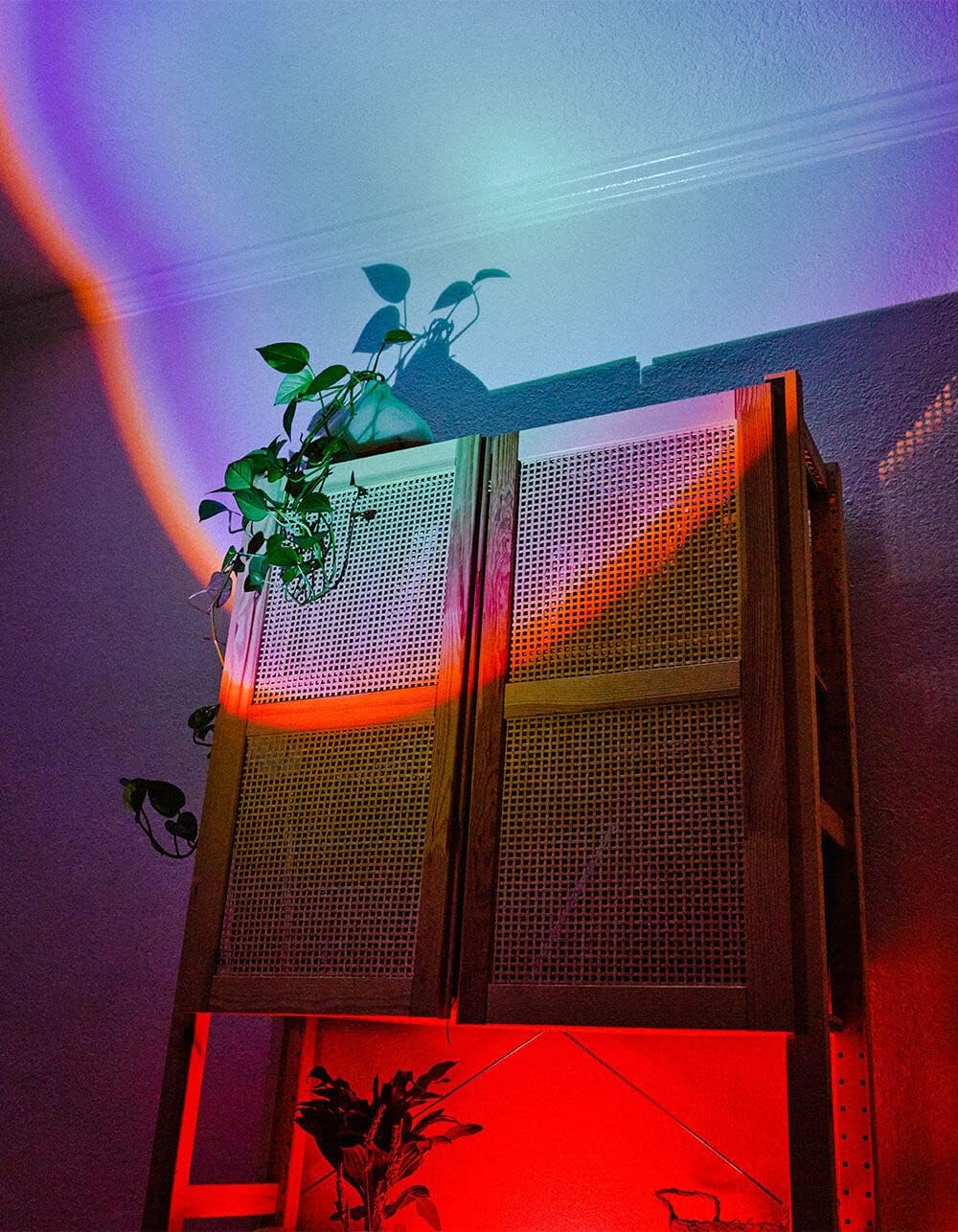
Image 5.1: The BYTECH Projector Decor Light-Rainbow in operation, casting vibrant rainbow light patterns onto a room's wall and furniture, demonstrating its ambient effect.
6. Entretien
- Nettoyage: Disconnect the power before cleaning. Use a soft, dry cloth to wipe the surface of the projector. Do not use abrasive cleaners or solvents.
- Stockage: When not in use for extended periods, store the device in a cool, dry place, away from direct sunlight and moisture.
- Manutention: Handle the device with care to avoid damage to the lens or internal components.
7. Dépannage
| Problème | Cause possible | Solution |
|---|---|---|
| L'appareil ne s'allume pas. | Pas de connexion électrique ou câble défectueux. | Ensure the USB cable is securely connected to both the projector and a powered USB port/adapter. Try a different USB port or adapter. |
| La lumière est faible ou vacillante. | Insufficient power supply or dirty lens. | Ensure the power source provides adequate power. Clean the projector lens gently with a soft, dry cloth. |
| La projection est floue. | L'objectif est sale. | Nettoyez délicatement la lentille du projecteur avec un chiffon doux et sec. |
8. Spécifications
- Modèle: BYMCLB116BK
- Marque: Bytech
- Puissance d'entrée : USB Powered (5V DC, current not specified, typical for USB)
- Source de lumière : DIRIGÉ
- Type de projection : Rainbow Glow
- Ajustabilité: 360° Rotation & Tilt
- Dimensions du colis : 5 x 5 x 5 pouces
- Poids de l'article : 1 livres
- Fabricant: PARTECH
9. Garantie et assistance
This product is covered by a limited warranty provided by BYTECH. For specific warranty terms and conditions, please refer to the warranty card included with your purchase or visit the official BYTECH website. For technical support, troubleshooting assistance, or to inquire about replacement parts, please contact BYTECH customer service through their official channels.
Veuillez conserver votre preuve d'achat pour les réclamations au titre de la garantie.


