Introduction
Welcome to your new Matrix Fitness TF30 Treadmill with XER Console. This manual provides essential information for the safe and effective operation, setup, maintenance, and troubleshooting of your treadmill. Designed for a comfortable and high-performance running experience, the TF30 combines robust construction with advanced technology to enhance your fitness journey.

Figure 1: Matrix Fitness TF30 Treadmill with XER Console, showcasing its sleek design and integrated console.
Consignes de sécurité
Before operating the treadmill, please read and understand all safety instructions. Failure to do so may result in serious injury or equipment damage.
- Arrêt d'urgence: Always attach the safety key clip to your clothing before starting a workout. In case of an emergency, pulling the safety key or pressing the emergency stop button will immediately halt the treadmill.
- Autorisation: Ensure adequate clearance around the treadmill (at least 6 feet behind and 2 feet on each side) for safe operation and emergency dismount.
- Chaussure: Portez toujours des chaussures de sport appropriées lorsque vous utilisez le tapis roulant.
- Enfants et animaux domestiques : Gardez les enfants et les animaux domestiques éloignés du tapis roulant pendant son fonctionnement.
- Conditions médicales : Consultez un médecin avant de commencer un nouveau programme d'exercices, surtout si vous souffrez de problèmes de santé préexistants.
- Pouvoir: Branchez le tapis roulant à une prise de courant correctement mise à la terre. N’utilisez pas de rallonge.
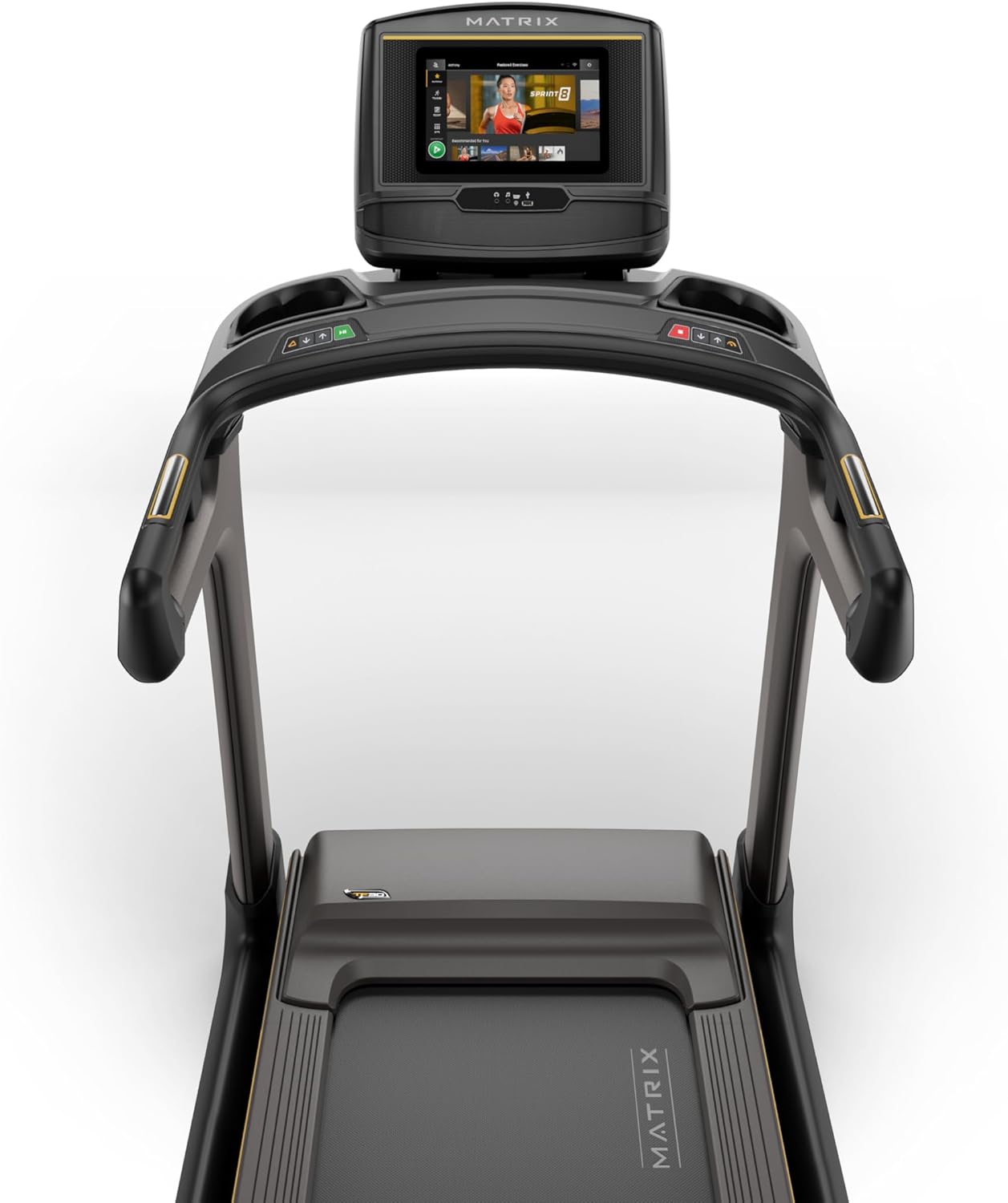
Figure 2: Close-up of the XER Console, highlighting the emergency stop button and safety key attachment point.
Installation
The Matrix Fitness TF30 Treadmill requires some assembly. Please ensure all components listed below are present before beginning assembly.
Composants inclus :
- Cadre de tapis roulant
- mâts
- Mast Boots
- Base de la console
- Guidon
- Handlebar Sleeves
- Embouts de guidon
- Frame Cover Sets
- Quatrième de couverture
- Cordon d'alimentation
- Clé de sécurité
- Kit matériel
For detailed assembly instructions, please refer to the separate assembly guide provided with your product. Ensure the treadmill is placed on a flat, stable surface.
Mode d'emploi
Your TF30 Treadmill is equipped with advanced features for an optimal workout.
Caractéristiques principales :
- Surface de course : A spacious 20" x 55" running surface provides ample room for comfortable strides.
- Speed & Incline: Adjust speed from 0.5 to 12.5 mph and incline from 0% to 15% to customize your workout intensity.
- Système d'entraînement Johnson : Experience quiet, durable, and responsive performance with the continuous-duty drive system.
- Système de deck ultime : Benefit from a heavy-duty frame, extra-thick deck, and industrial-grade cushioning for superior comfort and joint protection.
- Conception peu encombrante : The treadmill features a near 90-degree fold for convenient storage when not in use.

Figure 3: Diagram illustrating key features of the TF30 Treadmill, including its folding design, running surface, motor, incline, speed, and cushioning.

Figure 4: Demonstrating the space-saving folding capability of the TF30 Treadmill.
XER Console Operation:
The 10-inch touchscreen XER Console offers a rich interactive experience.
- Applications intégrées : Stream entertainment from popular apps like Netflix, YouTube, and Spotify directly on the console.
- Programmes d'entraînement : Access 12 built-in programs, including Sprint 8, and integrate with iFIT and Virtual Active for diverse workout experiences and scenic routes.
- Connectivité : Connect via Bluetooth FTMS to third-party apps and use Bluetooth HR with the included strap for heart rate monitoring.
- Chargement sans fil : Conveniently charge your compatible smartphone by placing it on the designated wireless charging pad on the console.
- Utilisateur Profiles: The console supports multiple user profiles, allowing personalized settings and tracking for each user.

Figure 5: The XER Console, highlighting its 10-inch touchscreen and integrated apps for entertainment and diverse workouts.

Figure 6: The XER Console's interface showing various entertainment applications available for use during workouts.

Figure 7: The XER Console displaying a virtual active scenic route, enhancing the immersive workout experience.
Entretien
Un entretien régulier garantit la longévité et les performances optimales de votre tapis roulant.
- Nettoyage: Wipe down the treadmill and console after each use with a damp Chiffon pour enlever la transpiration et la poussière. Éviter les nettoyants abrasifs.
- Lubrification de la courroie : Periodically check and lubricate the running belt according to the instructions in your detailed product manual to ensure smooth operation and prevent wear.
- Tension et alignement de la courroie : Inspect the running belt for proper tension and alignment. Adjust as needed to prevent slipping or rubbing.
- Zone moteur : Keep the area around the motor clean and free of dust and debris to ensure proper ventilation.
Dépannage
If you encounter issues with your treadmill, refer to the following common troubleshooting tips.
| Problème | Cause possible | Solution |
|---|---|---|
| Le tapis roulant ne s'allume pas. | Power cord not connected, circuit breaker tripped, safety key not engaged. | Ensure power cord is securely plugged in. Check household circuit breaker. Ensure safety key is fully inserted. |
| La courroie de course glisse ou hésite. | La tension de la courroie est trop faible, elle a besoin d'être lubrifiée. | Ajustez la tension de la courroie conformément au manuel. Lubrifiez la courroie de course. |
| Bruit inhabituel pendant le fonctionnement. | Composants desserrés, problèmes de moteur, frottement de la courroie. | Inspect for loose bolts and tighten. Check belt lubrication. If noise persists, contact customer support. |
| L'écran de la console est vide ou ne répond pas. | Problème d'alimentation, bug logiciel. | Ensure power is connected. Try restarting the treadmill by unplugging and re-plugging. |
For more complex issues, please refer to the comprehensive troubleshooting section in your full user manual or contact Matrix Fitness customer support.
Caractéristiques
| Spécification | Valeur |
|---|---|
| Marque | Matrice |
| Nom du modèle | Tapis de course Matrix Fitness TF30 |
| Style | TF30 Treadmill with XER Console |
| Dimensions du produit (L x l x H) | 77"P x 35"L x 62"H |
| Taille pliée | 42" x 35" x 71" |
| Poids de l'article | 294 livres |
| Poids maximum recommandé | 350 livres |
| Running Surface (Deck Length x Deck Width) | 55 pouces x 20 pouces |
| Vitesse maximale | 12.5 miles par heure |
| Vitesse minimale | 0.5 miles par heure |
| Pourcentage d'inclinaison maximaletage | 15% |
| Puissance maximale | 3.25 chevaux |
| Type d'affichage | Écran LCD (taille d'écran : 10 pouces) |
| Nombre de programmes | 12 |
| Source d'énergie | Électrique avec fil |
| Assemblage requis | Oui |
| Mesures mesurées | Distance |

Figure 8: Dimensions of the Matrix Fitness TF30 Treadmill.
Garantie et assistance
Your Matrix Fitness TF30 Treadmill is backed by a comprehensive manufacturer's warranty:
- Cadre: Garantie à vie
- Moteur et amortissement : Garantie à vie
- Console: 5 years parts / 1 year labor
- Frame (Parts/Labor): 5 years parts / 2 years labor
For customer support or warranty claims, please contact Matrix Fitness USA directly.


