Introduction
Thank you for choosing the AULA F2066-II USB Wired Keyboard. This manual provides essential information for setting up, operating, and maintaining your keyboard. Please read it carefully to ensure optimal performance and longevity of your device.
Instructions d'installation
- Déballer le clavier : Carefully remove the AULA F2066-II keyboard from its packaging. Ensure all components are present.
- Connectez-vous à l'ordinateur : Locate an available USB port on your computer or laptop. Insert the USB connector of the keyboard firmly into the USB port.
- Installation du pilote : The keyboard is plug-and-play. Your operating system (Windows, macOS, Linux) should automatically detect and install the necessary drivers. No additional software installation is typically required.
- Fonctionnalité de test : Open a text editor or any application that accepts text input and test typing to ensure all keys are functioning correctly.

Image: The AULA F2066-II USB Wired Keyboard, showcasing its full layout and RGB backlighting. This image illustrates the keyboard's design and key arrangement.
Mode d'emploi
The AULA F2066-II keyboard features a standard layout with additional multimedia functions. It supports both English and Arabic languages.
Utilisation de base:
- Dactylographie: Use the alphanumeric keys for standard text input.
- Touches de fonction (F1-F12) : Ces touches remplissent leurs fonctions standard.
- Clavier numérique: Le pavé numérique dédié situé à droite permet une saisie rapide des nombres et des calculs.
Combinaisons de touches multimédias :
This keyboard includes various multimedia functions accessible via the FN key combined with other keys. Refer to the table below for specific combinations.
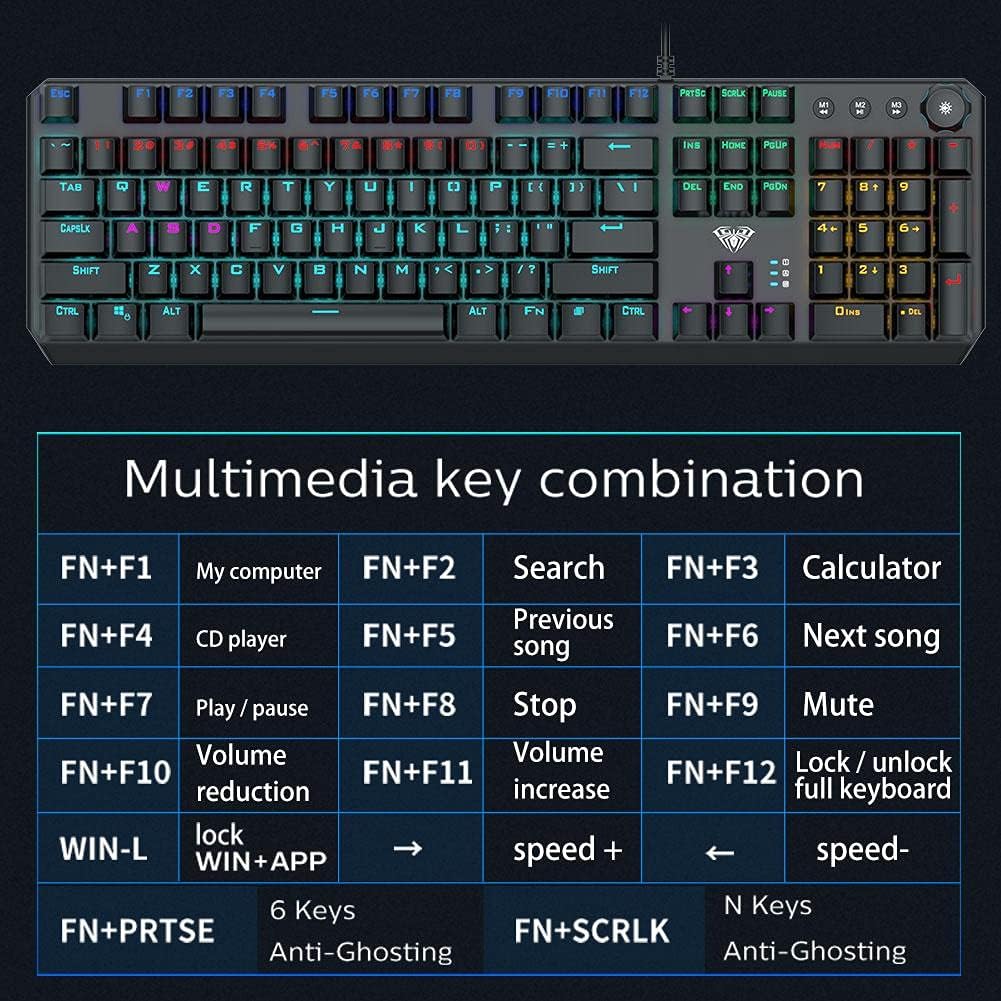
Image: A detailed table illustrating the multimedia key combinations available on the AULA F2066-II keyboard. This includes functions like volume control, media playback, and application shortcuts activated by pressing the FN key with specific function keys.
| Combinaison | Fonction |
|---|---|
| FN + F1 | Mon ordinateur |
| FN + F2 | Rechercher |
| FN + F3 | Calculatrice |
| FN + F4 | Lecteur CD |
| FN + F5 | Chanson précédente |
| FN + F6 | Chanson suivante |
| FN + F7 | Lecture / Pause |
| FN + F8 | Arrêt |
| FN + F9 | Muet |
| FN + F10 | Réduction du volume |
| FN + F11 | Augmentation du volume |
| FN + F12 | Lock / Unlock Full Keyboard |
| GAGNER + L | Lock WIN + APP |
| FN + PRT SC | 6 touches anti-ghosting |
| FN + SCRLK | N Keys Anti-Ghosting |
Entretien
Proper maintenance ensures the longevity and optimal performance of your AULA F2066-II keyboard.
- Nettoyage: Nettoyez régulièrement le clavier avec un chiffon doux et sec. Pour un nettoyage plus approfondi, utilisez de l'air comprimé afin d'éliminer la poussière et les débris entre les touches. Évitez d'utiliser des produits chimiques agressifs ou des matériaux abrasifs.
- Déversements : En cas de projection de liquide, débranchez immédiatement le clavier de votre ordinateur. Retournez-le pour égoutter le liquide et laissez-le sécher complètement avant de le rebrancher. N’essayez pas d’utiliser le clavier tant qu’il est mouillé.
- Stockage: Lorsqu'il n'est pas utilisé pendant une période prolongée, rangez le clavier dans un endroit propre et sec, à l'abri de la lumière directe du soleil et des températures extrêmes.
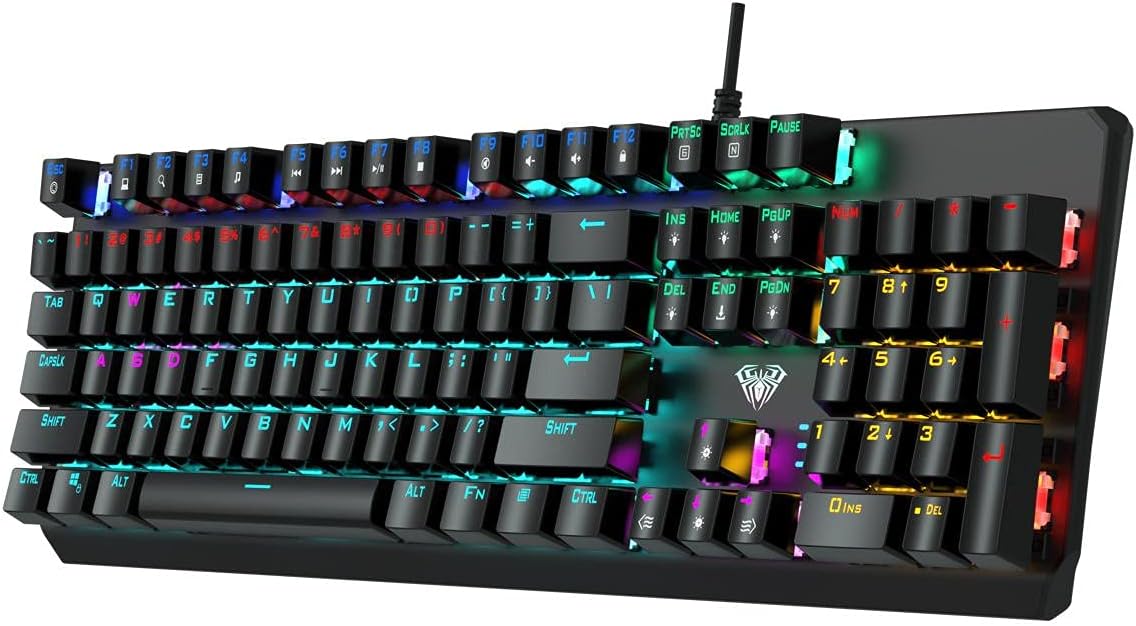
Image : Vue de dessus view of the AULA F2066-II keyboard, highlighting the keycaps and their spacing. This perspective is useful for understanding how to clean between the keys.
Dépannage
If you encounter issues with your AULA F2066-II keyboard, refer to the following common solutions:
| Problème | Solution |
|---|---|
| Le clavier ne répond pas. |
|
| Certain keys are not working. |
|
| Backlighting is not working. |
|
Caractéristiques
| Fonctionnalité | Détail |
|---|---|
| Marque | AULA |
| Numéro de modèle | F2066-II-Black-Panel |
| Technologie de connectivité | Câble USB |
| Langue du clavier | anglais et arabe |
| Appareils compatibles | PC, ordinateur portable |
| Couleur | Noir |
| Couleur du rétroéclairage | Single Color (RGB effects are typically pre-set patterns, not customizable per key color) |
| Matériel | Plastique |
| Dimensions (L x l x H) | 49.7 x 40.7 x 5.3 cm |
| Poids | 960 grammes |
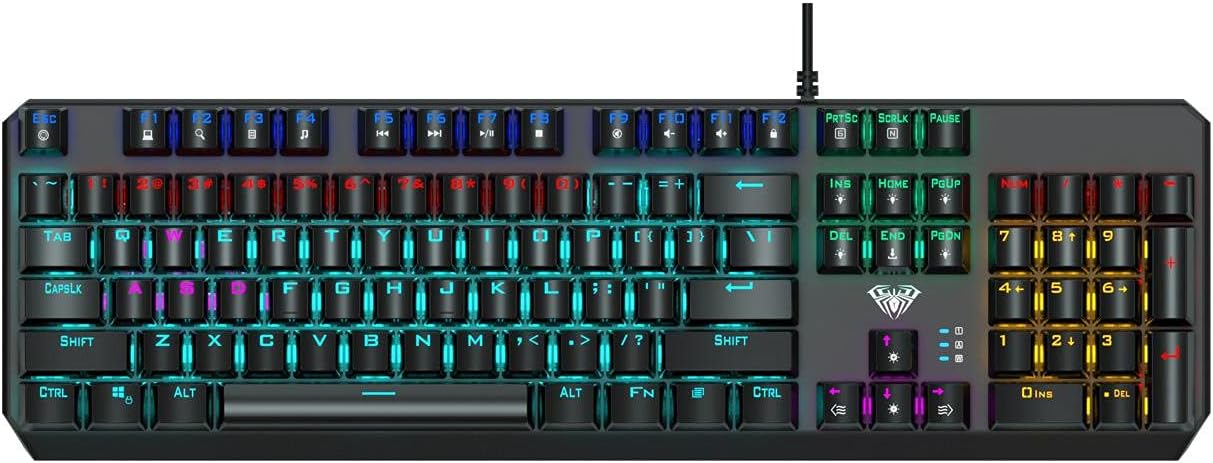
Image: The AULA F2066-II keyboard displayed alongside its retail packaging. This image provides a visual reference for the product and its box.
Garantie et assistance
For warranty information and technical support, please refer to the documentation included with your purchase or visit the official AULA webConsultez le site. Conservez votre preuve d'achat pour toute réclamation au titre de la garantie.
Ressources en ligne :
- AULA Official Website: www.aulagaming.com (Remarque : Ceci est un espace réservé générique URL as no specific support link was provided in the product data. Please verify the correct URL.)
- Product Support Page: Check the AULA website for a dedicated support page for model F2066-II.


