1. Introduction
Merci pour votre achatasing the Technics SL-1200MK7 Direct Drive Turntable. This manual provides essential information for the proper setup, operation, and maintenance of your new turntable. Please read this manual thoroughly before using the product to ensure optimal performance and longevity.
The Technics SL-1200MK7 is engineered for precision and durability, offering a high-quality audio experience for both professional DJs and audiophiles. Its robust construction and advanced features make it a reliable choice for vinyl playback.
2. Consignes de sécurité
Pour éviter tout risque d'électrocution, d'incendie ou d'endommagement de l'appareil, veuillez respecter les consignes de sécurité suivantes :
- N'exposez pas cet appareil à la pluie ou à l'humidité.
- Ne retirez pas le couvercle. Confiez toute réparation à un personnel qualifié uniquement.
- Ne placez pas d’objets remplis de liquide, tels que des vases, sur l’appareil.
- Assurez une ventilation adéquate. Ne bloquez pas les ouvertures de ventilation.
- Utilisez uniquement l'alimentation électrique spécifiée pour cet appareil.
- Débranchez la prise de la prise murale si l'appareil n'est pas utilisé pendant une période prolongée.
- Évitez de placer l'appareil en plein soleil ou à proximité de sources de chaleur.
3. Guide de configuration
3.1 Déballage et composants inclus
Retirez soigneusement tous les composants de l'emballage. Assurez-vous que les éléments suivants sont présents :
- Technics SL-1200MK7 Turntable Unit
- Lid (Dust Cover)
- Câble d'alimentation
- RCA Signal Cable
- Plat
- Slipmat
- Contrepoids
- Headshell with Cartridge (may be sold separately)
- Adaptateur 45 tr / min
3.2 Placement
Place the turntable on a stable, level surface, away from direct sunlight, heat sources, and strong magnetic fields. Ensure there is adequate space around the unit for ventilation and cable connections. Avoid placing it near speakers to minimize vibrations that could affect playback quality.

Figure 3.2.1 : principale view of the Technics SL-1200MK7 Turntable, showcasing its sleek grey finish and classic design. This image provides an overview of the unit's primary components.
3.3 Assemblage
- Installation du plateau : Carefully place the platter onto the spindle. Ensure it sits flush and rotates freely.
- Placement du tapis de platine : Lay the included slipmat on top of the platter.
- Cache-poussière : Attach the dust cover to the hinges at the rear of the unit.
- Cartridge and Headshell: If not pre-installed, attach your preferred cartridge to the headshell. Ensure the stylus is protected during installation.
- Tonearm Balance: Mount the headshell onto the tonearm. Adjust the counterweight until the tonearm is balanced and floats horizontally.
- Force de suivi : Set the tracking force according to your cartridge manufacturer's specifications using the tonearm's tracking force dial.
- Anti-patinage : Réglez la molette d'antiskating pour qu'elle corresponde au réglage de la force de suivi.
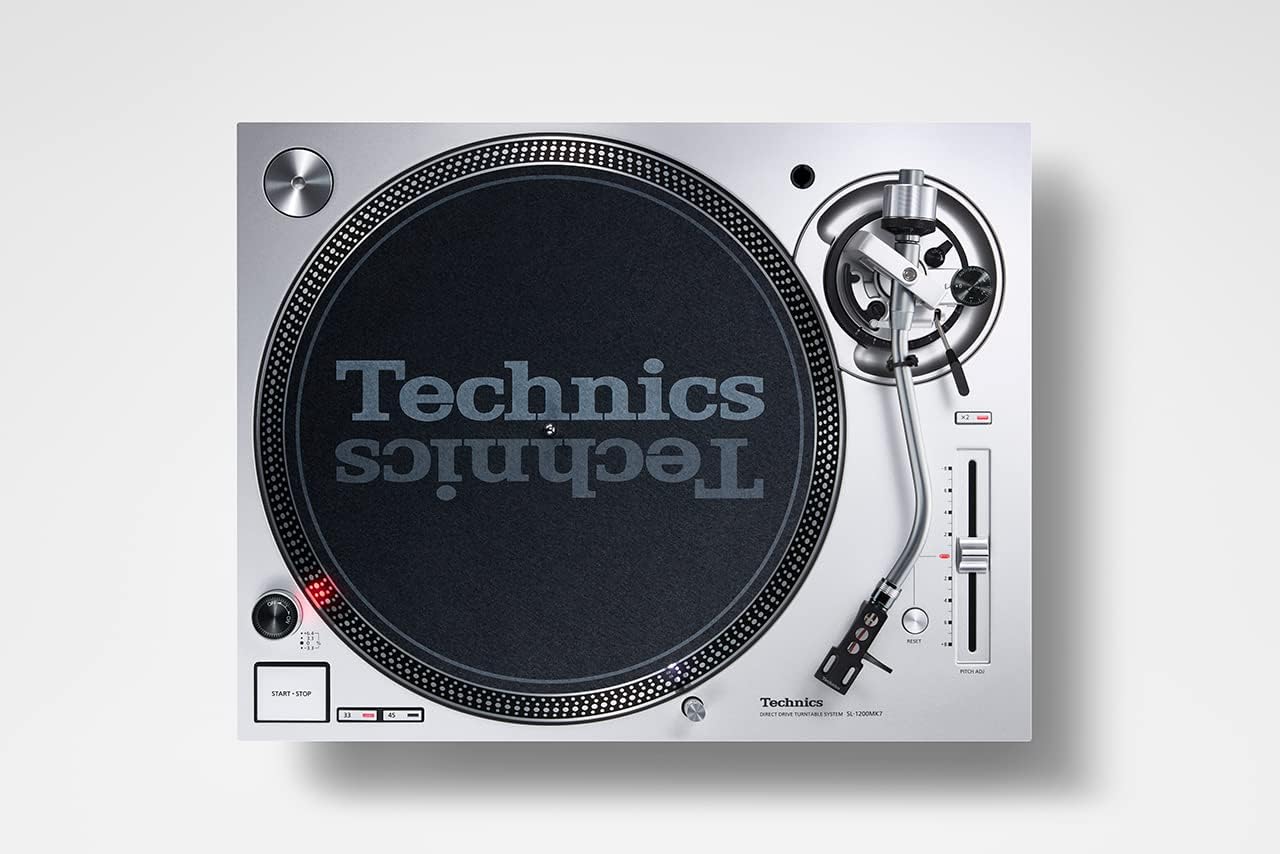
Figure 3.3.1 : Vue de dessus view of the Technics SL-1200MK7, highlighting the platter, tonearm, and control layout. This perspective is useful for understanding component placement during assembly.
3.4 Connexions
- Sortie RCA : Connect the supplied RCA signal cable from the turntable's RCA output jacks to the PHONO input of your amplificateur ou pré phonoamplifier. Ensure correct left (white) and right (red) channel connections.
- Fil de terre: Connectez le fil de terre de la platine à la borne de terre de votre… amplificateur ou pré phonoampAmplificateur pour minimiser le bourdonnement.
- Pouvoir: Connect the power cable to the turntable and then to a suitable wall outlet.
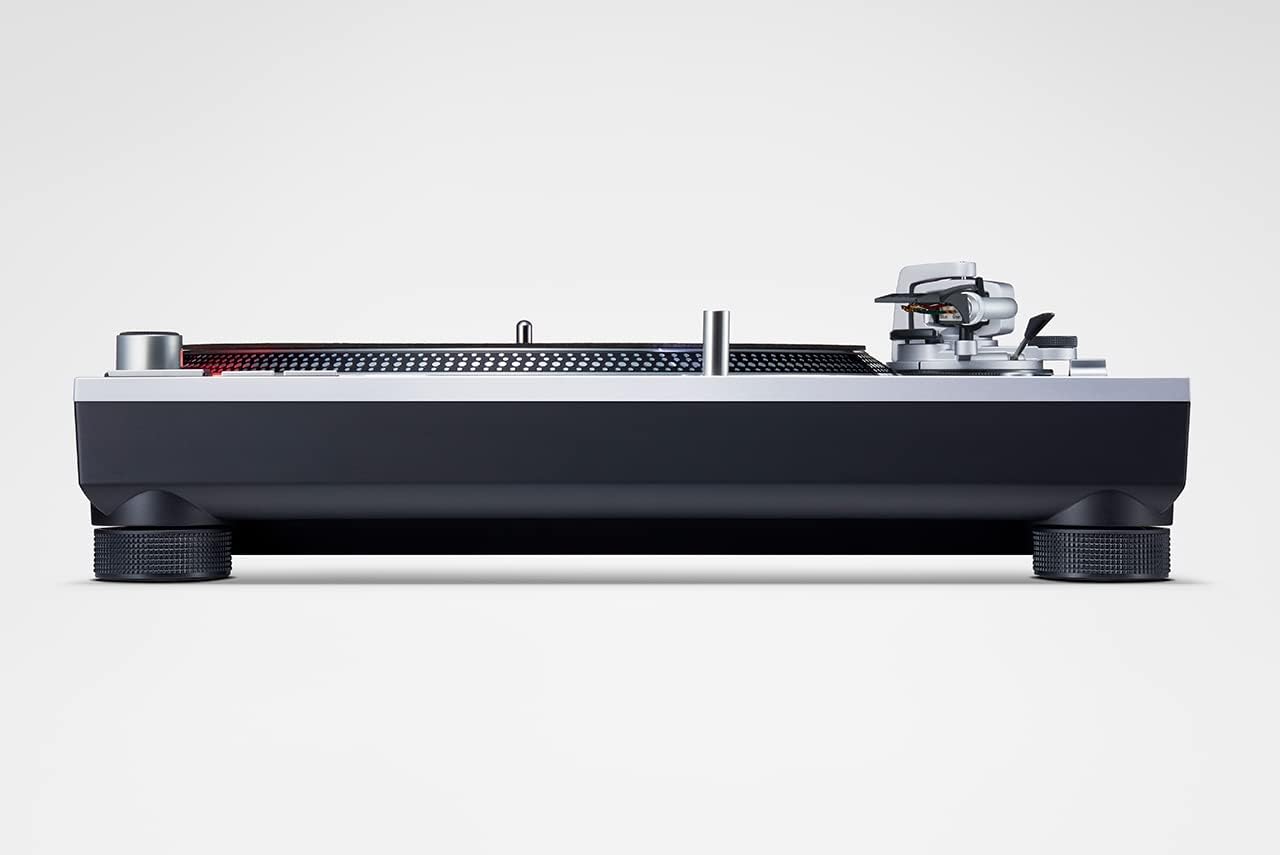
Figure 3.4.1 : Côté view of the Technics SL-1200MK7, illustrating its sturdy base and adjustable feet. This view helps in understanding the unit's profile and stability features.
4. Mode d'emploi
4.1 Mise sous/hors tension
To power on the turntable, rotate the power switch/strobe illuminator knob clockwise. The strobe light will illuminate. To power off, rotate the knob counter-clockwise until it clicks off.
4.2 Jouer un disque
- Placez un disque sur le plateau.
- Select the appropriate speed (33 ⅓, 45, or 78 RPM) using the speed selector buttons. For 78 RPM, refer to the advanced settings in the full manual.
- Appuyez sur le bouton START/STOP pour lancer la rotation du plateau.
- Soulevez délicatement le bras de lecture à l'aide du levier de levage.
- Position the tonearm over the desired groove of the record.
- Abaissez lentement le levier de guidage pour permettre au stylet de descendre sur le disque.
- To stop playback, lift the tonearm using the cueing lever and return it to the tonearm rest. Press the START/STOP button to stop the platter.
4.3 Contrôle de la hauteur
The SL-1200MK7 features a pitch control slider to adjust the playback speed. Move the slider up or down to increase or decrease the speed. The RESET button instantly returns the pitch to 0%.
5. Entretien
5.1 Nettoyage
- Cache-poussière : Essuyez avec un chiffon doux et sec. Pour les taches tenaces, utilisez un chiffon légèrement plus épais.amp chiffon et un détergent doux, puis séchez soigneusement.
- Plateau et châssis : Use a soft, lint-free cloth. Avoid abrasive cleaners.
- Style: Use a dedicated stylus brush or cleaner. Always brush from back to front.
5.2 Remplacement du stylet
The stylus is a delicate component and wears over time. Replace it according to your cartridge manufacturer's recommendations (typically every 500-1000 hours of playback). Refer to your cartridge manual for specific replacement instructions.
6. Dépannage
| Problème | Cause possible | Solution |
|---|---|---|
| Pas de son ou volume faible | Incorrect connections; Amplifier input not set to PHONO; Cartridge/stylus issue. | Check RCA and ground connections. Ensure amplifier is set to PHONO input. Verify cartridge is properly installed and stylus is not damaged. |
| Son déformé | Incorrect tracking force/anti-skate; Worn or dirty stylus; Damaged record. | Adjust tracking force and anti-skate. Clean or replace stylus. Inspect record for damage. |
| Le plateau ne tourne pas. | Power not connected; START/STOP button not pressed. | Check power cable connection. Press the START/STOP button. |
| Sauter à la corde ou sauter | Dust on stylus/record; Incorrect tracking force/anti-skate; Turntable not level; Vibrations. | Clean stylus and record. Re-adjust tracking force and anti-skate. Ensure turntable is level and on a stable surface. |
7. Spécifications
| Fonctionnalité | Détail |
|---|---|
| Nom du modèle | Sl 1200 |
| Numéro de modèle de l'article | SL-1200MK7EG |
| Marque | Technique |
| Couleur | Gris |
| Matériel | Aluminium |
| Technologie de connectivité | Auxiliaire |
| Vitesse de rotation maximale | 78 RPM (supports 33 ⅓, 45, and 78 RPM) |
| Poids de l'article | 22 livre (environ 10 kg) |
| Dimensions du colis | 21.34 x 17.17 x 9.53 pouces |
| Composants inclus | Lid, power cable, RCA signal cable |
8. Garantie et assistance
For warranty information and technical support, please refer to the warranty card included with your product or visit the official Technics webConsultez le site. Conservez votre preuve d'achat pour toute réclamation au titre de la garantie.
For further assistance, you may contact Technics customer service through their official channels. Please have your model number (SL-1200MK7EG) and serial number ready when contacting support.


