1. Introduction
The Poly Voyager Focus 2 UC USB-A Headset is designed to create a focused audio environment, blocking out background noise for clear communication. Featuring three levels of hybrid Active Noise Canceling (ANC) and Poly Acoustic Fence technology, it ensures you hear your calls clearly and are heard without distractions. This headset offers all-day comfort and versatile connectivity for computers (via BT700 USB-A adapter) and mobile devices (via Bluetooth v5.1). This Microsoft Teams certified version includes a dedicated Teams button for enhanced collaboration.
2. Contenu de la boîte
- Voyager Focus 2 UC USB-A Headset
- Mallette de transport
- Adaptateur USB-A BT700
- Câble de chargement
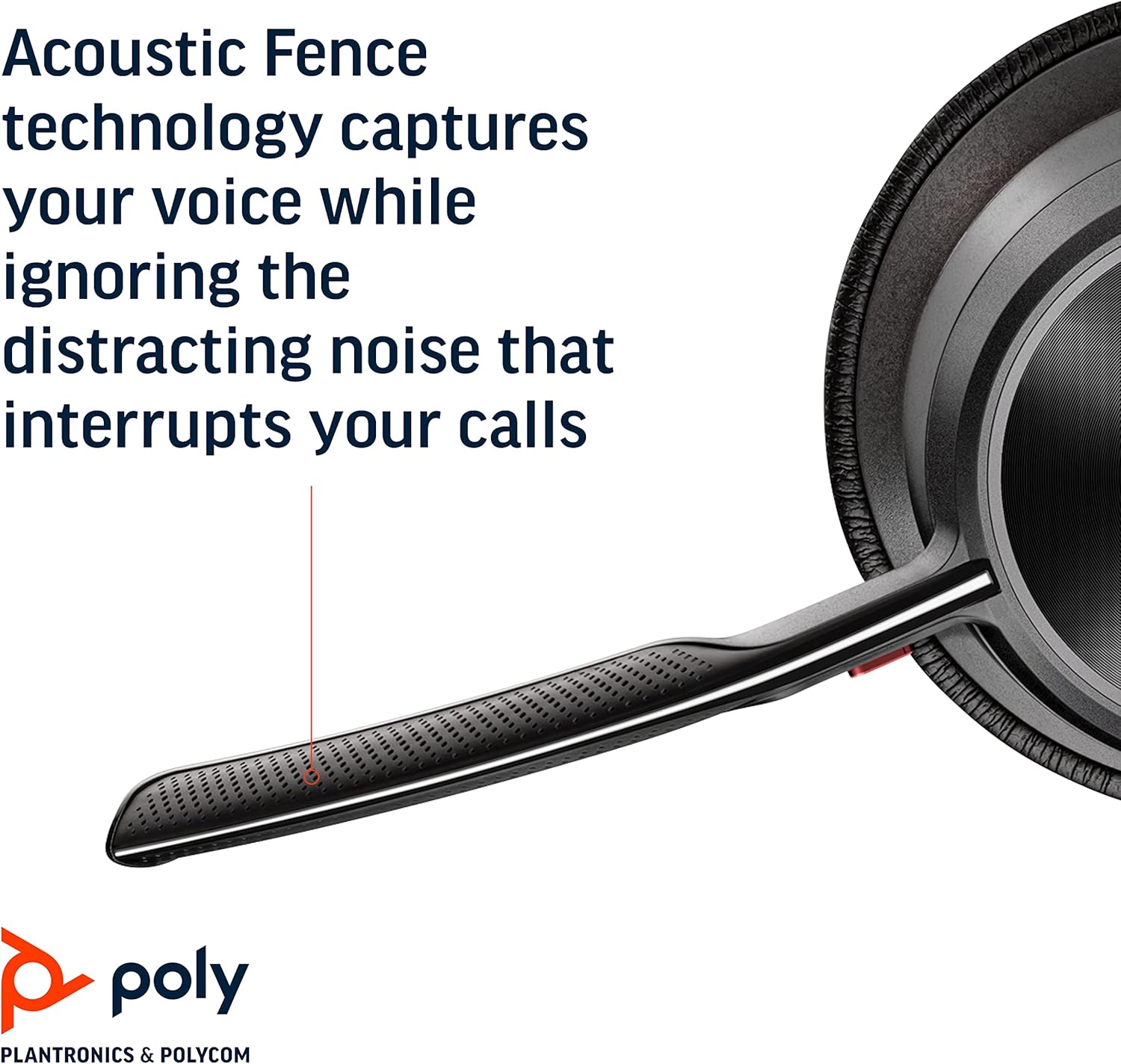
Image: Headset components including the BT700 USB-A adapter and charging cable.
3. Installation
3.1 Chargement du casque
Connect the charging cable to the headset's USB port and to a power source. A full charge provides up to 19 hours of talk time. If using an optional charging stand, simply place the headset on the stand to charge.

Image: The Poly Voyager Focus 2 UC USB-A Headset placed on its charging stand.
3.2 Connexion à un ordinateur (adaptateur USB-A)
- Insérez l'adaptateur USB-A BT700 dans un port USB-A disponible de votre ordinateur.
- Allumez votre casque.
- La LED de l'adaptateur clignotera en bleu, puis deviendra bleue fixe une fois connecté au casque.
3.3 Connecting to a Mobile Device (Bluetooth)
- With the headset powered off, slide and hold the Power switch towards the Bluetooth icon until the LED flashes red and blue.
- Sur votre appareil mobile, accédez aux paramètres Bluetooth et sélectionnez « Poly Voyager Focus 2 » dans la liste des appareils disponibles.
- Once successfully paired, the headset LED will stop flashing.
3.4 Réglage du casque
Adjust the headband for a comfortable fit. Position the boom microphone approximately two finger-widths from the corner of your mouth. The microphone boom is flexible and can be rotated to either the left or right side, automatically adjusting audio channels.

Image: A woman wearing the headset, demonstrating a comfortable fit for work.
4. Mode d'emploi
4.1 Mise sous/hors tension
Slide the Power switch to the 'On' position to power on the headset. Slide it to 'Off' to power off.
4.2 Contrôle du volume
Utilisez les boutons d'augmentation du volume (+) et de diminution du volume (-) situés sur l'oreillette pour régler le volume d'écoute.

Image: Close-up of the headset earcup with visible volume controls.
4.3 Activer/Désactiver le son
Press the dedicated mute button on the microphone boom to mute or unmute your microphone. The Dynamic Mute Alert feature will notify you if you speak while muted.

Image : détaillée view of the headset's boom microphone.
4.4 Réduction active du bruit (ANC)
Adjust the noise canceling level (High, Low, or Off) using the ANC switch on the earcup to suit your environment and personal preference.
4.5 Gestion des appels
Press the Call button on the earcup to answer or end a call. For Microsoft Teams calls, use the dedicated Teams button for instant access to the Teams App and notifications.
5. Caractéristiques
- Performances audio: Three options of Advanced Digital Hybrid Active Noise Canceling (ANC) – high, low, and off – for personalized noise control.
- Technologie de clôture acoustique Poly : Advanced multi-microphone noise canceling ensures callers hear only your voice, not your surroundings.
- Technologie intelligente : Dynamic Mute Alert notifies you if you speak while your microphone is muted.
- All-Day Wearing: Lightweight headband with a sling and plush ear cushions provide comfort for extended use. Up to 19 hours of talk time.
- Multiple Device Connections: Connects to a computer via the included BT700 USB-A adapter and to a mobile device via Bluetooth v5.1.
Vidéo : Un officiel au-dessusview of the Poly Voyager Focus 2 headset, highlighting its key features and design.
6. Entretien
6.1 Nettoyage
Essuyez le casque avec un chiffon doux et sec.amp cloth. Avoid using harsh chemicals or abrasive materials. Ensure the microphone and earcup surfaces are free from debris.
6.2 Stockage
When not in use, store the headset in its provided carry case to protect it from dust and damage. Avoid storing in extreme temperatures.
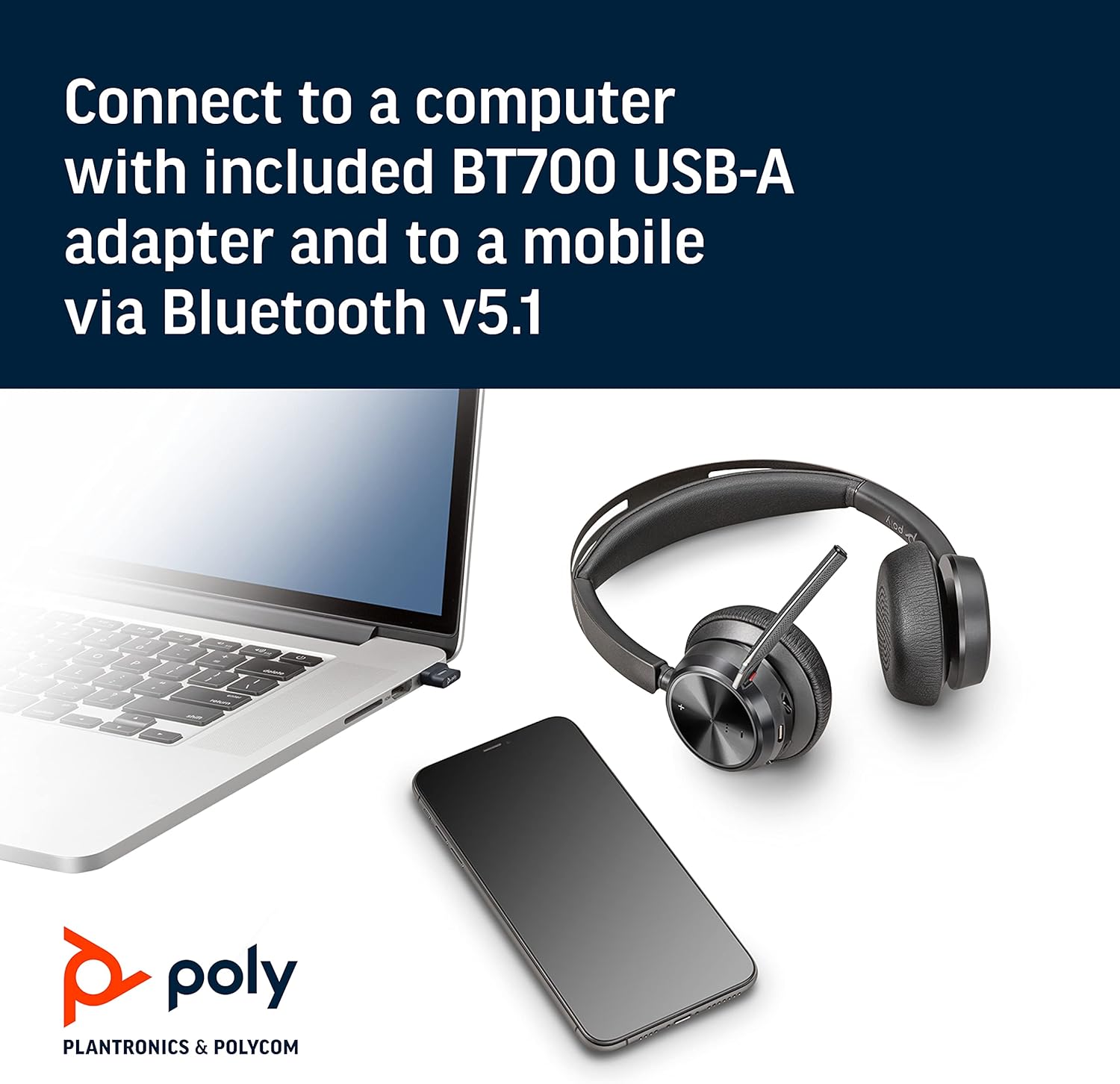
Image: The headset neatly folded and stored inside its carry case.
7. Dépannage
7.1 No Sound/Poor Audio Quality
- Assurez-vous que le casque est allumé et complètement chargé.
- Check that the headset is correctly paired with your device (computer via USB adapter or mobile via Bluetooth).
- Verify the volume levels on both the headset and your connected device.
- If connected to a computer, ensure the Poly BT700 adapter is recognized as the default audio device in your system settings.
7.2 Microphone non fonctionnel
- Confirm the microphone is not muted (check the mute button and Dynamic Mute Alert).
- Ensure the microphone boom is properly positioned near your mouth.
- Check your device's audio settings to ensure the headset microphone is selected as the input device.
7.3 Problèmes de connectivité
- Redémarrez à la fois le casque et votre appareil connecté.
- Move closer to your connected device to ensure you are within the Bluetooth range (up to 10 meters for mobile, 50 meters for BT700 adapter).
- If using the BT700 adapter, try plugging it into a different USB port.
- Unpair and re-pair the headset with your device.
8. Spécifications
| Nom du modèle | Voyager Focus 2 UC-M USB-A |
| Numéro de modèle de l'article | 213726-02 |
| Technologie de connectivité | Bluetooth 5.1 |
| Contrôle du bruit | Active Noise Cancellation (Hybrid Digital) |
| Technologie du microphone | Clôture acoustique en polyéthylène |
| Autonomie de la batterie (temps de conversation) | Jusqu'à 19 XNUMX heures |
| Prise pour casque | USB |
| Poids de l'article | 175 grammes (6.2 onces) |
| Dimensions du produit | 4 x 6 x 2.8 pouces |
| Appareils compatibles | PCs, Smartphones, Tablets, Laptops |
| Composants inclus | Headset, carry case, BT700 USB adapter and charging cable |
9. Garantie et assistance
For warranty information, technical support, or to register your product, please visit the official Poly website or refer to the documentation included with your purchase. You can also visit the Boutique POLY sur Amazon pour obtenir des ressources supplémentaires et des informations sur les produits.


