Introduction
Merci pour votre achatasing the DELTACO GAMING Chair, Model GAM-080. This ergonomic gaming chair is designed to provide comfort and support during long gaming sessions, featuring adjustable components and integrated RGB lighting. Please read this manual carefully before assembly and use to ensure proper operation and longevity of your chair.
Consignes de sécurité
- Assurez-vous que tous les composants sont solidement fixés avant utilisation.
- Ne montez pas sur la chaise.
- N’utilisez pas la chaise si des pièces sont endommagées ou manquantes.
- Gardez vos mains et vos doigts éloignés des pièces mobiles pendant le réglage.
- This chair is designed for a maximum weight of 120 kg (264 lbs). Exceeding this limit may cause damage or injury.
- The RGB lighting requires a USB power source. Ensure the cable is not pinched or damaged.
Contenu du colis
Avant de commencer l'assemblage, vérifiez que toutes les pièces sont présentes et en bon état. Si des pièces sont manquantes ou endommagées, veuillez contacter le service client.
- Dossier
- Base de siège
- Accoudoirs (2)
- Base étoile
- Roulettes (5)
- Vérin à gaz
- Couvercle d'ascenseur à gaz
- Plaque de mécanisme
- Coussin lombaire
- Oreiller d'appui-tête
- Matériel de montage (vis, rondelles, clé Allen)
- Télécommande RVB
- USB Power Cable for RGB
Configuration et assemblage
Please follow these steps carefully for proper assembly. It is recommended to assemble the chair on a soft, clean surface to prevent damage.
- Fixez les roulettes à la base en étoile : Insérez chacune des cinq roulettes dans les trous situés à l'extrémité de la base en étoile jusqu'à ce qu'elles s'enclenchent solidement.
- Insérer le vérin à gaz : Insérez le vérin à gaz dans l'orifice central de la base en étoile. Recouvrez-le avec le couvercle du vérin à gaz.
- Fixez la plaque du mécanisme à la base du siège : Align the mechanism plate with the pre-drilled holes on the underside of the seat base. Ensure the front of the mechanism plate faces the front of the seat. Secure with screws.
- Fixez les accoudoirs à la base du siège : Secure the armrests to the sides of the seat base using the provided screws. Ensure they are firmly attached.
- Fixez le dossier à la base du siège : Alignez le dossier avec les supports de fixation sur la base du siège. Fixez-le avec des vis.
- Raccordez le siège au vérin à gaz : Placez soigneusement l'assise et le dossier assemblés sur le vérin à gaz, en vous assurant qu'ils sont bien centrés et stables.
- Fixez l'appui-tête et les coussins lombaires : Secure the headrest pillow and lumbar cushion to the chair using their respective straps.

Image: The DELTACO GAMING Chair fully assembled, showcasing its ergonomic design and RGB lighting strips along the edges.
Mode d'emploi
Réglage de la hauteur
To adjust the chair's height, pull the lever located on the right side of the seat upwards. While seated, lift your weight off the chair to raise it, or remain seated to lower it. Release the lever to lock the height.
Inclinaison du dossier
The backrest can be reclined between 90 and 180 degrees. Pull the recline lever, typically located on the right side of the chair, and lean back or forward to achieve your desired angle. Release the lever to lock the backrest in position.

Image: An illustration demonstrating the chair's ability to recline from an upright position to a nearly flat position, indicated by an orange arrow.
RGB Lighting Operation
The chair features integrated RGB lighting with 332 LED modes. To activate the lighting, connect the chair's USB cable to a 5V USB power source (e.g., a power bank, computer USB port, or USB wall adapter). Use the included remote control to change colors, modes, and brightness.
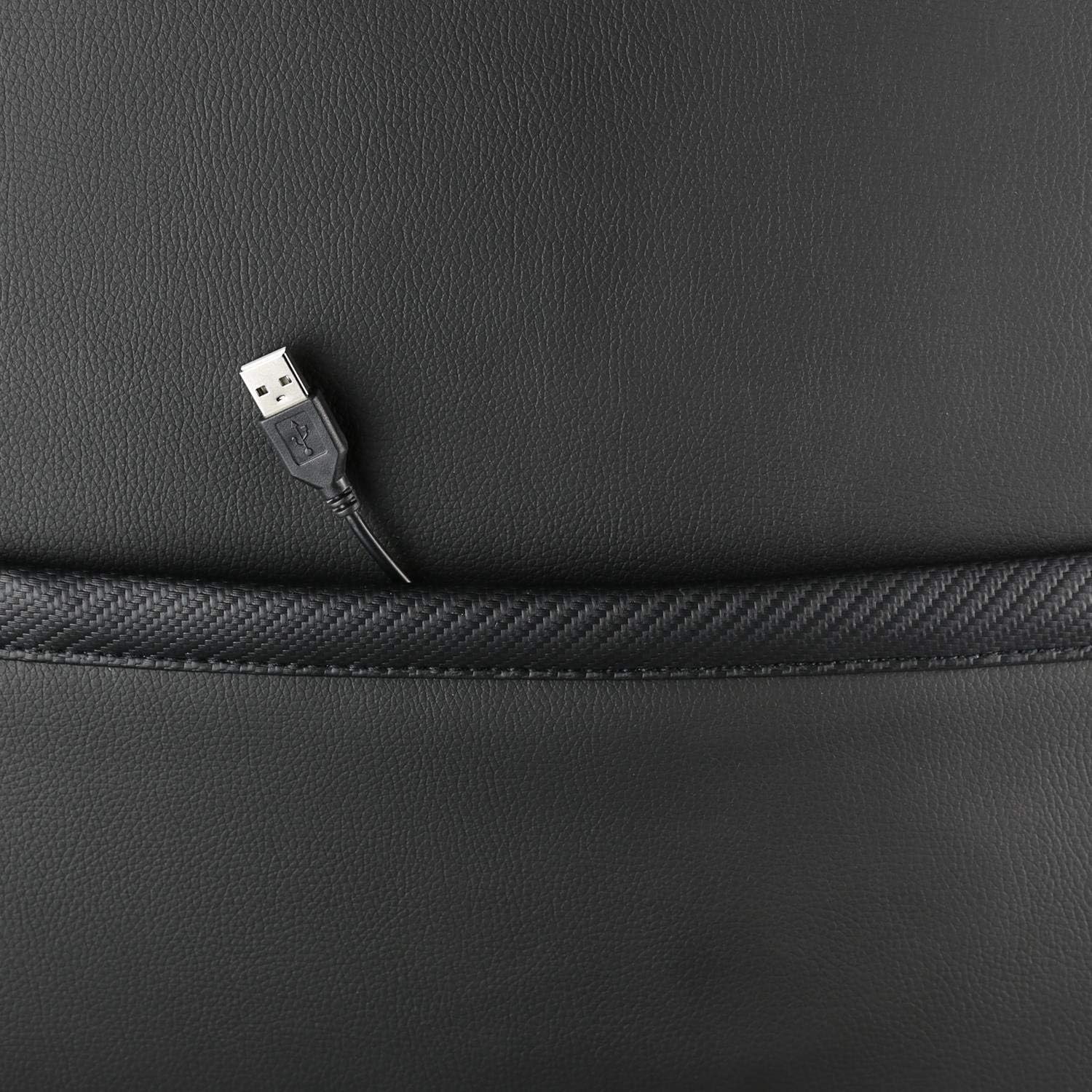
Image : Un gros plan view showing the USB power cable emerging from a pocket on the chair, used to power the RGB lighting.

Image : Un surview image of the DELTACO GAMING RGB Gaming Chair highlighting features such as remote control for RGB lights, adjustable headrest, included lumbar cushion, and adjustable backrest from 90-180 degrees, along with 332 LED modes.
Entretien et soins
- Nettoyage: Nettoyer avec une publicitéamp cloth. Do not use harsh chemicals or abrasive cleaners, as this may damage the faux leather.
- Inspection: Vérifiez régulièrement le serrage de toutes les vis et boulons. Resserrer si nécessaire.
- Stockage: Store the chair in a cool, dry place away from direct sunlight to prevent material degradation.
- Cable USB: Ensure the USB power cable for the RGB lighting is not kinked or damaged.
Dépannage
| Problème | Cause possible | Solution |
|---|---|---|
| La hauteur de la chaise n'est pas réglable. | Dysfonctionnement du vérin à gaz ou levier non enclenché. | Assurez-vous que le levier de réglage en hauteur est complètement tiré. Si le problème persiste, le vérin à gaz devra peut-être être remplacé. |
| Le dossier ne s'incline pas et ne se verrouille pas. | Mécanisme d'inclinaison bloqué ou levier non enclenché. | Check for obstructions around the recline mechanism. Ensure the recline lever is fully engaged. |
| L'éclairage RGB ne fonctionne pas. | USB power not connected, cable damaged, or remote control battery low. | Verify the USB cable is securely connected to a working 5V power source. Check the cable for damage. Replace remote control battery if necessary. |
| La chaise est bancale. | Vis desserrées ou roulettes mal insérées. | Tighten all assembly screws. Ensure all casters are fully inserted into the star base. |
Caractéristiques
| Fonctionnalité | Détail |
|---|---|
| Nom du modèle | GAM-080 |
| Marque | JEU DELTACO |
| Couleur | Noir |
| Matériel | Faux leather, Foam |
| Poids maximum recommandé | 120 kilogrammes (264 livres) |
| Dimensions du produit (L x l x H) | 22.44 x 26.77 x 57.87 pouces |
| Poids de l'article | 46.2 livres |
| Caractéristiques spéciales | RGB Lighting, Adjustable Backrest (90-180°), Adjustable Height, Lumbar Cushion, Headrest Pillow |
| Power Source for RGB | USB 5V |
Garantie et assistance
This DELTACO GAMING Chair (Model GAM-080) comes with a 1-year spare part availability duration within the EU, as per manufacturer specifications.
For technical support, warranty claims, or inquiries regarding spare parts, please contact DELTACO GAMING customer support. Refer to your purchase documentation for specific contact details or visit the official DELTACO GAMING website.
Note: Proof of purchase may be required for warranty services.