1. Introduction
Thank you for choosing the Flow Amsterdam Moby Whale Night Light. This user manual provides essential information for the safe and effective use of your night light. Please read these instructions carefully before use and retain them for future reference.
2. Consignes de sécurité
- Warning: Small Parts Hazard. The decorative eyes on the Moby Whale Night Light are adhesive stickers that can detach. These small parts pose a choking hazard to young children. Ensure the product is used under adult supervision, especially with infants and toddlers.
- This product is not a toy. Keep out of reach of children when not in use or when charging.
- Do not immerse the night light in water or expose it to excessive moisture.
- Use only the provided or a certified USB charging cable and a compatible 5V DC, 500mA power adapter.
- N’essayez pas d’ouvrir, de modifier ou de réparer l’appareil. Confiez toute intervention à un personnel qualifié.
- Tenir à l'écart des sources de chaleur directe et des flammes nues.
3. Contenu du colis
- 1 x Flow Amsterdam Moby Whale Night Light (Medium)
- 1 x câble de chargement USB
4. Produit terminéview
The Moby Whale Night Light is designed to provide a comforting glow in a child's room. Its soft, whale-shaped design and gentle illumination create a serene environment. The medium size is suitable for various placements.

Image: The Moby Whale Night Light (medium size) placed on a stool in a child's bedroom, providing a soft glow. Two children are visible in the background.

Image: Three Moby Whale Night Lights, illustrating the small, medium, and large sizes. This product is the medium size.
5. Configuration et chargement
5.1 Frais initiaux
Before first use, fully charge the Moby Whale Night Light. Connect the provided USB charging cable to the charging port located on the bottom of the night light. Connect the other end of the USB cable to a compatible USB power adapter (DC 5V, 500mA) or a computer USB port.
The charging indicator (if present) will show the charging status. Once fully charged, disconnect the cable.
5.2 Identifying the Charging Port and Power Button
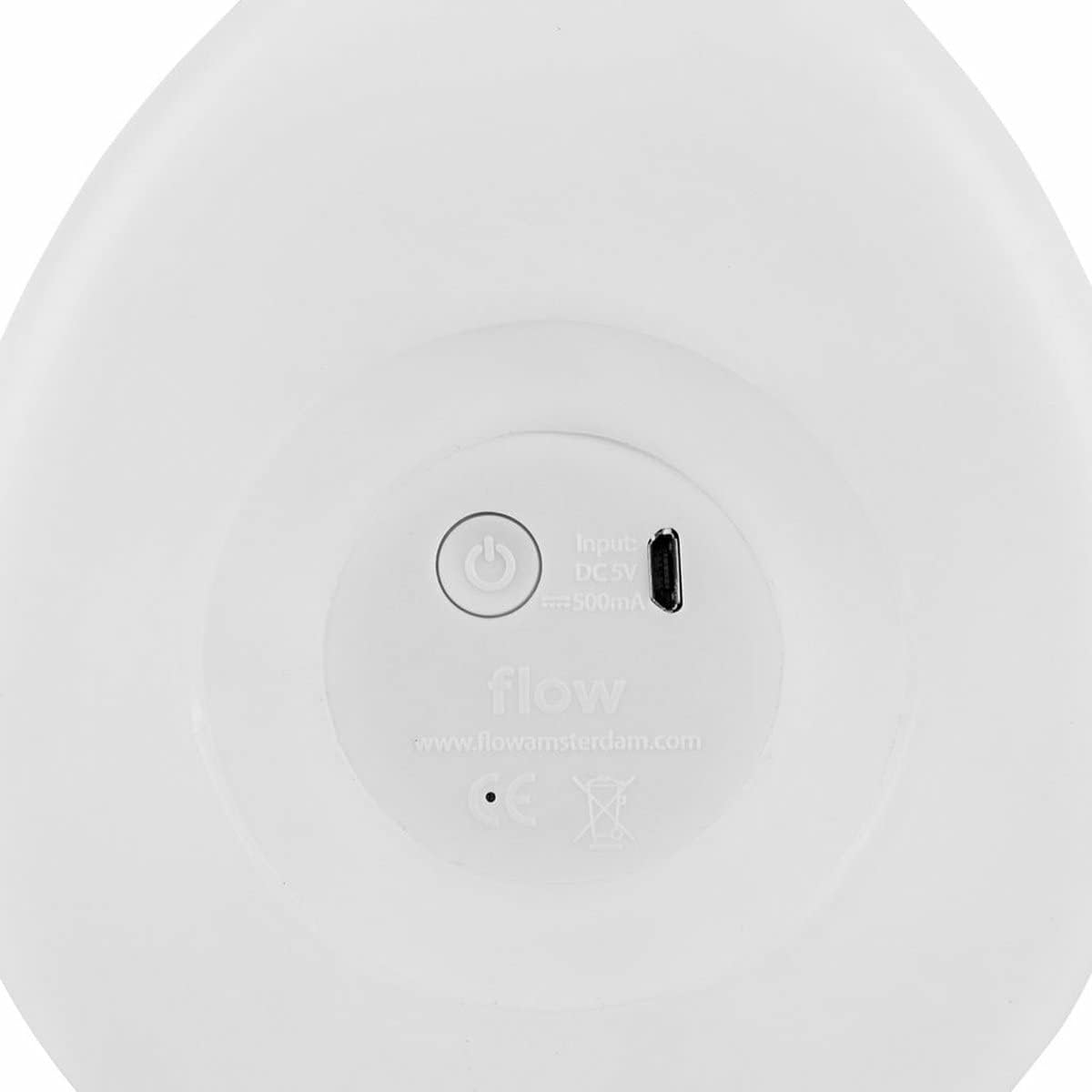
Image: The underside of the Moby Whale Night Light, displaying the circular power button and the rectangular USB charging port. Input specifications (DC 5V, 500mA) are also visible.
The power button and USB charging port are located on the underside of the night light, as shown in the image above.
6. Mode d'emploi
6.1 Mise sous/hors tension
Press the circular power button located on the bottom of the night light to turn it on or off.
6.2 Modes d'éclairage (le cas échéant)
If your Moby Whale Night Light supports multiple light modes or colors, gently tap the surface of the night light to cycle through the available options (e.g., different brightness levels, color changes). Refer to the product packaging for specific mode details if not covered here.
7. Entretien
7.1 Nettoyage
To clean the night light, gently wipe the surface with a soft, slightly damp cloth. Do not use abrasive cleaners, solvents, or harsh chemicals, as these may damage the product's finish.
7.2 Stockage
Lorsqu'elle n'est pas utilisée pendant une période prolongée, rangez la veilleuse dans un endroit frais et sec, à l'abri de la lumière directe du soleil et des températures extrêmes.
8. Dépannage
- Night light does not turn on:
- Assurez-vous que la veilleuse est complètement chargée.
- Appuyez fermement sur le bouton d'alimentation.
- Night light does not charge:
- Verify that the USB cable is securely connected to both the night light and the power source.
- Try using a different USB cable or power adapter (ensure it is 5V DC, 500mA).
- Check the USB charging port for any obstructions or damage. If the port appears damaged, discontinue use and contact customer support.
- La lumière vacille ou est faible :
- The battery may be low. Recharge the night light fully.
9. Spécifications
| Numéro de modèle | STCO-FL1515027 |
| Dimensions (L x l x H) | 30 x 18 x 22 cm |
| Poids | 930 grammes |
| Matériel | Acrylonitrile butadiène styrène (ABS) |
| Type de lumière | LED (diode électroluminescente) |
| Puissance d'entrée | 5 V CC, 500 mA |
| Batterie | Batterie rechargeable intégrée |
| Type de commutateur | Bouton |
10. Garantie et assistance
For warranty information and customer support, please refer to the documentation provided with your purchase or visit the official Flow Amsterdam webConsultez le site. Conservez votre preuve d'achat pour toute réclamation au titre de la garantie.
If you encounter any issues not covered in this manual, please contact Flow Amsterdam customer service for assistance.


