Produit terminéview
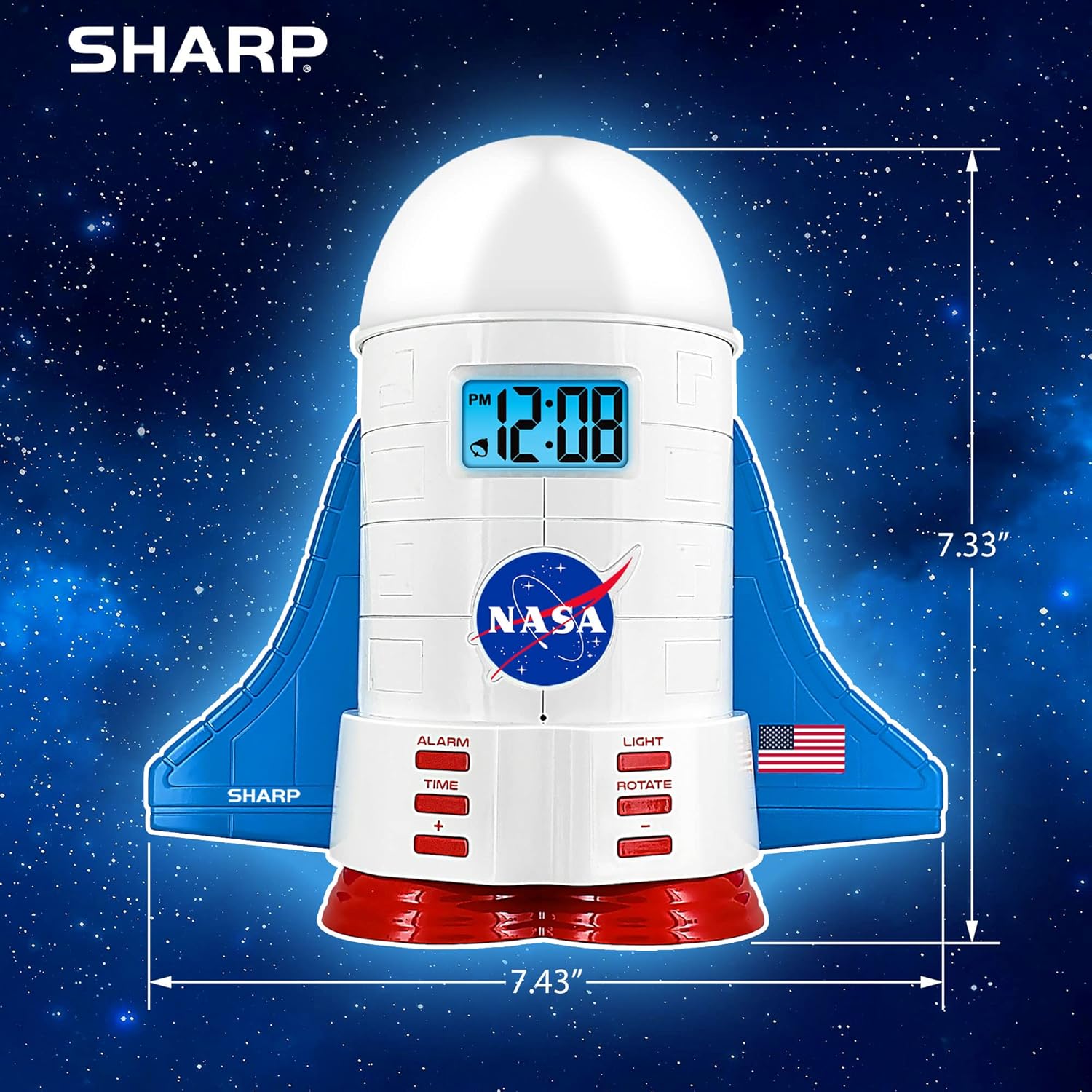
This manual provides instructions for the Sharp NASA Space Shuttle Night Light Alarm Clock. This device combines an alarm clock with a space-themed nightlight and projection feature, designed to enhance a child's bedroom environment.

Installation
Déballage
- Retirez soigneusement tous les composants de l'emballage.
- Vérifiez que tous les éléments énumérés dans la section « Contenu de la boîte » sont présents.
Connexion électrique
The alarm clock can be powered via the included electric adapter. For continuous operation of all features, including the nightlight and projection, direct power is recommended.
For battery backup, insert appropriate batteries (not included) into the battery compartment located at the base of the unit. This ensures timekeeping and alarm function during power outaget.

Mode d'emploi
Réglage de l'heure
- Appuyez sur le TEMPS bouton.
- Utilisez le + et - boutons pour régler l'heure et les minutes.
- Presse TEMPS encore une fois pour confirmer.
Réglage de l'alarme
- Appuyez sur le ALARME bouton.
- Utilisez le + et - boutons pour régler l'heure de l'alarme souhaitée.
- Presse ALARME again to activate the alarm. An alarm icon will appear on the display.
Fonction de répétition
To temporarily silence the alarm, tap the top of the unit. The alarm will sound again after a short interval.
Nightlight and Projection Features
The unit features light-up wings and a rocket booster base, along with a rotating projection cap.

Activation des lumières
Appuyez sur le LUMIÈRE button to cycle through the 4 color options for the wings and booster lights.
Projection Caps
The device includes two interchangeable space-themed projection caps and a frosted nightlight cap. Twist counter-clockwise to attach or remove caps.

Projection rotative
Appuyez sur le TOURNER button to activate or deactivate the rotation of the projected images.
Entretien
- Clean the unit with a soft, dry cloth. Avoid abrasive cleaners or solvents.
- Ensure the projection caps are free from dust or smudges for clear image projection.
- Replace batteries in the backup compartment as needed to maintain time settings during power interruptions.
Dépannage
| Problème | Cause possible | Solution |
|---|---|---|
| Clock not displaying time | Pas de courant | Ensure the electric adapter is securely plugged in. Check battery backup. |
| L'alarme ne sonne pas | Alarm not set or deactivated | Verify alarm time is set and activated (alarm icon visible). |
| Projection unclear or dim | Dust on cap or insufficient darkness | Clean the projection cap. Ensure the room is sufficiently dark for optimal projection. |
| La projection ne tourne pas | Rotate function off | Appuyez sur le TOURNER button to activate the rotation feature. |
Caractéristiques
- Marque: Pointu
- Numéro de modèle : Sharp NASA e Shuttle Alarm Clock
- Source d'alimentation : Electric Adapter (Battery backup for timekeeping)
- Type de source lumineuse : DIRIGÉ
- Nightlight Colors: 4 options
- Thèmes de projection : 2 interchangeable space scenes
- Afficher: Écran LCD avec rétroéclairage bleu
- Dimensions: 7.43 x 1.5 x 7.43 pouces
- Poids: 1.33 livres
- Matériel: Plastique
- Caractéristiques spéciales : Color Changing, Snooze Function, Rotating Projection
Garantie et assistance
Pour obtenir des informations sur la garantie ou une assistance technique, veuillez vous référer au site officiel du fabricant. website ou contactez leur service client.
Fabricant: Pointu
Code à barres : 049353005447
ASIN: B08PL6K2C5


