1. Introduction
This manual provides instructions for the Xgody Mate10+ smartphone. It covers device setup, operation, features, and maintenance to ensure optimal performance and user experience. The Mate10+ operates on Android 8.1, features a 5.5-inch HD display, dual 5MP cameras, and supports dual SIM functionality.
2. Contenu du colis
Vérifiez que tous les éléments sont présents dans l'emballage du produit :
- 1 x Xgody Mate10+ Smartphone
- 1 x Adaptateur de chargeur
- 1 x câble USB
- 1 x Étui de téléphone
- 1 x Manuel d'utilisation en anglais
- 1 x HD Film (Screen Protector)
- 1 x Film trempé (Protecteur d'écran)

Image: Contents of the Xgody Mate10+ smartphone package.
3. Mise en route
3.1. Installation de la carte SIM et de la carte mémoire
The Xgody Mate10+ supports dual SIM dual standby, allowing the use of two SIM cards simultaneously. It has two independent card slots: one for a Nano SIM and one for a Micro SIM or a TF (microSD) card for expandable storage.
- Repérez le tiroir pour carte SIM/TF sur le côté de l'appareil.
- Utilisez l'outil d'éjection de carte SIM fourni pour ouvrir le tiroir.
- Carefully place your Nano SIM card, Micro SIM card, and/or TF card into the designated slots. Ensure correct orientation.
- Repoussez délicatement le plateau dans l'appareil jusqu'à ce qu'il soit bien aligné.
3.2. Chargement de l'appareil
Before first use, fully charge the smartphone using the provided charger and USB cable.
- Connectez le câble USB à l'adaptateur de charge.
- Branchez l'adaptateur de charge à une prise de courant.
- Connectez le câble USB au port de chargement de votre téléphone.
- L'icône de la batterie sur l'écran indiquera l'état de charge.
3.3. Mise sous/hors tension
- Pour allumer l'appareil : maintenez le bouton d'alimentation enfoncé jusqu'à ce que l'écran s'allume.
- Pour éteindre l'appareil : maintenez le bouton Marche/Arrêt enfoncé, puis sélectionnez « Éteindre » parmi les options affichées à l'écran.
3.4. Configuration initiale
Lors de la première mise sous tension, suivez les instructions à l'écran pour terminer la configuration initiale, notamment la sélection de la langue, la connexion Wi-Fi, la configuration du compte Google et les paramètres de sécurité.
4. Principales caractéristiques et fonctionnement
4.1. Affichage
The Xgody Mate10+ features a 5.5-inch HD full-view display, providing a wide visual experience for viewcontenu.

Image: The 5.5-inch full-view display of the Xgody Mate10+.

Image: The compact design of the Xgody Mate10+ for easy portability.
4.2. Système d'exploitation (Android 8.1)
The device runs on Android 8.1, offering a user-friendly interface and enhanced performance for daily tasks.
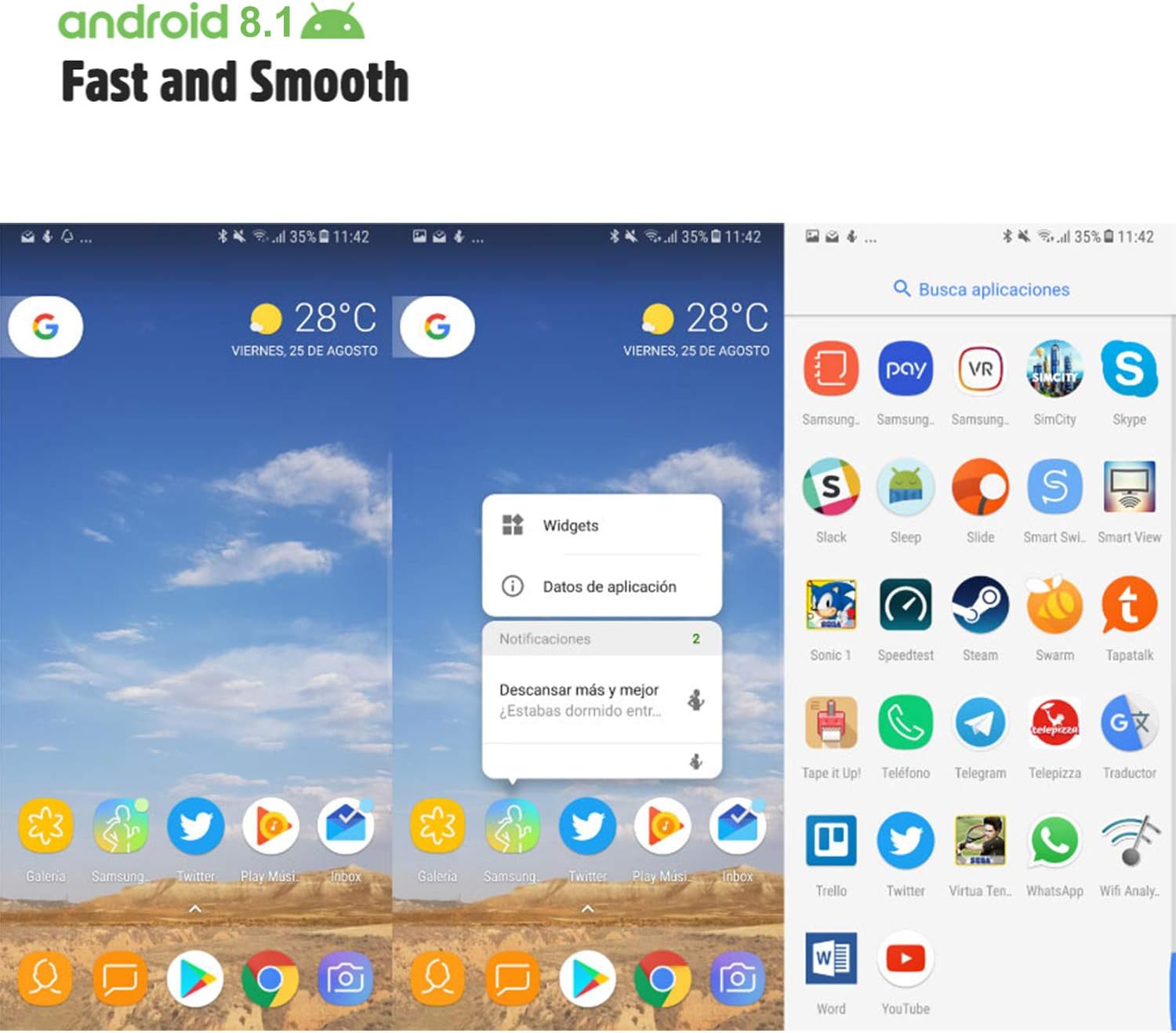
Image: Android 8.1 interface on the Xgody Mate10+.
4.3. Caméra
The Xgody Mate10+ is equipped with dual 5MP cameras, including a rear camera and a front beauty camera, for capturing photos and videos.

Image: Using the front camera for selfies.
4.4. Performances et stockage
The device includes 1GB RAM and 8GB internal storage (ROM), expandable up to 32GB with an external SD card, providing sufficient space for applications and media.

Image: Internal components and storage capabilities.
4.5. Connectivité
The Xgody Mate10+ is a 3G unlocked smartphone, supporting WCDMA 850/1900/2100MHz and GSM 850/900/1800/1900 MHz network bands. It is compatible with most WCDMA SIM carriers but not with CDMA carriers (e.g., Sprint, Verizon, Boost Mobile).
4.6. Sécurité
The device supports Face ID for unlocking, providing a convenient and secure method to access your phone.
Vidéo : Plusview of Xgody Mate10+ features, including camera, processor, memory, Face ID, 5.5-inch screen, dual SIM, and Android 8.1 operating system.
5. Spécifications
| Modèle | Mate10+ |
| Système opérateur | Android 8.1 |
| Afficher | 5.5 inch HD Full View Écran |
| BÉLIER | 1 Go |
| ROM (Stockage interne) | 8 Go |
| Stockage extensible | Jusqu'à 32 Go (carte TF) |
| Caméra arrière | 5 MP |
| Caméra frontale | 5MP (Beauty Camera) |
| Prise en charge de la carte SIM | Dual SIM Dual Standby (1 Nano SIM, 1 Micro SIM or TF card) |
| Bandes de fréquences du réseau | 3G WCDMA 850/1900/2100MHz, 2G GSM 850/900/1800/1900 MHz |
| Capacité de la batterie | 2000mAh |
| Technologies sans fil | Bluetooth, Wi-Fi, Cellular |
| Connectivité | USB |
| GPS | GLONASS |
| Poids de l'article | 14 onces |
| Dimensions du produit | 0.39 x 0.39 x 0.39 pouces |
6. Dépannage
If you encounter issues with your Xgody Mate10+, refer to the following common solutions:
- L'appareil ne s'allume pas : Assurez-vous que la batterie est chargée. Branchez le chargeur et attendez quelques minutes avant de tenter de rallumer l'appareil.
- Mauvaise autonomie de la batterie : Reduce screen brightness, close unused apps running in the background, disable Wi-Fi/Bluetooth when not in use, and limit background data usage.
- Problèmes de connectivité réseau : Check if your SIM card is properly inserted. Verify that your SIM card supports the device's network bands (3G WCDMA 850/1900/2100MHz & 2G GSM 850/900/1800/1900 MHz). Restart the device.
- Applications qui se bloquent ou qui plantent : Close and restart the application. If the issue persists, clear the app's cache and data in Settings > Apps. Consider uninstalling and reinstalling the app.
- Performances lentes : Close unnecessary background applications. Clear cache data regularly. Ensure sufficient free storage space.
- Écran non réactif : Redémarrez l'appareil en maintenant le bouton d'alimentation enfoncé. S'il ne répond pas, forcez le redémarrage en maintenant le bouton d'alimentation enfoncé pendant une période prolongée (généralement de 10 à 15 secondes).
7. Garantie et assistance
For warranty information and technical support, please refer to the warranty card included in your product package or contact Xgody customer service through their official website or designated support channels. Keep your purchase receipt as proof of purchase for warranty claims.


