Introduction
This manual provides detailed instructions for the proper installation and maintenance of your ICT Billet LS Swap Engine Conversion Mount Kit (Part Number 5510-KIT002EM). This kit is specifically designed to facilitate the installation of an LS series engine into 4WD 1988-1998 Chevrolet OBS trucks, while preserving the original Small Block Chevy (SBC) crankshaft and bellhousing position. Please read all instructions carefully before beginning the installation process to ensure a successful and safe conversion.
Consignes de sécurité
- Portez toujours un équipement de protection individuelle (EPI) approprié, notamment des lunettes de sécurité et des gants, lors de l'installation.
- Avant d'intervenir sous le véhicule, assurez-vous qu'il soit bien calé sur des chandelles ou un pont élévateur. Ne vous fiez jamais uniquement au cric.
- Débranchez la batterie du véhicule avant de commencer tout travail afin d'éviter les risques électriques.
- Exercise caution when handling heavy engine components. Seek assistance if necessary.
- If you are unsure about any step of the installation, consult a qualified automotive technician.
- Keep all fasteners and small parts organized to prevent loss.
Contenu du colis
Verify that all components listed below are present in your kit before beginning installation. If any parts are missing or damaged, contact ICT Billet customer support.

Image: All components included in the ICT Billet LS Swap Engine Conversion Mount Kit, featuring two rubber mounts, two upper mounts (engine clamshells), and various bolts, nuts, and washers.
- 2 x OE-style Rubber Mounts (attaches to frame)
- 2 x Upper Mounts (engine clamshells, black powder coated)
- Necessary Mounting Hardware (bolts, nuts, washers)
Instructions d'installation
This kit is specifically designed for 4WD 1988-1998 Chevy OBS Trucks. It ensures the original SBC crankshaft and bellhousing position is maintained during the LS engine swap.
- Préparez le véhicule : Safely lift and support the front of the vehicle. Disconnect the battery. Drain engine fluids if necessary and remove the existing engine and transmission assembly.
- Install Upper Mounts to LS Engine: Attach the two black powder-coated upper mounts (engine clamshells) to the sides of your LS engine block. Ensure proper orientation as depicted in the images. Use the provided hardware and tighten to manufacturer specifications.
- Install OE-Style Rubber Mounts to Frame: Secure the two OE-style rubber mounts to the frame of your 4WD 1988-1998 Chevy OBS truck. These mounts are designed to attach directly to the frame. Ensure they are correctly positioned and tightened according to vehicle specifications.
- Lower LS Engine into Vehicle: Carefully lower the LS engine, with the upper mounts attached, into the engine bay. Align the upper mounts with the OE-style rubber mounts on the frame.
- Supports sécurisés : Once aligned, insert the long bolts through the upper mounts and the rubber frame mounts. Secure with the provided nuts and washers. Tighten all mounting hardware to the vehicle manufacturer's recommended torque specifications.
- Remonter: Reconnect the transmission, driveshafts, exhaust, wiring, and all other components removed during the engine swap. Refill all necessary fluids.

Image: Gros plan view of an upper mount (engine clamshell) securely bolted to the side of an LS engine block, ready for installation into the vehicle frame.
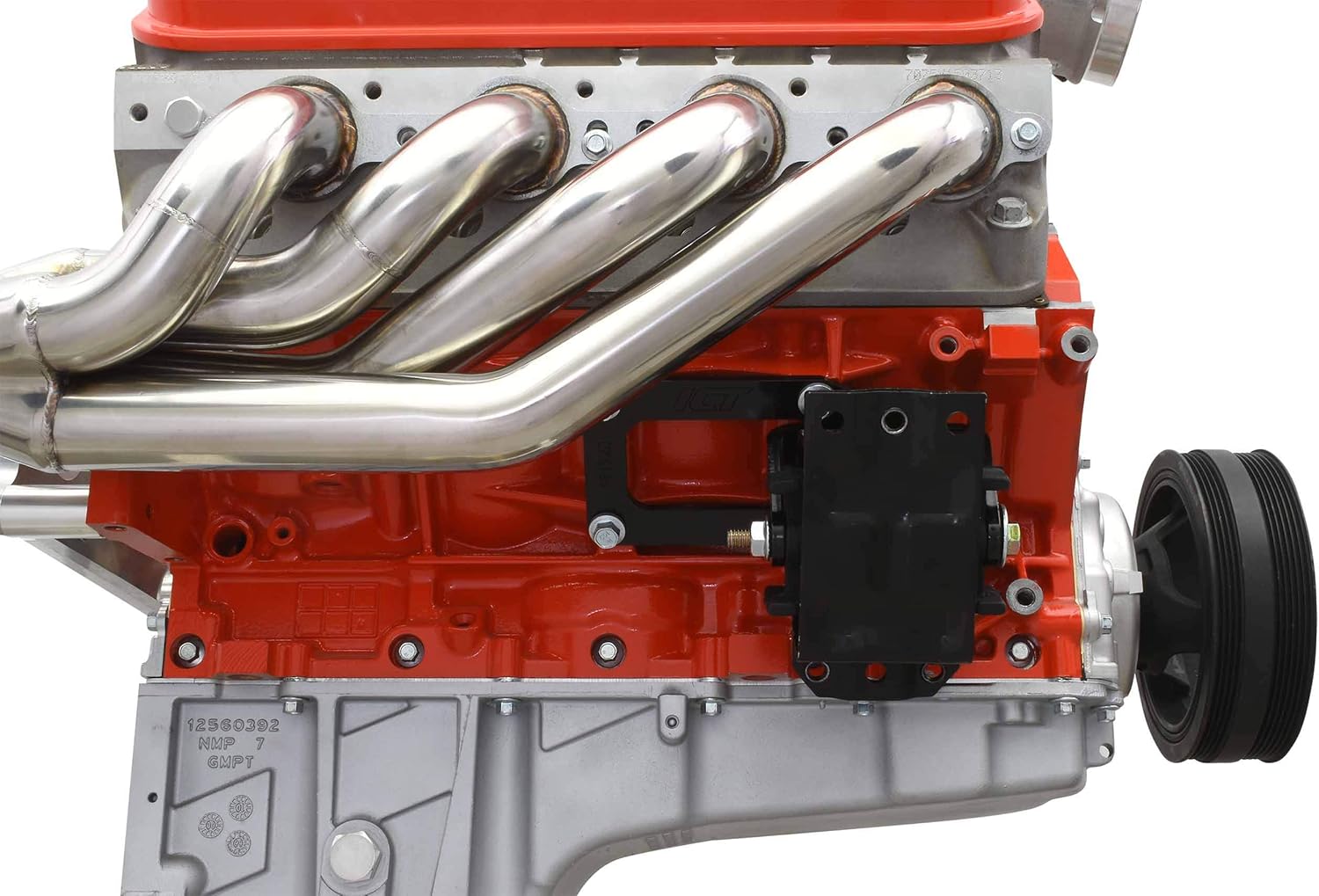
Image: Driver's side view of the LS engine installed in the vehicle, showing the engine mount connecting the engine block to the frame, with exhaust headers visible.
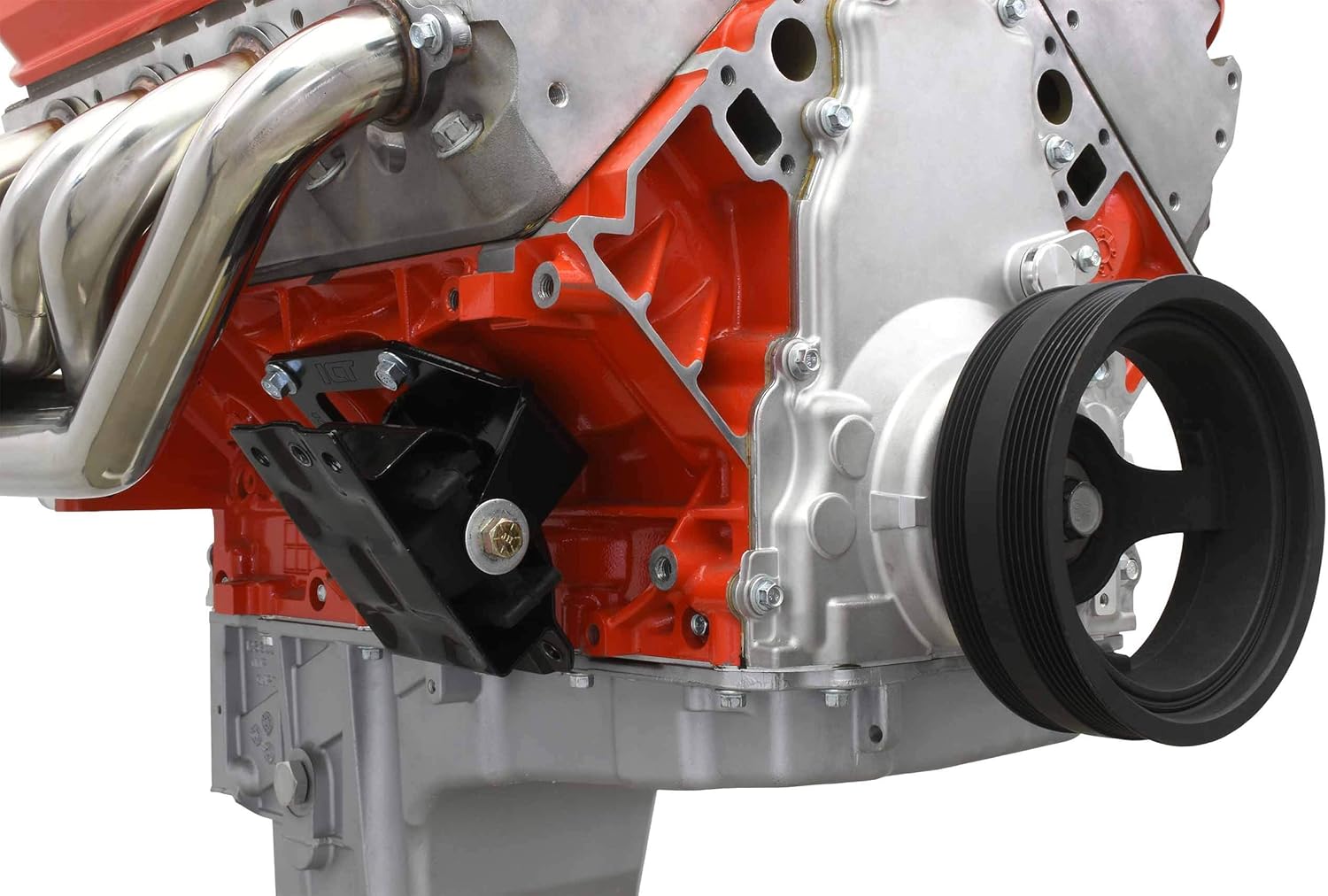
Image: Passenger's side view of the LS engine installed, illustrating the engine mount connection between the engine and the vehicle frame, with the crankshaft pulley visible.
Contrôles post-installation
- Vérifiez à nouveau que toutes les fixations sont correctement serrées.
- Ensure there is adequate clearance around the engine and mounts, with no components rubbing or interfering.
- Verify that all hoses, wires, and lines are properly connected and routed away from hot or moving parts.
- Start the engine and check for any unusual noises, vibrations, or fluid leaks.
- Perform a short test drive to confirm proper operation and stability of the engine and vehicle.
Entretien
Regular inspection of your engine mounts is recommended to ensure long-term performance and safety.
- Periodically inspect the rubber mounts for signs of cracking, tearing, or excessive wear.
- Check all mounting bolts for tightness during routine vehicle maintenance.
- Clean any accumulated dirt or debris from the mounts to prevent corrosion and premature wear.
Dépannage
| Problème | Cause possible | Solution |
|---|---|---|
| Vibrations excessives | Loose mounting hardware; Worn rubber mounts; Improper engine alignment. | Check and tighten all bolts. Inspect rubber mounts for damage and replace if necessary. Verify engine alignment. |
| Mounts do not fit chassis correctly | Manufacturing variation in chassis mounts; Incorrect application. | Double-check part numbers for compatibility with your specific vehicle year and model. If fitment issues persist, contact ICT Billet support for guidance. Note: Some aftermarket chassis mounts may require minor modification or alternative solutions. |
| Unusual Noises (e.g., clunking) | Loose components; Interference with other vehicle parts. | Inspect all connections and surrounding areas for contact points. Ensure adequate clearance. |
Caractéristiques
- Numéro de pièce : 5510-KIT002EM
- Marque: Billet TIC
- Type de montage : Cadre et support moteur
- Compatibilité: 4WD 1988-1998 Chevy OBS Truck (LS Swap)
- Compatibilité moteur : LS1, LM7, LR4, LQ4, LS6, L59, LQ9, LM4, L33, LS2, LH6, L92, L76, LY2, LY5, LY6, LC9, LFA, LH8, LMG, LS3, L98
- Matériel: Caoutchouc, métal
- Finition: Black Powder Coat (Upper Mounts)
- Composants inclus : 2 rubber mounts, 2 upper mounts, mounting hardware
- Poids de l'article : 4.75 kg
- Dimensions du colis : 24.61 x 24.31 x 8.51 cm
Informations sur la garantie
For specific warranty details regarding the ICT Billet LS Swap Engine Conversion Mount Kit, please refer to the official ICT Billet website or contact their customer support directly. Warranty terms and conditions may vary based on purchase location and date.
Assistance clientèle
If you have any questions, require technical assistance, or need to report a missing or damaged part, please contact ICT Billet customer support through their official weble site ou le détaillant auprès duquel le produit a été acheté.
Ressources en ligne : www.ictbillet.com


