1. Introduction
Thank you for choosing the Aduro PowerUp Ultra Boost 20,000mAh Portable Charger. This device is designed to provide reliable power for your mobile devices on the go. Please read this manual carefully to ensure proper use and optimal performance.
2. Contenu du colis
- Aduro PowerUp Ultra Boost 20,000mAh Portable Charger
- Câble de chargement USB (pour recharger la batterie externe)
- Manuel d'utilisation

Image: The Aduro PowerUp Ultra Boost portable charger shown alongside its retail packaging and included USB cable.
3. caractéristiques du produit
- Batterie haute capacité de 20 000 mAh : Permet de recharger plusieurs smartphones et tablettes.
- Deux ports de sortie USB : Charger deux appareils simultanément.
- Technologie de charge intelligente : Automatically detects and delivers optimal charging current for connected devices.
- Indicateur d'alimentation LED : Affiche la capacité restante de la batterie.
- Conception compacte et portable : Facile à transporter pour les voyages et un usage quotidien.
- Dispositifs de sécurité intégrés : Guards against over-heating, over-current, over-charging, over-circuit, and anti-fire.
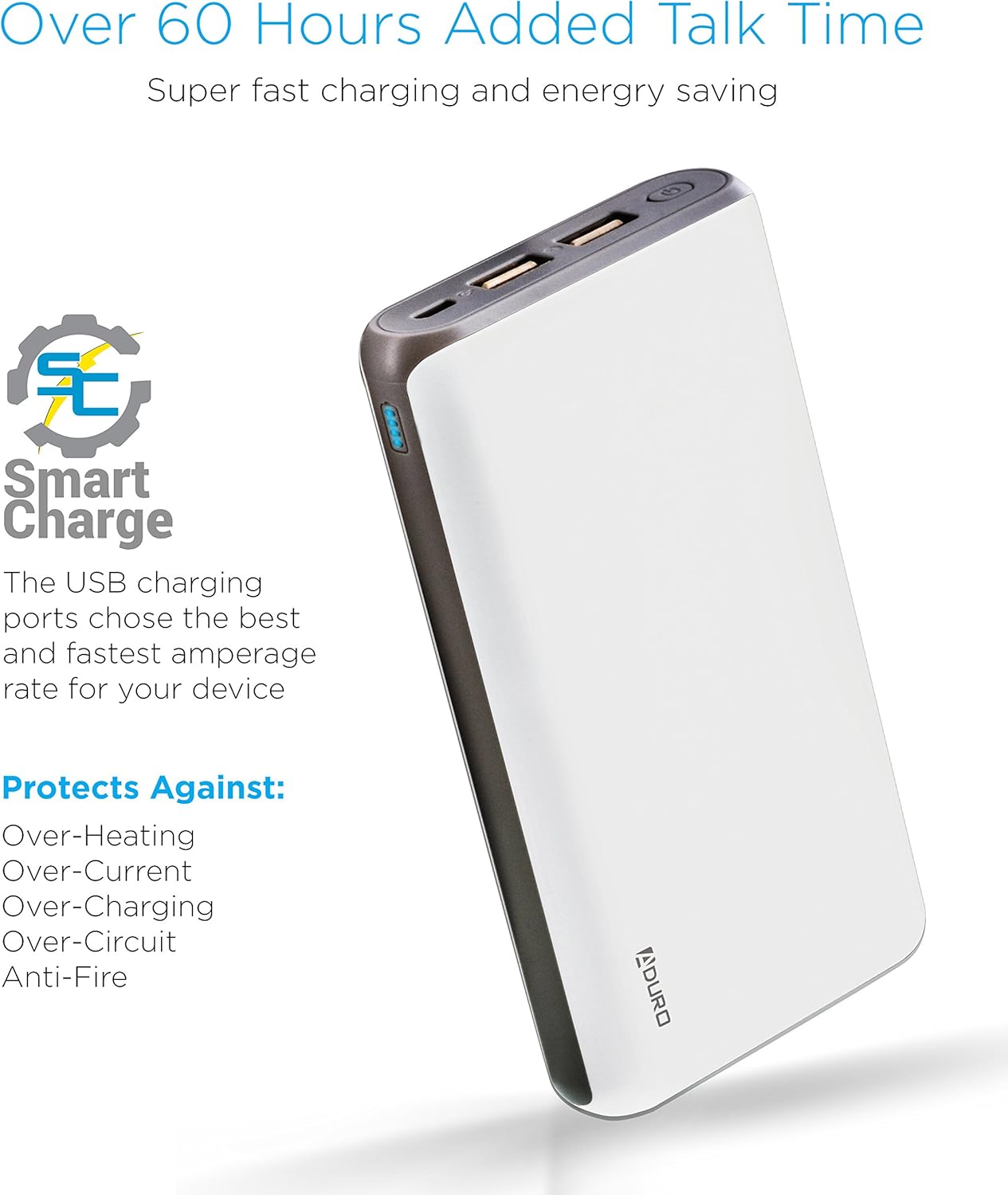
Image: The Aduro power bank highlighting its Smart Charge technology and various safety features like protection against over-heating and over-charging.

Image : Une image détaillée view of the Aduro power bank's dual USB output ports, micro USB input port, and the LED power indicator lights.
4. Mise en route
4.1 Chargement de la batterie externe
- Connect the included USB charging cable to the power bank's Micro USB input port.
- Plug the other end of the USB cable into a USB wall adapter (not included) or a computer's USB port.
- Les voyants LED s'allument et clignotent pour indiquer la progression de la charge. Les quatre voyants restent allumés en continu lorsque la batterie externe est complètement chargée.
Il est recommandé de charger complètement la batterie externe avant sa première utilisation.
4.2 Charger vos appareils
- Connectez le câble de chargement de votre appareil à l'un des ports de sortie USB de la batterie externe.
- Connectez l'autre extrémité du câble à votre appareil.
- La batterie externe commencera automatiquement à recharger votre appareil. Les indicateurs LED afficheront le niveau de charge restant.
- To charge a second device, connect it to the other USB output port.
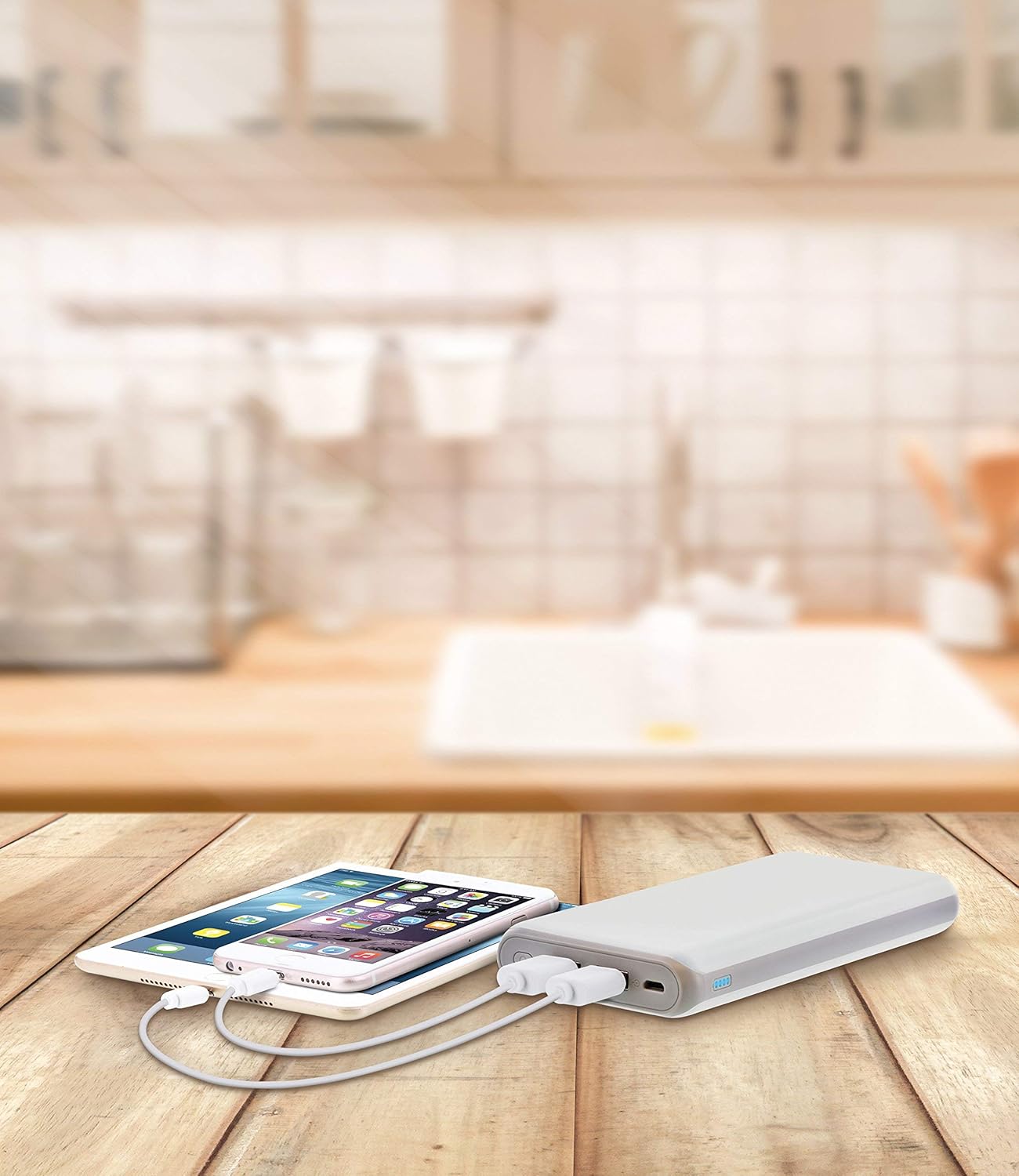
Image: The Aduro power bank connected via USB cables to two smartphones, demonstrating its dual-device charging capability.
5. Guide des indicateurs LED
The LED lights on the power bank indicate the remaining battery capacity:
- 4 LED fixes : 75 % - 100 % facturés
- 3 LED fixes : 50 % - 75 % facturés
- 2 LED fixes : 25 % - 50 % facturés
- 1 LED fixe : 0 % - 25 % de charge (rechargez bientôt)
- LEDs Blinking: La batterie externe est en cours de charge.
6. Précautions de sécurité
- Do not expose the power bank to extreme temperatures (above 104°F / 40°C or below 14°F / -10°C).
- Ne démontez pas, ne modifiez pas et n'essayez pas de réparer l'appareil.
- Évitez de laisser tomber ou de soumettre la batterie externe à des impacts violents.
- Tenir à l’écart de l’eau, de l’humidité et des matières inflammables.
- Ne pas utiliser si la batterie externe est endommagée ou gonflée.
- Tenir hors de portée des enfants.
- Mettez au rebut la batterie externe de manière responsable, conformément à la réglementation locale.
7. Entretien et maintenance
- Nettoyez la batterie externe avec un chiffon doux et sec. N'utilisez pas de produits chimiques agressifs ni de nettoyants abrasifs.
- Rangez la banque d'alimentation dans un endroit frais et sec lorsqu'elle n'est pas utilisée.
- If storing for extended periods, charge the power bank to approximately 50% every 3 months to maintain battery health.
8. Dépannage
- La batterie externe ne charge pas : Ensure the charging cable is securely connected to both the power bank and the power source. Try a different USB cable or wall adapter.
- L'appareil ne se charge pas à partir de la batterie externe : Ensure the power bank has sufficient charge. Check that the cable connecting your device to the power bank is functional and properly connected. Try a different USB port on the power bank.
- Charge lente : Ensure you are using a compatible charging cable. Some devices may charge slower due to their input requirements or the cable used.
9. Spécifications
| Fonctionnalité | Détail |
|---|---|
| Numéro de modèle | F-208C |
| Capacité de la batterie | 20,000 mAh |
| Saisir | 5V / 2A (Micro USB) |
| Sortie 1 | 5V / 1A (USB Type A) |
| Sortie 2 | 5V / 2.1A (USB Type A) |
| Dimensions du produit | 6.4 x 3 x 0.8 pouces |
| Poids de l'article | 13.6 onces |
| Couleur | Blanc |

Image: The Aduro power bank displaying its physical dimensions for reference.
10. Informations sur la garantie
Aduro provides a Lifetime Limited Warranty for this product. This warranty covers manufacturing defects and ensures the product functions as intended under normal use. Please retain your proof of purchase for warranty claims.
11. Assistance clientèle
For any questions, technical assistance, or warranty claims, please contact Aduro customer service. Refer to the product packaging or the official Aduro website pour les informations de contact les plus récentes.


