GOKOO Smart Watch B08FMBHSWD User Manual
Introduction
This manual provides essential information for the proper setup, operation, and maintenance of your GOKOO Smart Watch B08FMBHSWD. Please read it thoroughly before using the device to ensure optimal performance and longevity.
The GOKOO Smart Watch is a versatile fitness tracker and smartwatch designed to monitor various health metrics and assist with daily activities. It features a full touch screen, heart rate and blood oxygen monitoring, sleep tracking, multiple sports modes, and notification capabilities.
Produit terminéview
The GOKOO Smart Watch B08FMBHSWD is equipped with advanced features to support your active lifestyle and health monitoring needs.
- Suivi d'activité tout au long de la journée : Records steps, calories, and mileage. Supports 10 sports modes including walking, running, yoga, and swimming.
- Surveillance complète de la santé : Continuously monitors heart rate and blood oxygen levels. Features automatic sleep tracking, breathing training, and sedentary reminders.
- Conception durable et étanche : IP68 waterproof rating suitable for daily use and swimming.
- Affichage personnalisable : 1.3-inch round high-definition screen with personalized UI interfaces.
- Notifications intelligentes: Synchronizes messages and allows management of incoming calls.
- Longue durée de vie de la batterie : Up to 10 days of usage on a single charge (200MA battery).
- Large compatibilité : Works with Android 5.0+ and iOS 9.0+ devices.

Figure 1: GOKOO Smart Watch highlighting its design and core functionalities.
Installation
1. Chargement de l'appareil
Before initial use, fully charge your GOKOO Smart Watch. Connect the magnetic charging cable to the charging contacts on the back of the watch and plug the USB end into a power adapter (not included) or a computer's USB port. The watch display will indicate charging status.
A full charge typically takes approximately 2 hours and provides up to 10 days of usage, depending on individual use patterns.

Figure 2: Illustration of the watch's IP68 waterproof capability and its extended battery life.
2. Installation et appairage de l'application
- Téléchargez l'application : Rechercher the official GOKOO companion app in your smartphone's app store (Apple App Store for iOS, Google Play Store for Android).
- Installer et enregistrer : Installez l'application et suivez les instructions à l'écran pour créer un compte ou vous connecter.
- Activer Bluetooth : Assurez-vous que Bluetooth est activé sur votre smartphone.
- Associer la montre : Open the GOKOO app, navigate to the device pairing section, and select your GOKOO Smart Watch from the list of available devices. Confirm the pairing request on both your phone and the watch if prompted.
- Accorder des autorisations : Autorisez les permissions nécessaires (par exemple, les notifications, la localisation, les données de santé) pour que l'application fonctionne correctement.
The watch will synchronize its language with your phone upon successful connection.
Mode d'emploi
1. Navigation de base
- Écran tactile : The watch features a full touch screen for interaction.
- Balayez vers le haut/bas : Parcourez les menus et les notifications.
- Balayez vers la gauche/droite : Accédez à différents widgets ou fonctions rapides.
- Robinet: Sélectionnez un élément ou confirmez une action.
- Bouton latéral: Utilisé généralement pour revenir à l'écran d'accueil ou pour activer/désactiver l'affichage.

Figure 3: The watch interface displaying multiple functions and touch screen interaction methods.
2. Suivi d'activité
The watch automatically tracks your daily steps, calories burned, and distance traveled. For specific activities, you can select from 10 sports modes:
- Marche
- En cours d'exécution
- Yoga
- Natation
- Vélo
- Escalade
- Basket-ball
- Football
- Badminton
- Saut
To start a workout, navigate to the 'Sports' menu on your watch, select the desired activity, and tap to begin. The watch will record your exercise data, which can be reviewédité dans l'application compagnon.

Figure 4: The watch interface showing available sports monitoring modes.

Figure 5: The watch tracking an outdoor run, displaying distance, calories, and a trajectory map.
3. Surveillance de la santé
- Fréquence cardiaque : La montre surveille en permanence votre fréquence cardiaque. View Données en temps réel sur la montre ou données historiques détaillées dans l'application.
- Oxygène sanguin (SpO2) : Monitor your blood oxygen levels throughout the day.
- Suivi du sommeil : The watch automatically records your sleep quality, including deep sleep, light sleep, and wake times. Review sleep patterns in the app to help adjust your habits.
- Entraînement respiratoire : Access guided breathing exercises on the watch to help reduce stress and improve relaxation.
- Rappels sédentaires : Programmez des rappels dans l'application pour vous inciter à bouger après des périodes d'inactivité.

Figure 6: The watch displaying real-time heart rate and blood oxygen data during exercise.
4. Notifications et fonctionnalités intelligentes
Once paired with your smartphone, the GOKOO Smart Watch can display notifications for incoming calls, messages, and various app alerts. You can read messages directly on your wrist and manage incoming calls (answer/reject) without reaching for your phone.
- Gestion des appels : Swipe on the watch screen to accept or reject incoming calls.
- Affichage du message : View text messages and app notifications.
- Prévisions météorologiques: Access current weather information.
- Contrôle de la musique : Contrôlez la lecture de musique sur votre smartphone.
- Télécommande de la caméra: Utilisez la montre comme déclencheur à distance pour l'appareil photo de votre téléphone.
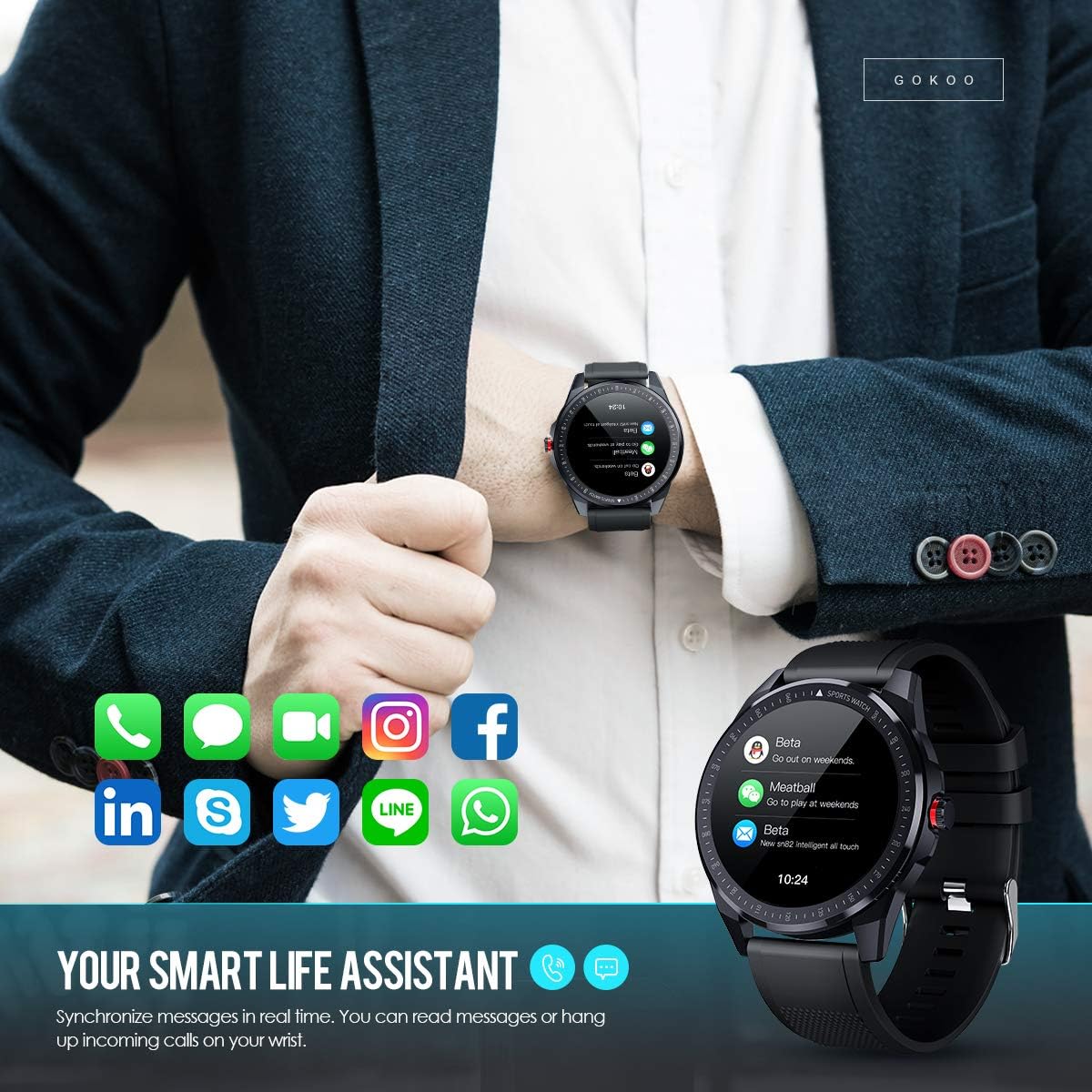
Figure 7: The watch showing synchronized notifications from a smartphone.
5. Personnalisation
The GOKOO Smart Watch allows for personalization of its interface. You can select from various pre-installed watch faces or download additional styles through the companion app to match your preference.
Entretien
1. Nettoyage
Regularly clean your watch and strap to prevent skin irritation and maintain device hygiene. Use a soft, lint-free cloth. If necessary, slightly dampHumidifiez le chiffon avec de l'eau. Évitez d'utiliser des produits chimiques agressifs, des nettoyants abrasifs ou des aérosols.
2. Directives relatives à la résistance à l'eau
The GOKOO Smart Watch has an IP68 waterproof rating, meaning it is resistant to dust and can withstand immersion in water up to 1.5 meters for 30 minutes. It is suitable for daily use, hand washing, rain, and swimming.
Important: Do not use the watch in hot water baths, saunas, or during diving. High temperatures and high pressure can compromise the waterproof seals and cause damage.
3. Entretien de la batterie
- Évitez de décharger complètement la batterie fréquemment.
- Rechargez la montre à l'aide du câble de chargement magnétique fourni.
- Rangez la montre dans un endroit frais et sec lorsque vous ne l'utilisez pas pendant une période prolongée.
Dépannage
- La montre ne s'allume pas : Assurez-vous que la montre est complètement chargée. Branchez-la au chargeur pendant au moins 30 minutes.
- Impossible de connecter le téléphone :
- Assurez-vous que Bluetooth est activé sur votre téléphone.
- Assurez-vous que la montre se trouve à portée Bluetooth de votre téléphone.
- Redémarrez votre téléphone et votre montre.
- Vérifiez si l'application dispose des autorisations nécessaires.
- Données sanitaires inexactes : Assurez-vous que la montre est bien ajustée à votre poignet, environ un doigt au-dessus de l'os. Nettoyez le capteur situé au dos de la montre.
- Les notifications ne s'affichent pas :
- Verify that notification permissions are granted in the app and your phone's settings.
- Assurez-vous que la montre est connectée via Bluetooth.
- Check if 'Do Not Disturb' mode is active on either the watch or phone.
- Autonomie courte de la batterie : Reduce screen brightness, disable continuous heart rate monitoring if not needed, and limit the number of active notifications.
Caractéristiques
| Fonctionnalité | Détail |
|---|---|
| Marque | GOKOO |
| Modèle | B08FMBHSWD |
| Taille de l'écran | 1.3 pouces |
| Système opérateur | Android 5.0 ou supérieur, iOS 9.0 ou supérieur |
| Appareils compatibles | Smartphone |
| Autonomie de la batterie | Jusqu'à 10 jours (selon l'utilisation) |
| Type de batterie | Lithium Polymère |
| Résistance à l'eau | IP68 |
| Connectivité sans fil | Bluetooth |
| Entrée de l'interface humaine | Écran tactile |
| Dimensions du produit | 27 x 5 x 1.08 cm; 168 g |

Figure 8: Detailed product dimensions of the GOKOO Smart Watch.
Garantie et assistance
For warranty information or technical support, please refer to the contact details provided with your purchase or visit the official GOKOO website. If you require a copy of this manual or have any questions regarding your GOKOO Smart Watch B08FMBHSWD, please contact customer service.

