Introduction
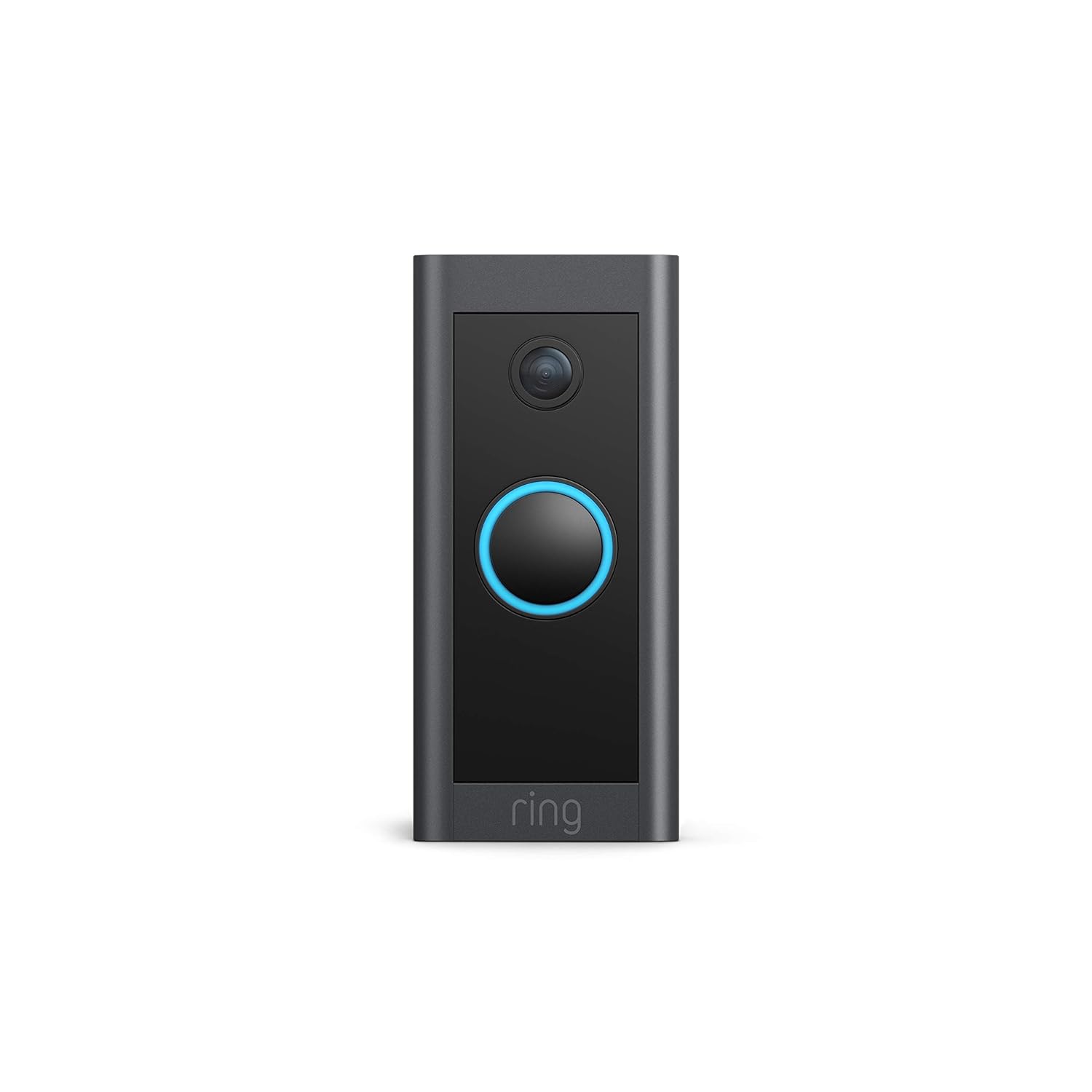
This manual provides comprehensive instructions for the installation, operation, and maintenance of your Ring Video Doorbell Wired. Please read this manual thoroughly before installation and use to ensure proper functionality and safety.
Ce qui est inclus
Your Ring Video Doorbell Wired package includes the following items:
- Sonnette vidéo Ring filaire
- Outils et vis d'installation
- Manuel d'utilisation (ce document)
- Guide de démarrage rapide
- Autocollants de sécurité
Configuration et installation
The average installation time for the Ring Video Doorbell Wired is approximately 15 minutes. This device requires hardwiring to an existing doorbell system, a Ring plug-in adapter, or a compatible transformer.
Exigences:
- Standard doorbell system, Ring plug-in adapter, or transformer with 10-24 VAC, 40VA max, 50/60Hz or 24VDC, 0.5A, 12W.
- Connexion internet haut débit.
- 802.11 b/g/n Wi-Fi connection at 2.4 GHz.
Étapes d'installation :
- Éteignez l'alimentation : Avant de commencer, assurez-vous que l'alimentation de votre sonnette existante est coupée au niveau du disjoncteur.
- Retirer la sonnette existante : Disconnect and remove your old doorbell button.
- Connect Ring Doorbell: Connect the wires from your existing doorbell system to the terminals on the back of the Ring Video Doorbell Wired. Ensure a secure connection.
- Installer la sonnette : Secure the Ring Video Doorbell Wired to your wall using the provided screws and tools.
- Rétablir le courant : Remettez le courant au disjoncteur.
- Configuration intégrée à l'application : Download the Ring app on your smartphone or tablet and follow the on-screen instructions to connect your doorbell to your Wi-Fi network and complete the setup process.

Mode d'emploi
The Ring Video Doorbell Wired offers various features to enhance your home security and communication.
Caractéristiques principales :
- Vidéo HD 1080p : Provides clear, high-definition video with Live View and Night Vision for monitoring your front door.
- Conversation bidirectionnelle : Communicate with visitors at your door from anywhere using the Ring app. Features noise cancellation for clear audio.
- Détection de mouvement avancée : Customizable motion zones allow you to receive alerts when motion is detected in specific areas.
- Alertes en temps réel : Get instant notifications on your phone when someone rings the doorbell or motion is detected.
- Vision nocturne : Assure une visibilité optimale même en conditions de faible luminosité.
- Intégration Alexa : Connects with Alexa-enabled devices to hear alerts or view a live feed on screens.


Utilisation de l'application Ring :
The Ring app is essential for managing your Video Doorbell. Through the app, you can:
- View Flux vidéo en direct.
- Engage in two-way talk with visitors.
- Customize motion detection settings and zones.
- Access recorded videos (with a Ring Protect subscription).
- Manage device settings and privacy options.
Entretien
Pour garantir des performances optimales et une longue durée de vie à votre sonnette vidéo filaire Ring, tenez compte des conseils d'entretien suivants :
- Nettoyage: Essuyez régulièrement l'objectif de la caméra et l'extérieur de la sonnette avec un chiffon doux et sec.amp Utiliser un chiffon pour enlever la poussière et la saleté. Éviter les nettoyants abrasifs.
- Mises à jour logicielles : Ensure your Ring app and doorbell firmware are always up to date. Updates often include performance improvements and security enhancements.
- Vérification de la connectivité : Regularly check your Wi-Fi signal strength in the Ring app to ensure a stable connection.
- Conditions environnementales : The doorbell is weather-resistant, designed to operate between -20°C to 50°C (-5°F to 120°F). Ensure it is not exposed to conditions outside this range.
Dépannage
If you encounter issues with your Ring Video Doorbell Wired, try the following troubleshooting steps:
- Pas d'alimentation/ne s'allume pas :
- Vérifiez que l'alimentation de votre sonnette est bien activée au niveau du disjoncteur.
- Vérifiez les connexions de câblage pour vous assurer qu’elles sont sécurisées.
- Vérifiez que votre source d'alimentation répond aux spécifications requises (10-24 V CA, 40 VA max, 50/60 Hz ou 24 V CC, 0.5 A, 12 W).
- Poor Video Quality/Offline:
- Check your Wi-Fi connection and signal strength in the Ring app.
- Ensure your internet service is active and stable.
- Redémarrez votre routeur Wi-Fi.
- Nettoyez l'objectif de l'appareil photo.
- Problèmes de détection de mouvement :
- Adjust motion sensitivity and customize motion zones in the Ring app.
- Assurez-vous qu'aucun obstacle ne bloque le capteur. view.
- Problèmes de communication bidirectionnelle :
- Check your device's microphone and speaker settings in the Ring app.
- Ensure your smartphone's volume is up.
- Vérifiez que votre connexion internet est stable.
For further assistance, refer to the support section or contact Ring customer service.
Caractéristiques
| Fonctionnalité | Détail |
|---|---|
| Temps d'installation moyen | ~15 minutes |
| Vidéo | Vidéo HD 1080p, en direct View, Vision nocturne |
| Domaine de View | 155 ° horizontal, 90 ° vertical |
| Détection de mouvement | Détection de mouvement avancée avec zones de mouvement personnalisables |
| Audio | Audio bidirectionnel avec suppression du bruit |
| Pouvoir | Câblé (10-24 V CA, 40 VA max, 50/60 Hz ou 24 V CC, 0.5 A, 12 W) |
| Exigences Internet | Internet haut débit |
| Connectivité | Connexion Wi-Fi 802.11 b/g/n à 2.4 GHz |
| Conditions de fonctionnement | -20°C to 50°C (-5°F to 120°F), weather resistant |
| Couleurs disponibles | Noir |
| Dimensions | 101 mm x 45.7 mm x 22.4 mm (3.98 pouces x 1.81 pouces x 0.88 pouces) |
| Génération | Sonnette vidéo filaire Ring 1re génération – Sortie 2021 |
Garantie et assistance
Garantie: The Ring Video Doorbell Wired comes with a 1-year limited warranty. Use of the Ring Video Doorbell is subject to the terms found on the official Ring website.
Soutien: For more information and assistance, please visit the official Ring Video Doorbell Wired support page. You can typically find this by searching for "Ring Video Doorbell Wired support" on the Ring website or your preferred search engine.


