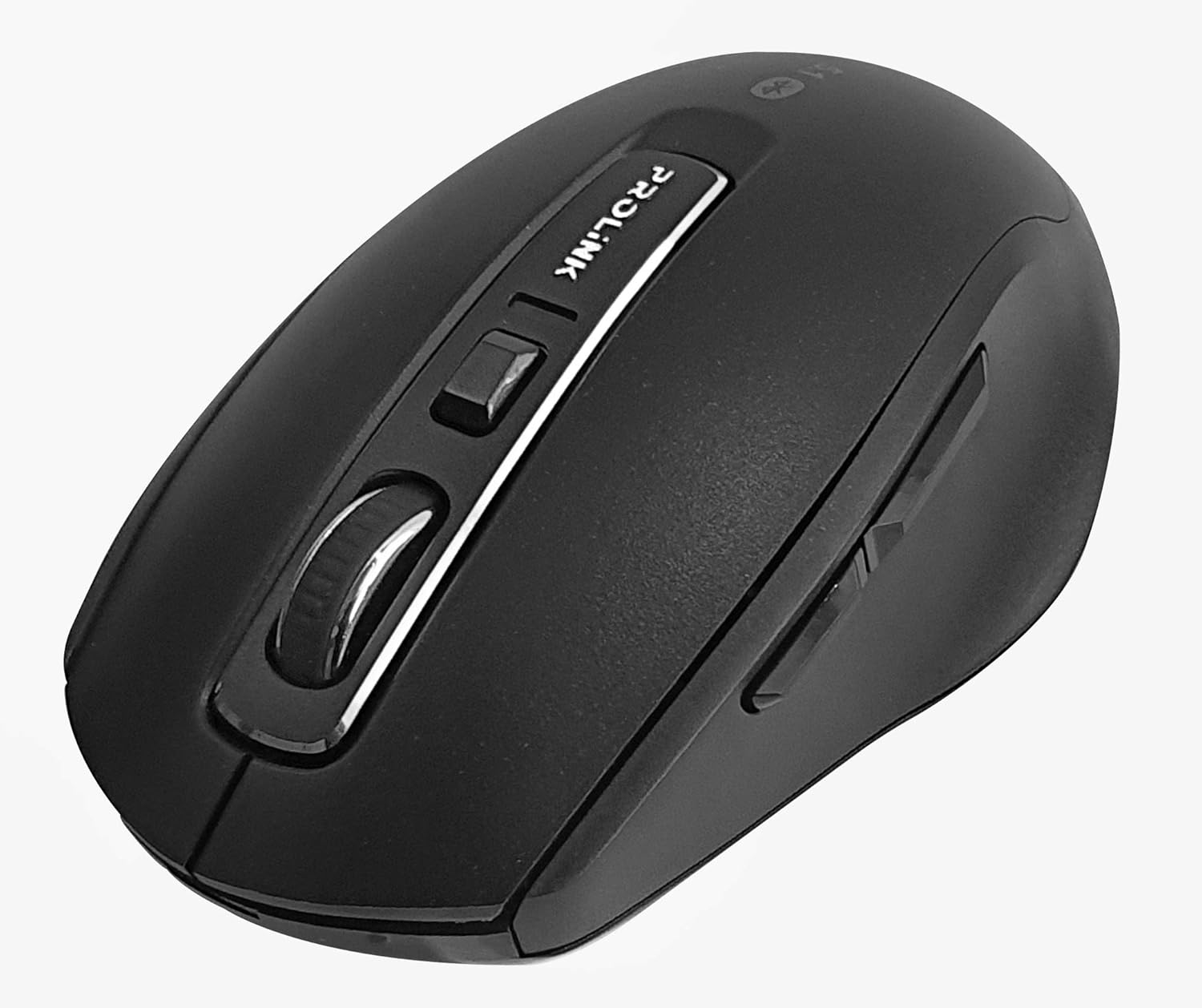
Image : Vue de dessus view of the Prolink PMB8502 Bluetooth Wireless Optical Mouse.
1. Introduction et plusview
The Prolink PMB8502 Bluetooth Mouse is designed for seamless wireless control of your desktop, laptop, or tablet. It features Bluetooth 5.2 connectivity, an ergonomic design, and adjustable DPI settings for personalized comfort and precision. This manual provides detailed instructions for setup, operation, maintenance, and troubleshooting.
Caractéristiques principales :
- Bluetooth 5.2 connectivity (backward compatible with 5.1/5.0/4.2/4.1/4.0)
- Up to 27 months battery life (based on supplied batteries)
- DPI réglable : 800/1200/1600
- 6-button design including back and forward buttons
- Conception ergonomique pour une utilisation confortable
- Operating range of up to 10 meters

Image: Prolink PMB8502 mouse highlighting its Bluetooth 5.2, battery life, DPI, and range features.
2. Contenu du colis
- Prolink PMB8502 Bluetooth Wireless Optical Mouse
- 1 pile AA (préinstallée ou fournie séparément)
- Manuel de l'utilisateur (ce document)
3. Instructions de configuration
3.1. Installation de la batterie
- Repérez le couvercle du compartiment à piles sur la face inférieure de la souris.
- Faites glisser ou soulevez délicatement le couvercle pour ouvrir le compartiment.
- Insérez une pile AA en veillant à ce que les bornes positive (+) et négative (-) soient correctement alignées avec les marquages à l'intérieur du compartiment.
- Remettez le couvercle du compartiment à piles en place jusqu'à ce qu'il s'enclenche correctement.
3.2. Couplage Bluetooth
Before pairing, ensure your device (computer, laptop, tablet) has Bluetooth enabled.
- Allumez la souris à l'aide de l'interrupteur marche/arrêt situé sur sa face inférieure.
- Press and hold the Bluetooth 'Connect' button (usually located near the On/Off switch or within the battery compartment) for 3-5 seconds until the LED indicator on the mouse begins to flash, indicating it is in pairing mode.
- Sur votre appareil, accédez aux paramètres Bluetooth.
- Rechercher new devices. The mouse should appear as "Prolink PMB8502" or similar.
- Select the mouse from the list to complete the pairing process. The LED indicator on the mouse will stop flashing and remain solid for a few seconds, then turn off, indicating a successful connection.

Image : Avant view of the Prolink PMB8502 mouse, showing its ergonomic shape.
4. Mode d'emploi
4.1. Fonctions des boutons
- Bouton clic gauche : Sélection et activation standard.
- Bouton clic droit : Accède aux menus contextuels.
- Molette: Documents et rouleaux web pages vertically. Can also be pressed for middle-click functionality.
- Bouton de réglage DPI : Located below the scroll wheel. Press to cycle through DPI settings (800/1200/1600).
- Bouton avant : Navigue vers l'avant dans web navigateurs ou file explorateurs.
- Bouton Retour : Navigue en arrière dans web navigateurs ou file explorateurs.
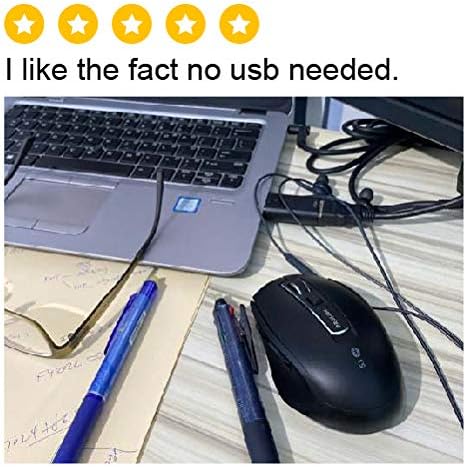
Image : Côté view of the Prolink PMB8502 mouse, illustrating the placement of the back and forward navigation buttons.
4.2. Réglage DPI
The mouse offers three DPI (Dots Per Inch) settings: 800, 1200, and 1600. Press the DPI button located below the scroll wheel to switch between these sensitivities. A higher DPI setting results in faster cursor movement across the screen.
4.3. Gestion de l'alimentation
- Interrupteur marche/arrêt : To conserve battery life, turn off the mouse using the switch on its underside when not in use for extended periods.
- Mode veille automatique : The mouse automatically enters a sleep mode after more than 10 minutes of inactivity. To wake it up, simply move the mouse or click any button.
5. Entretien
5.1. Nettoyage
Pour nettoyer la souris, utilisez un chiffon doux, sec et non pelucheux. Pour les saletés tenaces, frottez légèrement avec un chiffon doux.ampen the cloth with water or a mild cleaning solution. Avoid using harsh chemicals, abrasive cleaners, or spraying liquids directly onto the mouse.
5.2. Remplacement de la batterie
When the mouse performance degrades or the LED indicator suggests low battery, replace the AA battery following the steps in Section 3.1. Dispose of used batteries responsibly according to local regulations.
6. Dépannage
- Mouse not connecting or erratic movement:
- Assurez-vous que la souris est allumée.
- Vérifiez le niveau de la batterie et remplacez-la si nécessaire.
- Assurez-vous que Bluetooth est activé sur votre appareil.
- Try re-pairing the mouse with your device (refer to Section 3.2).
- Rapprochez la souris de votre appareil pour éliminer tout problème de portée.
- Assurez-vous qu'aucun autre signal sans fil puissant n'interfère avec la connexion Bluetooth.
- Cursor not moving smoothly:
- Nettoyez le capteur optique situé sous la souris.
- Utilisez la souris sur une surface propre et non réfléchissante.
- Réglez le niveau de DPI selon vos préférences.
- Les boutons ne répondent pas :
- Vérifiez le niveau de la batterie.
- Ensure the mouse is properly connected via Bluetooth.
- Redémarrez votre ordinateur ou appareil.
7. Spécifications
| Fonctionnalité | Détail |
|---|---|
| Boutons | 6 |
| Capteur | Optique |
| Résolution DPI | 800 / 1200 / 1600 DPI |
| Interface | Bluetooth 5.2 (backward compatible with Bluetooth 5.1/5.0/4.2/4.1/4.0) |
| Taux de rapport USB | 125 Hz |
| FPS | 2400 fois/sec |
| Humidité de fonctionnement | 30 % HR - 95 % HR |
| Température de fonctionnement | -20°C à +60°C |
| Système opérateur | Windows 7 / 10 / 11, Mac OS 10.2 above |
| Dimensions (L x l x H) | 108 mm x 66.7 mm x 40.2 mm |
| Poids | 69.2g (product only) |
| Type de batterie | 1 pile AA |

Image: Graphic displaying the technical specifications of the Prolink PMB8502 mouse.
8. Garantie et assistance
The Prolink PMB8502 Bluetooth Wireless Optical Mouse typically comes with a Garantie de 3 ans from the date of purchase. Please refer to your purchase receipt or the official Prolink webConsultez ce site pour connaître les conditions générales de garantie spécifiques applicables dans votre région.
For technical support, troubleshooting assistance, or warranty claims, please visit the official Prolink website or contact their customer service department. Contact information can usually be found on the product packaging or the Prolink official website.
Ressources en ligne :

Image: Prolink PMB8502 mouse with a "3 Year Warranty" label, indicating product assurance.


