1. Introduction
This manual provides instructions for the proper setup, operation, and maintenance of your IPD IPH-160 Monaural Wired Headset. The IPH-160 is designed for clear communication in various environments, featuring a noise-cancelling microphone and a 3.5mm jack for broad compatibility.
2. Contenu du colis
Veuillez vérifier que tous les articles sont présents dans votre colis :
- IPD IPH-160 Monaural Headset
- Quick Disconnect (QD) to 3.5mm Jack Cable (4-pole)
- Coussinets d'oreille (préinstallés ou de rechange)
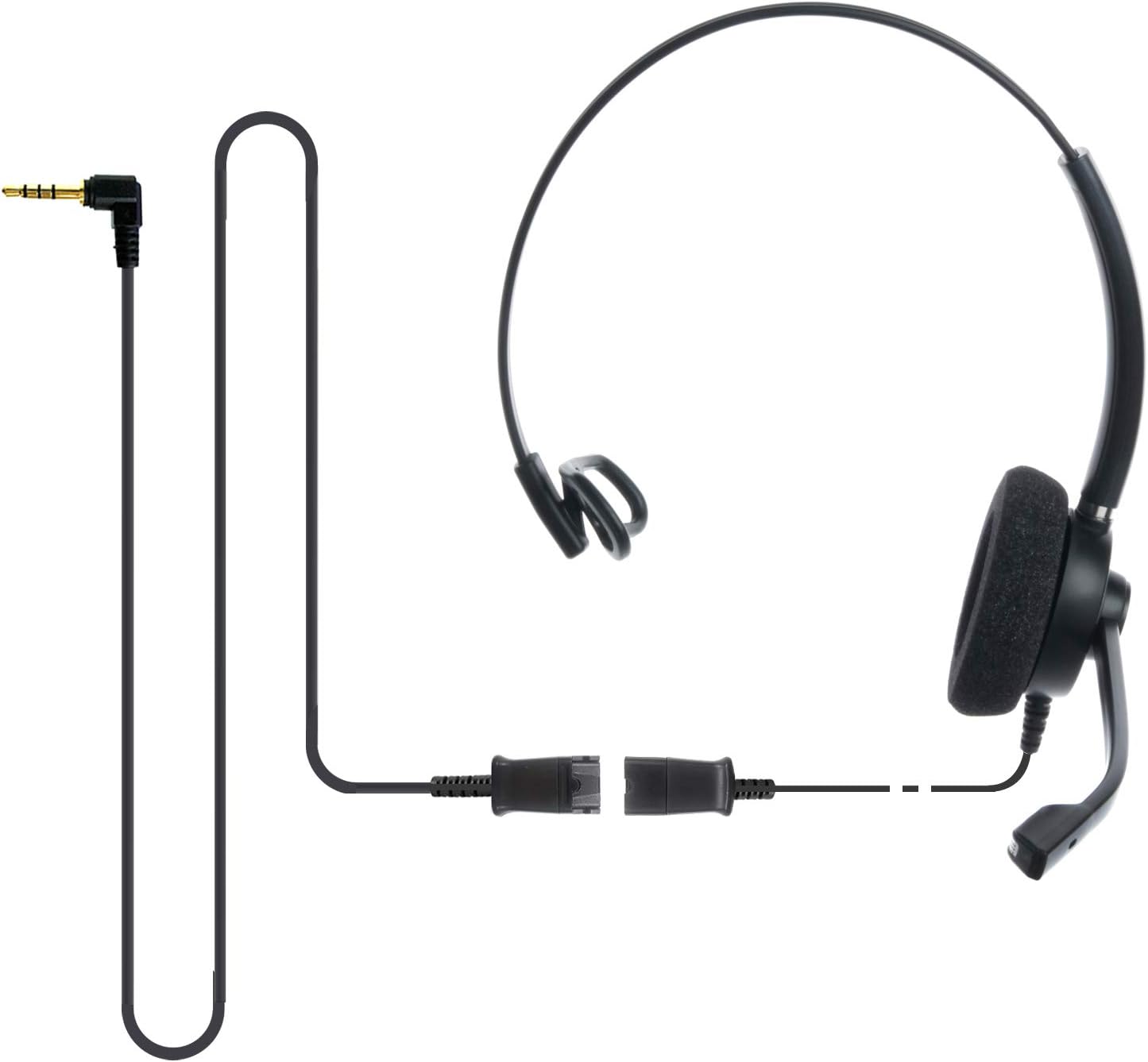
Image: The IPD IPH-160 headset with its detachable Quick Disconnect cable and 3.5mm jack connector.
3. Installation
3.1 Connexion du casque
- Connect the Quick Disconnect (QD) cable to the headset. Ensure a secure connection.
- Insert the 3.5mm jack of the cable into the corresponding port on your device (Android cell phone, laptop, tablet, Apple MacBook, or other smart device).

Image : Un gros plan view of the 3.5mm jack connector, illustrating its connection to a mobile device and laptop.
3.2 Compatibilité des appareils
The 3.5mm jack (4 poles) is compatible with a wide range of devices including:
- Android cell phones (e.g., Samsung, Huawei, HTC, ZTE)
- Ordinateurs portables
- Tablettes
- Apple MacBooks with a single 3.5mm headset port
Note:
- iPhone 7/7S and later models may require an additional Lightning to 3.5mm adapter (not included).
- If your specific phone model is not listed or you encounter compatibility issues, please contact IPD support for assistance.

Image: The IPD headset shown with various connection options for desk phones, PCs/softphones, and mobile phones, highlighting the versatility of Quick Disconnect cables.
4. Utilisation du casque
4.1 Port et ajustement
The IPH-160 headset is designed for all-day comfort. Adjust the headband for a secure yet comfortable fit. The microphone boom is flexible; position it approximately 1-2 inches from your mouth for optimal voice pickup.
4.2 microphone antibruit
The headset features a passive noise-cancelling microphone to reduce background noise, ensuring clearer conversations. Proper microphone positioning is crucial for effective noise cancellation.

Image: A user wearing the headset, demonstrating the microphone's position and illustrating the effect of noise cancellation on audio waveforms.
4.3 Acoustic Shock Protection (ASP)
The headset incorporates an Acoustic Shock Protection (ASP) circuit on the speaker. This feature protects your hearing from sudden, unwanted loud noises by cutting sounds over 105dB and maintaining levels below 105dB.
4.4 Wideband Audio
The HD Wideband speaker delivers clear sound, enhancing the quality of your calls and audio monitoring.

Image: A close-up of the headset's ear cushion, visually representing the distinction between acoustic noise and clear sound for high-quality voice communication.
5. Entretien
5.1 Nettoyage
To maintain hygiene and performance, regularly clean the ear cushions and other surfaces of the headset with a soft, dry cloth. Avoid using harsh chemicals or abrasive materials.
5.2 Stockage
Lorsqu'il n'est pas utilisé, rangez le casque dans un endroit propre et sec, à l'abri de la lumière directe du soleil et des températures extrêmes. Évitez d'emmêler le câble pour prévenir tout dommage.
6. Dépannage
6.1 Aucun son ou volume faible
- Assurez-vous que la prise jack 3.5 mm est complètement insérée dans votre appareil.
- Vérifiez les paramètres de volume de votre appareil.
- Verify that the headset is selected as the audio output device in your computer's sound settings.
- Confirm the Quick Disconnect (QD) cable is securely connected to the headset.
6.2 Microphone non fonctionnel
- Assurez-vous que la perche du microphone est correctement positionnée près de votre bouche.
- Check your device's microphone input settings and ensure the headset is selected as the input device.
- Test the headset with another compatible device to rule out a device-specific issue.
6.3 Problèmes de compatibilité
If you experience compatibility problems with your device, especially if it's not explicitly listed as compatible, please contact IPD customer support for guidance.
7. Spécifications
| Fonctionnalité | Spécification |
|---|---|
| Nom du modèle | IPH-160-35 |
| Technologie de connectivité | Câblé |
| Prise pour casque | 3.5 mm Jack (4-pole) |
| Contrôle du bruit | Annulation passive du bruit |
| Réponse en fréquence | 10 kHz |
| Sensibilité | 58 dB |
| Impédance | 150 Ohms |
| Poids de l'article | 198 grammes (7 onces) |
| Matériel | Plastique |
| Placement des oreilles | Sur l'oreille |
| Dossier spécial | Suppression du bruit |
| Composants inclus | Coussinets d'oreille |
8. Informations sur la garantie
The IPD IPH-160 Headset comes with a Garantie de 3 ans À compter de la date d'achat, cette garantie couvre les défauts de fabrication dans des conditions normales d'utilisation. Veuillez conserver votre preuve d'achat pour toute réclamation au titre de la garantie.
9. Assistance
For technical assistance, warranty claims, or any questions regarding your IPD IPH-160 Headset, please contact IPD customer support. You can find contact information on the official IPD websur le site ou auprès de votre détaillant.
Visitez le IPD Store pour plus d'informations et de produits.


