Introduction
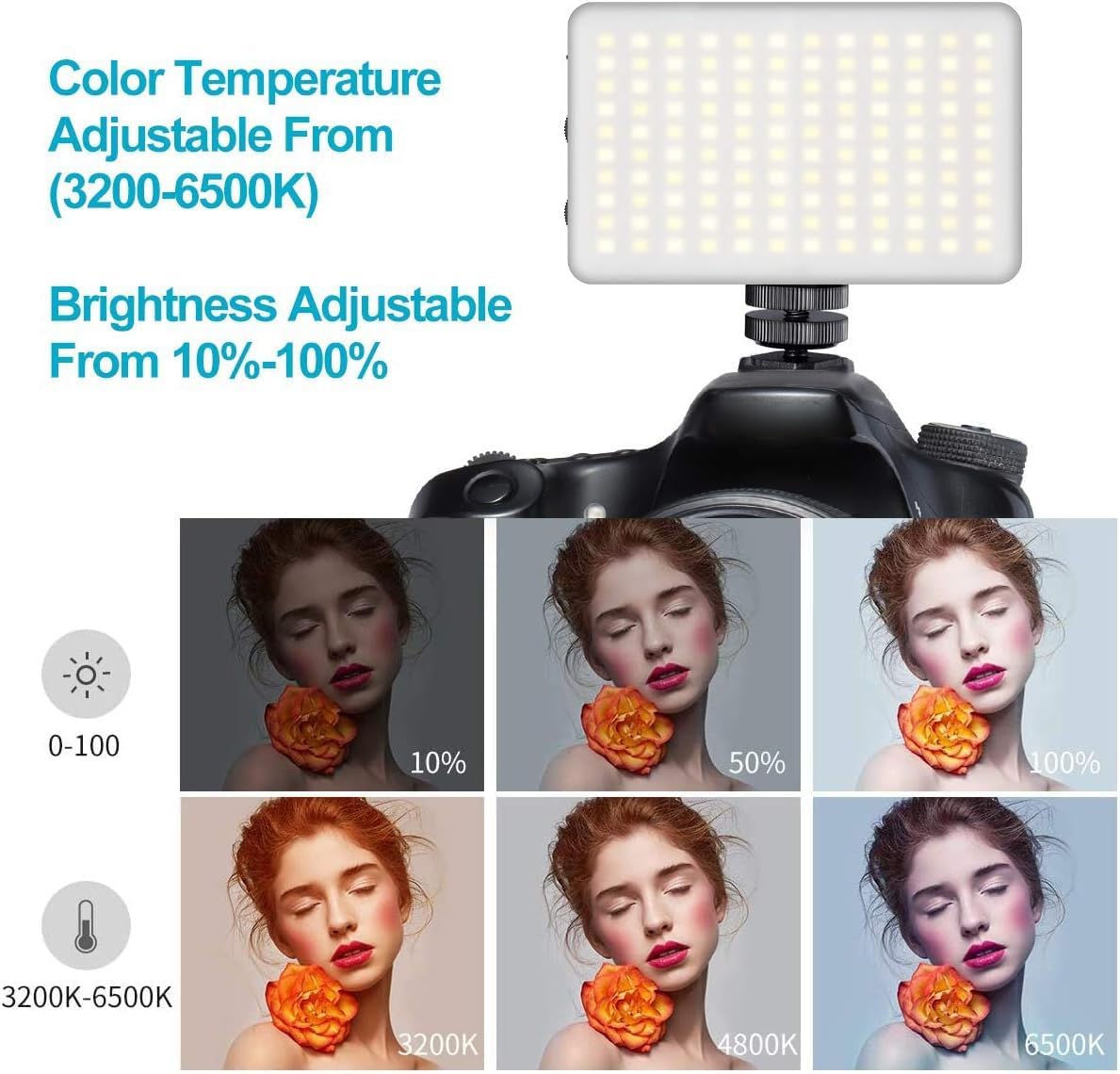
The VIJIM VL120 LED Video Light is a compact and versatile lighting solution designed for photographers and videographers. It features 120 high-quality LED beads, adjustable bi-color temperature (3200K-6500K), and dimmable brightness, making it suitable for various shooting environments. This manual provides detailed instructions for the proper setup, operation, and maintenance of your VL120 LED Video Light.
Qu'y a-t-il dans la boîte
- Lampe vidéo à LED
- Couverture en silicone
- Color Paper (6 pieces)
- Base de montage
- Câble de charge de type C

Caractéristiques du produit
- Perles LED à IRC élevé : Equipped with 120 high-quality LED beads, offering a Color Rendering Index (CRI) of 95+ for accurate color reproduction and up to 1250 Lux maximum brightness.
- Température bicolore : Steplessly adjustable color temperature from 3200K (warm) to 6500K (cool) to match various lighting conditions.
- Luminosité variable : Brightness is adjustable from 10% to 100% using a single switch, providing precise control over light output.
- Diffusion de lumière douce : Includes a silicone cover to soften the light output, protecting eyes and creating a more natural illumination.
- Filtres de couleur : Six color filters (pink, red, yellow, purple, green, blue) are provided to create diverse lighting effects and moods.
- Batterie rechargeable intégrée : Features a 3100mAh lithium battery, offering 120-150 minutes of continuous use at maximum power.
- Charge de type C : Convenient Type-C charging port allows for charging while in use.
- Compact et portable : Lightweight and durable construction for easy portability.

Installation
- Chargez l'appareil : Before first use, fully charge the VL120 using the provided Type-C charging cable. The battery indicator lights will show the charging status.
- Fixez la base de montage : Screw the cold shoe mounting base into the 1/4-inch screw hole at the bottom of the light.
- Mount to Camera/Tripod: Slide the cold shoe mount into your camera's hot shoe or attach it to a compatible tripod.
- Apply Silicone Cover (Optional): For softer light, slide the silicone diffuser cover over the LED panel.
- Insert Color Gels (Optional): If using color filters, place the desired color paper inside the silicone cover before attaching it to the light.

Mode d'emploi
- Marche/Arrêt : Slide the "OFF/ON" switch to turn the light on or off.
- Régler la luminosité : Use the "DIM +/-" knob to increase or decrease the brightness from 10% to 100%.
- Ajuster la température de couleur : Use the "CT +/-" knob to change the color temperature from 3200K (warm) to 6500K (cool).
- Batterie du moniteur : The LED indicator lights on the side of the unit display the remaining battery charge.

Video: Demonstrates the features of the VIJIM VL120 LED Video Light, including its soft light cover and color gels. This video is provided by the seller.
Entretien
- Gardez l'appareil sec et propre.
- Évitez d'exposer la lumière à des températures extrêmes ou à la lumière directe du soleil pendant des périodes prolongées.
- Clean the LED panel and body with a soft, dry cloth. Do not use harsh chemicals or abrasive materials.
- Rangez la lampe dans un endroit frais et sec lorsqu'elle n'est pas utilisée.
Dépannage
La lumière ne s'allume pas :
- Assurez-vous que l'interrupteur d'alimentation est en position « MARCHE ».
- Vérifiez le niveau de la batterie. Si celui-ci est faible, rechargez l'appareil à l'aide du câble USB-C.
Brightness/Color Temperature cannot be adjusted:
- Verify that the respective adjustment knobs are being turned correctly.
- Assurez-vous que l'appareil est sous tension.
Autonomie courte de la batterie :
- Battery life is shorter at maximum brightness. Reduce brightness for extended use.
- Assurez-vous que la batterie est complètement chargée avant utilisation.
Caractéristiques
| Numéro de modèle | VL120 |
| Dimensions du produit | 4.2 x 2.6 x 0.6 pouces (10.67 x 6.6 x 1.52 cm) |
| Poids de l'article | 11.3 onces (320 grammes) |
| Perles LED | 120 pièces |
| Max Brightness Illuminance | Jusqu'à 10 000 lux |
| Indice de rendu des couleurs (IRC) | 95+ |
| Température de couleur | 3200K-6500K (Bi-Color, Steplessly Dimmable) |
| Réglage de la luminosité | 10%-100% |
| Capacité de la batterie | 3100mAh Lithium-Ion |
| Autonomie de la batterie (puissance maximale) | 120-150 minutes (approx. 2-2.5 hours) |
| Port de chargement | USB Type-C |
| Interface matérielle | USB Type C |
Garantie et assistance
For warranty information or technical support, please refer to the product packaging or contact VIJIM customer service directly. Specific warranty terms may vary by region and retailer.


