1. Introduction
The Cosmic Byte CB-GK-14 Sirius is a versatile mechanical keyboard designed for both wired and wireless use. Featuring Outemu Blue switches, per-key RGB backlighting, and multi-device Bluetooth connectivity, it offers a responsive and customizable typing and gaming experience. This manual provides detailed instructions for setup, operation, customization, and maintenance to ensure optimal performance.
2. Principales caractéristiques
- Double connectivité : Supports both wired (USB) and Bluetooth modes for flexible usage across various devices.
- Anti-fantôme: Full N-key rollover in wired mode and 6-key anti-ghosting in Bluetooth mode ensure accurate input during intense sessions.
- Interrupteurs Outemu bleus : Provides a tactile and audible click feedback, ideal for typing and gaming.
- Per Key RGB Backlighting: Offers 18 pre-set backlight effects and 15 levels of brightness adjustment. Customize and store individual key backlighting.
- Long Key Life: Each key is rated for over 60 million operations, ensuring durability.
- Multi-Device Bluetooth: Connects to up to three different Bluetooth devices simultaneously, allowing for easy switching.
- Large compatibilité : Compatible with Windows, Android, Linux, and iOS operating systems.
- Batterie intégrée : 1000mAh rechargeable lithium-ion battery for wireless operation with a range of up to 10 meters.
3. Instructions de configuration
3.1 connexion filaire
- Repérez le câble USB fourni avec votre clavier.
- Connectez une extrémité du câble USB au port USB du clavier.
- Connectez l’autre extrémité du câble USB à un port USB disponible sur votre ordinateur.
- Le clavier sera automatiquement détecté et prêt à l'emploi.
3.2 Connexion Bluetooth
The keyboard supports up to three Bluetooth devices. Ensure the keyboard is charged before attempting Bluetooth pairing.
- Turn on the keyboard using the power switch, usually located on the back or side.
- Appuyez et maintenez enfoncé le FN + Q, FN + W, ou FN + E keys for 3-5 seconds to enter Bluetooth pairing mode for the respective channel (Q, W, or E). The indicator light for the selected channel will flash rapidly.
- On your device (PC, mobile, tablet), enable Bluetooth and search for available devices.
- Select "CB-GK-14 Sirius" from the list of found devices.
- Follow any on-screen prompts to complete the pairing process. The indicator light will stop flashing once successfully paired.
- Repeat these steps for other devices using FN + W et FN + E for the other two Bluetooth channels.

Image : Haut view of the Cosmic Byte CB-GK-14 Sirius Mechanical Keyboard with RGB lighting active.
4. Mode d'emploi
4.1 Changement de mode
- Mode filaire: Connect the USB cable. The keyboard will automatically switch to wired mode.
- Mode Bluetooth: Disconnect the USB cable. The keyboard will operate wirelessly. To switch between paired Bluetooth devices, press FN + Q, FN + W, ou FN + E briefly to select the desired channel.
4.2 Touches multimédias et de fonction
The keyboard features dedicated multimedia keys and function key shortcuts. Refer to the keycaps for specific icons. Typically, these are accessed by pressing the FN key in combination with the F1-F12 keys or other designated keys.
- Contrôle du volume : Use the dedicated rotary dial on the right side of the keyboard to adjust volume. Press the dial to mute/unmute.
- Intensité du rétroéclairage : Use the dedicated rotary dial on the left side of the keyboard to adjust backlight brightness. Press the dial to cycle through backlight patterns.

Image : inclinée view of the keyboard highlighting the RGB lighting and the control dials.
5. Personnalisation RGB
The CB-GK-14 Sirius offers extensive RGB backlighting options:
- Pre-set Effects: Cycle through 18 different backlight effects using the dedicated backlight intensity dial (press to change patterns) or specific FN key combinations (refer to keyboard markings).
- Réglage de la luminosité : Adjust the brightness of the backlighting using the dedicated backlight intensity dial (rotate). There are 15 levels of brightness.
- Custom Backlight Mode: The keyboard features an inbuilt flash memory to store your custom LED configurations. To customize individual key backlighting, refer to the specific instructions provided in the full product manual or Cosmic Byte's support resources.
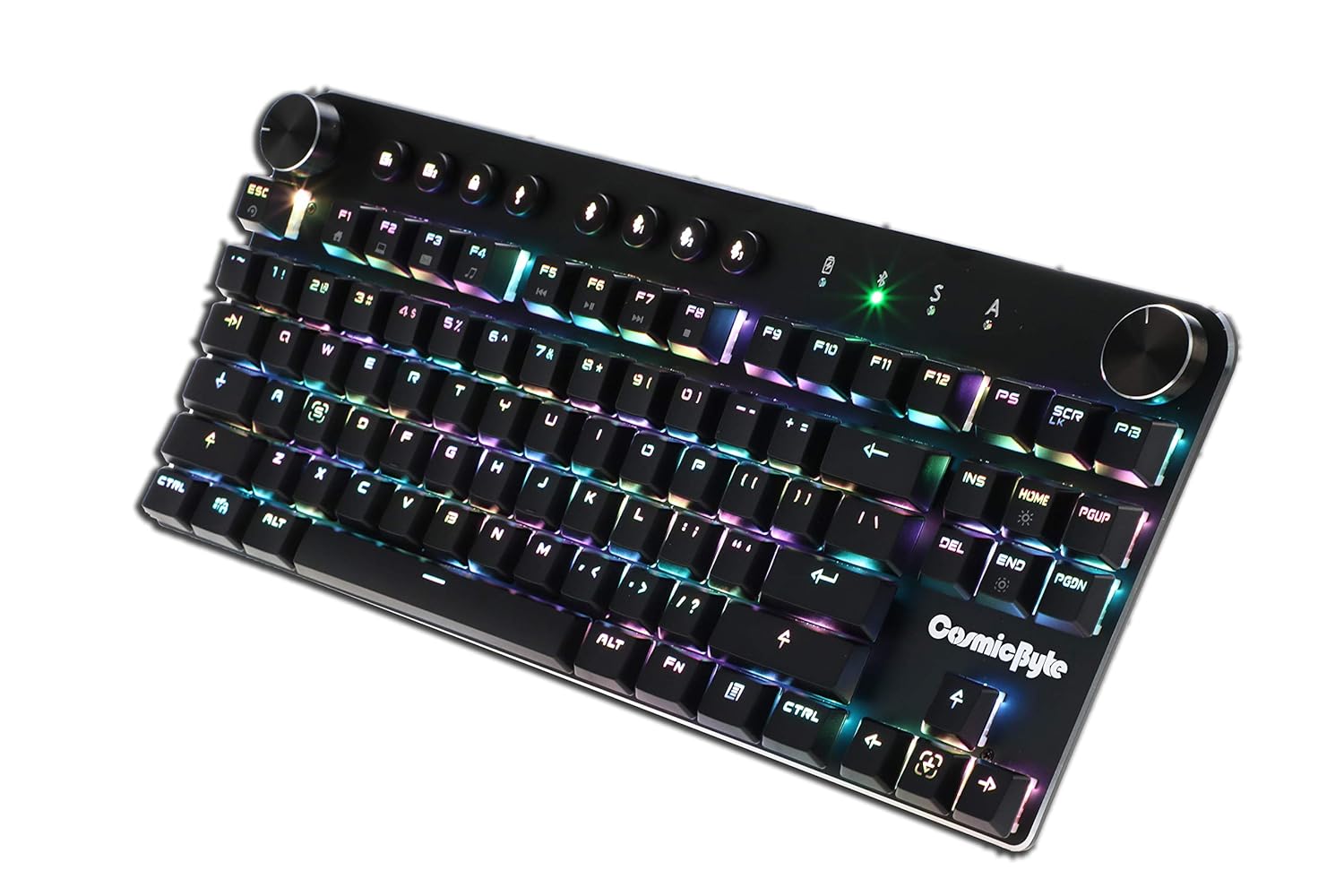
Image: Close-up angled view du clavier showcasing the vibrant RGB lighting on the keys.
6. Entretien
Pour garantir la longévité et les performances optimales de votre clavier :
- Nettoyage: Utilisez un chiffon doux et sec pour essuyer le clavier. Pour un nettoyage plus approfondi, utilisez de l'air comprimé afin d'éliminer la poussière et les débris entre les touches. Évitez d'utiliser des produits chimiques agressifs ou des matériaux abrasifs.
- Entretien de la batterie: For wireless use, charge the keyboard regularly. Avoid completely draining the battery frequently to prolong its lifespan.
- Stockage: Rangez le clavier dans un endroit frais et sec, à l'abri de la lumière directe du soleil et des températures extrêmes.
7. Dépannage
- Clavier ne répondant pas (filaire) :
- Assurez-vous que le câble USB est correctement connecté au clavier et à l'ordinateur.
- Essayez de vous connecter à un autre port USB de votre ordinateur.
- Testez le clavier sur un autre ordinateur afin d'éliminer tout problème lié au système.
- Problèmes de connexion Bluetooth :
- Ensure the keyboard is in Bluetooth pairing mode (indicator light flashing).
- Vérifiez que le Bluetooth est activé sur votre appareil et qu'il est détectable.
- Remove any previous pairings of the keyboard from your device's Bluetooth settings and attempt to re-pair.
- Assurez-vous que la batterie du clavier est suffisamment chargée.
- Keep the keyboard within the 10-meter Bluetooth range of your device.
- Backlight Not Working/Customization Issues:
- Check the brightness level using the dedicated dial.
- Ensure the keyboard is not in a mode where backlighting is disabled.
- For custom backlight issues, ensure the settings were saved correctly.
- Clés non enregistrées :
- Nettoyez les touches concernées pour enlever tout débris.
- If using Bluetooth, ensure anti-ghosting limits (6-key) are not being exceeded for simultaneous presses.
8. Spécifications
| Fonctionnalité | Détail |
|---|---|
| Marque | Octet cosmique |
| Nom du modèle | Sirius Blue Switch |
| Technologie de connectivité | Sans fil (Bluetooth), filaire (USB) |
| Description du clavier | Clavier mécanique de jeu |
| Type de commutateur | Outemu Blue Switches |
| Rétroéclairage | Per Key RGB with 18 effects, 15 brightness levels |
| Anti-ghosting | All key (wired), 6-key (Bluetooth) |
| Batterie | Lithium-ion rechargeable 1000mAh |
| Portée Bluetooth | 10 mètres |
| Appareils compatibles | Laptop, PC, Mobiles, Tablets |
| Système opérateur | Windows, Android, Linux, iOS |
| Poids de l'article | 800 g |
| Dimensions du produit | 34 x 14 x 50 cm |
9. Garantie et assistance
9.1 Informations sur la garantie
The Cosmic Byte CB-GK-14 Sirius Mechanical Keyboard comes with a Garantie de 1 ans against manufacturing defects. Please note that physical damage, water damage, and tampered products are not covered under this warranty.
9.2 Assistance clientèle
For any warranty claims or technical assistance, please contact Cosmic Byte customer support. You can raise a ticket through their customer support portal or directly email them.
Video: This video illustrates the Cosmic Byte warranty claim process, detailing steps for submitting a claim and product replacement procedures. (Note: Actual video URL not provided in JSON, placeholder used.)
When contacting support, be prepared to provide your purchase invoice, product images from all angles, and a short video demonstrating the issue, if applicable. This will help expedite the support process.


