1. Introduction
Merci pour votre achatasing the NEDIS PASH120BKA4 Paper Shredder. This device is designed to securely dispose of sensitive documents, such as letters, files, invoices, and bank cards, by shredding them into small, unreadable particles. Its compact design allows for convenient placement on or under your desk, making it an ideal solution for home or small office use. This manual provides essential information for safe operation, setup, maintenance, and troubleshooting to ensure optimal performance and longevity of your shredder.
The PASH120BKA4 features a DIN P-4 security level, producing 4x38 mm cross-cut strips, which makes reconstruction of shredded documents extremely difficult. It also includes a reverse function to help clear paper jams.
2. Consignes de sécurité importantes
Veuillez lire attentivement ces consignes de sécurité avant d'utiliser l'appareil. Conservez ce manuel pour toute consultation ultérieure.
- Tenir hors de portée des enfants et des animaux domestiques : This shredder contains sharp blades and moving parts.
- Avoid loose clothing, jewelry, and long hair: Keep these away from the paper entry slot to prevent entanglement.
- Keep hands and fingers away: Never place hands or fingers near the paper entry slot.
- Débranchez lorsque vous ne vous en servez pas : Débranchez toujours le broyeur avant de le déplacer, de le nettoyer ou de vider le bac à déchets.
- Do not shred metal objects: Staples and small paper clips are generally acceptable, but avoid large paper clips, binder clips, or other metal objects as they can damage the blades.
- Do not shred adhesive materials: Avoid shredding labels, envelopes with adhesive strips, or other sticky materials as they can gum up the blades.
- Do not exceed sheet capacity: Refer to the specifications for the maximum number of sheets that can be shredded at once (6 sheets for this model). Overloading can cause jams and damage the motor.
- Use only indoors: Cet appareil est conçu pour une utilisation en intérieur uniquement.
- Do not expose to water or moisture: Keep the shredder away from water and humid environments.
- Do not open the shredder head: There are no user-serviceable parts inside. Refer servicing to qualified personnel.
- Positionner correctement : Ensure the shredder head is securely seated on the waste bin before operation.
3. Produit terminéview et composants
Familiarize yourself with the main parts of your NEDIS PASH120BKA4 Paper Shredder.

Image 3.1: Haut view of the shredder head, showing the control switch (AUTO, OFF, REV), paper entry slot, and power cord. The power cord is visible on the right side, coiled. The brand name "nedis" is printed on the top right.

Image 3.2: The shredder head is separated from the waste bin, illustrating the two main components. The waste bin is black with a clear window, and the shredder head is also black with the control panel visible.
- Tête de broyeur : Contains the motor, cutting blades, and control panel.
- Fente d'entrée papier : Where paper and cards are inserted for shredding.
- Interrupteur de commande : Used to select operating modes (AUTO, OFF, REV).
- Poubelle : Collects shredded material. Features a clear window to monitor fill level.
- Cordon d'alimentation : Connects the shredder to an electrical outlet.
4. Instructions de configuration
Follow these steps to set up your paper shredder for first use.
- Déballez le broyeur : Retirez soigneusement tous les composants de l'emballage. Conservez l'emballage pour un stockage ou un transport ultérieur.
- Position the Waste Bin: Placez la poubelle sur une surface plane et stable.
- Attach the Shredder Head: Carefully place the shredder head onto the waste bin, ensuring it is securely seated. The shredder will not operate if the head is not correctly positioned.
- Connecter l'alimentation : Branchez le cordon d’alimentation sur une prise électrique standard.
- Sélectionnez le mode de fonctionnement : Move the control switch to the "AUTO" position. The shredder is now ready for use.

Image 4.1: The shredder fully assembled with a sheet of paper inserted into the entry slot, demonstrating its operational readiness.
5. Mode d'emploi
This section details how to use your shredder for various materials.
5.1. Shredding Paper
- Ensure the shredder is plugged in and the control switch is set to "AUTO".
- Insert up to 6 sheets of A4 paper (or equivalent) into the paper entry slot. The shredder will automatically start and shred the paper.
- Once the paper has passed through, the shredder will stop automatically.
- For continuous shredding, allow a brief pause between batches to prevent overheating.

Image 5.1: Devant view of the shredder showing paper being fed into the top slot for shredding.
5.2. Shredding Bank Cards
- Ensure the shredder is plugged in and the control switch is set to "AUTO".
- Insert one bank card at a time into the designated card entry slot (if separate, otherwise use the main paper slot).
- The shredder will process the card and stop automatically.
5.3. Using the Reverse Function (REV)
The reverse function is useful for clearing paper jams or retrieving accidentally inserted items.
- If a paper jam occurs, immediately move the control switch to "REV". This will reverse the shredding mechanism, pushing the paper back out.
- Once the paper is clear, move the switch back to "OFF" or "AUTO".
- If the jam persists, unplug the shredder and carefully remove the paper manually (refer to Troubleshooting).
5.4. Turning Off the Shredder
When you are finished shredding or need to empty the waste bin, move the control switch to the "OFF" position. For extended periods of non-use, it is recommended to unplug the shredder from the power outlet.
6. Entretien
Regular maintenance ensures the longevity and efficient operation of your shredder.
6.1. Vider la poubelle
- Before emptying, ensure the shredder is turned "OFF" and unplugged from the power outlet.
- Soulevez délicatement la tête du broyeur de la poubelle.
- Jetez le papier déchiqueté.
- Replacez la tête du broyeur sur la poubelle en vous assurant qu'elle est bien fixée.
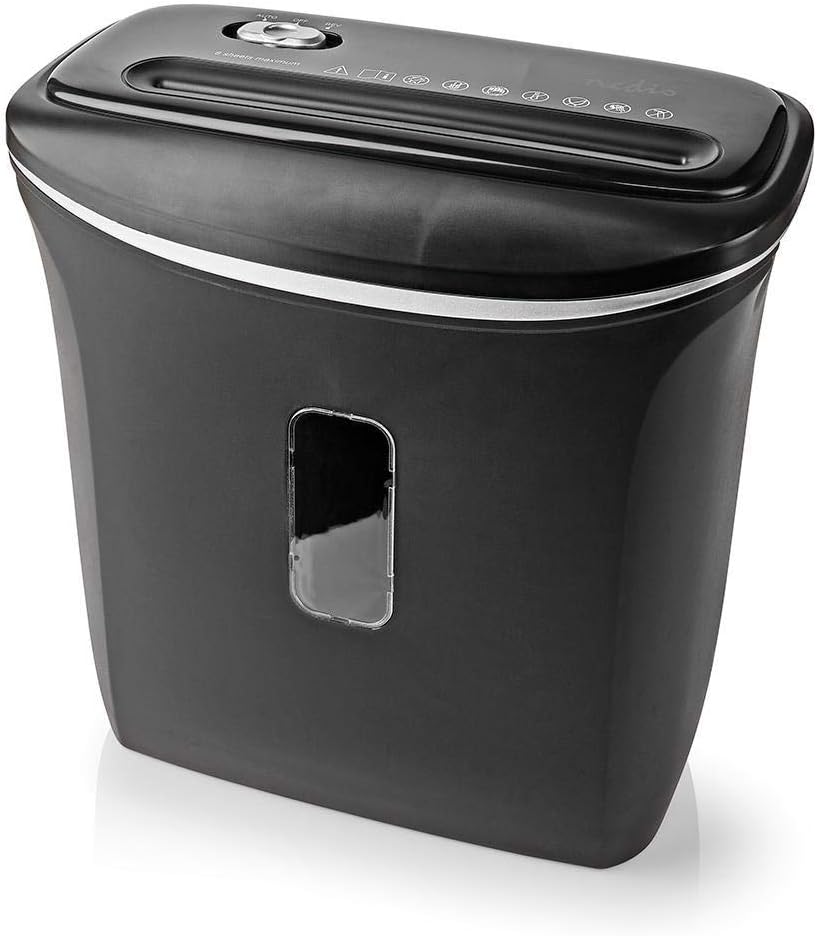
Image 6.1: Incliné view of the shredder, highlighting the waste bin's capacity and the clear window for monitoring shredded material.
6.2. Cleaning the Shredder
- Débranchez toujours le broyeur avant de le nettoyer.
- Essuyez l'extérieur du destructeur de documents avec un chiffon doux et sec. N'utilisez pas de nettoyants abrasifs ni de solvants.
- To clean the cutting blades, you may use specialized shredder oil sheets or apply a small amount of shredder oil to a sheet of paper and run it through the shredder. This helps lubricate the blades and remove paper dust.
- Never spray cleaning liquids directly into the paper entry slot.
7. Dépannage
Si vous rencontrez des problèmes avec votre destructeur de documents, consultez la liste des problèmes courants et leurs solutions ci-dessous.
| Problème | Cause possible | Solution |
|---|---|---|
| La déchiqueteuse ne s'allume pas. |
|
|
| Bourrage papier. |
|
|
| Le broyeur fonctionne en continu. |
|
|
8. Spécifications
Technical details for the NEDIS PASH120BKA4 Paper Shredder.
| Fonctionnalité | Détail |
|---|---|
| Marque | NEDIS |
| Numéro de modèle | PASH120BKA4 |
| Couleur | Noir |
| Type de déchiquetage | Coupe transversale |
| Taille de déchiquetage | 4 x 38 mm |
| Niveau de sécurité | DIN P-4 |
| Capacité de feuille | Up to 6 sheets (A4, 70gsm) |
| Capacité de la poubelle | 12 litres |
| Des lambeaux | Paper, Bank Cards |
| Source d'énergie | Câble électrique |
| Poids de l'article | 2.8 kilogrammes |
| ASIN | B0847M1RW9 |
| Code EAN/UPC | 05412810329472 |
9. Garantie et assistance
For warranty information or technical support, please refer to the documentation provided with your purchase or contact NEDIS customer service directly. Keep your proof of purchase for warranty claims.
You can typically find support contact details on the official NEDIS website ou sur l'emballage du produit.


