Introduction
Thank you for choosing the VISION Talking Analog and Digital Watch. This watch is designed to provide clear time announcements in Spanish, making it ideal for individuals with visual impairments, children, and the elderly. It features both an analog display for traditional time-telling and a digital display for precise readings, along with an alarm function.

Figure 1 : Face avant view of the VISION Talking Analog and Digital Watch.
Installation
1. Déballage et inspection initiale
Carefully remove the watch from its packaging. Inspect the watch for any visible damage. The watch comes with a battery pre-installed and is ready for initial setup.

Figure 2: The watch as it appears in its original clear plastic case.
2. Initial Time Setting (Digital)
The digital time needs to be set first. Refer to the 'Operating Instructions' section for detailed steps on setting the digital time using the 'MODE', 'HOUR', and 'MINUTE' buttons.
3. Initial Time Setting (Analog)
The analog hands are set independently using the crown (small knob) on the side of the watch. Pull out the crown and rotate it to adjust the analog hands to match the digital time. Push the crown back in to secure the setting.
Mode d'emploi
Fonctions des boutons
- Bouton MODE : Used to cycle through different modes (Time, Alarm Setting).
- TALKING Button: Press to hear the current time announced in Spanish.
- Bouton HEURE : Used to adjust the hour in setting modes.
- Bouton MINUTE : Used to adjust the minute in setting modes.
- Couronne: Used to set the analog hands.
Apprendre l'heure
- Annonce vocale : Appuyez sur le PARLANT button to hear the current time spoken aloud in Spanish.
- Affichage numérique: The digital display shows the time in a 12-hour format (AM/PM).
- Affichage analogique : The traditional hands indicate the hour and minute.
Réglage de l'heure numérique
- Appuyez sur le MODE button repeatedly until the digital display shows the time setting mode (often indicated by flashing digits).
- Utilisez le HEURE button to adjust the hour. Pay attention to AM/PM indicators.
- Utilisez le MINUTE bouton pour régler les minutes.
- Appuyez sur le MODE Appuyez à nouveau sur le bouton pour confirmer et quitter le mode de réglage de l'heure.
Réglage de l'alarme
- Appuyez sur le MODE button until the alarm setting mode is displayed (often indicated by an alarm icon or 'AL').
- Utilisez le HEURE bouton permettant de régler l'heure de l'alarme souhaitée.
- Utilisez le MINUTE bouton permettant de régler la durée de l'alarme (en minutes).
- Appuyez sur le MODE button to activate the alarm and exit the setting mode.
- Pour arrêter l'alarme sonore, appuyez sur n'importe quel bouton.
Entretien
Nettoyage
Pour nettoyer votre montre, essuyez-la délicatement avec un chiffon doux et sec. Pour les saletés tenaces, utilisez un chiffon légèrement plus épais.amp Vous pouvez utiliser un chiffon, mais veillez à ce qu'aucune humidité ne pénètre dans la montre. Évitez d'utiliser des produits chimiques agressifs ou des matériaux abrasifs.
Remplacement de la batterie
The watch uses a Lithium-metal battery. When the voice announcement becomes faint or the digital display dims, it's time to replace the battery. It is recommended to have battery replacement performed by a qualified watch technician to ensure proper sealing and function.
Résistance à l'eau
This watch is marked as "WATER RESISTANT." This typically means it can withstand splashes, rain, or brief immersion in water, such as washing hands. It is pas suitable for swimming, showering, or diving. Prolonged exposure to water or submersion may cause damage.
Dépannage
- No Voice Announcement:
- Check battery level. Replace if low.
- Ensure the TALKING button is pressed firmly.
- L'écran numérique est éteint ou faiblement lumineux :
- Battery may be depleted. Replace the battery.
- L'heure est inexacte :
- Re-set the digital time following the instructions in the 'Operating Instructions' section.
- Ensure the analog hands are synchronized with the digital time by adjusting the crown.
- Low battery can affect timekeeping accuracy. Consider battery replacement.
- L'alarme ne sonne pas :
- Vérifiez que l'alarme est correctement réglée et activée.
- Vérifiez le niveau de la batterie.
Caractéristiques
| Fonctionnalité | Description |
|---|---|
| Marque | VISION |
| Modèle | 861ZTS-GRN-MEX |
| Type de cadran | Analogique et numérique |
| Mouvement | Electronic Digital and Analog |
| Fonction vocale | Yes (Spanish) |
| Fonction d'alarme | Oui |
| Matériau du boîtier | Plastique |
| Diamètre du boîtier | 40 mm (1.57 pouces) |
| Largeur de sangle | 18 mm (0.71 pouces) |
| Épaisseur du boîtier | 16 mm (0.63 pouces) |
| Type de batterie | 1 Lithium-métal (inclus) |
| Résistance à l'eau | Water Resistant (Splash/Rain proof, not for submersion) |
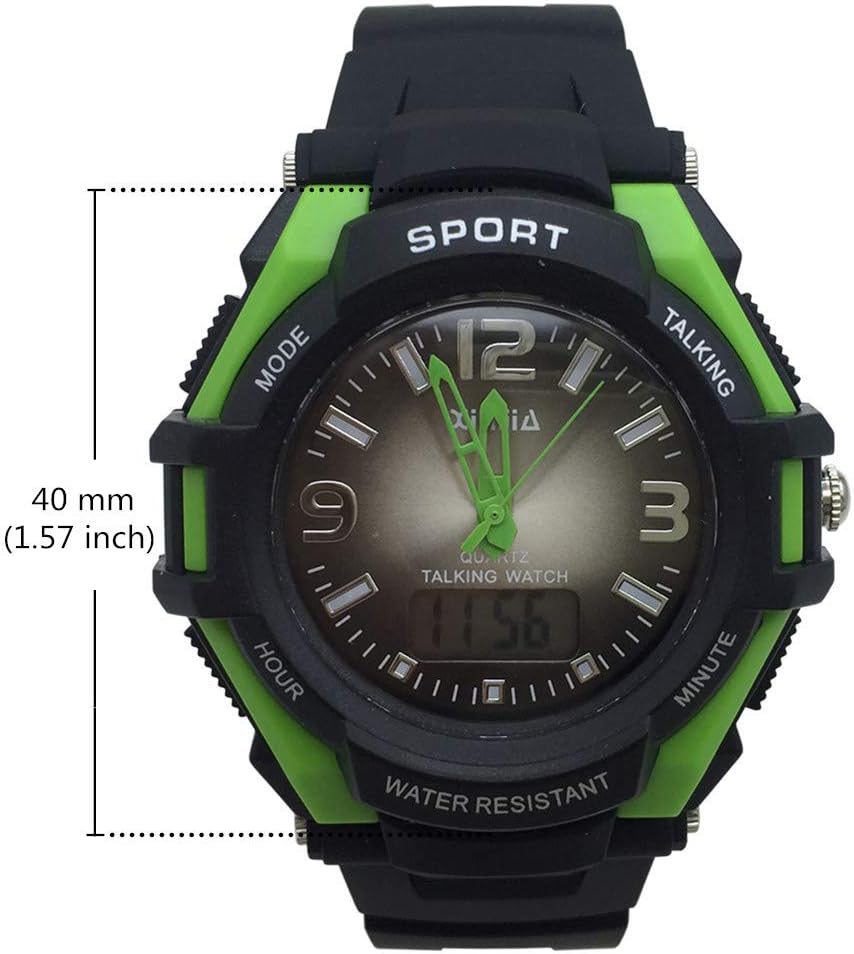
Figure 3: Watch face diameter measurement (40 mm).
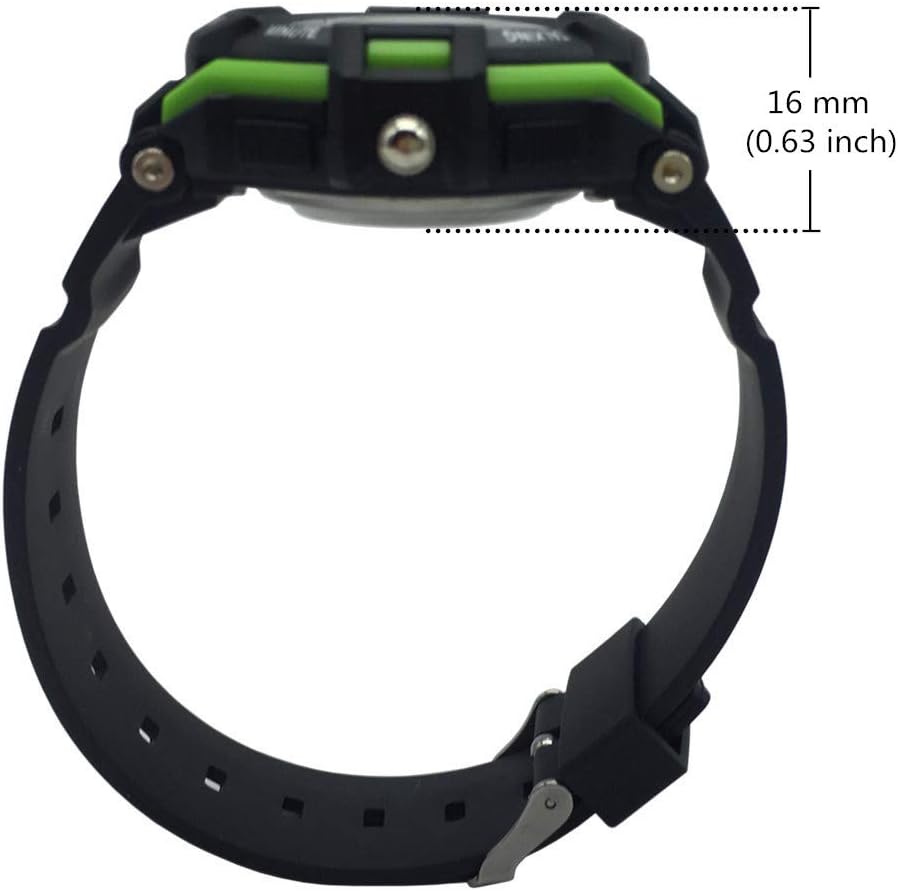
Figure 4: Watch case thickness measurement (16 mm).

Figure 5: Watch strap width measurement (18 mm).
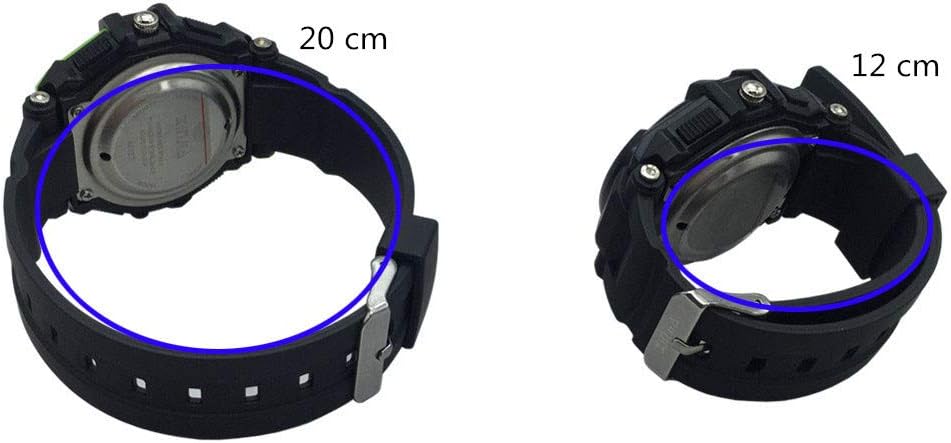
Figure 6 : Examples of wrist circumference fit (20 cm and 12 cm).
Garantie et assistance
For warranty information or technical support, please refer to the documentation included with your purchase or contact the seller/manufacturer directly. Keep your proof of purchase for any warranty claims.


