Introduction
This manual provides detailed instructions for the setup, operation, maintenance, and troubleshooting of your DOCKIN D FINE+ 2 Portable Bluetooth Speaker. Please read this manual thoroughly before using the device to ensure proper functionality and to prevent damage.

Image: The DOCKIN D FINE+ 2 Portable Bluetooth Speaker, a sleek black rectangular device with a mesh grille and the DOCKIN logo prominently displayed on the front.
Caractéristiques principales
- Son puissant : 50W output with 2 high-frequency and 2 low-frequency speakers for clear and powerful audio.
- 3 modes sonores : son personnalisable profiles (Balanced, Bass, Clean) to suit different preferences and environments.
- Longue durée de vie de la batterie : 16 hours of playtime with a 9600 mAh replaceable battery.
- Batterie externe intégrée : USB port for charging mobile devices.
- Résistance à l'eau : IPX5 rated, protecting against splashes and rain.
- Conception portable : Includes a detachable carrying strap for easy transport.
- Stereo Link Function: Pair two D FINE+ 2 speakers for an enhanced stereo sound experience.

Image: An illustration highlighting the DOCKIN D FINE+ 2 speaker's features, including integrated power bank, 50W sound, 16-hour battery, and Bass Boost Equalizer.
Contenu du colis
Vérifiez que tous les articles sont présents dans le colis :
- DOCKIN D FINE+ 2 Portable Bluetooth Speaker
- Câble de chargement
- bandoulière amovible
- Manuel d'utilisation
Installation
1. Charge initiale
Before first use, fully charge the DOCKIN D FINE+ 2 speaker. Connect the provided charging cable to the speaker's charging port and a suitable USB power adapter (not included). The charging indicator will show the charging status.

Image: A close-up of the DOCKIN D FINE+ 2 speaker's rear panel, showing the charging port and the replaceable battery compartment. An illustration indicates an integrated power bank and long battery life.
2. Fixation de la bandoulière
The detachable carrying strap can be attached to the designated loops on the speaker for convenient portability.

Image: The DOCKIN D FINE+ 2 speaker with its detachable carrying strap attached, demonstrating its portability for outdoor use.
Mode d'emploi
1. Marche/Arrêt
Pour allumer ou éteindre l'enceinte, maintenez enfoncé le bouton d'alimentation situé sur le panneau supérieur.
2. Couplage Bluetooth
- Turn on the DOCKIN D FINE+ 2 speaker. It will automatically enter Bluetooth pairing mode, indicated by a flashing LED light.
- Sur votre appareil (smartphone, tablette, etc.), activez le Bluetooth et recherchez les appareils disponibles.
- Select "DOCKIN D FINE+ 2" from the list. Once connected, the LED indicator will become solid.
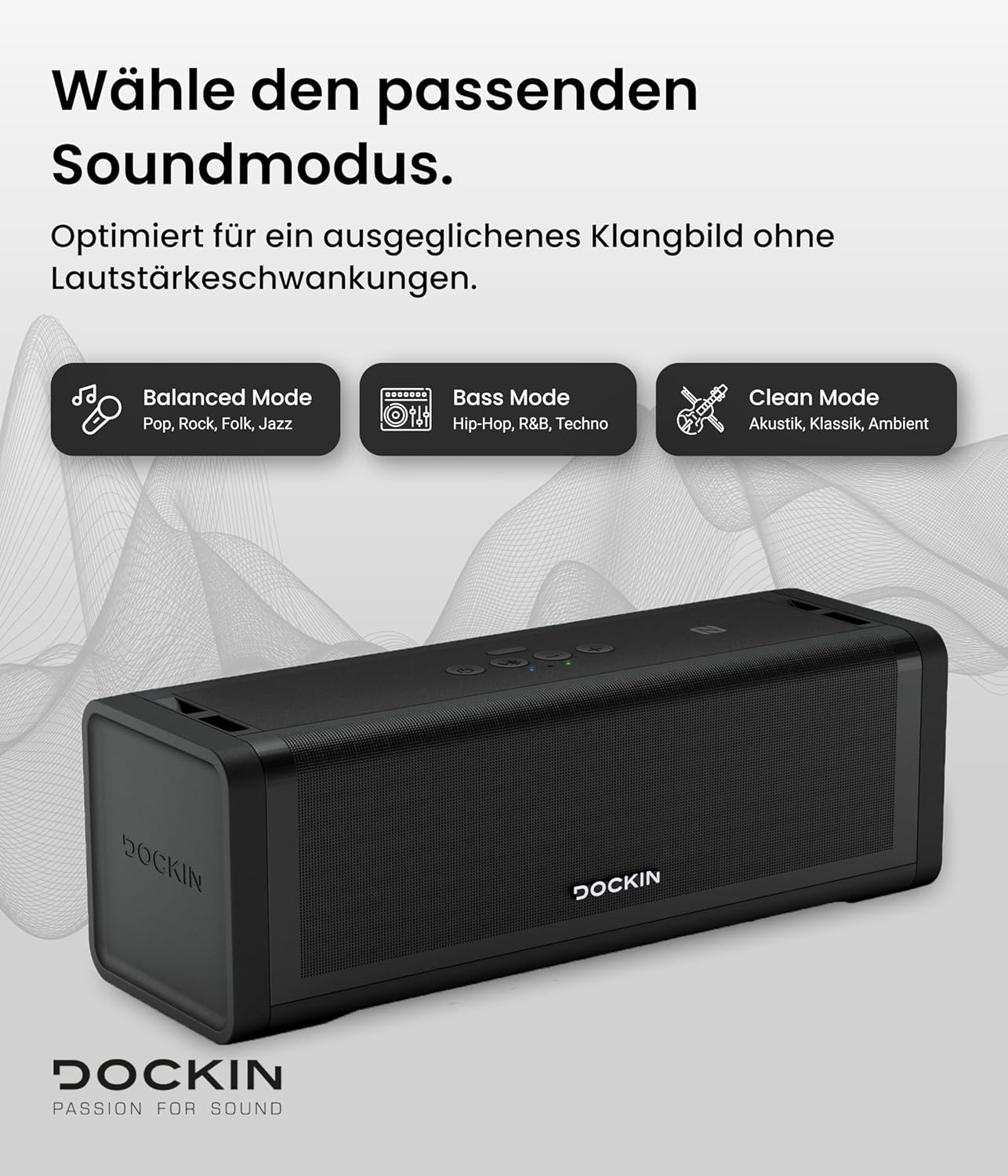
Image: A close-up of the DOCKIN D FINE+ 2 speaker's top control panel, showing buttons for power, Bluetooth pairing, volume control, and sound mode selection.
3. Contrôle du volume
Use the '+' and '-' buttons on the speaker's top panel to adjust the volume. You can also control the volume from your connected device.
4. Modes sonores
The DOCKIN D FINE+ 2 offers three distinct sound modes to optimize your listening experience:
- Mode équilibré : Ideal for pop, rock, folk, and jazz, providing a neutral and well-rounded sound.
- Mode basse : Enhances bass frequencies, suitable for hip-hop, R&B, and techno.
- Mode nettoyage : Focuses on clear acoustics, classical, and ambient music.
Press the sound mode button (often indicated by an equalizer icon) to cycle through the available modes.

Image: The DOCKIN D FINE+ 2 speaker with an overlay illustrating the three sound modes: Balanced, Bass, and Clean, along with their recommended music genres.
5. Stereo Link Function (Pairing Two Speakers)
To achieve a powerful stereo sound, you can pair two DOCKIN D FINE+ 2 speakers:
- Assurez-vous que les deux haut-parleurs sont allumés et ne sont connectés à aucun autre appareil Bluetooth.
- On one speaker, press and hold the Stereo Link button (refer to the speaker's button layout for exact location, often combined with Bluetooth or a dedicated link button).
- The speaker will enter pairing mode. Repeat this on the second speaker.
- Once successfully linked, the speakers will indicate a stereo connection (e.g., a specific LED pattern). You can then connect your device to one of the speakers via Bluetooth, and audio will play through both in stereo.

Image: Two DOCKIN D FINE+ 2 speakers shown in an outdoor setting, illustrating the Stereo Link function for a double sound experience. A person is shown controlling music from a smartphone.
6. Utilisation comme batterie externe
The DOCKIN D FINE+ 2 can charge your mobile devices. Connect your smartphone or tablet to the speaker's USB output port using a compatible USB cable. The speaker's internal battery will then act as a power bank.
Entretien
- Nettoyage: Utilisez un chiffon doux et sec pour nettoyer l'extérieur du haut-parleur. N'utilisez pas de nettoyants abrasifs ni de solvants.
- Résistance à l'eau : While the speaker is IPX5 water-resistant, avoid submerging it in water. Ensure all port covers are securely closed to maintain water resistance.
- Stockage: Rangez l'enceinte dans un endroit frais et sec, à l'abri de la lumière directe du soleil et des températures extrêmes.
- Remplacement de la batterie : The battery is replaceable, extending the product's lifespan. For battery replacement, contact DOCKIN customer support or an authorized service center.

Image: The DOCKIN D FINE+ 2 speaker being splashed with water, demonstrating its IP55 water resistance, indicating it is ready for outdoor adventures.
Dépannage
| Problème | Cause possible | Solution |
|---|---|---|
| Le haut-parleur ne s'allume pas. | Batterie faible. | Chargez complètement l'enceinte. |
| Pas de son. | Volume too low; device not paired; incorrect input source. | Increase volume; re-pair Bluetooth device; ensure correct mode is selected. |
| Connexion Bluetooth instable. | Appareil trop éloigné ; interférences ; batterie faible. | Rapprochez l'appareil du haut-parleur ; évitez les obstacles ; rechargez le haut-parleur. |
| Cannot pair two speakers for stereo. | Incorrect pairing procedure; speakers already connected to other devices. | Ensure both speakers are disconnected from other devices. Follow the Stereo Link pairing instructions carefully. |
| La charge de l'appareil connecté est lente ou ne fonctionne pas. | Batterie du haut-parleur faible ; câble incompatible. | Ensure speaker is sufficiently charged; use a high-quality, compatible USB cable. |
Caractéristiques
- Nom du modèle : D FINE+ 2
- Marque: amarrage
- Puissance de sortie : 50 watts
- Capacité de la batterie : 9600 mAh
- Autonomie de la batterie : Jusqu'à 16 XNUMX heures
- Connectivité : Bluetooth
- Indice de résistance à l'eau : IPX5
- Dimensions (L x l x H) : 39 x 16.5 x 16.1 cm (15.35 x 6.5 x 6.34 pouces)
- Poids: 3.1 kg (6.83 lb)
- Matériel: Plastique ou caoutchouc
- Appareils compatibles : Smartphone, tablet, MP3 player, laptop, desktop computer
Garantie et assistance
DOCKIN products are designed for reliability and performance. For warranty information, technical support, or service inquiries, please visit the official DOCKIN webconsultez le site ou contactez directement leur service client.
Official DOCKIN Website: www.dockin.de
For further assistance, refer to the contact information provided on the product packaging or the DOCKIN website.


