1. Introduction
Thank you for choosing the Netac 64 GB Micro SD Card. This high-performance memory card is designed to provide reliable storage and fast data transfer for a wide range of digital devices. With A1, U3, C10, V30, and UHS-I speed ratings, it is ideal for 4K video recording, high-resolution photos, and quick application loading. This manual will guide you through the setup, operation, maintenance, and troubleshooting of your Micro SD card.

Image: The Netac 64 GB Micro SD Card, displaying its capacity and speed ratings (Micro SDXC I, A1, U3, V30).
2. Installation
2.1 Mise en forme initiale
Upon first use, it is recommended to format the Micro SD card using your device's internal formatting function. This ensures optimal compatibility and performance. The card comes pre-formatted with exFAT for broad compatibility.
2.2 Insertion de la carte Micro SD
Locate the Micro SD card slot on your device (smartphone, tablet, camera, drone, Nintendo Switch, etc.). Gently insert the card into the slot until it clicks into place. Ensure the card is inserted in the correct orientation to avoid damage.

Image: The compact size of the Micro SD card, shown next to a laptop keyboard, illustrating its small form factor.
2.3 Using with an SD Adapter
Your Netac Micro SD card can be used with a standard SD card adapter (not included) to fit into devices with full-size SD card slots, such as DSLR cameras or laptops with SD card readers. Simply insert the Micro SD card into the adapter until it locks, then insert the adapter into your device.

Image: Diagrams showing how the Micro SD card can be used with a USB card reader for data transfer to a laptop, and with an SD adapter for use in a camera.
3. Operating the Micro SD Card
3.1 Vitesses de transfert de données
The Netac 64 GB Micro SD card features UHS-I interface with U3/V30 speed class, offering high-speed data transfer. Expect read speeds up to 100 MB/s and write speeds up to 30 MB/s. Actual performance may vary based on the host device, interface, usage conditions, and other factors.

Image: Visual representation of the card's read speeds up to 100MB/s and write speeds up to 30MB/s.
Enregistrement vidéo 4K 3.2
With its V30 speed class, this card is capable of recording Full HD and 4K Ultra HD video smoothly, ensuring no dropped frames during high-resolution video capture.

Image: An illustration highlighting the card's capability to record Full HD and 4K Ultra HD video, with speed grades of V30.
3.3 A1-Rated Performance for Applications
The A1 performance rating ensures faster application loading. It provides a minimum random read performance of 1500 IOPS and random write performance of 500 IOPS, enhancing the experience when running apps directly from the card.

Image: A visual demonstrating the A1 performance of the card, indicating faster application loading and smoother operation on compatible devices like tablets.
3.4 Wide Application Compatibility
This Micro SD card offers high compatibility with various digital devices, including:
- Smartphones and Android tablets
- Drones
- Action cameras and GoPro devices
- Nintendo Switch and other game consoles
- DSLR cameras and 4K/Full HD camcorders
- Laptops and desktop computers
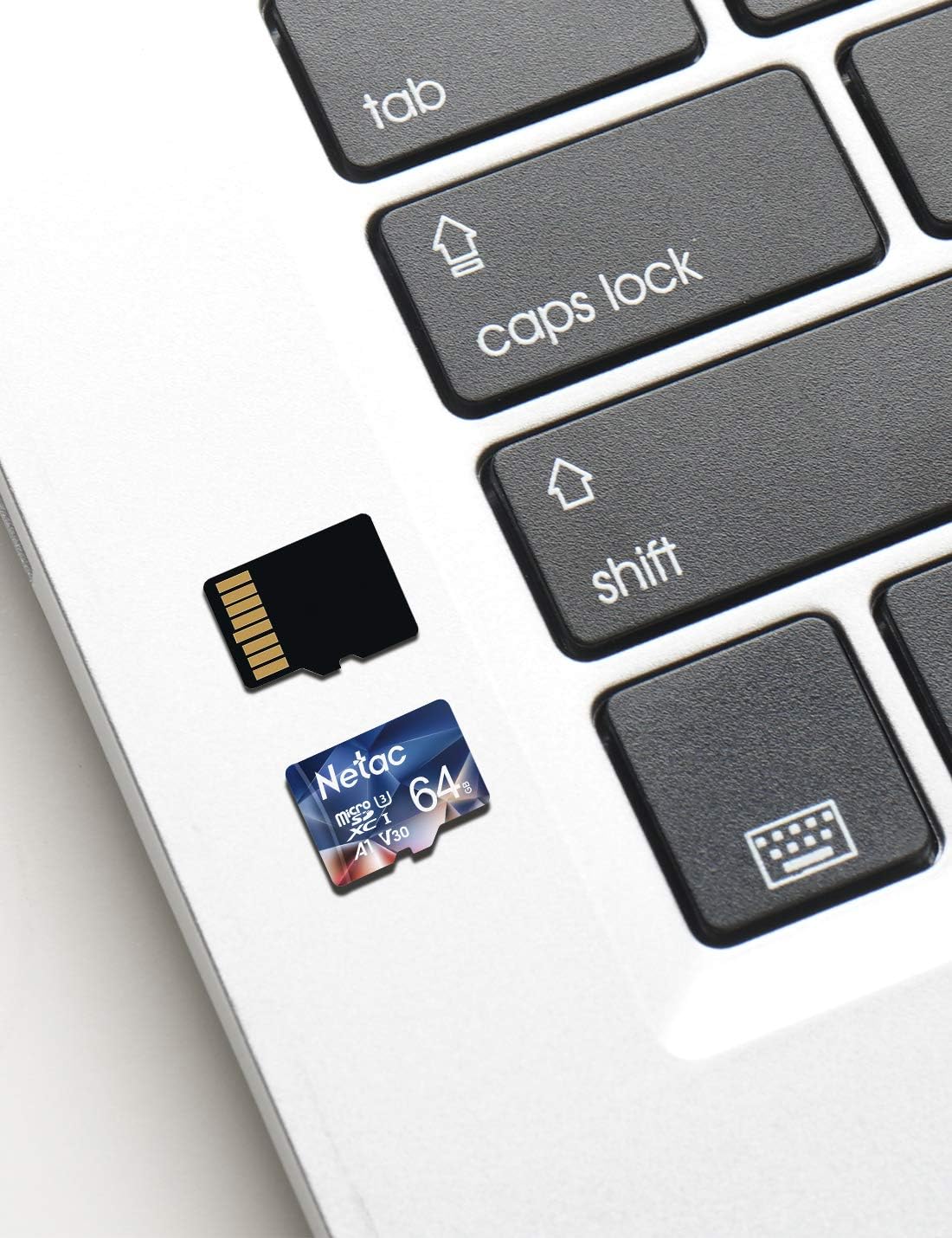
Image: A collage of images showing the Micro SD card being used with various digital devices, including smartphones, car DVRs, cameras, surveillance systems, drones, and GoPro cameras, highlighting its broad compatibility.
3.5 Storage Capacity Overview
La capacité de 64 Go offre ample space for your digital content. Refer to the table below for estimated storage capacities for different media types:
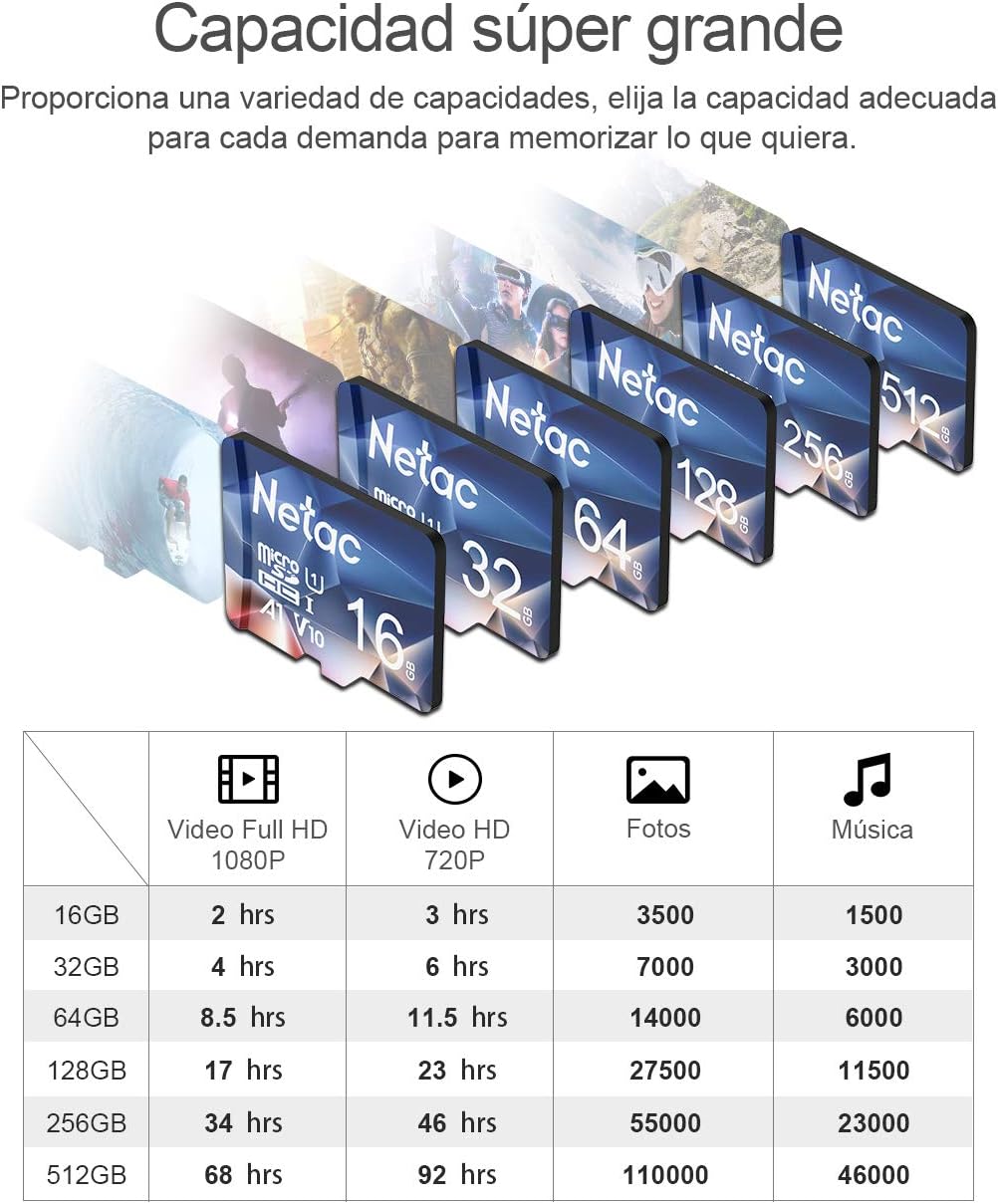
Image: A table illustrating the estimated storage capacity for different Micro SD card sizes (16GB to 512GB) in terms of Full HD video (1080P), HD video (720P), photos, and music.
4. Entretien et durabilité
The Netac Micro SD card is built for reliability and durability, designed to withstand various challenging environments. To ensure its longevity, handle the card with care, avoiding excessive force during insertion or removal.
4.1 Robust Design Features
The card is engineered with multiple protective features:
- Étanche: Resistant to water immersion (IPX7 rated).
- Résistance à la température : Fonctionne de manière fiable dans des conditions de températures extrêmes, de -25°C à 85°C.
- Résistant aux chocs : Designed to withstand impacts and drops.
- Preuve aux rayons X : Safe from airport X-ray scanners, ensuring data integrity during travel.
- Preuve magnétique : Protected against magnetic fields.

Image: An illustration showing the Micro SD card's resilience in various environments, highlighting its waterproof, X-ray proof, shockproof, and temperature resistant properties.
5. Dépannage
5.1 Carte non reconnue
- Assurez-vous que la carte est complètement et correctement insérée dans l'emplacement prévu à cet effet.
- Essayez d'insérer la carte dans un autre appareil compatible pour vérifier si le problème vient de la carte ou de l'appareil.
- If using an adapter, ensure the Micro SD card is properly seated within the adapter and the adapter is not damaged.
- Redémarrez votre appareil.
5.2 Performances lentes
- Ensure your device supports UHS-I speeds. Older devices may not utilize the full speed potential of the card.
- Vérifiez si la carte est presque pleine. Les performances peuvent se dégrader lorsque le stockage est presque saturé.
- Avoid running too many applications simultaneously from the card.
- Reformatez la carte (après avoir sauvegardé les données) si les problèmes de performance persistent.
5.3 Corruption des données
- Always safely eject or unmount the card from your device before physically removing it.
- Évitez de retirer la carte pendant le transfert ou l'enregistrement de données.
- If data corruption occurs frequently, consider backing up your data and reformatting the card. If the issue persists, the card may be faulty.
6. Spécifications
| Fonctionnalité | Description |
|---|---|
| Marque | Netac |
| Numéro de modèle | 788125333370 |
| Capacité de stockage numérique | 64 Go |
| Type de mémoire flash | Micro SDXC |
| Interface matérielle | microSDXC |
| Vitesse de lecture | Jusqu'à 100 XNUMX Mo/s |
| Vitesse d'écriture | Jusqu'à 30 XNUMX Mo/s |
| SD Transfer Speed Class | Classe 10 |
| Classe de vitesse | U3, V30, A1 |
| Caractéristiques spéciales | Magnetic resistant, Waterproof, Drop resistant, Anti-magnetic, Shock resistant, Heat resistant, Extreme temperature resistant, X-ray resistant |
| Dimensions du produit | 12.3L x 9W cm (approximate packaging dimensions) |
| Poids de l'article | 10 g |
7. Garantie et assistance
Netac offers a 30-day money-back guarantee for this product. The product also comes with a limited warranty, ensuring its quality and performance. For any issues not covered in this manual or for warranty claims, please contact Netac customer support through the official channels where you purchased the product.


