1. Introduction
Thank you for choosing the CREATE NETBOT S15 Robot Vacuum Cleaner. This manual provides essential information for the safe operation, maintenance, and troubleshooting of your device. Please read it thoroughly before first use and retain it for future reference.
Produit terminéview

The image above displays the CREATE NETBOT S15 Robot Vacuum Cleaner, its dedicated remote control, and a smartphone screen showing the companion application interface. The robot is black with a textured top surface and a central green power button. The remote control features a digital display and various control buttons. The app shows a map of a cleaned area.
The NETBOT S15 is designed to simplify your cleaning routine, offering multiple cleaning modes and smart features for efficient floor maintenance.
2. Consignes de sécurité
Pour garantir un fonctionnement sûr et éviter tout dommage, veuillez respecter les consignes de sécurité suivantes :
- Lisez toutes les instructions avant d’utiliser l’appareil.
- Ne laissez pas les enfants utiliser l'aspirateur robot. Surveillez les enfants et les animaux domestiques lorsque le robot est en marche.
- Veillez à placer la base de chargement contre un mur, sur une surface dure et plane, en laissant suffisamment d'espace libre autour.
- Gardez les cheveux, les vêtements amples, les doigts et toutes les parties du corps éloignés des ouvertures et des pièces mobiles.
- Ne ramassez pas d'objets volumineux, d'objets pointus, de liquides ou de matériaux incandescents/fumants.
- N’utilisez pas le robot dans des environnements humides ou sur des surfaces mouillées.
- Remove power cords, small objects, and fragile items from the floor before operation to prevent entanglement or damage.
- Utilisez uniquement le chargeur et la batterie d'origine fournis par le fabricant.
- Do not modify or attempt to repair the robot vacuum yourself. Contact qualified service personnel for repairs.
3. Contenu du colis
Vérifiez que tous les composants sont présents dans le package :

The image shows the retail box for the CREATE NETBOT S15 Robot Vacuum Cleaner, indicating the product and its key features.
- Aspirateur robot CREATE NETBOT S15
- Base de chargement
- Adaptateur secteur
- Télécommande
- Poubelle (capacité de 600 ml)
- Réservoir d'eau (capacité de 400 ml)
- Side Brushes (2 + 2 replacements)
- HEPA Filter (1 + 1 replacement)
- Cleaning Mop (1 + 1 replacement)
- Brosse de nettoyage
- Bande magnétique
- Manuel d'utilisation
4. Installation
4.1 Emplacement de la base de chargement

The image shows the CREATE NETBOT S15 Robot Vacuum Cleaner correctly docked on its charging station, indicating proper placement for recharging.
- Placez la base de chargement contre un mur dans un espace dégagé.
- Ensure there is at least 1 meter (3 feet) of clear space on both sides of the charging base and 2 meters (6 feet) in front of it.
- Branchez l'adaptateur secteur à la base de chargement et branchez-la à une prise murale.
- Ensure the power indicator light on the charging base is illuminated.
4.2 Charge initiale

This image depicts the CREATE NETBOT S15 Robot Vacuum Cleaner positioned near its charging dock in a room, ready for or undergoing charging.
Before first use, fully charge the robot vacuum. Place the robot onto the charging base, ensuring the charging contacts align. The indicator light on the robot will show charging status. A full charge typically takes 4-5 hours.
4.3 Installation et connexion de l'application
The CREATE NETBOT S15 can be controlled via a smartphone application, compatible with Alexa and Google Home.
- Download the official CREATE app from your smartphone's app store.
- Enregistrez un compte et connectez-vous.
- Follow the in-app instructions to add your NETBOT S15 device. This typically involves putting the robot into pairing mode and connecting it to your home Wi-Fi network.
- Once connected, you can program cleaning schedules, select cleaning modes, and monitor the robot's status from your phone.
- For voice control, link the CREATE app with your Alexa or Google Home account through their respective applications.
5. Mode d'emploi
5.1 modes de nettoyage
The NETBOT S15 offers four cleaning functions:
- Balayage: Uses side brushes to gather debris.
- Vide: Utilizes suction power to collect dust and dirt. Features up to 1500 Pa suction power with adjustable levels.
- Serpillière: Wipes floors with a damp cloth from the water tank.
- Laver: Combines sweeping, vacuuming, and mopping for comprehensive cleaning.

This image illustrates the CREATE NETBOT S15 Robot Vacuum Cleaner actively cleaning under a sofa, demonstrating its ability to reach confined spaces. Two dogs are visible in the foreground, suggesting a pet-friendly environment.
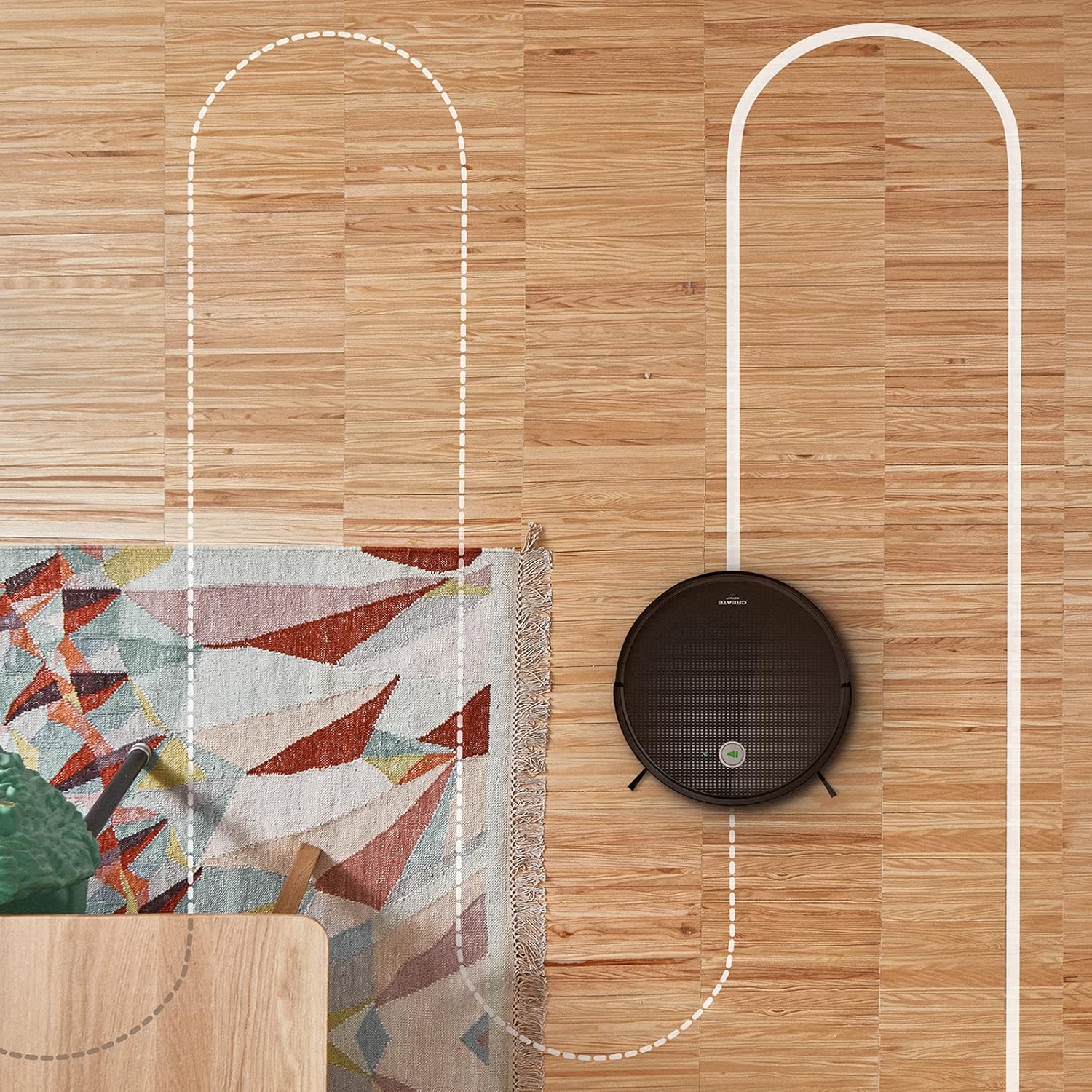
Une antenne view shows the CREATE NETBOT S15 Robot Vacuum Cleaner moving across a wooden floor, with a dotted line indicating its systematic cleaning path, highlighting its gyroscopic navigation.
5.2 Utilisation de la télécommande
The included remote control allows for direct operation of the robot vacuum. Refer to the remote control diagram in your quick start guide for button functions. Common functions include:
- Démarrer/Suspendre le nettoyage
- Retour à la base de chargement
- Directional Control (manual steering)
- Nettoyage localisé
- Nettoyage des bords
- Réglage du calendrier
5.3 Magnetic Strip Usage
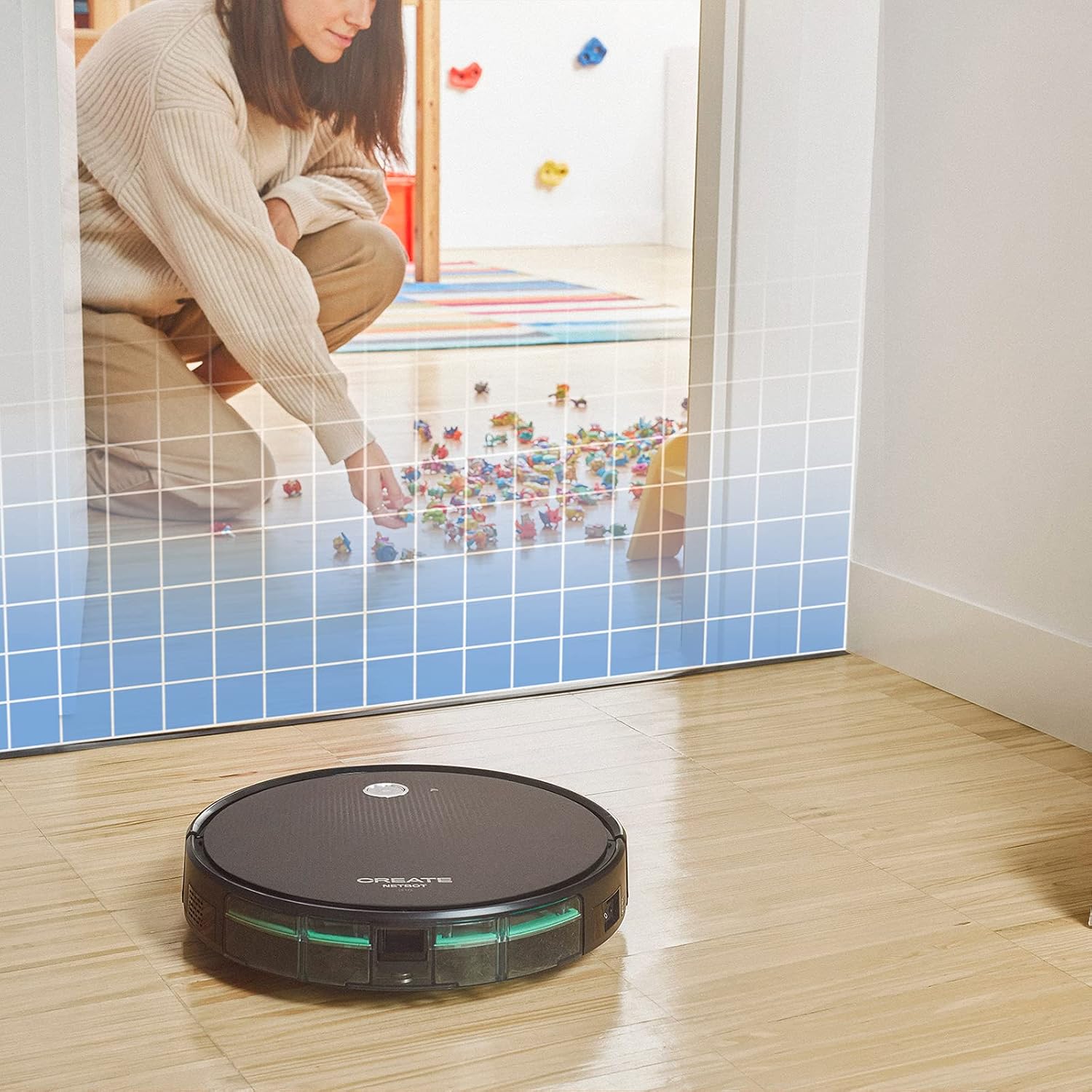
This illustration demonstrates the CREATE NETBOT S15 Robot Vacuum Cleaner approaching a virtual boundary, represented by a grid, which prevents it from entering a specific area, such as where toys are located.
Use the provided magnetic strip to create virtual boundaries that the robot will not cross. Place the strip on the floor to delimit areas where the robot should not enter, such as pet feeding zones or areas with delicate items.
5.4 Autonomie de la batterie
The NETBOT S15 is equipped with a long-lasting LG Lithium battery, providing up to 120 minutes of cleaning autonomy on a single charge, depending on the selected power mode.
6. Entretien
Un entretien régulier garantit des performances optimales et prolonge la durée de vie de votre aspirateur robot.
6.1 Nettoyage de la poubelle et du réservoir d'eau
Empty the dustbin after each use. The 600 ml dustbin is easily removable. If using the mopping function, empty and rinse the 400 ml water tank after each use to prevent mold or odors.
6.2 Nettoyage des brosses

Un gros plan view of the CREATE NETBOT S15 Robot Vacuum Cleaner's side brush, showing its design for sweeping debris into the main suction path.
- Brosses latérales : Regularly check for hair or debris entanglement. Remove and clean as needed. Replace worn brushes with the provided spares.
- Brosse principale : Retirez le couvercle de la brosse principale et sortez la brosse. Utilisez l'outil de nettoyage pour enlever les cheveux et les débris emmêlés.
6.3 Nettoyage/remplacement du filtre
The robot uses a double filter system: a sponge filter and a HEPA filter. Tap the filters to remove loose dirt. Do not wash HEPA filters with water. Replace filters every 3-6 months, or more frequently with heavy use, to maintain suction performance.
6.4 Nettoyage du capteur
Wipe the cliff sensors (located on the bottom of the robot) and the bumper sensors (on the front) with a clean, dry cloth to ensure proper navigation and obstacle detection.
7. Dépannage
If you encounter issues with your NETBOT S15, refer to the following common problems and solutions:
| Problème | Cause possible | Solution |
|---|---|---|
| Le robot ne démarre pas et ne répond pas. | Batterie faible ; interrupteur d’alimentation éteint ; robot bloqué. | Chargez le robot ; assurez-vous que l'interrupteur d'alimentation est sur ON ; dégagez tout obstacle. |
| Mauvaise performance de nettoyage. | Poubelle pleine ; brosses/filtres obstrués ; brosses usées. | Empty dustbin; Clean brushes and filters; Replace brushes/filters. |
| Le robot ne trouve pas sa base de chargement. | Base de chargement obstruée ; robot trop éloigné de la base ; base non alimentée. | Ensure clear space around base; Manually place robot closer; Check power connection to base. |
| Le robot se bloque fréquemment. | Cables/small objects on floor; Uneven surfaces; Dark colored carpets. | Clear floor of obstacles; Use magnetic strips for problem areas; Robot may struggle on very dark surfaces. |
| Problèmes de connexion Wi-Fi. | Mot de passe Wi-Fi incorrect ; routeur trop éloigné ; réseau 5 GHz. | Verify password; Move robot closer to router; Ensure connection to a 2.4GHz Wi-Fi network. |
8. Spécifications
Key technical specifications for the CREATE NETBOT S15 Robot Vacuum Cleaner:
- Marque: CRÉER
- Numéro de modèle : Netbot S15
- Couleur: Black - Turquoise
- Dimensions (L x l x H) : 33 x 33 x 7.5 cm
- Poids: 3 kilogrammes
- Pouvoir: 25 watts
- Puissance d'aspiration : Jusqu'à 1500 XNUMX Pa
- Niveau de bruit : 62 dB
- Type de batterie : Lithium-ion
- Autonomie de la batterie : Jusqu'à 120 minutes
- Capacité poubelle : 600 ml
- Capacité du réservoir d'eau : 400 ml
- Système de filtrage : Double sponge Clean + HEPA filter
- Connectivité : Contrôle via Wi-Fi et application
- Compatibilité de l'assistant vocal : Google Home, Alexa
- Caractéristiques spéciales : Gyroscopic navigation, Magnetic strip boundary, 4 cleaning modes (sweep, vacuum, mop, wash)
9. Garantie et assistance
For warranty information, technical support, or service inquiries, please refer to the warranty card included with your product or visit the official CREATE webConsultez le site. Conservez votre reçu d'achat comme preuve d'achat.