Introduction
Thank you for choosing the Uncaged Ergonomics Rise Up Electric Standing Desk. This manual provides essential information for the safe and efficient assembly, operation, and maintenance of your new adjustable height desk. Please read these instructions carefully before use and retain them for future reference.

Image: The Rise Up Electric Standing Desk with a black bamboo desktop and gray frame.
Consignes de sécurité
Pour garantir un fonctionnement sûr et éviter tout dommage, veuillez respecter les consignes suivantes :
- Ensure all cables are properly connected and secured before operation.
- Tenez les enfants et les animaux domestiques éloignés du bureau pendant les réglages de hauteur.
- Ne surchargez pas le bureau. La capacité de poids maximale est de 113 kg (250 lb).
- Évitez de placer sous le bureau des objets susceptibles d'être endommagés par les mouvements.
- Ne vous asseyez pas et ne vous tenez pas debout sur le cadre du bureau.
- Si le bureau émet des bruits ou des mouvements inhabituels, cessez de l'utiliser et consultez la section dépannage.
- Only use the provided power adapter and control panel.
Contenu du colis
Vérifiez que tous les composants sont présents avant de commencer l'assemblage :
- Electric Desk Frame (Gray)
- 48x30 inch Solid Bamboo Desktop (Black)
- Boitier de contrôle
- Panneau de contrôle avec préréglages de mémoire
- Adaptateur secteur et câbles
- Matériel de montage (vis, outils)
- Manuel d'instructions (ce document)
Instructions de montage
Assembly requires careful attention to detail. A second person may be helpful due to the weight of the components. A drill can simplify the process, though it is not strictly required.
Étape 1 : Déballer les composants
Retirez soigneusement toutes les pièces de leur emballage. Disposez-les sur une surface propre et douce pour éviter les rayures.
Étape 2 : Assembler le cadre du bureau
Follow the detailed diagrams provided in the separate assembly guide (if included) to connect the crossbar, lifting columns, and feet of the desk frame. Ensure all screws are tightened securely.
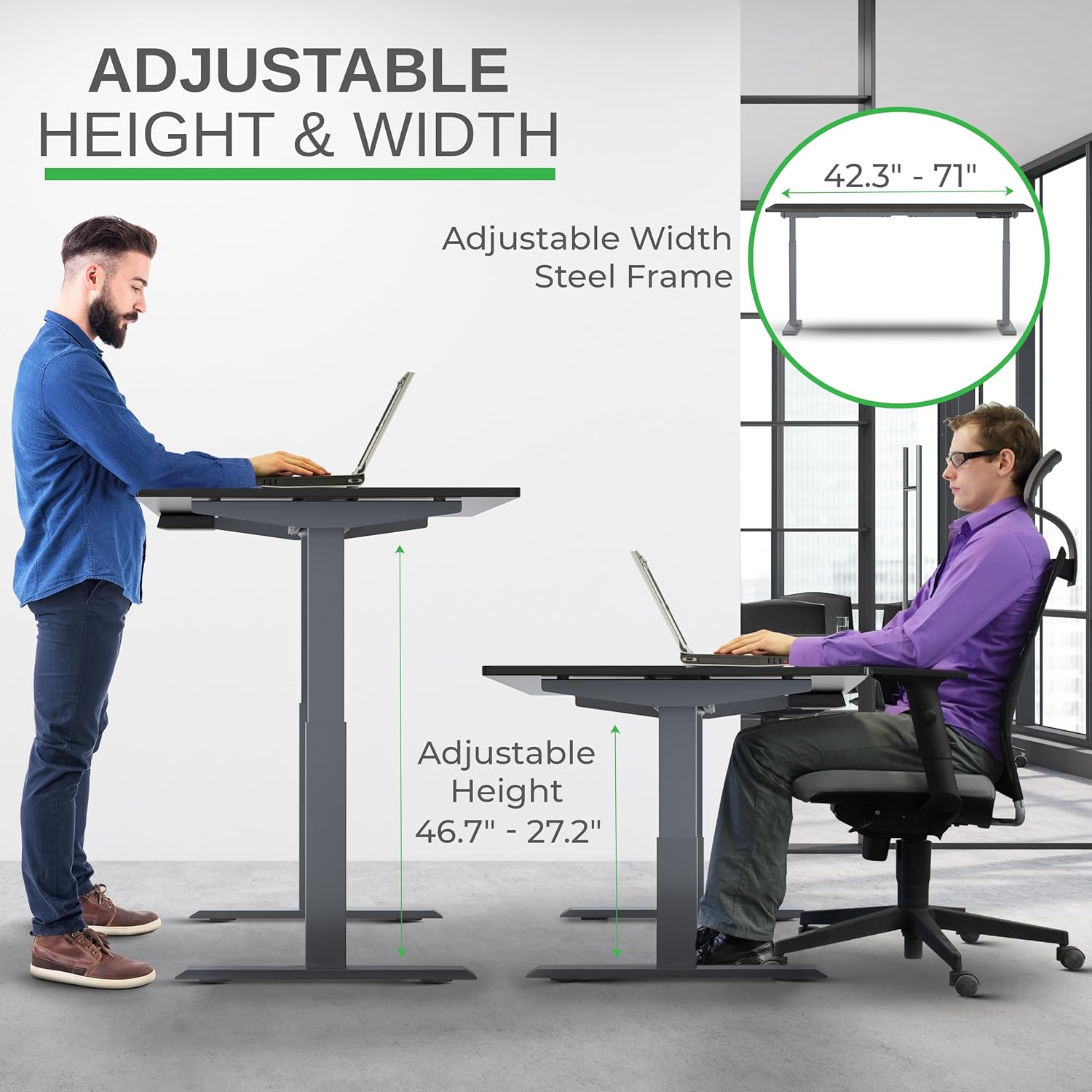
Image: Illustration of the adjustable height and width features of the desk frame, highlighting the range from 27.2" to 46.7" in height and 42.3" to 71" in width.
Étape 3 : Fixer le bureau
Carefully place the bamboo desktop upside down on a soft surface. Position the assembled desk frame onto the desktop, aligning the pre-drilled holes (if any) or marking new ones. Secure the desktop to the frame using the provided screws. The solid bamboo desktop is designed to accept screws without chipping.

Image: The Rise Up desk illustrating its adjustable height range from 27.2 inches to 46.7 inches, with a chair shown at both sitting and standing heights.
Step 4: Connect the Control Box and Cables
Mount the control box and control panel to the underside of the desktop as indicated in the assembly guide. Connect all motor cables and the power cable to the control box. Ensure all connections are secure.
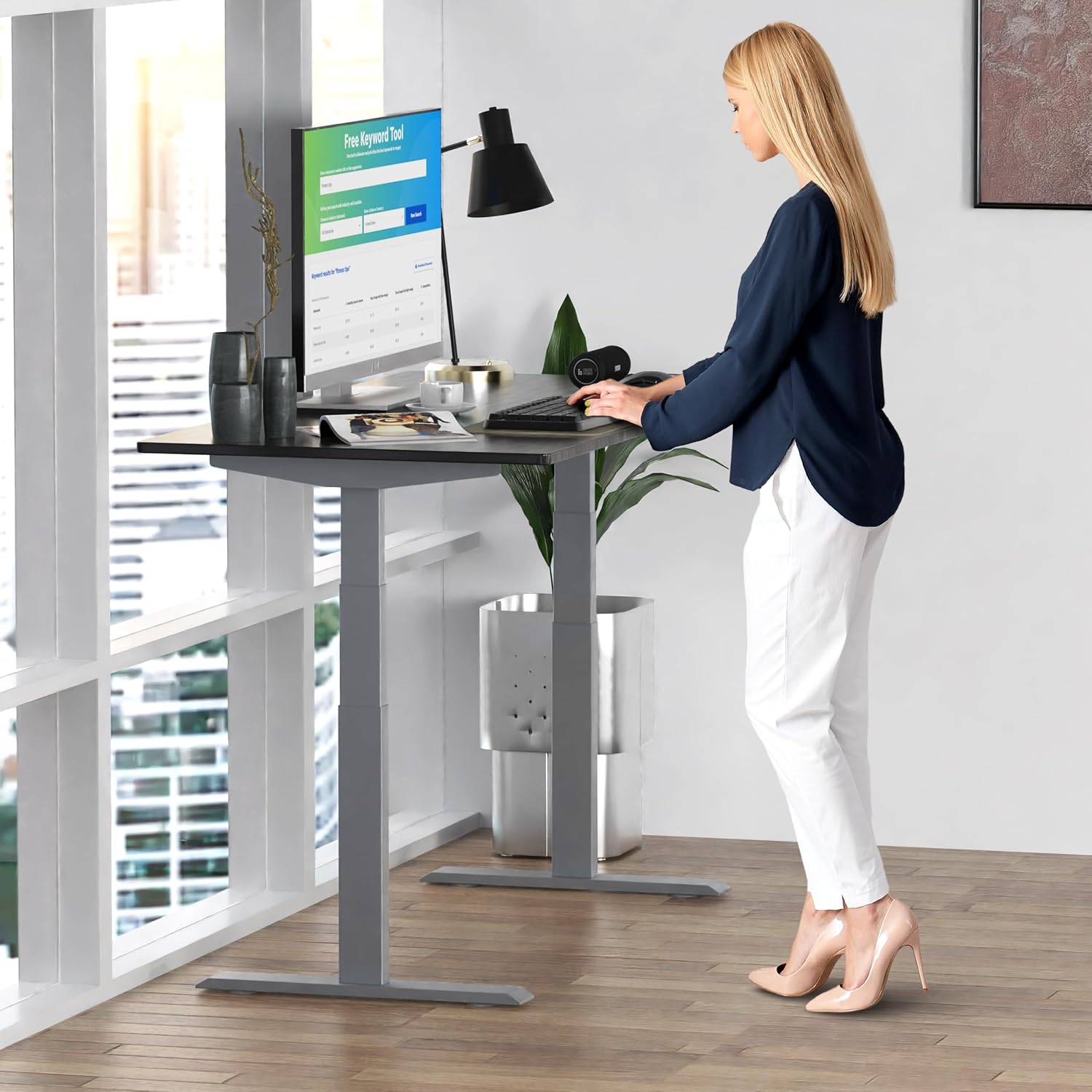
Image : Un gros plan view of the dual motors and two-stage lifting columns, indicating fast and quiet operation.
Mode d'emploi
Réglage de la hauteur
Use the up (▲) and down (▼) arrows on the control panel to adjust the desk to your desired height. The current height in centimeters will be displayed on the LCD screen.

Image: A person standing at the Rise Up Electric Standing Desk, demonstrating the ease of height adjustment for an ergonomic work setup.
Préréglages de mémoire
Le panneau de commande comporte quatre préréglages de mémoire (1, 2, 3, 4) pour enregistrer vos hauteurs assise et debout préférées.
- Réglez le bureau à la hauteur souhaitée à l'aide des flèches haut/bas.
- Press and hold the "M" button until the LCD screen flashes.
- Immediately press the number button (1, 2, 3, or 4) where you want to save the current height.
- To recall a saved height, simply press the corresponding number button. The desk will automatically adjust to that position.
Video: This video demonstrates how to set and use the memory presets on the Rise Up Electric Standing Desk control panel for quick height adjustments.
Procédure de réinitialisation
If the desk is not adjusting properly, or if the LCD screen displays an error message like "ASR" or "000", a motor reset may be required. This procedure is simple and fast:
- Unplug all cables from the desk.
- Allow the desk to rest for a few seconds to dissipate any residual electricity.
- Plug all cables back in securely.
- Press and hold both the up (▲) and down (▼) arrows simultaneously for approximately 20-30 seconds.
- The desk will drop to its lowest position and then beep, indicating that the reset procedure is complete.
Video: This video provides a step-by-step guide on how to reset the motors of your Rise Up Electric Standing Desk if it encounters adjustment issues or displays error codes.
Entretien
Un entretien régulier garantit la longévité et les performances optimales de votre bureau :
- Nettoyage: Essuyez le bureau et le cadre avec un chiffon doux et sec.amp chiffon. Évitez les produits chimiques agressifs ou les nettoyants abrasifs.
- Gestion des câbles: Vérifiez régulièrement que tous les câbles sont bien rangés et ne sont ni pincés ni emmêlés.
- Fixations : Vérifiez régulièrement que toutes les vis et tous les boulons sont bien serrés. Resserrer si nécessaire.
Dépannage
| Problème | Cause possible | Solution |
|---|---|---|
| Desk does not move / LCD shows "ASR" or "000" | Motor error or system needs reset. | Perform the "Reset Procedure" as described in the Operating Instructions section. |
| Uneven movement or noise | Connexions desserrées ou charge inégale. | Check all cable connections. Ensure the desk load is evenly distributed. Perform a reset. |
| Desk stops mid-adjustment | Overload protection activated or anti-collision engaged. | Reduce the weight on the desk. Check for obstructions. Wait a few minutes and try again. |
Caractéristiques
| Fonctionnalité | Détail |
|---|---|
| Numéro de modèle | RU2gbk48 |
| Matériel de bureau | Solid Bamboo (Black) |
| Matériau du cadre | Alloy Steel (Gray) |
| Dimensions du bureau | 48 inches (D) x 30 inches (W) |
| Plage de hauteur réglable | 27.2 pouces - 46.7 pouces |
| Plage de largeur réglable | 42 pouces - 71 pouces |
| Type de moteur | Moteur double |
| Capacité de poids | 250 livres (113 kg) |
| Caractéristiques spéciales | Anti-collision technology, 4 memory presets |
Garantie et assistance
The Uncaged Ergonomics Rise Up Electric Standing Desk comes with a 5-year warranty on the electric components and frame. For technical support, warranty claims, or any questions regarding your product, please visit our website ou contactez notre service client.
Website: Ergonomie sans cage


