1. Introduction
Thank you for choosing the ZIPRO Boost Exercise Bike. This manual provides essential information for the safe and effective assembly, operation, and maintenance of your new fitness equipment. Please read this manual thoroughly before first use and keep it for future reference.
2. Consignes de sécurité
- Consultez un médecin avant de commencer tout programme d'exercice.
- Assurez-vous que toutes les pièces sont bien fixées avant chaque utilisation.
- Gardez les enfants et les animaux domestiques éloignés de l'équipement pendant son fonctionnement.
- Placez le vélo d'exercice sur une surface plane et stable.
- Portez une tenue et des chaussures de sport appropriées.
- Ne pas dépasser la capacité de poids maximale de l'utilisateur de 120 kg.
- Arrêtez immédiatement l'exercice si vous vous sentez faible, étourdi ou si vous ressentez une douleur.
3. Contenu du colis
Avant l'assemblage, vérifiez que tous les composants sont présents et non endommagés :
- Cadre principal
- Stabilisateurs avant et arrière
- Pédales (gauche et droite)
- Tige de selle et selle
- Potence et guidon
- Ordinateur d'exercice
- Quincaillerie de montage (boulons, rondelles, écrous)
- Outils de montage (clés, clés Allen)
- Manuel d'utilisation
4. Instructions de montage
Follow these steps for proper assembly. It is recommended to have two people for certain steps.
- Fixez les stabilisateurs : Fixez les stabilisateurs avant et arrière au cadre principal à l'aide des boulons et rondelles fournis. Assurez-vous qu'ils soient bien serrés.
- Installez les pédales : Repérez les pédales gauche (G) et droite (D). La pédale gauche se visse dans le sens antihoraire, et la pédale droite dans le sens horaire. Serrez fermement.
- Monter la tige de selle et la selle : Insert the seat post into the main frame and adjust to the desired height. Attach the saddle to the seat post and secure it.
- Fixer la tige de guidon : Insert the handlebar post into the main frame.
- Install Handlebars and Computer: Attach the handlebars to the handlebar post. Connect the sensor wires from the main frame to the exercise computer. Mount the computer onto the handlebar post.

Figure 4.1: Detailed assembly diagram for the ZIPRO Boost Exercise Bike.

Figure 4.2 : Vue éclatée view of the exercise bike components, illustrating how parts fit together during assembly.
5. Mode d'emploi
5.1 Réglage de la résistance
The ZIPRO Boost features an 8-level magnetic resistance system. To adjust the resistance, turn the tension control knob located below the computer display. Turn clockwise to increase resistance (harder) and counter-clockwise to decrease resistance (easier).

Figure 5.1: The resistance adjustment knob, showing levels 1 through 8.
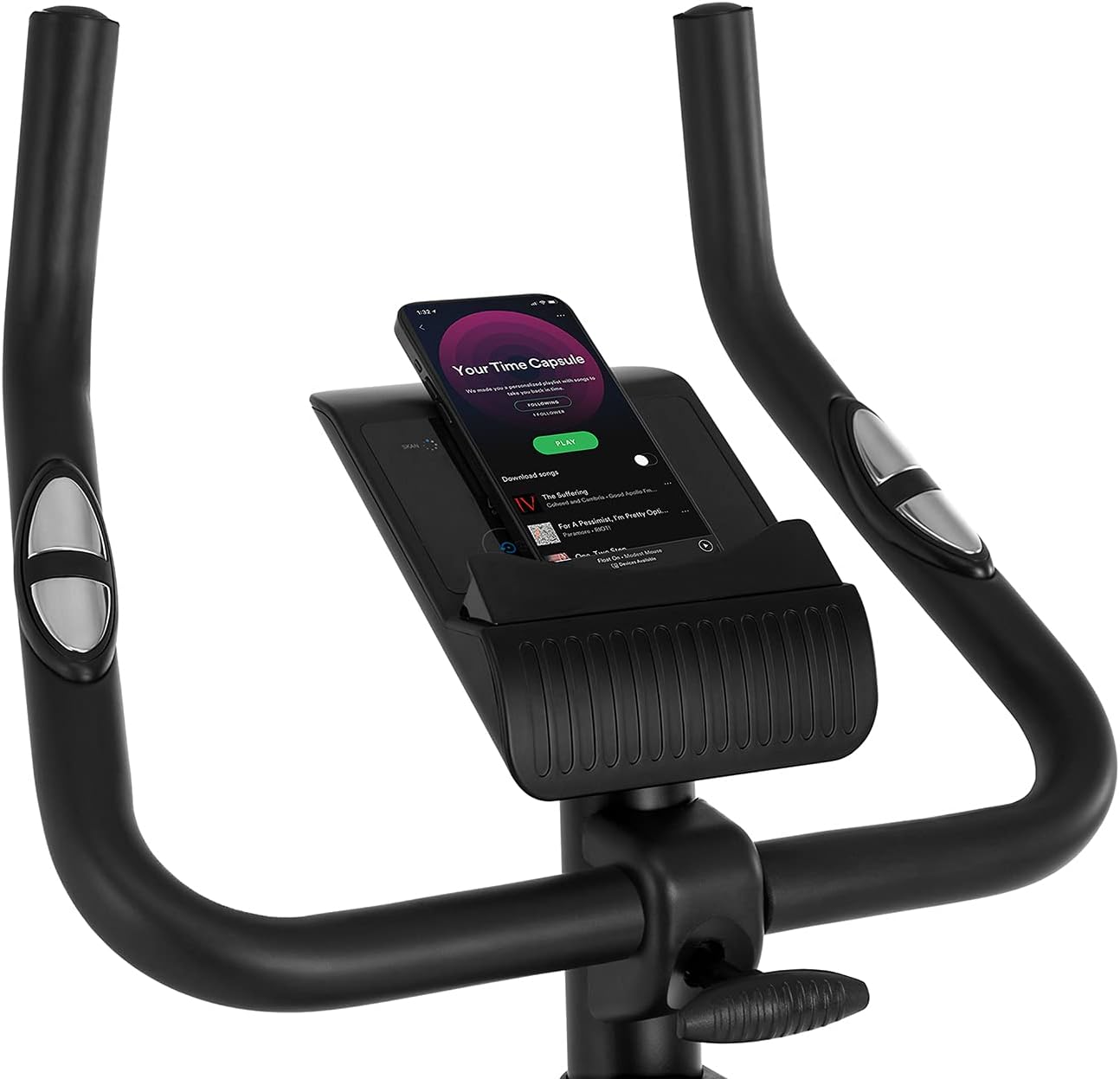
Figure 5.2: Demonstrating how to adjust the magnetic resistance using the tension control knob.
5.2 Réglages de la selle et du guidon
Proper adjustment of the saddle and handlebars ensures comfort and effective training.
- Hauteur de selle : Loosen the adjustment knob on the seat post, raise or lower the saddle to your desired height (ensure a slight bend in your knee at the bottom of the pedal stroke), and tighten the knob securely.
- Position horizontale de la selle : Loosen the knob beneath the saddle to slide it forward or backward for optimal positioning relative to the pedals. Tighten securely.
- Hauteur du guidon : Loosen the adjustment knob on the handlebar post, raise or lower the handlebars to a comfortable position, and tighten the knob securely.
Figure 5.3: Adjusting the saddle's vertical position for user comfort.
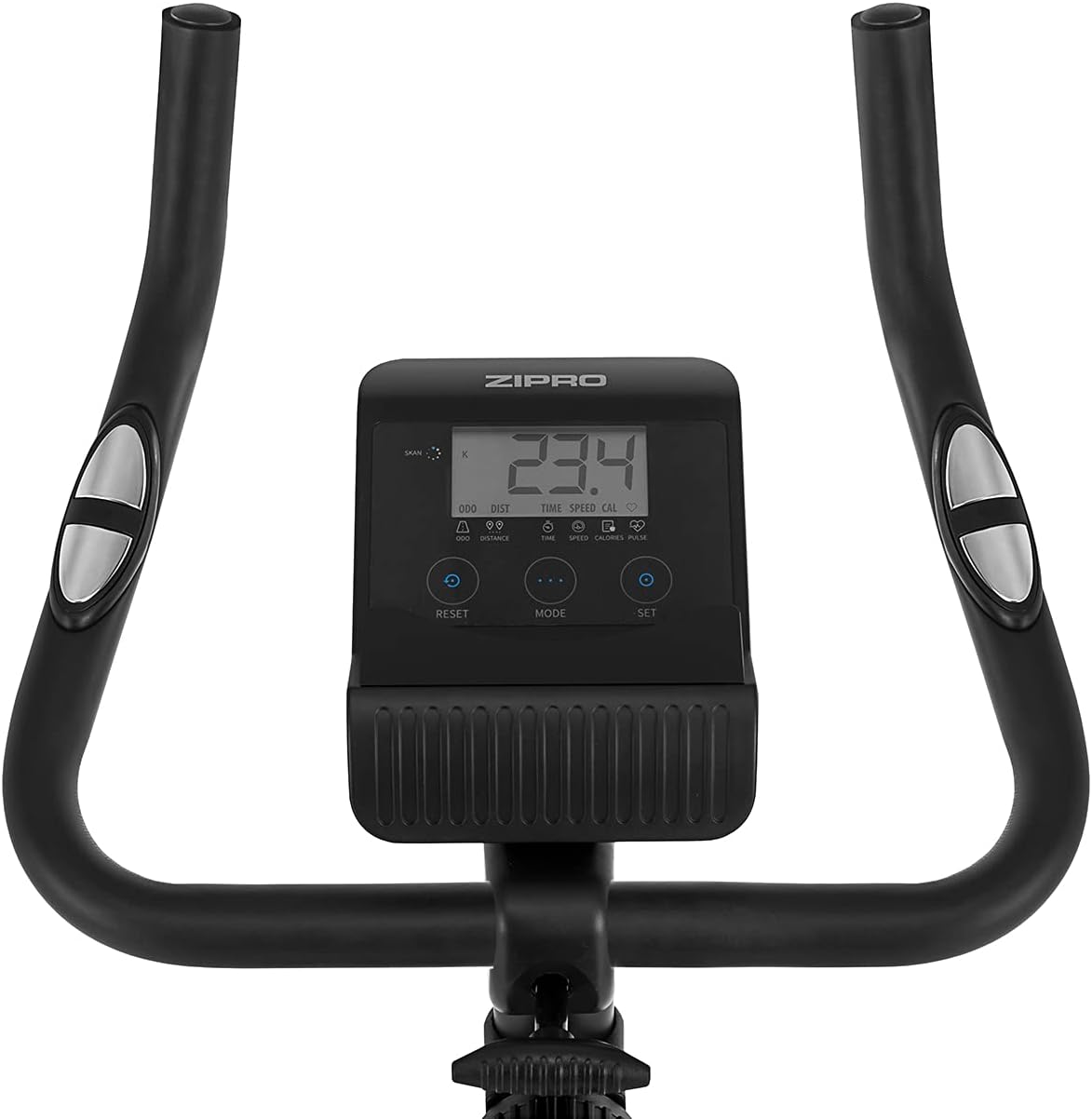
Figure 5.4: Adjusting the saddle's horizontal position for optimal riding posture.
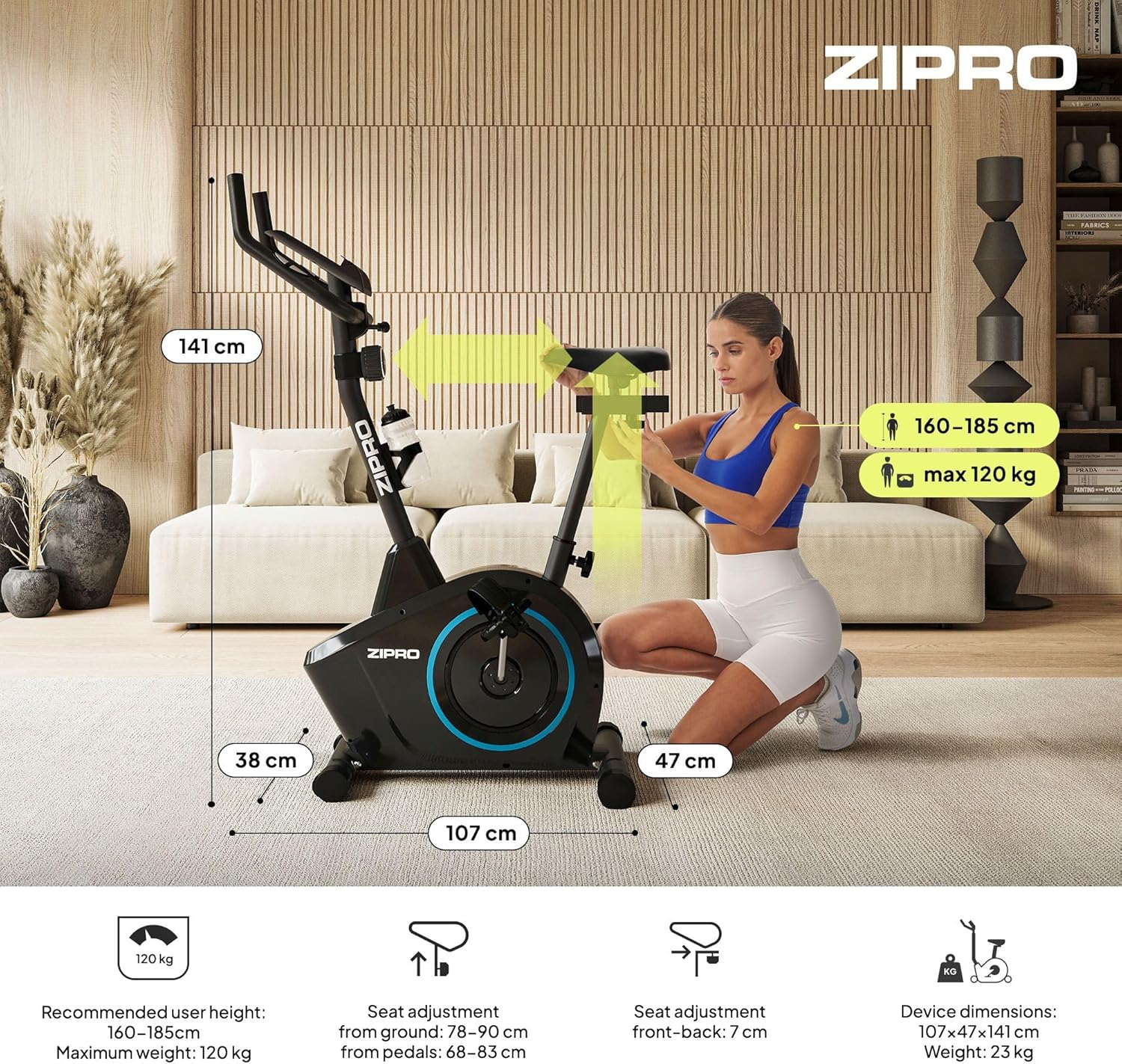
Figure 5.5: Adjusting the handlebar height to suit different user preferences and workout styles.
5.3 Computer Functions
The integrated computer tracks your workout data. It measures time, distance, speed, calories burned, and pulse (via sensors in the handlebar). The SCAN function cycles through all data alternately on the screen.
- Bouton MODE : Press to select the display function (Time, Speed, Distance, Calories, Odometer, Pulse).
- Bouton de réinitialisation: Press and hold to clear all current workout data (Time, Distance, Speed, Calories).
- Bouton de réglage: Permet de définir des valeurs cibles pour le temps, la distance ou les calories.
- Capteurs de pouls : Grip the metal plates on the handlebars to measure your heart rate.
- Mobile Device Shelf: A convenient shelf is provided above the computer for your smartphone or tablet.

Figure 5.6: The exercise computer display with MODE, RESET, and SET buttons.

Figure 5.7 : Plusview of the computer display and integrated pulse sensors.

Figure 5.8: The integrated shelf designed to hold a mobile device like a tablet during workouts.
6. Entretien
Un entretien régulier garantit la longévité et le bon fonctionnement de votre vélo d'exercice.
- Nettoyage: Essuyez le vélo avec une annonceamp Essuyez-vous avec un chiffon après chaque utilisation pour enlever la transpiration et la poussière. N'utilisez pas de nettoyants abrasifs.
- Vérifier les connexions : Vérifiez régulièrement le serrage de tous les boulons, écrous et vis. Resserrer si nécessaire.
- Lubrification: The magnetic resistance system is generally maintenance-free. If you notice any squeaking from moving parts (e.g., pedal axles), apply a small amount of silicone-based lubricant.
- Stockage: When not in use, store the bike in a dry, cool place away from direct sunlight. The integrated transport wheels allow for easy movement.

Figure 6.1: The exercise bike features transport wheels for easy relocation after use.
7. Dépannage
| Problème | Cause possible | Solution |
|---|---|---|
| L'écran de l'ordinateur ne fonctionne pas. | Loose cable connection; Dead batteries | Check all cable connections to the computer; Replace batteries (if applicable). |
| Aucune modification de la résistance | Câble de résistance déconnecté ou endommagé | Check the resistance cable connection to the tension knob and the main unit. |
| bruit de grincement ou de frottement | Pièces détachées ; Manque de lubrification | Check and tighten all bolts and nuts; Apply silicone lubricant to moving parts if necessary. |
| Instable pendant l'utilisation | Bike not on a level surface; Loose stabilizers | Ensure the bike is on a flat surface; Adjust leveling caps on stabilizers; Tighten stabilizer bolts. |
8. Spécifications
| Fonctionnalité | Spécification |
|---|---|
| Modèle | 979536 |
| Dimensions (L x l x H) | 73 x 48 x 137 cm |
| Poids du produit | 23 kg |
| Poids maximum de l'utilisateur | 120 kg |
| Système de résistance | Magnetic, 8-level manual adjustment |
| Système d'entraînement | Ceinture |
| Fonctions de l'ordinateur | Time, Distance, Speed, Calories, Pulse (Heart Rate) |
| Type de matériau | Plastique, Métal |
| Source d'alimentation (ordinateur) | Alimenté par batterie |
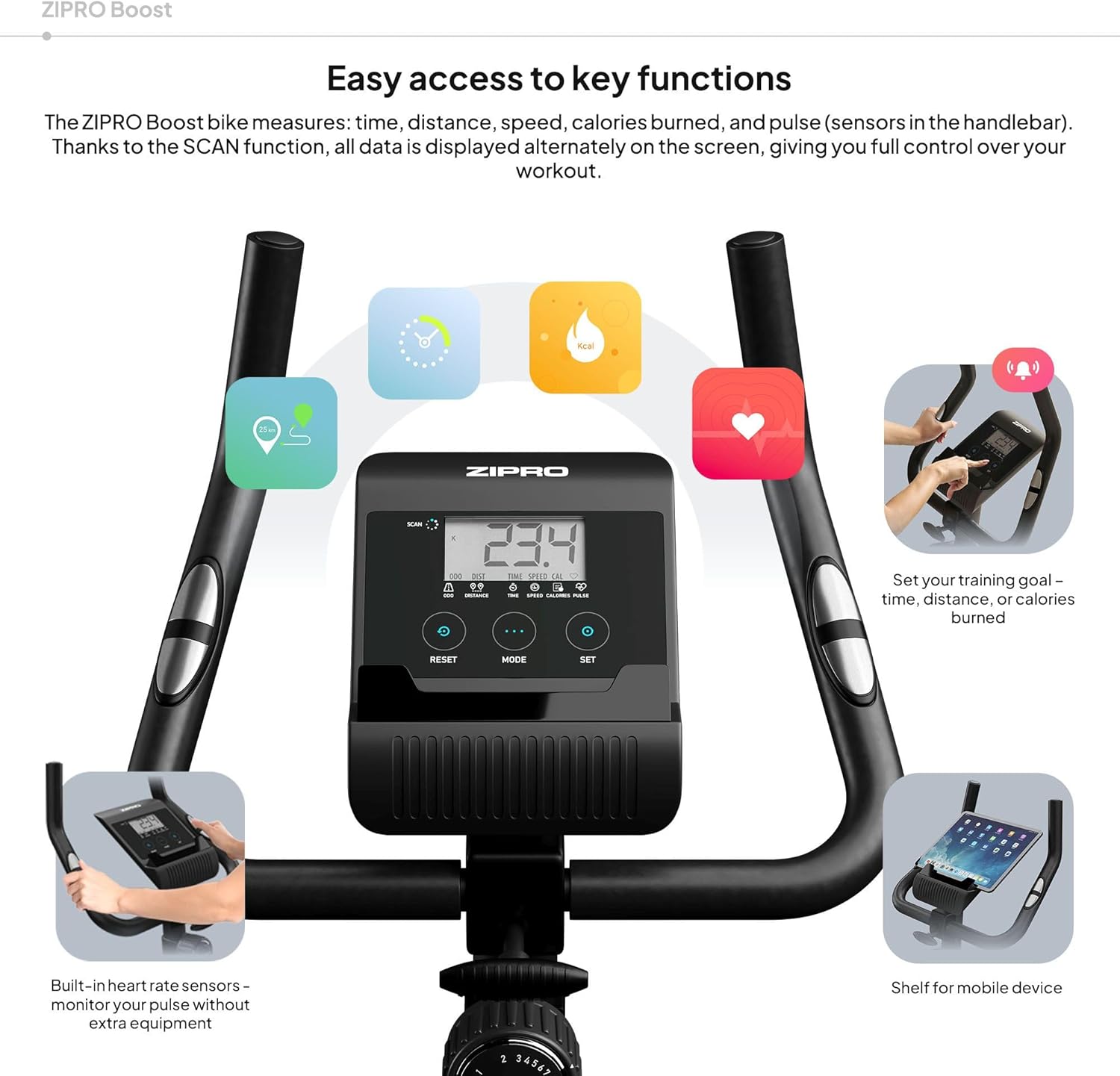
Figure 8.1: Key dimensions and user specifications for the exercise bike.
9. Garantie et assistance
Your ZIPRO Boost Exercise Bike comes with a standard manufacturer's warranty. Please refer to the warranty card included in your package for specific terms and conditions. For technical support, spare parts, or any inquiries not covered in this manual, please contact ZIPRO customer service through their official weble site ou le détaillant où vous avez acheté le produit.


