Introduction
This manual provides detailed instructions for the safe and effective operation of your Donner DJ Par Light. Please read this manual thoroughly before use and retain it for future reference. This device is designed to produce various lighting effects for events, parties, and stage performances.
Consignes de sécurité
- Assurer l'alimentation voltage correspond aux exigences de l'appareil.
- N’exposez pas l’appareil à la pluie ou à l’humidité afin d’éviter tout risque d’électrocution ou d’incendie.
- Débranchez toujours l'appareil de l'alimentation électrique avant de le nettoyer ou de l'entretenir.
- Évitez toute exposition directe des yeux à la source lumineuse, car cela peut causer des lésions oculaires.
- Assurez une ventilation adéquate pour éviter toute surchauffe. Ne bloquez pas les ouvertures de ventilation.
- Manipulez l'appareil avec précaution. Évitez de le faire tomber ou de le soumettre à des chocs violents.
- Tenir hors de portée des enfants.
Contenu du colis
Vérifiez que tous les articles sont présents lors du déballage :
- Donner DJ Par Light (1 unit)
- Télécommande (1 unité)
- Support de montage (1 unité)
- Câble d'alimentation (1 unité)
- Manuel de l'utilisateur (ce document)
Caractéristiques du produit
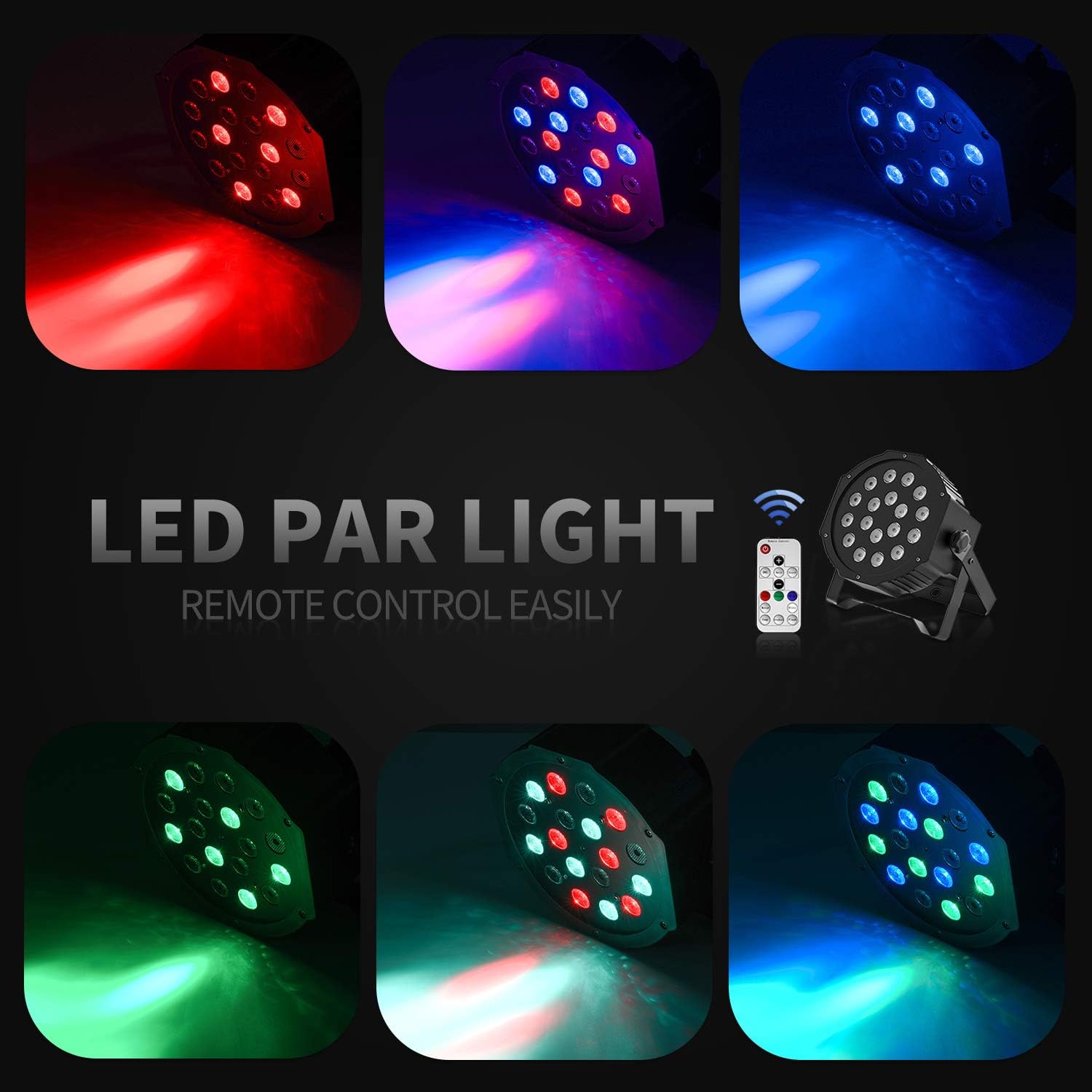
- 18 RGB LEDs: Features 18 x 3W RGB LED lights (6 Red, 6 Green, 6 Blue) for a wide range of color effects.
- Fonctionnement multimode : Includes Static Color, Color Changing, Color Fade, Auto, Sound-activated, Master-slave, and DMX modes.
- Télécommande: Easy control via the included IR remote.
- Compatible DMX512 : For professional lighting control.
- Ventilateur de refroidissement intégré : Ensures stable operation and extends lifespan.
- Adjustable Dual Brackets: Allows for flexible mounting on trusses, walls, or standing on the floor.
Installation
- Déballage: Retirez soigneusement la lampe et tous les accessoires de l'emballage.
- Installation du support : Attach the dual brackets to the sides of the light using the provided screws and knobs. Ensure they are securely fastened.
- Montage:
- Support au sol : Position the light on a flat, stable surface using the brackets as a stand. Adjust the angle as desired.
- Hanging/Truss Mount: Utilisez la clé appropriéeamps (not included) to secure the light to a truss or ceiling. Always use a safety cable (not included) when hanging the unit.
- Connexion électrique : Connect the power cable to the light's power input and then to a suitable power outlet.

Modes de fonctionnement
The Donner DJ Par Light offers multiple operating modes, selectable via the remote control or the control panel on the back of the unit.

- Mode couleur statique : Displays a single, constant color. Use the remote's color buttons (Red, Green, Blue) or the control panel to select specific colors or mix RGB values.
- Color Changing (Jump) Mode: The light rapidly switches between different colors. The speed of the color change can be adjusted.
- Color Fade (Gradual) Mode: The light smoothly transitions from one color to another. The transition speed can be adjusted.
- Mode automatique: The light cycles through various pre-programmed lighting effects automatically.
- Mode activé par le son : The light reacts to ambient sound or music, changing colors and patterns in sync with the beat. Ensure the built-in microphone is not obstructed.
- Mode maître-esclave : Connect multiple lights using DMX cables. One unit acts as the master, controlling all connected slave units, ensuring synchronized lighting effects.
- Mode DMX : For advanced control using a DMX512 controller. This mode allows precise control over individual light parameters such as color intensity, strobe, and mode selection.
Fonctionnement de la télécommande
The included IR remote control provides convenient access to the light's functions:
- EN ATTENTE: Press to power on or put the device in standby mode.
- DMX : Activates DMX mode. Use '+' and '-' to adjust the DMX address.
- Auto: Activates Auto mode.
- Son: Activates Sound-Activated mode.
- Rouge/Vert/Bleu : Selects static red, green, or blue color.
- Blanc: Selects static white color.
- Sauter: Activates Color Changing (Jump) mode.
- Graduel: Activates Color Fade (Gradual) mode.
- Éclair: Active le mode stroboscopique.
- Boutons +/- : Adjust speed in Jump/Gradual/Flash modes, or DMX address in DMX mode.
Contrôle DMX
The Donner DJ Par Light supports DMX512 protocol for professional control. Connect a DMX controller to the DMX IN port using a 3-pin XLR cable. For multiple units, daisy-chain them by connecting the DMX OUT of one unit to the DMX IN of the next.
DMX Channel Functions (Example for 7-channel mode):
| Canal | Fonction | Plage de valeurs | Description |
|---|---|---|---|
| 1 | Gradateur principal | 0-255 | Overall brightness (0=off, 255=max) |
| 2 | Intensité rouge | 0-255 | Red LED brightness (0=off, 255=max) |
| 3 | Intensité verte | 0-255 | Green LED brightness (0=off, 255=max) |
| 4 | Intensité du bleu | 0-255 | Blue LED brightness (0=off, 255=max) |
| 5 | Stroboscope | 0-255 | Strobe speed (0=off, 255=fastest) |
| 6 | Sélection du mode | 0-255 | Selects various internal programs (Auto, Sound, Jump, Gradual) |
| 7 | Vitesse du programme | 0-255 | Adjusts speed of selected program (0=slow, 255=fast) |
Entretien
- Nettoyage: Nettoyez régulièrement la lentille et le boîtier avec un chiffon doux non pelucheux. N’utilisez pas de nettoyants abrasifs.
- Stockage: Rangez l'appareil dans un endroit sec et exempt de poussière lorsqu'il n'est pas utilisé.
- Inspection: Vérifiez régulièrement le câble d'alimentation et les connexions DMX afin de détecter tout signe de dommage.
Dépannage
| Problème | Cause possible | Solution |
|---|---|---|
| La lumière ne s'allume pas. | No power, faulty cable, device in standby. | Check power connection. Ensure outlet is functional. Press ON/STANDBY button on remote or control panel. |
| La télécommande ne fonctionne pas. | Low battery, remote not aimed correctly, IR sensor blocked. | Replace remote battery. Point remote directly at the IR sensor on the front of the light. Ensure no obstructions. |
| Light not responding in DMX mode. | Adresse DMX incorrecte, câble DMX défectueux, mode DMX sélectionné incorrect. | Verify DMX address matches controller. Check DMX cable connections. Ensure DMX mode is active on the light. |
| Le mode activé par le son ne fonctionne pas. | Microphone obstructed, sound level too low. | Ensure the microphone on the back panel is clear. Increase music volume or move the light closer to the sound source. |
Caractéristiques
| Modèle: | Remote Control/DMX |
| Source de lumière : | 18 x 3W RGB LEDs (6 Red, 6 Green, 6 Blue) |
| Source d'alimentation : | Électrique avec fil |
| Modes de contrôle: | Static Color, Color Changing, Color Fade, Auto, Sound-activated, Master-slave, DMX512 |
| Matériel: | Plastique |
| Dimensions du produit : | 7.48"L x 5.12"l x 7.48"H |
| Poids de l'article : | 1.45 livres |
Garantie et assistance
Donner provides a 12-month warranty for this product, covering manufacturing defects from the date of purchase. For warranty claims, technical support, or service inquiries, please contact Donner customer service through the retailer where the product was purchased or visit the official Donner website pour les coordonnées.


