1. Produit terminéview
The myCharge HubMax HBLC10V is a portable power bank designed to charge various mobile devices. It features an internal 10050mAh battery, built-in Lightning and USB-C cables, and an integrated foldable wall plug for convenient recharging.

Image 1.1: The myCharge HubMax HBLC10V portable charger, showcasing its compact design with integrated Lightning and USB-C cables, and a foldable wall plug.
2. Contenu du colis
- myCharge HubMax HBLC10V Portable Charger
- Câble Lightning intégré
- Câble USB-C intégré
- Integrated Wall Plug
3. Installation et charge initiale
Before first use, it is recommended to fully charge your myCharge HubMax HBLC10V.
- Locate the Wall Plug: Extend the foldable wall prongs located on the side of the device.
- Connexion à l'alimentation : Plug the device directly into a standard AC wall outlet.
- Chargement du moniteur : The LED indicator lights on the device will illuminate to show the charging status. A full charge typically takes approximately 4.6 hours. All indicator lights will be solid when fully charged.
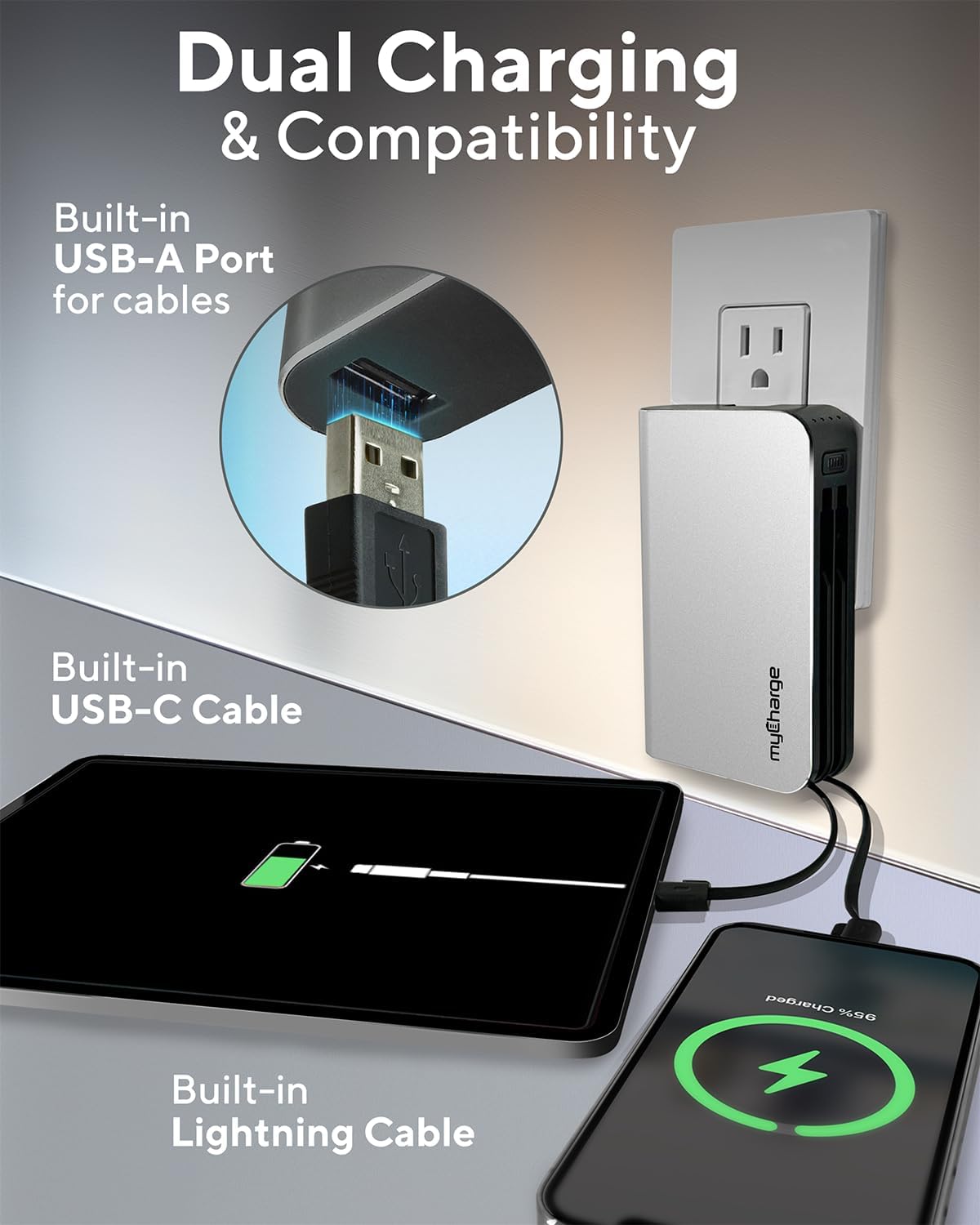
Image 3.1: The myCharge HubMax HBLC10V connected to a wall outlet for recharging, illustrating its integrated wall plug and multiple charging outputs.
4. Mode d'emploi
The myCharge HubMax HBLC10V allows you to charge up to three devices simultaneously.
4.1 Charging Devices with Built-in Cables
- Identifier le câble : Select the appropriate built-in cable for your device (Lightning for Apple devices, USB-C for compatible Android and other devices).
- Connecter l'appareil : Plug the selected cable directly into your mobile device's charging port.
- Commencez à charger : The myCharge HubMax will automatically begin charging your device. The LED indicator lights will show the remaining battery level of the power bank.
4.2 Charging a Third Device via USB-A Port
For devices requiring a standard USB-A connection, use the integrated USB-A port.
- Connect Your Cable: Plug your device's USB-A charging cable (not included) into the USB-A port on the myCharge HubMax.
- Connecter l'appareil : Plug the other end of your cable into your mobile device.
- Commencez à charger : La charge commencera automatiquement.

Image 4.1 : Un aperçu détaillé view of the myCharge HubMax HBLC10V, emphasizing its all-in-one design with built-in wall prongs, Lightning and USB-C cables, and an additional USB-A port for charging up to three devices.
4.3 Capacités de charge rapide
The HubMax supports Power Delivery and Quick Charge 3.0 via its USB-C cable, enabling faster charging for compatible devices. This can charge devices up to 2.4 times faster than standard chargers.
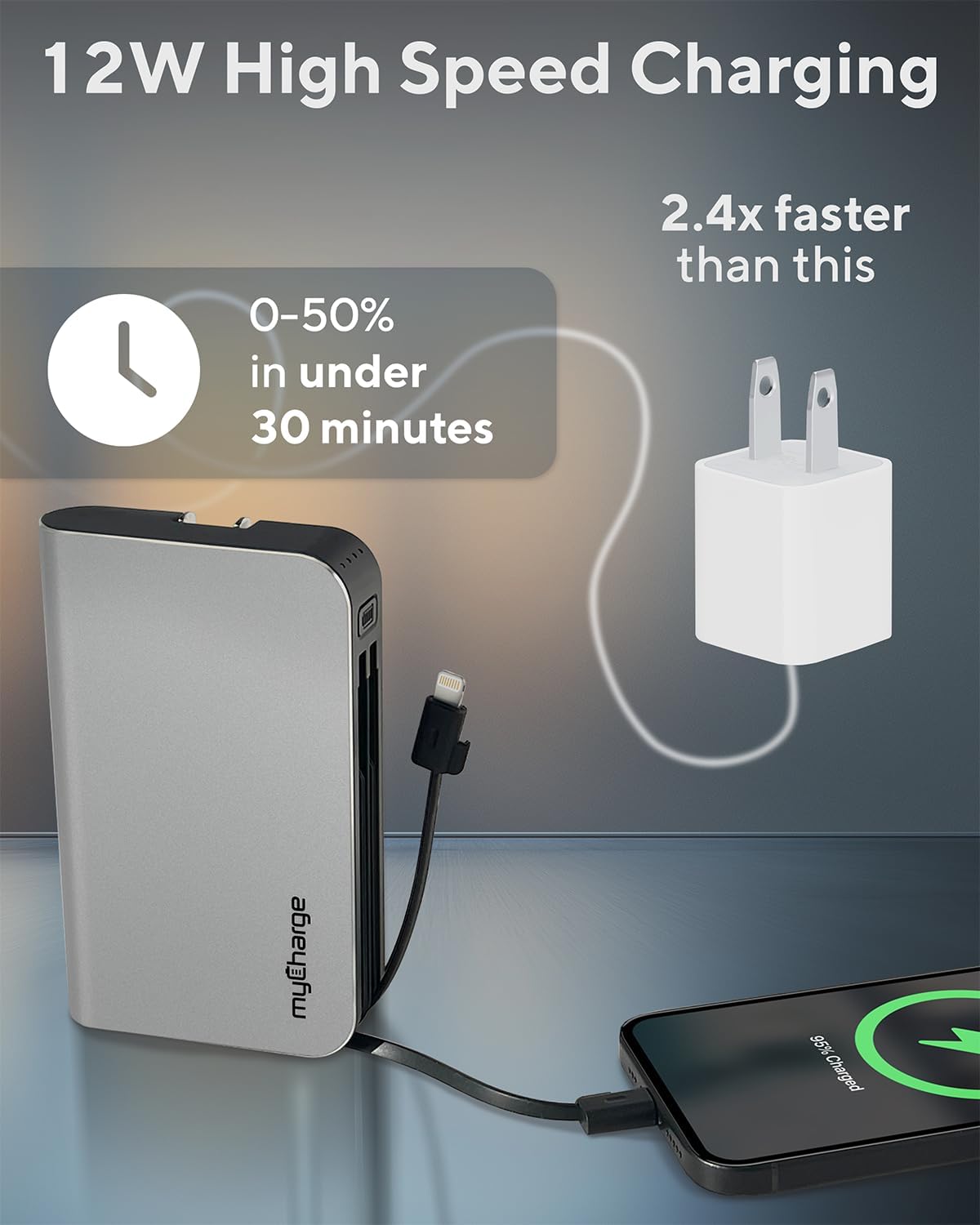
Image 4.2: The myCharge HubMax HBLC10V demonstrating its 12W high-speed charging capability, capable of charging a device from 0% to 50% in under 30 minutes.
5. Maintenance et entretien
- Stockage: Rangez la batterie externe dans un endroit frais et sec, à l'abri de la lumière directe du soleil et des températures extrêmes.
- Nettoyage: Utilisez un chiffon doux et sec pour nettoyer l'extérieur de l'appareil. Évitez d'utiliser des produits chimiques agressifs ou des matériaux abrasifs.
- Manutention: Handle the device with care. Avoid dropping it or subjecting it to strong impacts, as this can damage internal components and shorten its lifespan.
- Autonomie de la batterie : Pour une durée de vie optimale de la batterie, évitez de la décharger complètement et fréquemment. Rechargez-la lorsque son niveau est faible.
6. Dépannage
If you encounter issues with your myCharge HubMax HBLC10V, refer to the following common solutions:
- L'appareil ne se charge pas :
- Ensure the myCharge HubMax itself is sufficiently charged. Check the LED indicators.
- Verify that the built-in cable or your external USB-A cable is securely connected to both the power bank and your device.
- Try a different device or cable to rule out issues with the connected device or cable.
- Chargement lent :
- Ensure your device supports fast charging protocols (Power Delivery, Quick Charge 3.0) to benefit from the HubMax's fast charging capabilities.
- Charger plusieurs appareils simultanément peut réduire la vitesse de charge de chaque appareil.
- Vérifiez si le câble de chargement est endommagé.
- Batterie externe ne se recharge pas :
- Ensure the wall plug is fully extended and securely inserted into a working AC wall outlet.
- Essayez une autre prise murale.
If problems persist, please contact myCharge customer support for further assistance.
7. Spécifications
| Fonctionnalité | Détail |
|---|---|
| Numéro de modèle | HBLC10V |
| Capacité de la batterie | 10050 mAh (lithium-ion) |
| Dimensions du produit | 2.8 x 0.9 x 4.6 pouces |
| Poids de l'article | 10.2 onces |
| Câbles intégrés | Foudre, USB-C |
| Additional Port | USB-A |
| Temps de recharge | Approx. 4.6 hours (via integrated wall plug) |
| Caractéristiques spéciales | Integrated Wall Plug, Fast Charging (PD, QC 3.0) |
| Fabricant | maCharge |
8. Garantie et assistance
myCharge products are typically covered by a manufacturer's warranty. For specific warranty details, registration, or to initiate a warranty claim, please refer to the official myCharge webconsultez le site ou contactez directement leur service client.
For technical assistance, troubleshooting not covered in this manual, or general inquiries, please visit the myCharge support page or contact their customer service department.
Note: Warranty terms and support availability may vary. Always refer to the latest information provided by the manufacturer.


