Introduction
Thank you for choosing Obbug True Wireless Earbuds. These earbuds are designed for comfort, durability, and high-quality audio, featuring an ergonomic design, IPX7 waterproof rating, and advanced Bluetooth 5.1 technology for stable connections and long battery life. This manual provides essential information for setup, operation, maintenance, and troubleshooting to ensure you get the best experience from your new earbuds.
Qu'y a-t-il dans la boîte
- 1 x Pair of Wireless Earbuds
- 1 étui de chargement portable.
- 1 x câble de type C
- 4 embouts d'oreille (tailles variées)
- 1 x Manuel d'utilisation
Produit terminéview

The Obbug True Wireless Earbuds come with a sleek, portable charging case. The earbuds feature a compact design for a comfortable and secure fit.

The earbuds are designed for one-step pairing, automatically connecting to your device once removed from the charging case.

Weighing only 4g each, these earbuds offer a super lightweight design for hassle-free listening and extended comfort.
Installation
Charger les écouteurs
Before first use, fully charge the earbuds and the charging case. Place the earbuds into their respective slots in the charging case. The indicator lights on the case will show the charging status. Connect the Type-C cable to the charging case and a USB power source.

The charging case provides up to 120 hours of standby time and can fully recharge the earbuds 2-3 times, offering up to 5 hours of talk/play time per charge.
Official product video demonstrating the charging case and earbuds. This video highlights the design and charging functionality of the pink wireless earbuds.
Vidéo de présentation officielle du produitasing the Mini Wireless Earbuds and their TWS Bluetooth Headset Charging Case. This video provides a visual guide to the product's features and charging capabilities.
Couplage avec votre appareil
- Ouvrez le boîtier de charge. Les écouteurs s'allumeront automatiquement et passeront en mode appairage.
- Sur votre appareil (smartphone, tablette, etc.), activez le Bluetooth.
- Rechercher "Q13S TWS" in the list of available Bluetooth devices and select it to connect.
- Une fois la connexion établie, vous entendrez un message de confirmation et les voyants des écouteurs changeront.
The earbuds offer one-step pairing, compatible with iOS, Android, and Windows devices for seamless connection.
Selecting the Right Ear Tips
The earbuds come with three different sizes of ear tips to ensure a comfortable and secure fit. Experiment with the different sizes to find the best fit for your ears. A proper fit enhances sound quality and noise isolation.
The ergonomic design and lightweight nature of the earbuds ensure a snug and comfortable fit for various activities, including sports and exercise.
Mode d'emploi
Commandes de base
The Obbug True Wireless Earbuds feature intuitive touch controls for easy management of your audio and calls.

Control your music and calls with simple finger taps on the earbuds.
| Fonction | Action |
|---|---|
| Lecture/Pause | Appuyez une fois sur l'un ou l'autre des écouteurs |
| Volume + | Appuyez longuement sur l'écouteur droit |
| Le volume - | Appuyez longuement sur l'écouteur gauche |
| Piste suivante | Appuyez deux fois sur l'écouteur droit |
| Piste précédente | Appuyez deux fois sur l'écouteur gauche |
| Répondre/mettre fin à l'appel | Appuyez une fois sur l'un ou l'autre des écouteurs |
| Raccrocher un appel | Appuyez longuement sur l'un des écouteurs. |
| Assistant vocal | Appuyez trois fois sur l'un ou l'autre écouteur |
Mode écouteur unique
Both earbuds can be used independently. Simply take one earbud out of the charging case, and it will automatically connect to your device. This allows for flexible usage, such as sharing one earbud with a friend or using one while the other charges.

Each earbud can be used independently, offering flexibility for various listening scenarios.
Entretien
Nettoyage
To maintain optimal performance and hygiene, regularly clean your earbuds and charging case. Use a soft, dry, lint-free cloth to wipe down the surfaces. For ear tips, remove them and clean with a mild soap solution, then rinse thoroughly and dry completely before reattaching. Avoid using harsh chemicals or abrasive materials.
Résistance à l'eau
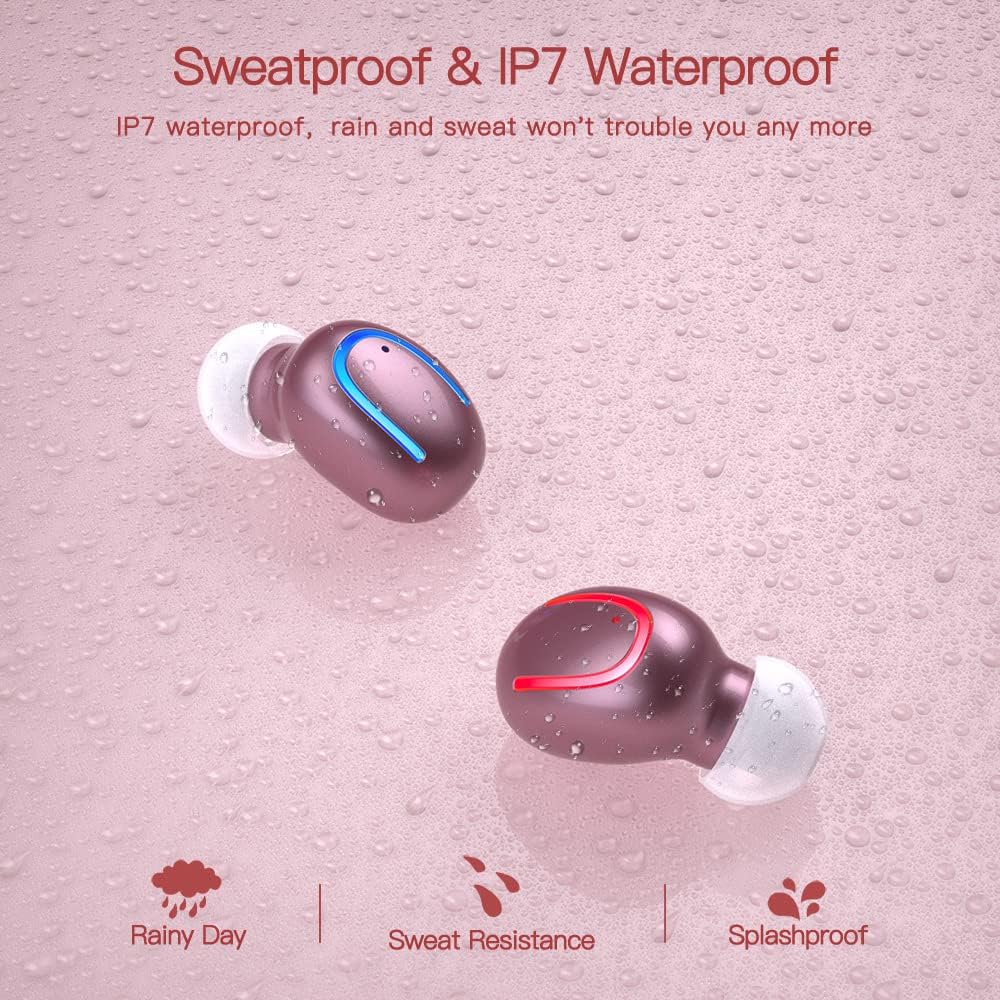
The earbuds are IPX7 waterproof, meaning they can withstand heavy rain and sweat during intense workouts. This protection is ideal for sports and all-weather conditions. Remarque : L'étui de chargement n'est pas étanche. Avoid submerging the charging case in water.

IPX7 water and sweat resistant nano-coating protects the earbuds from heavy rain or sweat during intense workouts.
Dépannage
- Les écouteurs ne se connectent pas : Ensure both earbuds are charged and removed from the case. Turn off and on your device's Bluetooth. If issues persist, try resetting the earbuds (refer to the full manual for specific reset instructions if available).
- Pas de son ou volume faible : Check the volume levels on both your device and the earbuds. Ensure the earbuds are properly seated in your ears and that the ear tips are clean and correctly sized.
- Problèmes de déconnexion : Assurez-vous que votre appareil se trouve à moins de 12 mètres de portée Bluetooth. Évitez les obstacles susceptibles de perturber le signal.
- Problèmes de charge : Verify the Type-C cable is securely connected to both the case and the power source. Check if the charging indicators on the case are active.
- Le microphone ne fonctionne pas : Assurez-vous que les écouteurs sont correctement connectés et sélectionnés comme périphérique d'entrée audio sur votre téléphone pendant les appels.
For further assistance, please consult the customer service for 24-hour after-sales support.
Caractéristiques
| Fonctionnalité | Détail |
|---|---|
| Marque | Obbug |
| Nom du modèle | Obbq13 / Q13S TWS |
| Technologie de connectivité | Sans fil (Bluetooth 5.1) |
| Niveau de résistance à l'eau | Étanchéité IPX7 |
| Autonomie de la batterie (écouteurs) | Up to 5 hours talk/play time |
| Autonomie de la batterie (avec étui) | Jusqu'à 20 heures de lecture totale |
| Temps de charge | Environ 1 à 2 heures |
| Capacité du boîtier de charge | 600mAh |
| Type de contrôle | Contrôle tactile |
| Placement des oreilles | Dans l'oreille |
| Poids de l'article | 0.64 onces |
| Matériel | Plastique |
| Appareils compatibles | Android, iPhone, iPad, Samsung Galaxy, iPod Nano, Laptops & Tablets, etc. |
Garantie et assistance
Obbug products are manufactured with high-quality standards. For any product-related inquiries, technical support, or warranty claims, please contact Obbug customer service. Refer to your purchase documentation for specific warranty terms and contact information.
Customer service is available for 24 hours after-sales support to assist you with any concerns or issues you may encounter.


