1. Introduction
The LeapStart Go interactive learning system is designed to engage children in learning through interactive books, videos, and audio responses. This portable stylus features an adjustable 1.44-inch LCD screen and a built-in speaker, making learning concepts more accessible for preschool through first-grade children. It supports a library of LeapStart animated books and activity sets, which are sold separately.

Image: The LeapFrog LeapStart Go System stylus, featuring a charcoal body with green and light blue accents, and a small screen at the top.
Vidéo : Un overview of the LeapFrog LeapStart Go system, demonstrating how the stylus interacts with books to provide video and audio learning experiences.
2. Contenu de la boîte
- LeapStart® Go System
- Sample livre
- Guide des parents
- USB Charging Cable (for rechargeable lithium battery)

Image: The product packaging for the LeapFrog LeapStart Go System, illustrating the stylus, a sampler book, and a child engaged in learning activities.
3. Installation
Before first use, ensure the LeapStart Go system is fully charged and connected to a computer with an internet connection to download necessary content.
Étapes de configuration initiale :
- Chargez l'appareil : Connect the LeapStart Go to a computer using the provided USB cable. Allow it to charge fully before first use. The device contains a rechargeable lithium battery.
- Installez LeapFrog Connect : A computer with an Internet connection is required. Visit the official LeapFrog website to download and install the LeapFrog Connect software.
- Connect and Download: Connect the LeapStart Go to your computer via the USB cable. Use the LeapFrog Connect software to download books and activity sets onto the LeapStart system. This step is essential for the stylus to recognize and interact with the books.
- Insérer le stylet : Ensure the stylus is properly inserted into the LeapStart Go system.
Note: LeapReader books are not compatible with the LeapStart Go system.
4. Mode d'emploi
The LeapStart Go system is designed for intuitive interaction with LeapStart books. Follow these steps to begin learning:
- Mise sous tension : Press the power button on the stylus to turn on the device.
- Select a Book: Open any compatible LeapStart book.
- Interact with the Stylus: Use the stylus to tap on pictures, words, and activities within the book pages. The stylus will trigger corresponding videos on its 1.44-inch LCD screen and audio responses through its built-in speaker.
- Explore Learning Concepts: The interactive video effects allow children to zoom in, explore, and engage with various learning concepts. Most activities offer two levels of play, enabling children to progress as they develop.
- Contrôle du volume : Adjust the volume using the dedicated buttons on the side of the stylus.
- Prise casque: For quiet play, connect headphones to the headphone jack located on the stylus.

Image: The LeapStart Go stylus is shown interacting with a page from a 'Human Body' activity book. The stylus screen displays an X-ray image, demonstrating the interactive video feature.

Image : Un gros plan view of the LeapStart Go stylus screen, showing an image of the Earth with a play button, indicating video playback functionality.
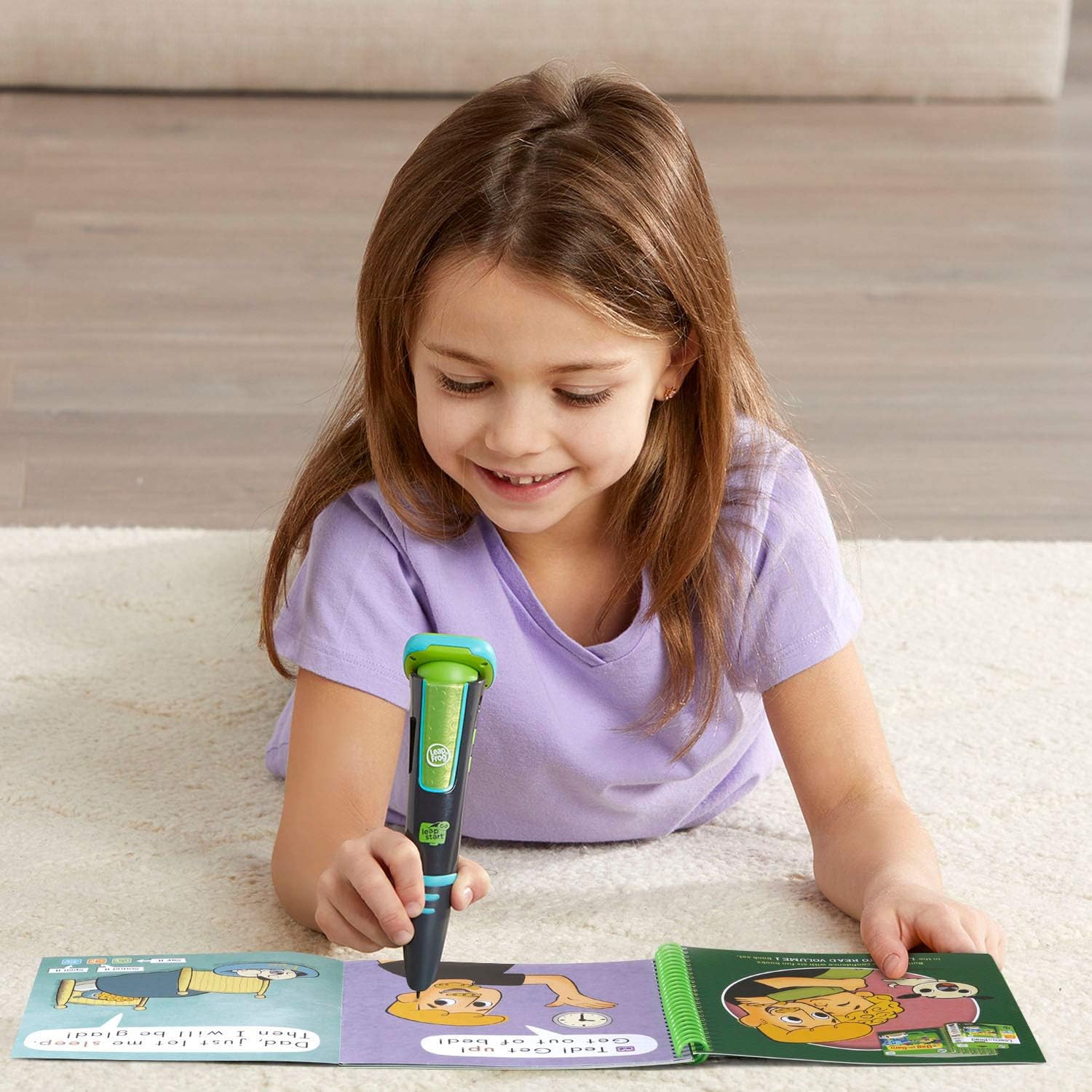
Image: A young girl is shown lying on a carpet, engaged in learning with the LeapStart Go stylus and an open activity book, highlighting the portable and engaging nature of the system.
5. Entretien
Nettoyage:
- Wipe the stylus and screen with a soft, dry cloth.
- N’utilisez pas de nettoyants abrasifs et n’immergez pas l’appareil dans l’eau.
Entretien de la batterie:
- The LeapStart Go includes a rechargeable lithium battery.
- Recharge the device using the provided USB cable when the battery indicator shows low power.
- Évitez de décharger complètement la batterie fréquemment afin de prolonger sa durée de vie.
Stockage:
- Conservez l'appareil dans un endroit frais et sec, à l'abri de la lumière directe du soleil et des températures extrêmes.
6. Dépannage
L'appareil ne s'allume pas :
- Ensure the battery is charged. Connect the device to a power source using the USB cable and allow it to charge for at least 30 minutes before attempting to power it on again.
Stylus Not Responding to Books:
- Verify that the correct book content has been downloaded to the LeapStart Go system via the LeapFrog Connect software.
- Ensure the stylus tip is making firm contact with the interactive elements on the book page.
- Redémarrez l'appareil et réessayez.
Connectivity Issues with Computer:
- Ensure the USB cable is securely connected to both the LeapStart Go and the computer.
- Essayez un autre port USB sur votre ordinateur.
- Confirm that the LeapFrog Connect software is up to date. Outdated software can sometimes cause connectivity problems.
- Restart your computer and the LeapStart Go system.
7. Spécifications
| Dimensions du produit | 1.77 x 1.77 x 6.5 pouces |
| Poids de l'article | 9.8 onces |
| Numéro de modèle | 80-605900 |
| Âge recommandé | 4 - 8 ans |
| Batterie | 1 LR44 battery required (included, rechargeable lithium) |
| Fabricant | VTech |
| Date de sortie | 16er mars 2019 |
8. Consignes de sécurité
- Surveillance par un adulte : Always supervise children when they are using the LeapStart Go system, especially when online.
- Connexion Internet: A high-speed Internet connection is required for downloading content. Ensure secure network practices are followed.
- Sécurité des batteries : The device contains a rechargeable lithium battery. Do not attempt to replace the battery yourself. Dispose of the device and battery according to local regulations.
- Risque d'étouffement : Ce produit peut contenir de petites pièces. Ne convient pas aux enfants de moins de 3 ans en raison du risque d'étouffement.
- Protection auditive : Advise children to use headphones at a moderate volume to protect their hearing.
9. Garantie et assistance
For warranty information, product support, or to purchase additional books and activity sets, please visit the official LeapFrog website or contact LeapFrog customer service. Keep your proof of purchase for warranty claims.
Vous trouverez plus d'informations et d'aide sur le site web suivant : Boutique LeapFrog.


