Introduction
Merci pour votre achatasing the Supersonic IQ-1525BT Wireless Bluetooth Speaker. This manual provides essential information for the safe and efficient operation of your device. Please read it thoroughly before use and retain it for future reference.

Figure 1 : Face avant view of the Supersonic IQ-1525BT Wireless Bluetooth Speaker.
Contenu du colis
Vérifiez que tous les éléments énumérés ci-dessous sont inclus dans votre colis :
- Supersonic IQ-1525BT Wireless Bluetooth Speaker
- Câble USB
- Câble auxiliaire
- Sangle de transport
- Manuel d'instructions (ce document)
Produit terminéview
Panneau de commande et ports

Figure 2 : Détaillé view of the control panel, showing input ports and control knobs.
The front panel of the speaker features the main controls and input ports:
- IQ Sound Display: Digital display for mode, frequency, and other indicators.
- Emplacement pour carte micro SD : Pour lire des fichiers audio depuis une carte Micro SD.
- Port USB : Pour lire des fichiers audio depuis une clé USB.
- Entrée AUX: Prise jack 3.5 mm pour connecter des périphériques audio externes.
- Entrée micro : Prise jack 6.35 mm pour connecter un microphone.
- Entrée CC 5 V : Entrée d'alimentation pour charger l'enceinte.
- Bouton de basse : Ajuste le niveau des basses.
- Volume Knob (OFF/VOL/ON): Turns the speaker on/off and adjusts the master volume.
- Bouton de mode (M) : Switches between input modes (Bluetooth, FM, USB, Micro SD, AUX).
- Bouton Précédent/Retour arrière : Passe au morceau précédent ou revient en arrière.
- Bouton Lecture/Pause : Lance ou met en pause le son.
- Bouton Suivant/Avance rapide : Passe au morceau suivant ou avance rapide.
Speakers and LED Lighting
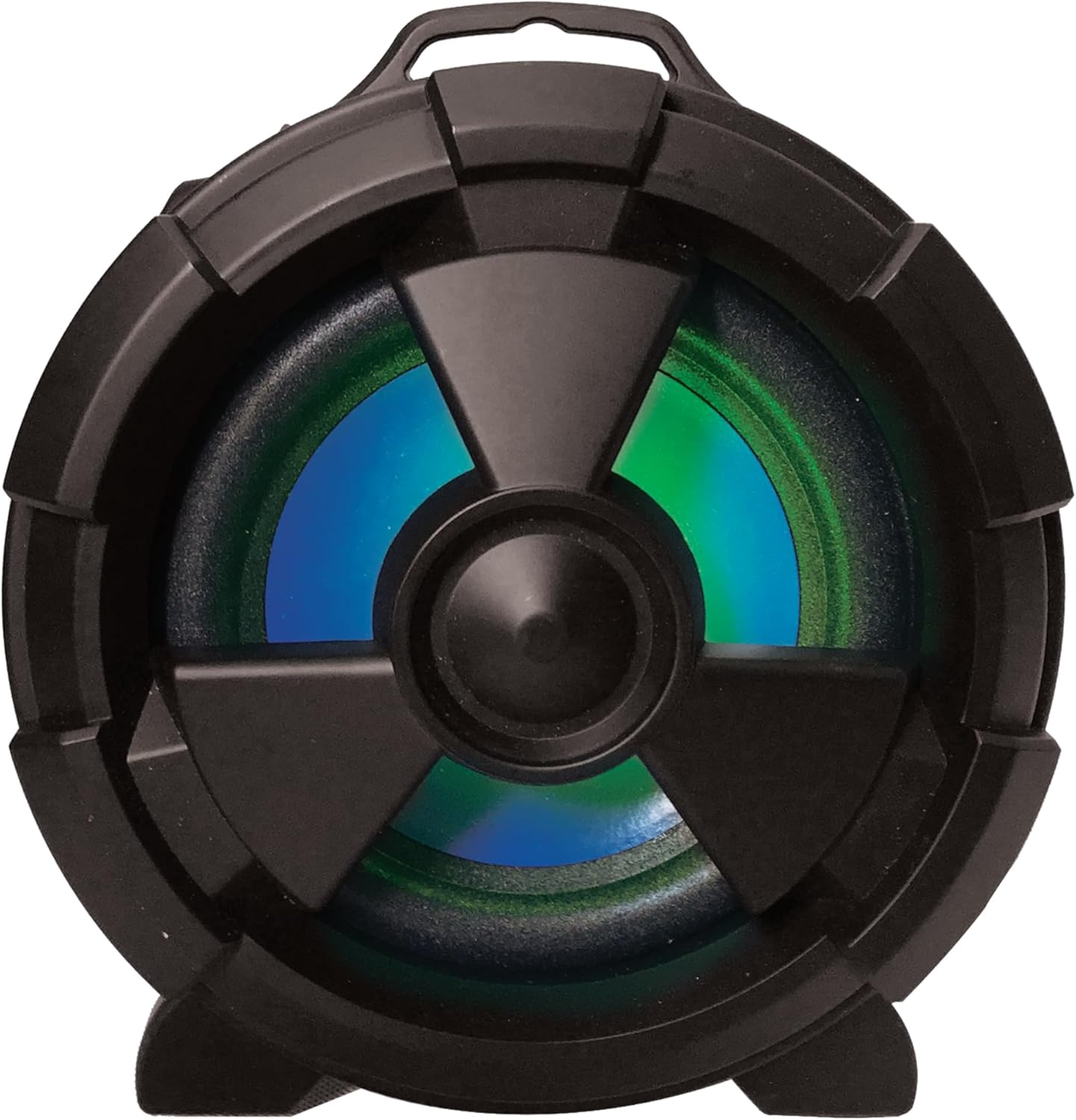
Figure 3 : Côté view highlighting the main speaker and its integrated LED lighting.
The speaker features one 5-inch main speaker and two 2-inch built-in speakers for stereo sound. The main speaker on the side includes integrated LED lighting that changes colors during operation.
Fonctionnalités de portabilité

Figure 4: The speaker's design allows for easy transport and use in various settings.
The IQ-1525BT is designed for portability, featuring a lightweight construction and a carrying strap for convenient transport.
Installation
Charger l'enceinte
- Connect the provided USB cable to the DC 5V input port on the speaker.
- Connectez l'autre extrémité du câble USB à un adaptateur secteur USB compatible (non inclus) ou à un port USB d'un ordinateur.
- The charging indicator will illuminate. Allow sufficient time for a full charge before first use.
Mise sous/hors tension
- To turn on the speaker, rotate the Volume knob clockwise until it clicks and the display illuminates.
- To turn off the speaker, rotate the Volume knob counter-clockwise until it clicks and the display turns off.
Mode d'emploi
Appariement Bluetooth

Figure 5: Illustrates connecting a device via Bluetooth to the speaker.
- Turn on the speaker. It will automatically enter Bluetooth pairing mode, indicated by a flashing "BLUE" on the display and an audible prompt.
- Sur votre appareil compatible Bluetooth (par exemple, smartphone, tablette), activez le Bluetooth et recherchez les appareils disponibles.
- Select "IQ-1525BT" from the list of devices.
- Once paired, the speaker will emit an audible confirmation, and "BLUE" on the display will stop flashing.
- Vous pouvez désormais diffuser du contenu audio depuis votre appareil via le haut-parleur.
Fonctionnement de la radio FM
- Turn on the speaker. Press the "M" (Mode) button repeatedly until "FM" appears on the display.
- Maintenez le bouton Lecture/Pause enfoncé pour lancer une recherche automatique des stations FM. L'enceinte enregistrera toutes les stations trouvées.
- Use the Previous/Rewind and Next/Fast Forward buttons to navigate between saved stations.
Lecture USB/Micro SD
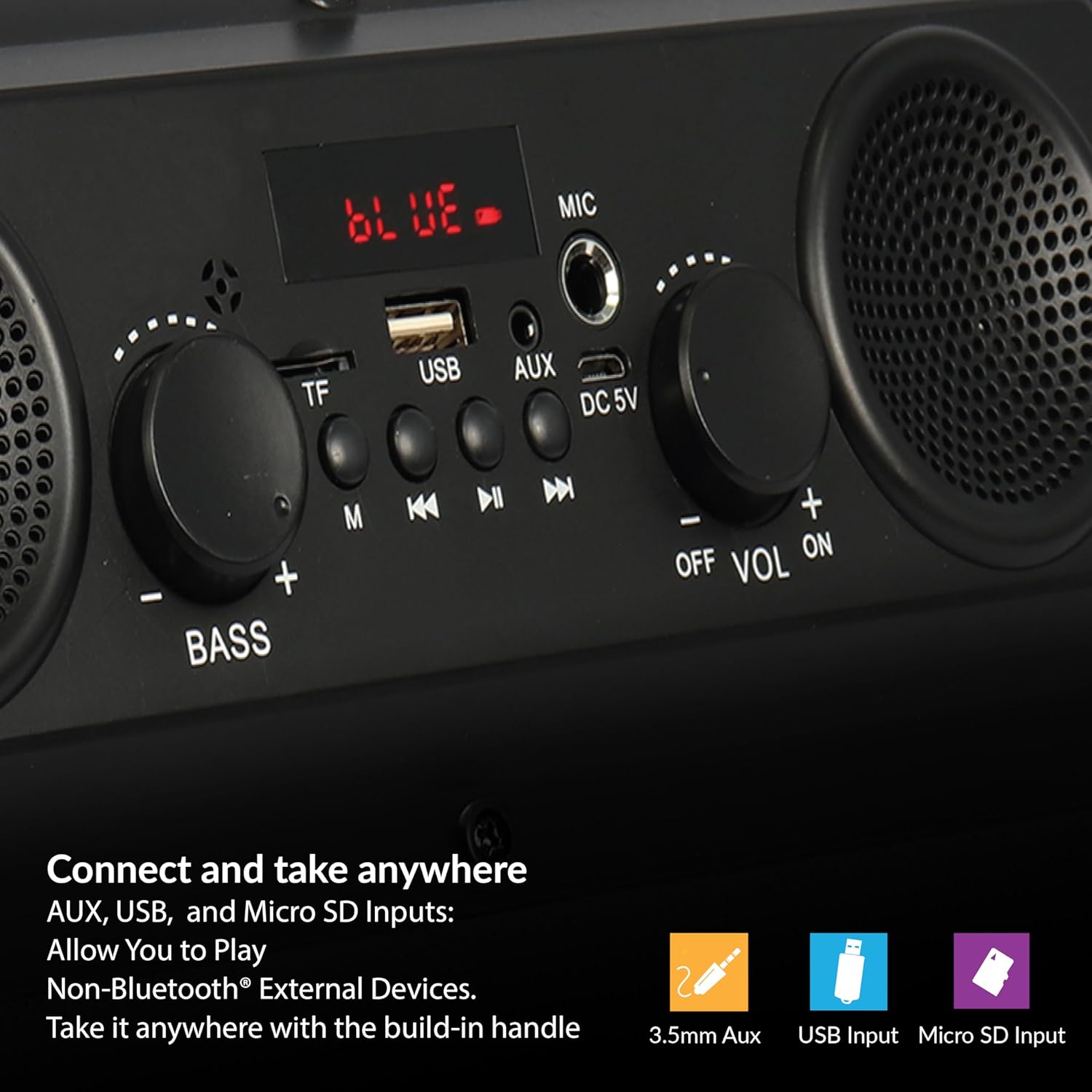
Figure 6: The speaker supports various input options for versatile audio playback.
- Insert a USB flash drive or Micro SD card (with pre-loaded audio files) dans le port correspondant.
- The speaker will automatically switch to USB or Micro SD mode and begin playback. If not, press the "M" (Mode) button to select the correct mode.
- Utilisez les boutons Lecture/Pause, Précédent/Retour arrière et Suivant/Avance rapide pour contrôler la lecture.
Entrée AUX
- Connect one end of the provided AUX cable to the AUX input port on the speaker.
- Connect the other end of the AUX cable to the audio output jack of your external device.
- Appuyez sur le bouton « M » (Mode) jusqu'à ce que « AUX » apparaisse sur l'écran.
- Contrôlez la lecture audio depuis votre périphérique externe.
Utilisation du microphone
- Connect a microphone (not included) to the MIC input port.
- Adjust the main volume using the Volume knob.
Adjusting Bass and Volume
- Faites pivoter le Volume bouton permettant d'augmenter ou de diminuer le niveau sonore global.
- Faites pivoter le Basse knob to adjust the low-frequency sound output.
Entretien
- Nettoyage: Utilisez un chiffon doux et sec pour nettoyer l'extérieur du haut-parleur. N'utilisez pas de nettoyants liquides ni de produits abrasifs.
- Stockage: Lorsqu'elle n'est pas utilisée pendant une période prolongée, rangez l'enceinte dans un endroit frais et sec, à l'abri de la lumière directe du soleil et des températures extrêmes.
- Entretien de la batterie: Pour prolonger la durée de vie de la batterie, évitez de la décharger complètement et fréquemment. Rechargez régulièrement l'enceinte, même si elle n'est pas utilisée.
- Exposition à l'eau : Cette enceinte n'est pas étanche. Évitez tout contact avec l'eau ou une humidité excessive.
Dépannage
| Problème | Cause possible | Solution |
|---|---|---|
| Le haut-parleur ne s'allume pas. | La batterie est épuisée. | Chargez le haut-parleur à l'aide du câble USB fourni. |
| Pas de son. | Le volume est trop faible ou coupé. Mode d'entrée incorrect. | Increase the volume. Press the 'M' button to select the correct input mode. |
| L'appareil Bluetooth ne se connecte pas. | Enceinte non en mode appairage. Appareil trop éloigné. | Ensure speaker is in Bluetooth mode (flashing 'BLUE'). Move device closer (within 10 meters). |
| Mauvaise réception FM. | Signal faible. | Repositionnez le haut-parleur pour améliorer la réception du signal. |
| La clé USB/Micro SD ne fonctionne pas. | Incorrect file format. Corrupted media. | Assurez-vous que le son files are in a compatible format. Try a different USB drive or Micro SD card. |
Caractéristiques
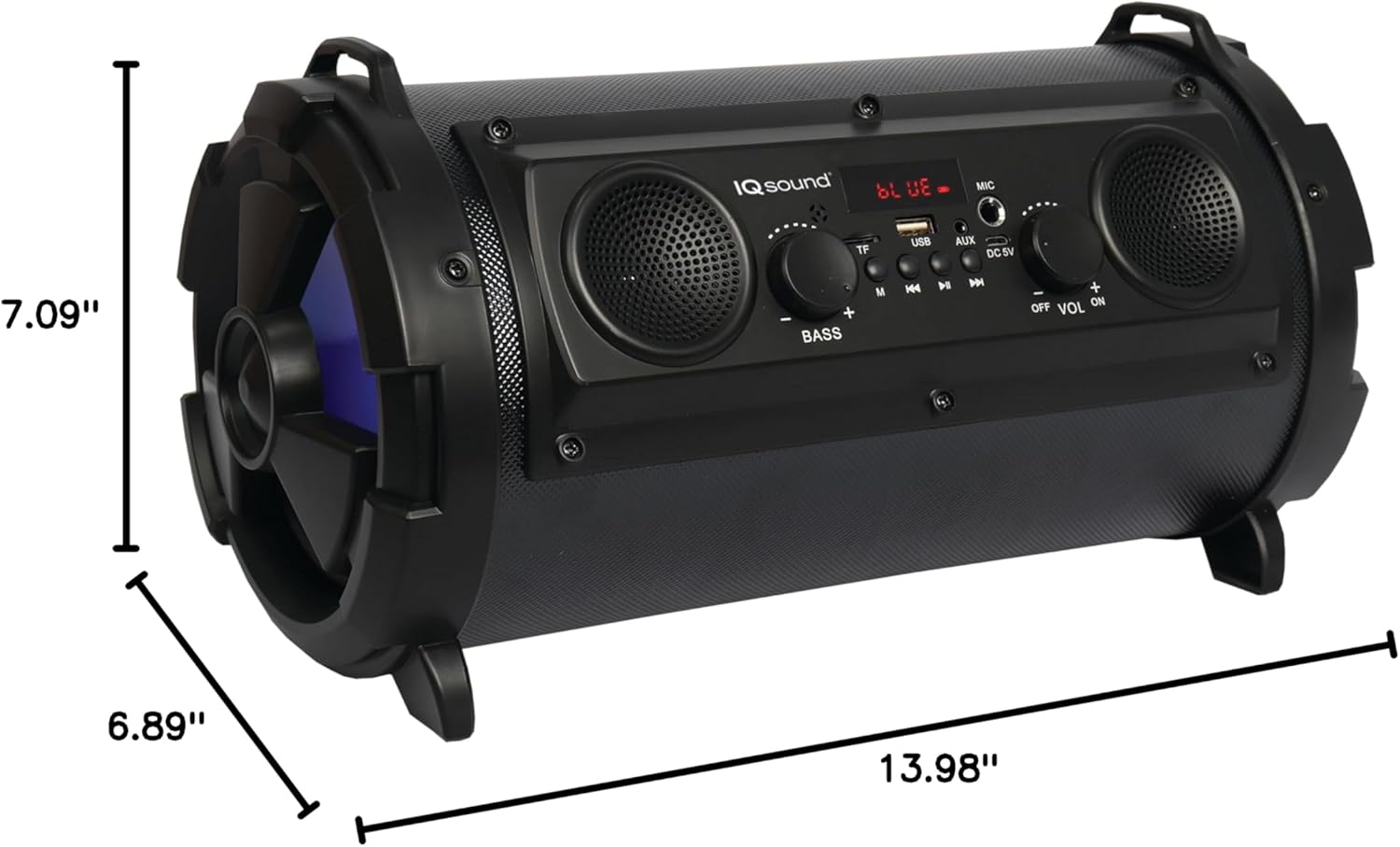
Figure 7: Product dimensions for the IQ-1525BT speaker.
| Fonctionnalité | Détail |
|---|---|
| Nom du modèle | IQ-1525BT |
| Marque | Supersonique |
| Type de haut-parleur | Haut-parleur Bluetooth portable |
| Puissance de sortie | 16 watts |
| Configuration des haut-parleurs | One 5-inch, Two 2-inch built-in speakers |
| Version Bluetooth | V4.0 |
| Portée sans fil | Jusqu'à 10 mètres (32.8 pieds) |
| Réponse en fréquence | 100 Hz à 20 kHz |
| Vol d'entréetage | 5 volts CC |
| Batterie | 3.7-volt, 2,400 mAh rechargeable battery |
| Entrées | USB, Micro SD, AUX, Microphone |
| Caractéristiques spéciales | FM Tuner (87.5 - 108.0MHz), Extra Bass (Passive Radiator), LED Lighting |
| Dimensions du produit (P x L x H) | 6.89" x 7.09" x 13.98" |
| Poids de l'article | 1 livre |
| Matériel | Plastique |
Informations sur la garantie
This product comes with a Limited Warranty. For specific details regarding warranty coverage, terms, and conditions, please refer to the warranty card included in your product packaging or visit the official Supersonic webConsultez le site. Conservez votre preuve d'achat pour toute réclamation au titre de la garantie.
Soutien
If you encounter any issues or have questions not covered in this manual, please contact Supersonic customer support for assistance. Contact information can typically be found on the product packaging or the official Supersonic website.


