Introduction
Welcome to the user manual for your Nokia 7 Plus TA-1046 smartphone. This guide provides essential information to help you get started, operate, maintain, and troubleshoot your device. The Nokia 7 Plus TA-1046 is an international version, factory unlocked, and operates on GSM networks only. It does not support CDMA networks. Please note that this international version may not carry a warranty in the USA.
This device is a refurbished product, tested and certified to function like new. The refurbishing process includes functionality testing, basic cleaning, inspection, and repackaging. It ships with all relevant accessories.
Installation
1. Déballage et charge initiale
Carefully unbox your Nokia 7 Plus TA-1046. Before first use, it is recommended to fully charge the device using the provided USB Type-C cable and power adapter.
2. Insertion des cartes SIM et de la carte mémoire
The Nokia 7 Plus TA-1046 supports Dual SIM functionality. Locate the SIM tray on the side of the device. Use the provided SIM ejector tool to open the tray. Insert your Nano-SIM cards and, if desired, a microSD card into the designated slots. Ensure the cards are correctly oriented before reinserting the tray firmly into the phone.
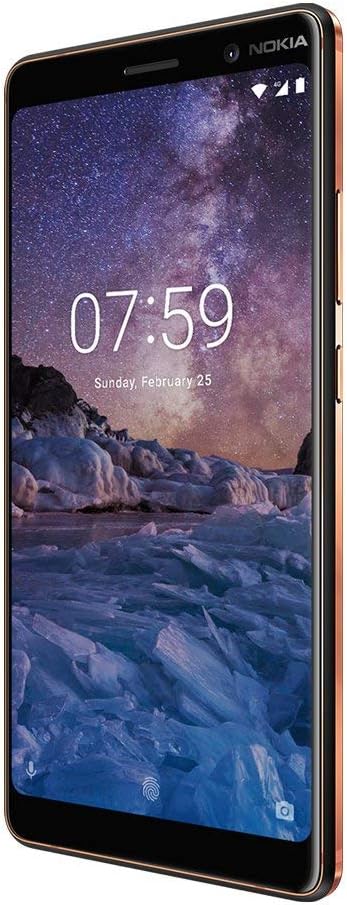
Image : Côté view of the Nokia 7 Plus TA-1046, illustrating the location of the SIM tray and physical buttons.
3. Mise sous tension et configuration initiale
Press and hold the power button located on the side of the device until the Nokia logo appears. Follow the on-screen instructions to complete the initial setup, which includes selecting your language, connecting to a Wi-Fi network, setting up your Google account, and configuring security features like fingerprint recognition.

Image : Avant view of the Nokia 7 Plus TA-1046, displaying the home screen with time and date.
Utilisation de votre appareil
1. Navigation de base
Your Nokia 7 Plus TA-1046 runs on Android One, providing a clean and intuitive user experience. Use gestures to navigate: swipe up for the app drawer, swipe down for notifications and quick settings, and use the on-screen navigation buttons (Back, Home, Recents).
2. Appels et messages
To make a call, open the Phone app and dial the number or select a contact. For messaging, use the Messages app to send and receive SMS/MMS. Ensure your SIM card is active and has network coverage (GSM only).
3. Connectivité Internet
Connect to the internet via Wi-Fi or your mobile data (GSM). To enable Wi-Fi, go to Paramètres > Réseau et Internet > Wi-Fi. For mobile data, ensure it is enabled under Paramètres > Réseau et Internet > Réseau mobile.
4. Fonctions de l'appareil photo
The Nokia 7 Plus TA-1046 features a dual rear camera system and a front camera, optimized for photography. Open the Camera app to capture photos and videos. Explore different modes and settings for optimal results.

Image : Dos view of the Nokia 7 Plus TA-1046, highlighting the dual camera setup and the circular fingerprint sensor.
5. Sécurité biométrique
Utilize the fingerprint recognition feature for secure and quick unlocking. Register your fingerprints in Paramètres > Sécurité et localisation > Empreinte digitaleLe capteur d'empreintes digitales est situé à l'arrière de l'appareil.
Entretien
1. Entretien de la batterie
Your device is equipped with a Lithium-Ion battery. To prolong battery life, avoid extreme temperatures and allow the battery to discharge partially before recharging. Avoid leaving the phone connected to the charger for extended periods after it's fully charged.
2. Nettoyage de votre appareil
Use a soft, lint-free cloth to clean the screen and body of your phone. Avoid using harsh chemicals or abrasive materials, which can damage the finish. While the device is water-resistant, it is not waterproof. Avoid submerging it in liquids.
3. Mises à jour logicielles
As an Android One device, your Nokia 7 Plus TA-1046 receives regular security and operating system updates directly from Google. Ensure your device is connected to Wi-Fi and has sufficient battery charge before installing updates. Check for updates in Paramètres > Système > Mise à jour du système.
Dépannage
1. L'appareil ne s'allume pas
Ensure the battery is charged. Connect the phone to its charger and wait a few minutes before attempting to power it on again. If the issue persists, try holding the power button for an extended period (10-15 seconds) for a forced restart.
2. Network Connectivity Issues (GSM ONLY)
This device is an international version and supports GSM networks only. It is not compatible with CDMA networks. If you are in a region primarily using CDMA (e.g., some carriers in the USA), you will not get cellular service. For GSM networks, ensure your SIM card is properly inserted and activated. Check signal strength and try restarting the device. Verify that your specific model (TA-1046) supports the 4G LTE bands used by your carrier, as some international versions may lack full band support in certain regions (e.g., Band 4 or 12 for T-Mobile/AT&T in the USA).
3. Freezing or Unresponsive Screen
If the device becomes unresponsive, press and hold the power button for approximately 10 seconds to force a restart. If the problem recurs frequently, consider clearing the cache partition or performing a factory reset (back up your data first).
4. Battery Draining Quickly or Inaccurate Percentage
Battery performance can degrade over time. If you experience rapid battery drain or inconsistent battery percentage readings, try calibrating the battery by fully discharging and then fully recharging the device. Close background apps and reduce screen brightness to conserve power. If the issue persists, it may indicate a battery fault.
5. Problèmes généraux de performance
Nettoyez régulièrement les zones inutiles files and apps to free up storage space. Restart your phone periodically. If performance remains poor, a factory reset (Paramètres > Système > Options de réinitialisation > Effacer toutes les données (réinitialisation d'usine)) can often resolve software-related issues, but remember to back up all important data beforehand.
Caractéristiques
| Fonctionnalité | Détail |
|---|---|
| Marque | Nokia |
| Nom du modèle | 7 Plus |
| Système opérateur | Android One |
| Taille de la mémoire RAM installée | 4 Go |
| Capacité de stockage de la mémoire | 64 Go |
| Taille de l'écran | 6 pouces |
| Résolution | 1920 x 1080 |
| Opérateur sans fil | Débloqué |
| Technologie cellulaire | GSM (NO CDMA) |
| Technologie de connectivité | Wi-Fi, USB Type C |
| Couleur | Noir |
| Nombre d'emplacements pour carte SIM | Double SIM |
| Facteur de forme | Bar |
| Fonction de sécurité biométrique | Reconnaissance des empreintes digitales |
| Niveau de résistance à l'eau | Résistant à l'eau |
| Description de la caméra | Front, Rear (Dual Rear Cameras) |
| Number of Front Cameras | 2 |
| Description de la batterie | Lithium-ion |
| Poids de l'article | 8 onces |
| Dimensions de l'article | 6.7 x 5.6 x 1.1 pouces |
| Fabricant | Nokia |
Informations sur la garantie
Important: This Nokia 7 Plus TA-1046 is an International Version and does not carry a warranty in the USA.
For warranty information in other regions, please refer to the documentation provided with your device at the time of purchase or contact Nokia customer support in your specific country of purchase. As a refurbished product, any specific warranty or return policy would be provided by the refurbisher or seller, not the original manufacturer for this international model in the USA.
Soutien
For further assistance, please visit the official Nokia support website for your region. You can find FAQs, troubleshooting guides, and contact information for customer service. When seeking support, have your device's model number (TA-1046) and IMEI readily available.
Due to the nature of this being an international, unlocked, and refurbished device, direct manufacturer support in certain regions (like the USA) may be limited. Please consult the seller for any post-purchase support or return inquiries.


