Introduction
This manual provides essential instructions for the safe and efficient use of your itel it2160 dual SIM mobile phone. Please read this guide thoroughly before operating the device and retain it for future reference.
Contenu du colis
Vérifiez que tous les éléments sont présents dans l'emballage de votre produit :
- Téléphone portable itel it2160
- Batterie
- Chargeur
- Manuel de l'utilisateur (ce document)
Disposition de l'appareil
Familiarize yourself with the key components of your itel it2160 phone.

Image: Devant view of the itel it2160 mobile phone, showing the display, keypad, and navigation buttons.
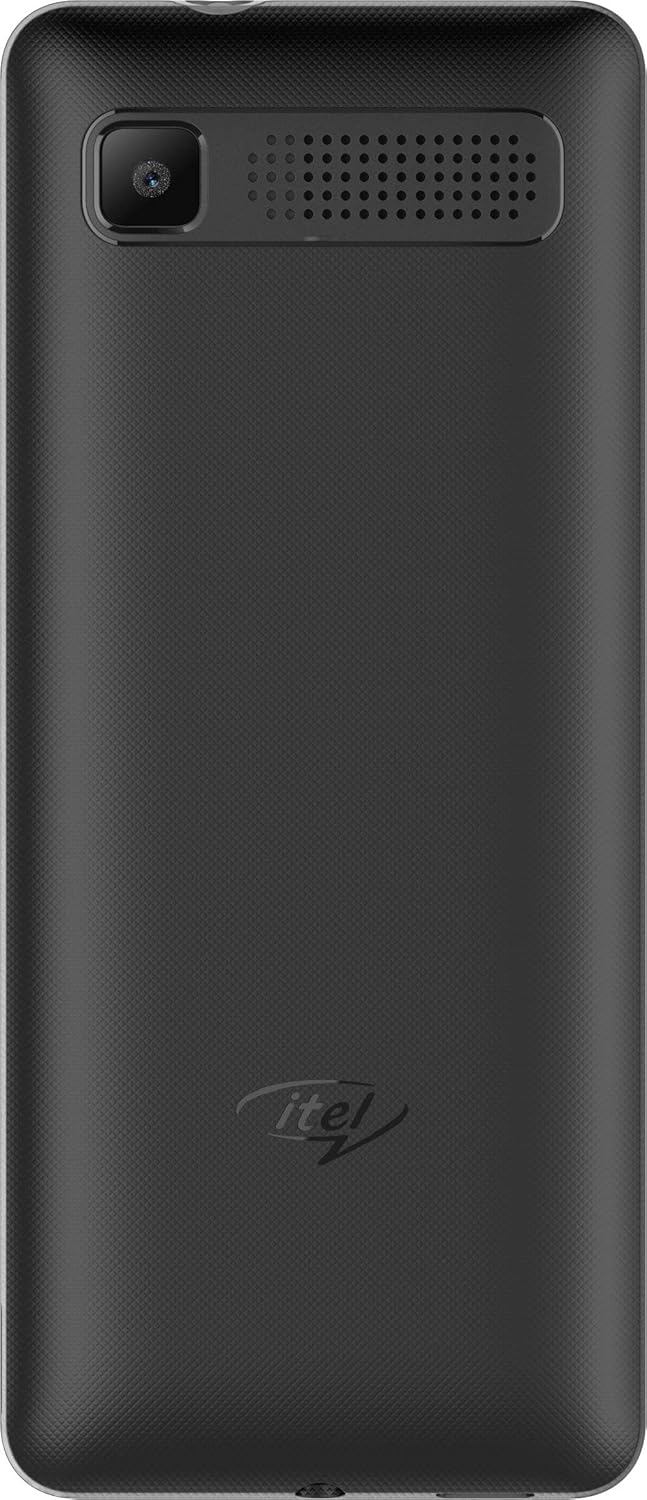
Image: Arrière view of the itel it2160 mobile phone, showing the camera and speaker grille.
- Afficher: écran de 1.77 pouces pour viewinformations.
- Clavier: Alphanumeric keys for dialing and text input.
- Touches de navigation : Pour la navigation et la sélection dans les menus.
- Touches d'appel/de fin : Pour initier et terminer des appels.
- Caméra arrière : Located on the back for capturing photos.
- Conférencier: Pour la sortie audio.
Installation
1. Installing SIM Cards and Battery
- Retirez la coque arrière du téléphone en la soulevant délicatement au niveau de l'encoche.
- Insert your SIM card(s) into the designated SIM slots. Ensure the gold contacts face downwards. This phone supports dual SIM cards.
- Si nécessaire, insérez une carte microSD dans l'emplacement pour carte mémoire afin d'étendre la capacité de stockage.
- Insérez la pile en alignant correctement les contacts.
- Remettez le couvercle arrière en place jusqu'à ce qu'il s'enclenche correctement.
2. Chargement de la batterie
- Branchez le chargeur au port de charge de votre téléphone.
- Branchez le chargeur sur une prise de courant.
- Laissez le téléphone se charger complètement avant la première utilisation. L'indicateur de batterie à l'écran affichera l'état de la charge.
3. Mise sous/hors tension
- Pour allumer : Press and hold the Power/End key until the screen lights up.
- Pour éteindre : Press and hold the Power/End key until the power-off options appear, then select "Power off".
Mode d'emploi
1. Passer et recevoir des appels
- Faire un appel: Enter the phone number using the keypad and press the Call key. If using dual SIM, select the desired SIM for the call.
- Pour recevoir un appel : Appuyez sur la touche d'appel lorsque le téléphone sonne.
- Pour terminer un appel : Appuyez sur la touche Fin.
2. Envoi et réception de SMS
- Pour envoyer un SMS : Go to "Menu" > "Messages" > "Write message". Enter your message and the recipient's number, then send.
- To Read SMS: New messages will be indicated on the screen. Go to "Menu" > "Messages" > "Inbox" to view.
3. Utilisation de l'appareil photo
- Navigate to "Menu" > "Camera".
- Cadrez votre photo à l'aide de l'écran.
- Press the center navigation key or a designated camera key to capture the image.
4. Radio FM
- Connect headphones to the phone's audio jack (headphones act as an antenna).
- Allez dans « Menu » > « Radio FM ».
- Utilisez les touches de navigation pour rechercher les stations ou effectuez un réglage manuel.
Entretien
- Entretien de la batterie:
- Évitez les températures extrêmes.
- Ne surchargez pas la batterie et ne la déchargez pas complètement fréquemment.
- Utilisez uniquement le chargeur d'origine fourni avec l'appareil.
- Nettoyage:
- Essuyez le téléphone avec un chiffon doux et sec.
- Avoid using liquid cleaners or aerosols.
- Stockage:
- Rangez le téléphone dans un endroit frais et sec, à l'abri de la lumière directe du soleil.
- Tenir hors de portée des enfants et des animaux domestiques.
Dépannage
| Problème | Solution possible |
|---|---|
| Le téléphone ne s'allume pas. | Vérifiez que la batterie est correctement insérée et chargée. Branchez le chargeur et réessayez. |
| Aucun signal réseau. | Check if SIM cards are properly inserted. Move to an area with better network coverage. Contact your service provider. |
| Impossible de passer ou de recevoir des appels. | Verify network signal. Check if call barring is active. Ensure sufficient balance on your SIM card. |
| La batterie se décharge rapidement. | Reduce screen brightness. Close unused applications. Limit background activities. |
Caractéristiques
| Fonctionnalité | Détail |
|---|---|
| Nom du modèle | IT2160 |
| Taille de l'écran | 1.77 pouces |
| Résolution d'affichage | 128 x 160 pixels |
| Caméra arrière | 1.3 mégapixels |
| Caméra frontale | Aucun |
| RAM système | 4 Megabytes |
| Capacité de stockage | 256 Gigabytes (Expandable) |
| Système opérateur | Proprietary Feature Phone OS |
| Modèle de processeur | Basic Feature Phone Processor |
| Vitesse du processeur | 260 MHz |
| Dimensions du produit | 11.2 x 4.8 x 1.43 cm ; 80 grammes |
Informations sur la garantie
Your itel it2160 mobile phone comes with a warranty. Please review les conditions suivantes:
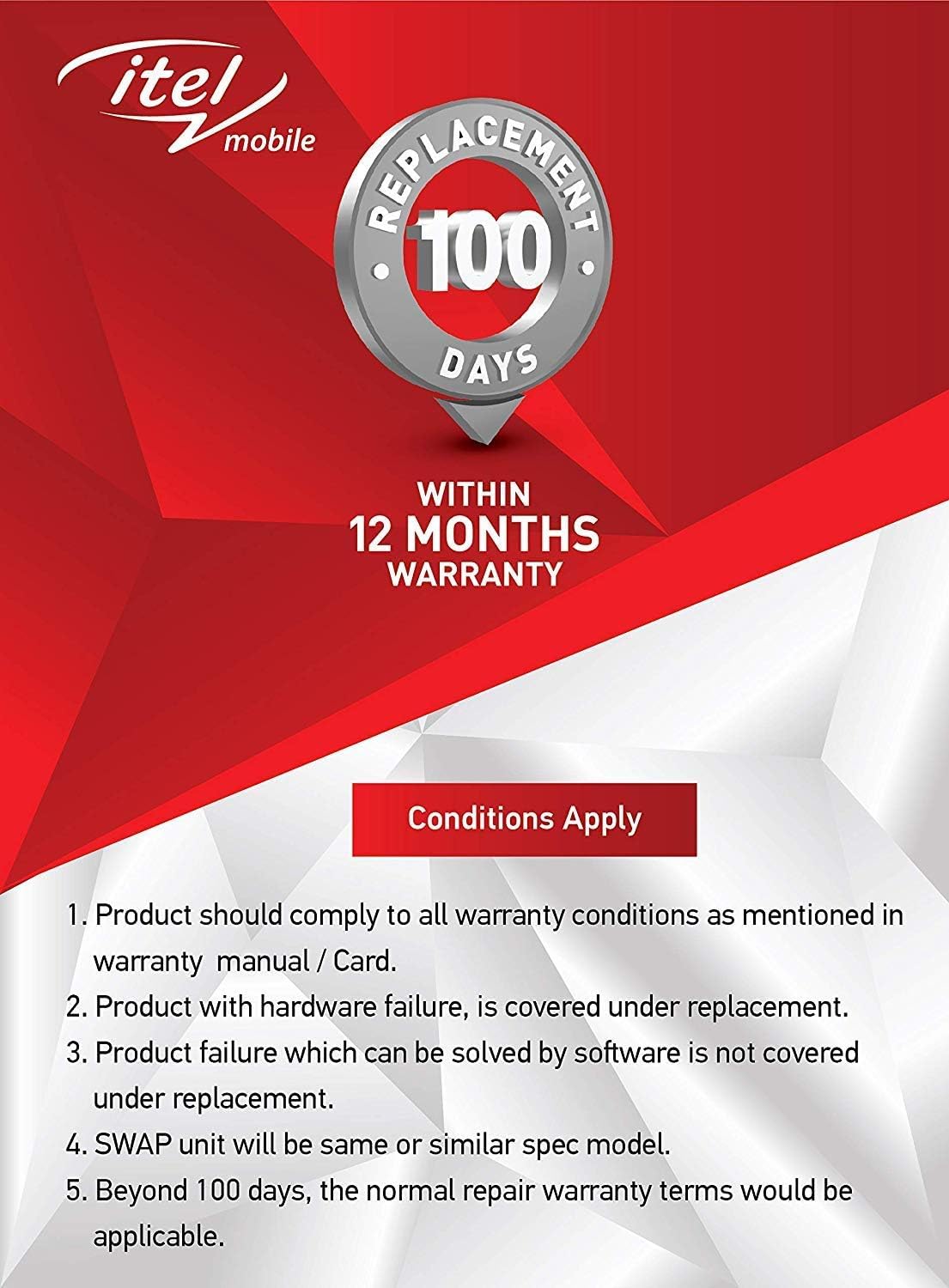
Image: Warranty details for itel mobile products, indicating 100 days replacement and 12 months warranty.
- Product must comply with all warranty conditions as mentioned in the warranty manual/card.
- Product with hardware failure is covered under replacement.
- Product failure which can be solved by software is not covered under replacement.
- A SWAP unit will be the same or a similar spec model.
- Beyond 100 days, the normal repair warranty terms would be applicable.
- The warranty period is typically 12 months from the date of purchase.
For detailed warranty terms and conditions, refer to the warranty card included in your package or contact itel customer support.
Soutien
For further assistance, technical support, or service inquiries, please contact itel customer service. Contact details can typically be found on the official itel websur le site ou sur votre carte de garantie.
Ressources en ligne : You may find additional support and FAQs on the official itel brand store.


