Introduction
This manual provides detailed instructions for the setup, operation, maintenance, and troubleshooting of your Dual DT 450 manual turntable. Designed for optimal audio quality, this belt-driven turntable features a high-quality wooden housing, a balanced tonearm with adjustable tracking force, and an integrated switchable phono pre-amplifier. Please read these instructions carefully before using your turntable to ensure proper function and longevity.
Produit terminéview
The Dual DT 450 turntable is engineered to deliver an exceptional vinyl listening experience. Its robust construction and thoughtful features ensure stable playback and clear sound reproduction.
Caractéristiques principales :
- Conception: High-quality wooden housing for stable operation and a puristic aesthetic.
- Flexibilité: Connects to traditional HiFi systems via phono or AUX input; supports two speeds (33/45 RPM).
- Pré-amplifier : Built-in switchable phono pre-amplifier for easy connection.
- Système de captation magnétique : Features an Audio Technica AT 3600 cartridge with pre-set tracking force and a dampbras de lecture surélevé.
- Accessoires inclus : Turntable unit, platter with drive belt, counterweight, platter mat, dust cover, center puck, and user manual.
Produit Views:
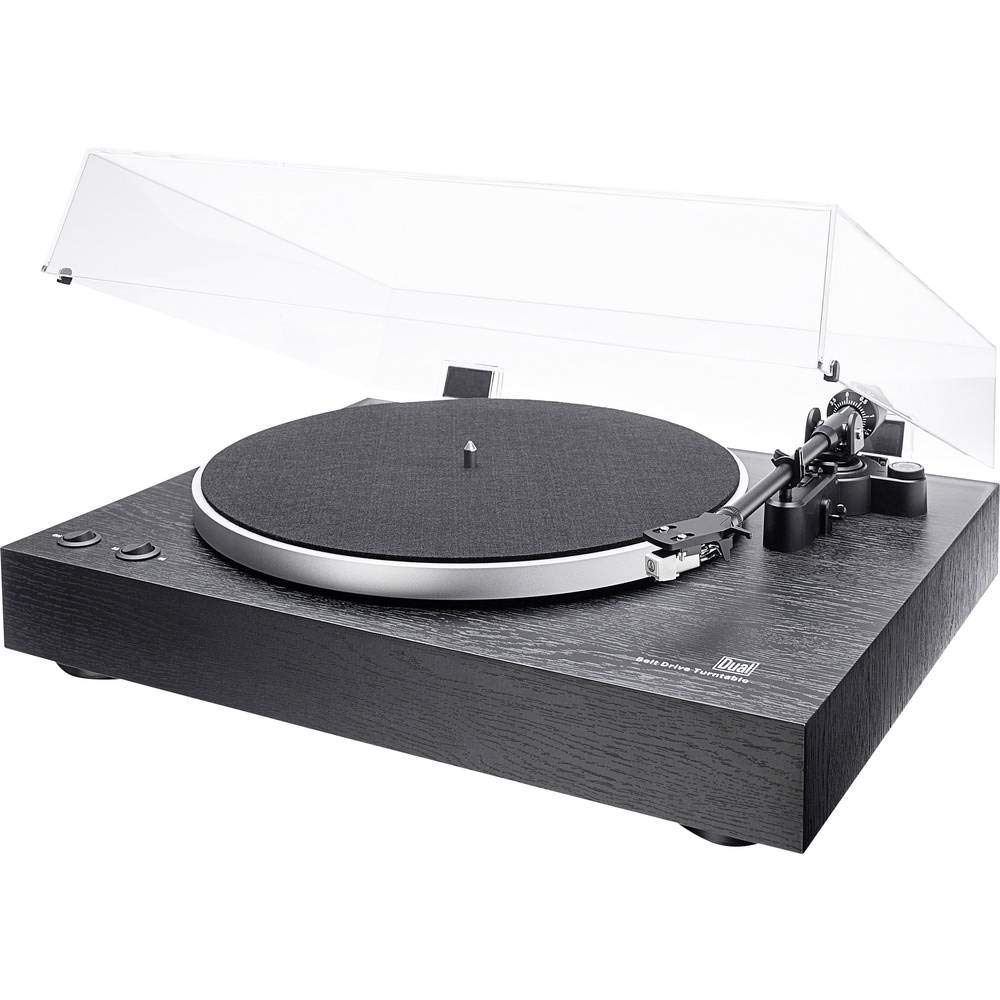
Dans l'ensemble view of the Dual DT 450 Turntable with its dust cover.

Détaillé view of the Audio Technica AT 3600 magnetic pickup system on the tonearm.

The Dual DT 450 Turntable with its transparent dust cover in the open position.

The Dual DT 450 Turntable with its transparent dust cover in the closed position, protecting the platter and tonearm.
Guide d'installation
Follow these steps to correctly set up your Dual DT 450 turntable.
- Déballage: Carefully remove all components from the packaging. Ensure all accessories listed in the product overview sont présents.
- Placement: Placez la platine sur une surface stable et plane, à l'abri de la lumière directe du soleil, des sources de chaleur et des fortes vibrations.
- Installation du plateau et de la courroie : Place the platter onto the spindle. Carefully install the drive belt around the inner rim of the platter and around the motor pulley.
- Installation du contrepoids : Slide the counterweight onto the rear of the tonearm. Rotate it until the tonearm is balanced and floats freely. Then, adjust the counterweight to the recommended tracking force (refer to cartridge specifications, typically around 2-3 grams for the AT3600).
- Réglage anti-patinage : Set the anti-skating dial to match the tracking force you set. This helps prevent the stylus from skipping across the record.
- Installation du couvercle anti-poussière : Attach the dust cover hinges to the rear of the turntable unit.
- Connexion électrique : Connect the power adapter to the DC input on the rear of the turntable, then plug it into a wall outlet.
- Connexion audio : Connect the RCA cables from the turntable to your amplifier or receiver. Use the PHONO input if your amplifier has one and switch the turntable's internal pre-amplifier to 'OFF'. If your amplifier only has AUX/LINE inputs, switch the turntable's internal pre-amplifier to 'ON' and connect to an available AUX/LINE input. Ensure the ground wire is connected to your amplifier's ground terminal if available.
Vidéo de démonstration de l'installation :
This video demonstrates the general setup and operation of a turntable. While it may feature a different model, the basic principles of assembly and connection are applicable to the Dual DT 450.
Mode d'emploi
Once your Dual DT 450 is set up, follow these steps to play your vinyl records.
- Mise sous tension : Turn the power switch to the 'ON' position. The platter will begin to rotate.
- Record du classement : Carefully place your vinyl record onto the platter. If playing a 45 RPM single, use the included center puck.
- Sélectionnez la vitesse : Choose the correct playback speed (33 or 45 RPM) using the speed selector switch.
- Soulever le bras de lecture : Utilisez le levier de levage du bras de lecture pour soulever le bras de lecture.
- Positionnez le bras de lecture : Déplacez délicatement le bras de lecture au-dessus du sillon de départ souhaité du disque.
- Bras de lecture inférieur : Slowly lower the tonearm using the tonearm lift lever. The stylus will descend onto the record, and playback will begin.
- Régler le volume : Réglez le volume de votre appareil connecté amplifier or receiver to your desired listening level.
- Arrêt de la lecture : At the end of the record, or when you wish to stop, use the tonearm lift lever to raise the tonearm, then return it to its rest. Turn the power switch to 'OFF'.
Entretien
Un entretien régulier garantit des performances optimales et prolonge la durée de vie de votre platine vinyle.
- Cache-poussière : Clean the dust cover with a soft, dry cloth. Avoid abrasive cleaners that may scratch the surface.
- Entretien du stylet : Gently clean the stylus regularly using a soft brush designed for stylus cleaning, brushing from back to front. A dirty stylus can degrade sound quality and damage records.
- Nettoyage de disques : Keep your records clean to prevent dust and debris from accumulating on the stylus and affecting playback. Use a dedicated record cleaning brush or solution.
- Nettoyage général : Wipe the turntable chassis with a soft, slightly damp chiffon. N'utilisez pas de produits chimiques agressifs.
- Inspection de la courroie : Vérifiez régulièrement l'état de la courroie d'entraînement et remplacez-la si nécessaire pour maintenir une vitesse de lecture précise.
Dépannage
If you encounter issues with your Dual DT 450, refer to the following common problems and solutions:
| Problème | Cause possible | Solution |
|---|---|---|
| Aucun son ou son très faible | Incorrect audio connection; Pre-amplifier switch setting; Amplifier input selection; Stylus not properly seated. | Check RCA cable connections. Ensure pre-amplifier switch is set correctly (ON for AUX, OFF for PHONO). Select the correct input on your amplifier. Verify stylus is securely attached to the cartridge. |
| Son déformé ou étouffé | Dirty stylus; Incorrect tracking force; Damaged stylus; Worn record. | Clean the stylus. Re-adjust tracking force. Replace the stylus if damaged. Try a different record. |
| Turntable platter not spinning | Power not connected; Drive belt dislodged or broken; Motor issue. | Ensure power adapter is connected and plugged in. Check if the drive belt is properly seated around the platter and motor pulley. If the issue persists, contact customer support. |
| Saut de disque | Dust/debris on record or stylus; Incorrect tracking force or anti-skating; Turntable not level; Damaged record. | Clean record and stylus. Re-adjust tracking force and anti-skating. Ensure turntable is on a level surface. Inspect record for damage. |
Spécifications techniques
| Fonctionnalité | Spécification |
|---|---|
| Marque | Double |
| Nom du modèle | DT 450 |
| Numéro de modèle | 75268 |
| Style | Plateau tournant manuel |
| Couleur | Noir |
| Matériel | Bois |
| Dimensions du produit | 43.5 x 36.7 x 14.4 cm |
| Poids de l'article | 6 kilogrammes |
| Vitesse de rotation maximale | 45 tr/min |
| Caractéristiques spéciales | Pré-amplifier, Dust cover, Adjustable speed |
| Voltage | 12 volts |
| Source d'énergie | DC (Gleichström) |
| Rapport signal sur bruit (dB) | 60 dB |
Garantie et assistance
For warranty information and customer support, please refer to the documentation included with your product or visit the official Dual webConsultez le site. Conservez votre preuve d'achat pour toute réclamation au titre de la garantie.


