Informations importantes sur la sécurité
Please read this entire instruction manual before installation and assembly. If you have any questions regarding any of the instructions or warnings, please contact your local distributor for assistance. Keep this manual for future reference.
- Ce produit est conçu pour être installé uniquement par du personnel qualifié.
- Assurez-vous que la surface de montage puisse supporter en toute sécurité le poids combiné de l'équipement et de tous les éléments de fixation.
- Ne jamais dépasser la capacité de charge maximale de 40 kg (88 lbs).
- Use the safety cable provided to prevent accidental tipping.
- Always use a helper or mechanical lifting equipment to safely lift and position the television.
- Tighten screws firmly but do not overtighten. Overtightening can damage components.
- N'utilisez pas ce produit à des fins non explicitement spécifiées par le fabricant.
Contenu du colis
Verify that all components are present and undamaged before assembly. If any parts are missing or defective, do not proceed with assembly. Contact customer support for replacement parts.

Image: All components and hardware included with the Ergosolid Castor 2 TV Table Stand. This includes the glass base, metal column, TV mounting plate, TV brackets, various screws, washers, spacers, cable clips, and a safety cable.
- TV Stand Base (Glass)
- Colonne de soutien
- Plaque de montage pour téléviseur
- Supports TV (2x)
- Set of Screws and Hardware (various sizes for TV and stand assembly)
- Instructions d'installation (ce manuel)
- Câble de sécurité
Configuration et assemblage
Follow these steps carefully to assemble your Ergosolid Castor 2 TV Table Stand.
- Attach the Support Column to the Base:
Place the glass base on a soft, clean surface to prevent scratches. Align the support column with the pre-drilled holes on the base. Secure it using the appropriate screws and washers from the hardware kit. Ensure it is firmly tightened.

Image: Main components of the TV stand laid out, including the glass base, metal column, and TV mounting plate, ready for assembly.
- Attach the TV Mounting Plate to the Support Column:
Position the TV mounting plate onto the top of the support column. Secure it using the provided screws. Ensure the plate is level and securely fastened.
- Attach TV Brackets to your Television:
Identify the VESA mounting holes on the back of your television. Select the correct screws, washers, and spacers from the hardware kit that fit your TV's VESA pattern (100x100mm up to 400x400mm). Attach the two TV brackets to the back of your television. Ensure the brackets are oriented correctly (hooks facing downwards) and are securely tightened.

Image : Gros plan view of a TV bracket being attached to the back of a television with a screw, demonstrating the connection point.
- Mount the Television onto the Stand:
With assistance, carefully lift the television and hook the attached TV brackets onto the TV mounting plate. Ensure both brackets are properly seated on the plate. Secure the TV to the plate using the locking screws or mechanisms provided on the brackets.
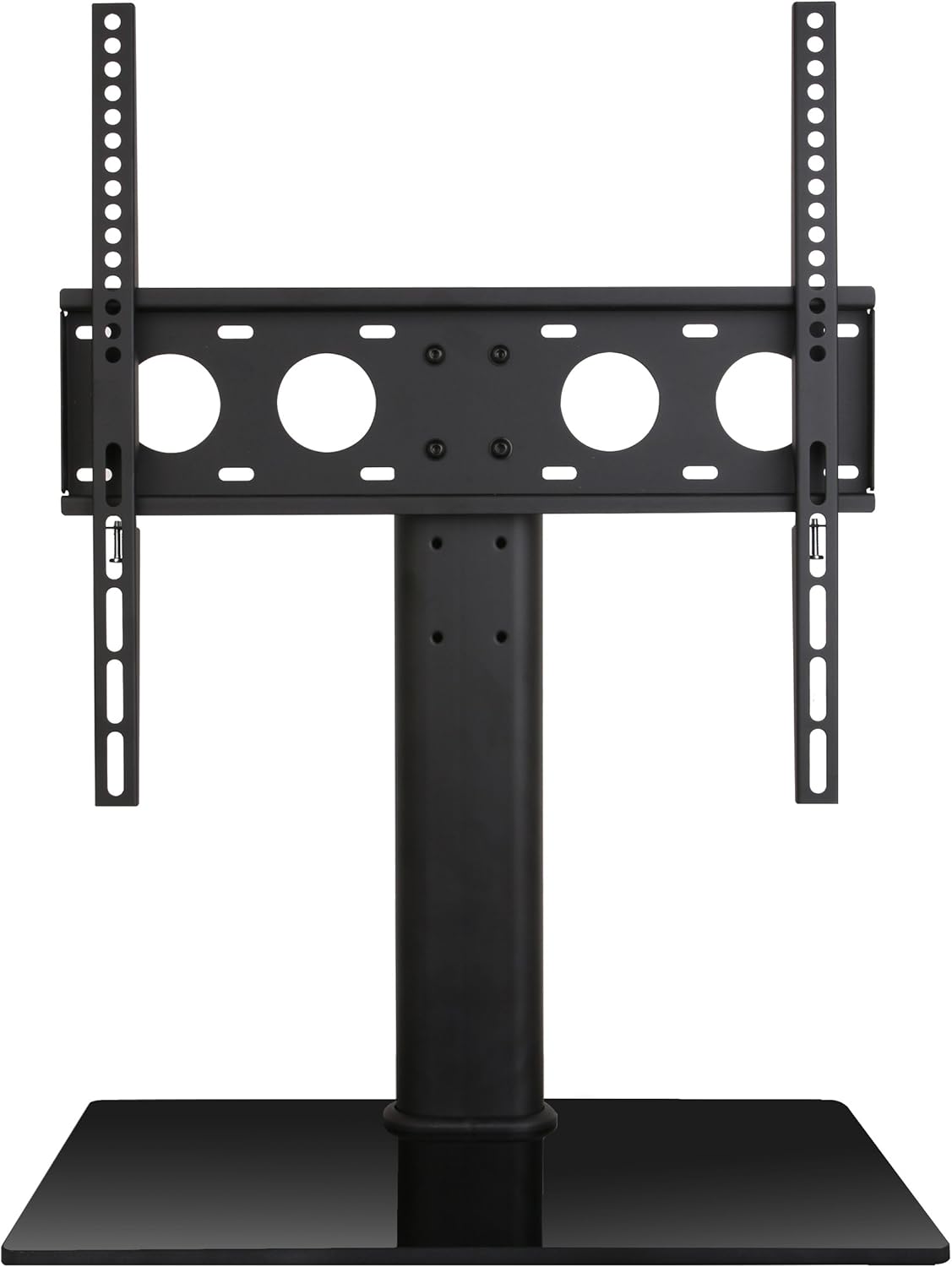
Image : Avant view of the assembled Ergosolid Castor 2 TV Table Stand with a television mounted, showcasing le produit final.
- Gestion des câbles:
Use the provided cable clips to route and organize your TV cables along the support column. This helps maintain a tidy appearance and prevents cable damage.
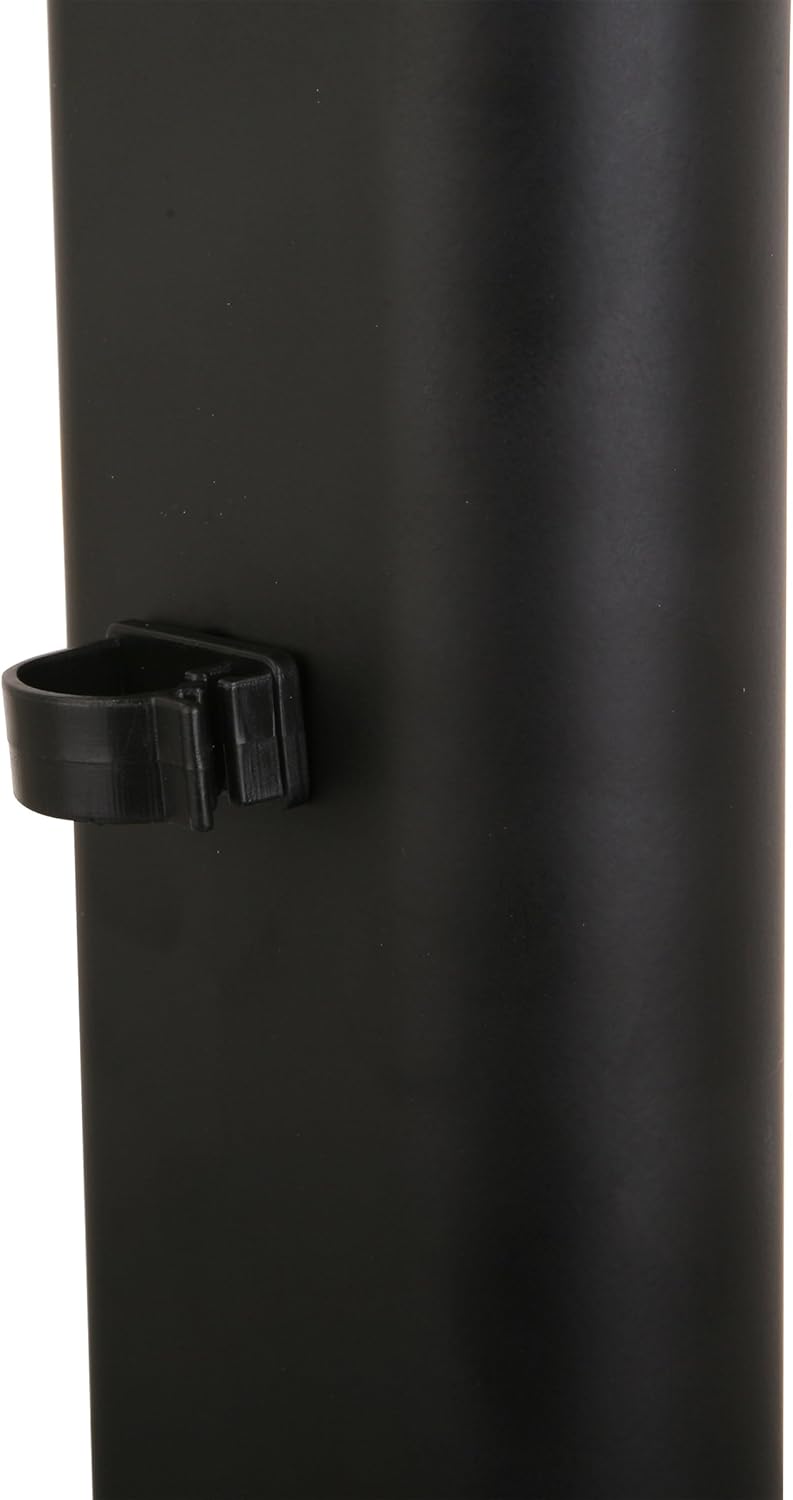
Image: Close-up of a cable management clip attached to the support column of the TV stand, illustrating how cables can be organized.
- Install the Safety Cable:
Attach one end of the safety cable to the designated point on the TV stand or the back of your TV. Secure the other end to a wall stud or a sturdy piece of furniture using the provided hardware. This prevents the TV from accidentally tipping over.
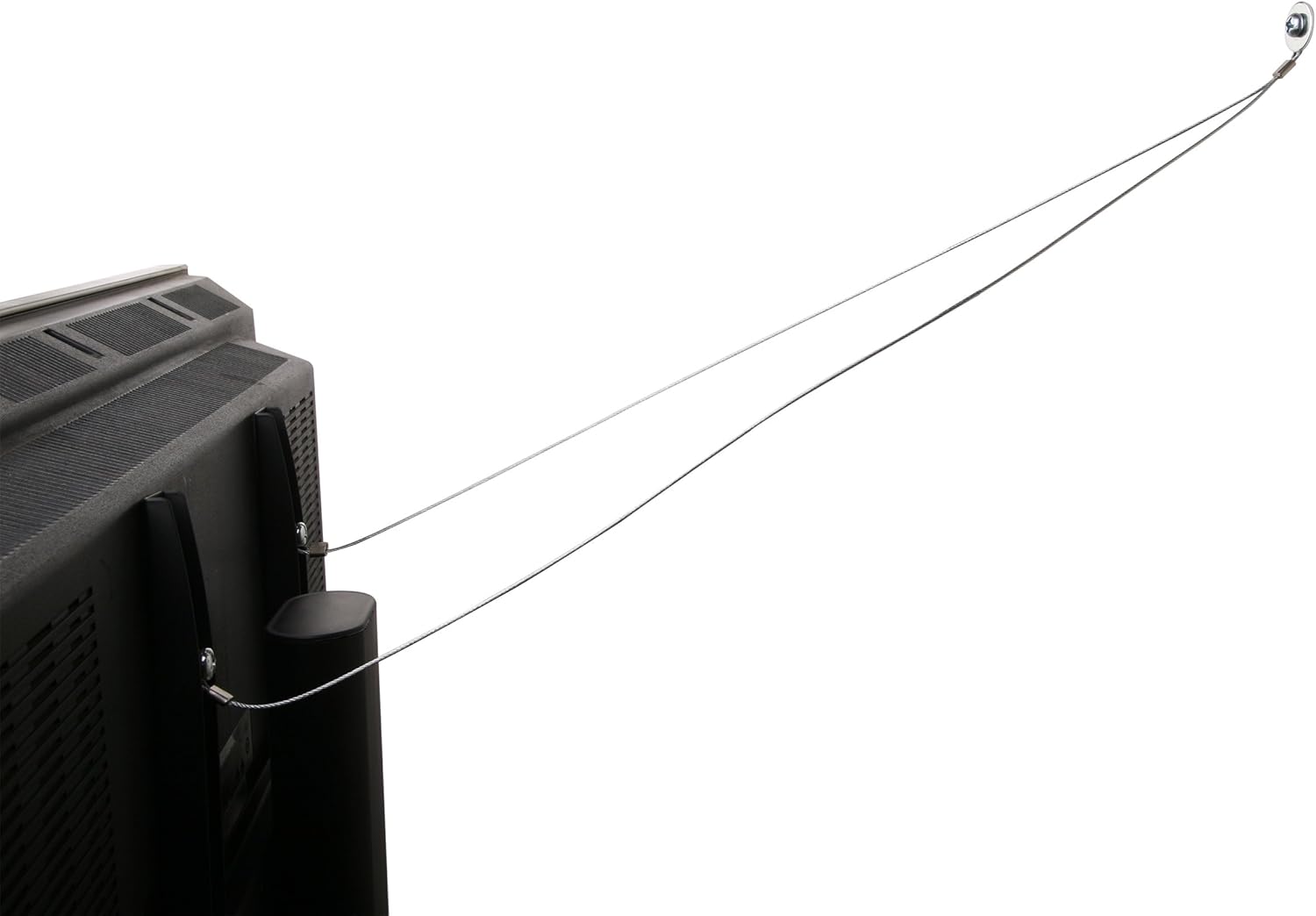
Image: Safety cable attached from the back of a television to a wall anchor point, demonstrating the anti-tip mechanism.
Fonctionnement et réglages
The Ergosolid Castor 2 TV Table Stand allows for height adjustment of your television.
- Réglage de la hauteur : The TV brackets offer multiple mounting points on the TV mounting plate, allowing you to set the desired height for your television. To adjust, carefully remove the TV from the stand (with assistance), reposition the brackets on the mounting plate, and re-mount the TV.
- Capacité de poids : Assurez-vous que le poids total de votre téléviseur ne dépasse pas 40 kg (88 lbs).
Entretien
Un entretien approprié garantit la longévité et le bon fonctionnement de votre meuble TV.
- Nettoyage: Utilisez un chiffon doux et sec.amp cloth to clean the glass base and metal components. Avoid abrasive cleaners or solvents that could damage the finish.
- Contrôles périodiques : Periodically check all screws and connections to ensure they remain tight. Re-tighten if necessary, but do not overtighten.
- Dommage: If any part of the stand becomes damaged, discontinue use immediately and contact customer support for replacement parts.
Dépannage
If you encounter issues during or after assembly, refer to these common solutions.
- Le support est instable : Ensure all screws are properly tightened, especially those connecting the column to the base and the TV plate to the column. Verify the stand is on a flat, level surface.
- TV does not fit the brackets: Vérifiez que la norme VESA de votre téléviseur est compatible avec le support (de 100 x 100 mm à 400 x 400 mm). Assurez-vous d'utiliser les vis et entretoises adaptées à votre modèle de téléviseur.
- Parties manquantes: Refer to the 'Package Contents' section. If parts are missing, contact customer support. Do not attempt to substitute parts.
Caractéristiques
| Fonctionnalité | Spécification |
|---|---|
| Marque | Ergosolid |
| Modèle | Roulette 2 |
| Tailles de téléviseurs compatibles | 32 - 55 inches (81 - 140 cm diagonal) |
| Capacité de charge maximale | 40 kg (88 lb) |
| Compatibilité VESA | 100x100mm jusqu'à 400x400mm |
| Dimensions de la base | 260 x 425mm (Tempered Glass) |
| Matériel | Metal Alloy, Tempered Glass |
| Couleur | Noir |
| Type de mouvement | Hauteur réglable |
Garantie et assistance
This Ergosolid Castor 2 TV Table Stand comes with a 2-year warranty from the date of purchase. This warranty covers manufacturing defects and material flaws under normal use.
For warranty claims, technical support, or replacement parts, please contact your retailer or Ergosolid customer service with your purchase receipt and product model information.


