Introduction
Welcome to the world of Resident Evil 5. This manual provides essential information to help you get started and navigate the game's challenging environments. Prepare to face new bio-organic threats as you uncover a global conspiracy.

Image: The official game cover for Resident Evil 5 on PlayStation 4, featuring protagonists Chris Redfield and Sheva Alomar.
Configuration et installation
To install Resident Evil 5 on your PlayStation 4 console, follow these steps:
- Insert the Resident Evil 5 game disc into the PlayStation 4 console's disc drive.
- The system will automatically begin the installation process. Follow any on-screen prompts.
- Ensure your PlayStation 4 is connected to the internet to download any available game updates or patches for optimal performance.
- Once installation is complete, select the Resident Evil 5 icon from your PlayStation 4 home screen to launch the game.
Configuration requise
- PlayStation 4 console
- Minimum 18 GB available storage space
- Internet connection for updates and online features
Operating the Game: Basic Controls
Resident Evil 5 utilizes the standard PlayStation 4 controller layout. Familiarize yourself with the basic controls before beginning your mission.
| Entrée du contrôleur | Action |
|---|---|
| Le stick analogique gauche | Déplacer le personnage |
| Stick analogique droit | Caméra de contrôle |
| Bouton X | Confirm / Action |
| Bouton Circle | Cancel / Dodge |
| Bouton carré | Reload Weapon |
| Bouton triangulaire | Access Inventory |
| Bouton R2 | Fire Weapon |
| Bouton L2 | Aim Weapon |
| Bouton R1 | Melee Attack |
| Bouton L1 | Partner Command |
Detailed control schemes and customizable options can be found within the game's settings menu.
Gameplay terminéview
Resident Evil 5 is a third-person shooter with survival horror elements. Players control Chris Redfield, accompanied by his partner Sheva Alomar, as they investigate a bioterrorism threat in Africa. The game emphasizes cooperative play, with an AI partner or another player controlling Sheva.
Caractéristiques principales :
- Cooperative Gameplay: Work together with your partner to overcome challenges, solve puzzles, and defeat enemies.
- Resource Management: Strategically manage your limited ammunition, health items, and weapons.
- Enemy Variety: Encounter a diverse range of infected humans and mutated creatures.
- Weapon Upgrades: Collect currency to upgrade your weapons and unlock new ones.

Image: Chris Redfield and Sheva Alomar surveying a desolate village environment, typical of the game's setting.

Image: An intense combat scene where characters are engaging multiple infected enemies in a confined space.
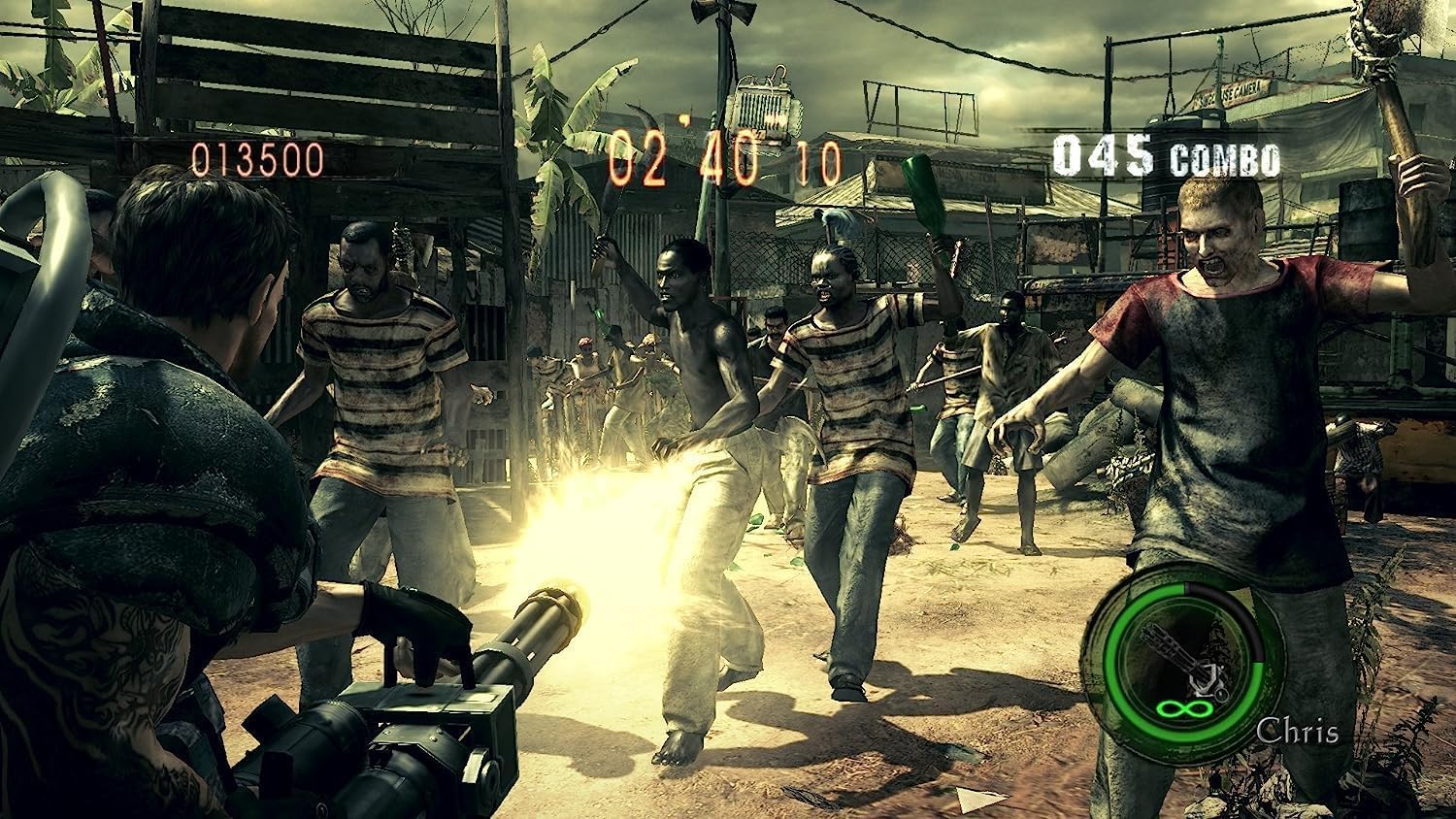
Image: Chris Redfield wielding a powerful minigun against a horde of approaching enemies.

Image: Chris and Sheva exploring a dark, cavernous area, encountering a mutated creature.

Image: Excella Gionne observing as zombies approach in a futuristic-looking facility.

Image: Chris and Sheva engaging in combat against flying, mutated enemies in an outdoor environment.
Entretien et soins
To ensure the longevity of your Resident Evil 5 game disc and optimal performance:
- Manipulez toujours le disque de jeu par ses bords pour éviter les traces de doigts et les rayures.
- Rangez le disque dans son boîtier d'origine lorsqu'il n'est pas utilisé.
- Keep the disc away from direct sunlight, extreme temperatures, and humidity.
- Si le disque est sale, essuyez-le délicatement avec un chiffon doux non pelucheux, du centre vers l'extérieur. N'utilisez pas de produits abrasifs.
- Ensure your PlayStation 4 console's disc drive is clean and free of dust.
Dépannage
If you encounter issues while playing Resident Evil 5, refer to the following common solutions:
- Game Not Starting / Disc Read Error:
- Check the game disc for scratches or smudges. Clean if necessary.
- Ensure the disc is inserted correctly into the console.
- Redémarrez votre console PlayStation 4.
- Vérifiez que le logiciel système de votre console est à jour.
- Freezing / Crashing:
- Close the game application and restart it.
- Ensure there is sufficient free space on your console's hard drive.
- Check for and install any available game updates.
- Problèmes de connexion Internet :
- Vérifiez que votre connexion internet est stable.
- Check PlayStation Network (PSN) status for any service outaget.
- Redémarrez votre routeur/modem.
For persistent issues, consult the official Capcom support website or the PlayStation support resources.
Caractéristiques
| Attribut | Détail |
|---|---|
| Titre du produit | Resident Evil 5 (PS4) |
| Fabricant | Capcom |
| Plate-forme | PlayStation 4 |
| ASIN | B07831LNP3 |
| Classification ESRB | Mature |
| Dimensions du produit | 13.49 x 1.4 x 17.2 cm; 68 g (Disc and Case) |
Garantie et assistance
For information regarding product warranty, technical support, or customer service for Resident Evil 5, please refer to the official Capcom support channels.
- Capcom Official Website: Visite www.capcom.com for general information and news.
- Capcom Support: For technical assistance, FAQs, and troubleshooting guides, please visit the dedicated support section on the Capcom website. Specific support details may vary by region.
- PlayStation Support: For console-related issues or PlayStation Network support, visit the official PlayStation support website à www.playstation.com/support.
Veuillez conserver votre preuve d'achat pour toute réclamation au titre de la garantie.


