1. Introduction
This manual provides detailed instructions for the assembly, operation, and maintenance of your ZINUS Dominic L-Shaped Corner Desk. Designed for home office and study areas, this desk offers a multifunctional work surface with a sturdy steel frame and an espresso-finished engineered wood top.
Caractéristiques principales :
- Modern L-shaped design for corner or wall placement.
- Wide desktop for ampl'espace de travail.
- Sturdy steel frame and legs for durability.
- Integrated storage drawer.
- Convenient side storage hook.
- Built-in cable manager.
- Designed for easy, bolt-free assembly.
2. Consignes de sécurité
Please read and understand all safety warnings before assembly and use of this product.
- Limite de poids: Adhere to the recommended maximum weight limit of 100 livres (45 kg) for the desktop. Exceeding this limit may result in instability and potential injury or damage.
- Outils d'assemblage : Use only hand tools during assembly. Power tools may overtighten fasteners, leading to damage to the desk components.
- Surface stable : Always place the desk on a flat, level, and stable surface to prevent tipping.
- Enfants: Pendant le montage, tenez les petites pièces et les matériaux d'emballage hors de portée des enfants afin d'éviter tout risque d'étouffement.
- Contrôles réguliers : Vérifiez régulièrement tous les raccords et fixations pour vous assurer qu'ils restent bien serrés.
3. Contenu du colis
Carefully unpack all components and verify against the parts list (typically included in the box). Ensure all items are present and undamaged before beginning assembly. The desk is efficiently shipped in one box.

Composants attendus :
- sections de bureau (en forme de L)
- Desk legs (metal)
- Tiroir de rangement
- Side storage hook
- Gestionnaire de câbles
- Assembly hardware (bolts, washers, etc.)
- Assembly tool (e.g., small ratchet or Allen wrench)
4. Installation et assemblage
The ZINUS Dominic L-Shaped Corner Desk features a bolt-free assembly design, making setup straightforward. It is recommended that one person assembles the desk.
Étapes d'assemblage :
- Préparer l'espace de travail : Clear an open area for assembly. Lay down the packaging material to protect the desk surfaces and your floor.
- Fixer les jambes : Secure the metal legs to the underside of the desktop sections. The bolt-free design typically involves aligning and clicking components into place or using pre-installed fasteners that only require tightening with the provided tool.
- Sections de bureau à connecter : Join the two L-shaped desktop sections if they are separate. Ensure a secure and flush connection.
- Installer le tiroir : Slide the storage drawer into its designated slot beneath the desktop.
- Fixez les accessoires : Secure the side storage hook and cable manager to their respective positions on the desk frame.
- Vérification finale : Once assembled, gently lift and move the desk to its desired location. Ensure all connections are firm and the desk is stable.

5. Mode d'emploi
Tiroir de rangement :
The desk includes a pull-out storage drawer located beneath the main desktop surface. This drawer is designed for small office supplies, stationery, or personal items.

Side Storage Hook:
A metal hook is provided on the side of the desk frame. This hook is ideal for hanging headphones, bags, or other accessories, keeping your workspace tidy.

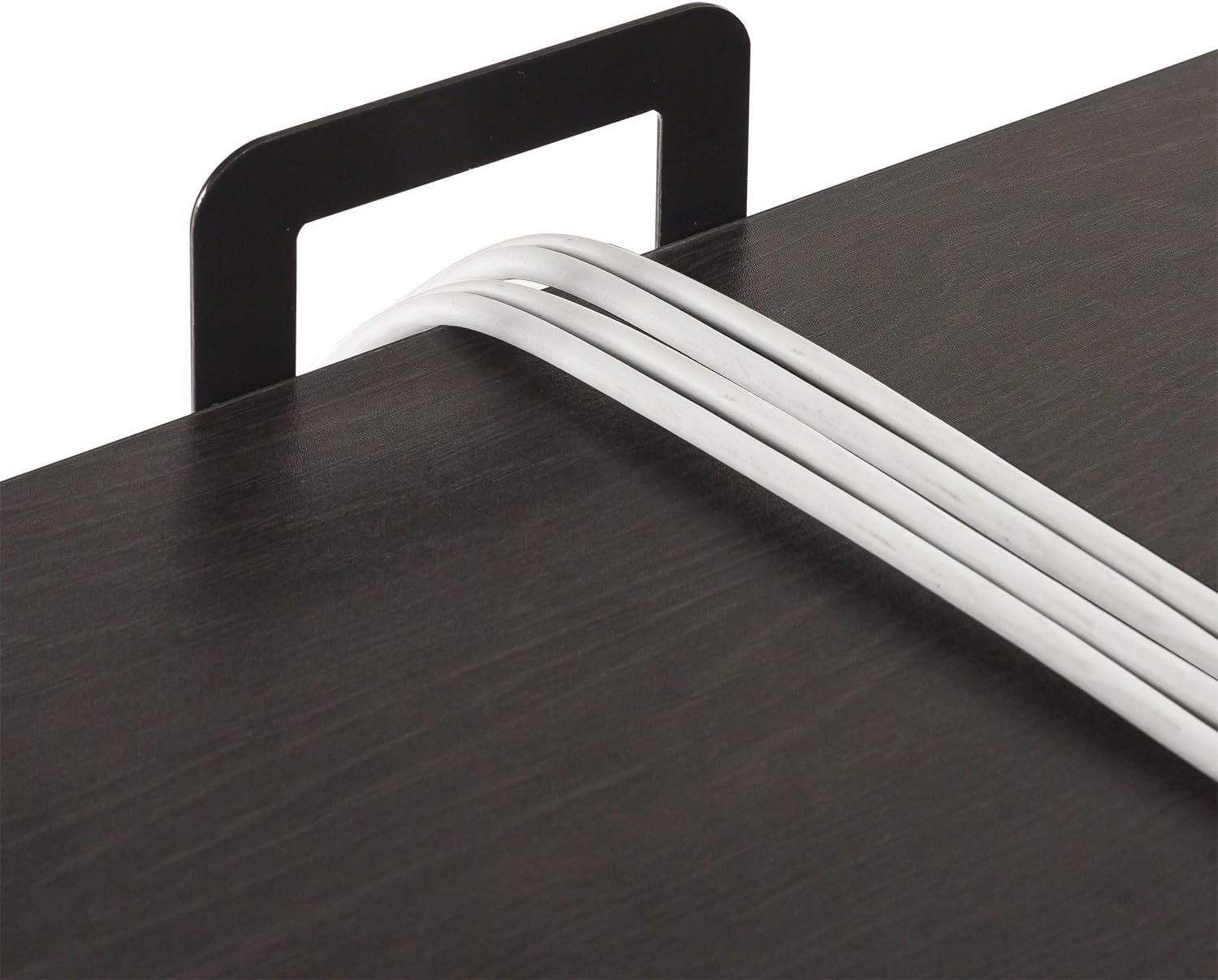
Cable Manager:
The desk features a built-in cable manager to help organize and route power cords and peripheral cables, reducing clutter on your desktop.
6. Entretien
Proper care and maintenance will extend the life and appearance of your ZINUS Dominic L-Shaped Corner Desk.
- Nettoyage: Essuyez les surfaces avec un chiffon doux, damp Chiffon. Évitez les produits chimiques agressifs ou les nettoyants abrasifs, qui peuvent endommager la finition.
- Déversements : Nettoyez immédiatement les liquides renversés afin d'éviter les taches ou les dommages à la surface du bois d'ingénierie.
- Chaleur et humidité : Avoid placing hot items directly on the desktop. Use coasters or protective pads. Keep the desk away from excessive moisture or direct sunlight.
- Fixations : Periodically check and tighten all assembly fasteners to ensure the desk remains stable and secure.
7. Dépannage
Problèmes de tiroirs :
If the storage drawer is difficult to open or close, or appears to be stuck:
- Vérifier l'alignement : Ensure the drawer is correctly aligned within its runners. Gently push and pull to reseat it.
- Obstructions: Verify there are no objects inside the drawer or along its path that might be obstructing its movement.
- Dommage: Inspect the drawer and its runners for any visible damage or bends. If damage is present, contact customer support for assistance.
- Lubrification: For minor stiffness, a small amount of silicone-based lubricant can be applied to the drawer runners, if accessible, to improve glide.
8. Spécifications
Detailed product specifications for the ZINUS Dominic L-Shaped Corner Desk.

| Fonctionnalité | Détail |
|---|---|
| Marque | Zinus |
| Numéro de modèle | OLB-LD-C59E |
| Forme | Forme en L |
| Dimensions du produit (P x L x H) | 59"P x 55"L x 28.98"H |
| Couleur | Espresso |
| Style | Moderne |
| Matériau de base | Métal |
| Type de matériau supérieur | Bois d'ingénierie |
| Type de finition | Steel (frame) |
| Dossier spécial | Includes drawer, side storage hook, and cable manager |
| Assemblage requis | Oui |
| Poids maximum recommandé | 100 livres |
| Nombre de personnes recommandé pour l'assemblage | 1 |
| Poids de l'article | 60.7 livres |
| Nombre de tiroirs | 1 |
| Composants inclus | Desk, Drawer, Side Storage hook, cable manager |
9. Garantie et assistance
Your ZINUS Dominic L-Shaped Corner Desk is backed by a worry-free Garantie de 1 ans.
This warranty covers manufacturing defects and ensures your product meets Zinus's quality standards. Please retain your proof of purchase for warranty claims.
Assistance clientèle :
For any questions regarding assembly, missing parts, product defects, or warranty claims, please contact Zinus Customer Support. Refer to the contact information provided in your product packaging or visit the official Zinus website d'assistance.


