Introduction
Thank you for choosing the KROM Kernel TKL Mechanical Gaming Keyboard. This compact, tenkeyless (TKL) keyboard is designed for gaming enthusiasts, offering a responsive mechanical experience with customizable RGB backlighting and a Spanish layout. This manual provides detailed instructions for setup, operation, maintenance, and troubleshooting to ensure optimal performance and longevity of your device.
Produit terminéview
Caractéristiques principales
- Interrupteurs mécaniques : Durable and responsive mechanical key switches for precise input.
- Conception sans pavé numérique (TKL) : Compact form factor without a numeric keypad, ideal for saving desk space and improving mouse movement.
- Rétroéclairage RVB : Customizable LED backlighting with various effects and colors.
- Fonctionnalité des macros : Assign macro functions to any key for personalized commands.
- Touches multimédia Dedicated or function-layer multimedia controls for convenience.
- Anti-fantôme: Garantit l'enregistrement précis de toutes les frappes au clavier, même lors de sessions de jeu intenses.
- Construction durable : Construit avec des matériaux de qualité pour des performances durables.
- Spanish Layout: Designed with a QWERTY Spanish key layout.
Contenu du colis
- KROM Kernel TKL Mechanical Gaming Keyboard
- Câble USB (attaché)
- Manuel de l'utilisateur (ce document)
- (Note: Additional accessories may vary by region or specific product bundle.)
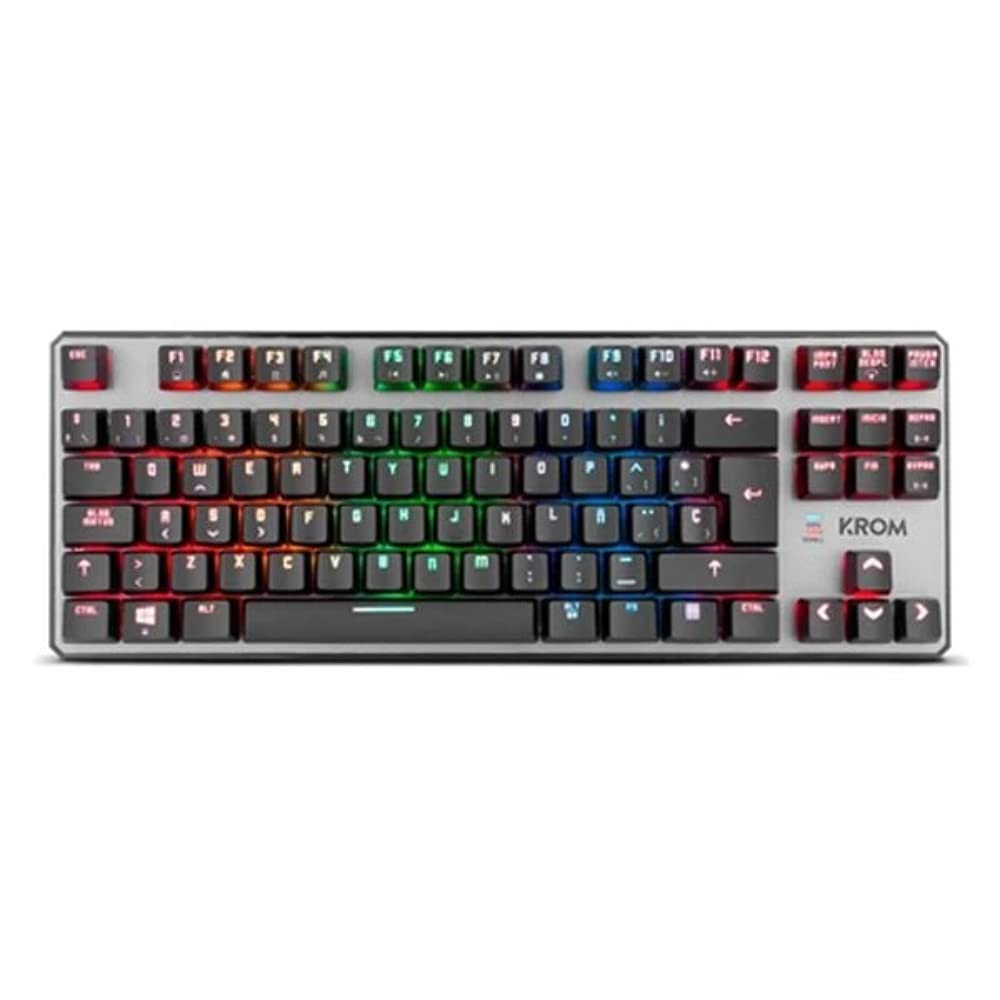
Image 1.1: KROM Kernel TKL Mechanical Gaming Keyboard packaging, showing the front and back of the box with product features and design.

Image 1.2: De haut en bas view of the KROM Kernel TKL keyboard, showcasing its compact design and vibrant RGB backlighting across all keys.
Installation
- Déballer le clavier : Carefully remove the KROM Kernel TKL keyboard from its packaging.
- Connectez-vous à l'ordinateur : Locate the USB cable attached to the keyboard. Plug the USB connector into an available USB port on your computer (PC or laptop).
- Installation du pilote : The keyboard is plug-and-play. Your operating system (Windows 7/8/8.1/10) should automatically detect and install the necessary drivers. This process may take a few moments.
- Vérifier la fonctionnalité : Once drivers are installed, test the keyboard by typing in a text editor or browser to ensure all keys are responsive.
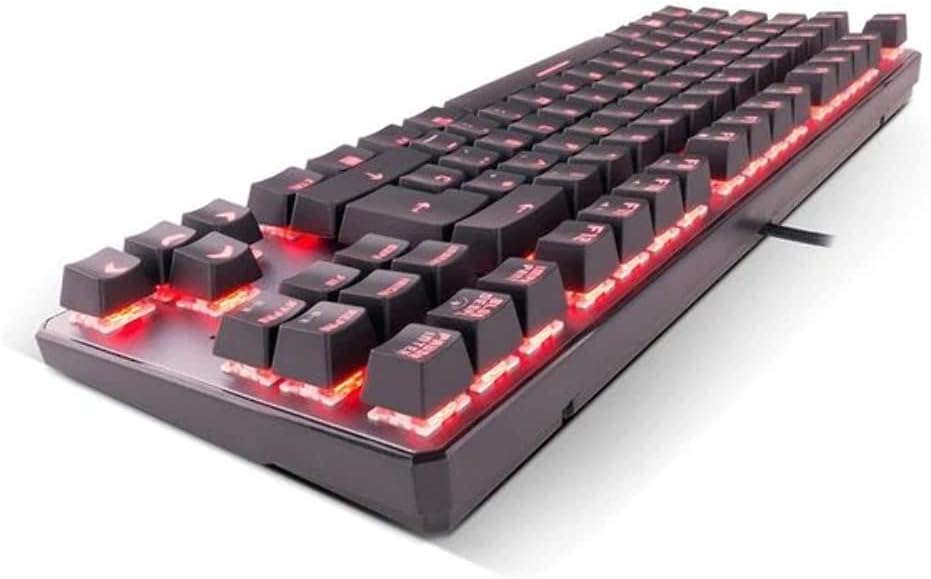
Image 2.1: Côté view of the KROM Kernel TKL keyboard, highlighting the red backlighting visible beneath the keycaps and the compact profile.
Mode d'emploi
Contrôle du rétroéclairage RVB
The KROM Kernel TKL keyboard features dynamic RGB backlighting. Use the following key combinations to adjust lighting effects:
- Fn + [Touche] : Specific function keys (often F1-F12 or dedicated keys) are used in combination with the Function (Fn) key to cycle through lighting modes, adjust brightness, change speed, or select colors. Refer to the keyboard's keycap legends for specific symbols indicating lighting controls.
- Réglage de la luminosité : Typically Fn + Up/Down arrow keys or dedicated brightness keys.
- Vitesse de l'effet : Often Fn + Left/Right arrow keys to increase or decrease the speed of dynamic lighting effects.
- Changement de mode : Cycle through various pre-set RGB lighting modes (e.g., wave, ripple, breathing, static color) using a dedicated Fn combination.

Image 3.1: The KROM Kernel TKL keyboard displaying its full RGB spectrum backlighting, enhancing the visual appeal during use.
Macro Function Assignment
The keyboard supports on-the-fly macro recording or software-based macro assignment. For on-the-fly recording:
- Lancer l'enregistrement : Press a specific Macro Record key (often labeled "MR" or a Fn combination).
- Select Target Key: Appuyez sur la touche à laquelle vous souhaitez assigner la macro.
- Séquence d'enregistrement : Saisissez la séquence de touches que vous souhaitez enregistrer comme macro.
- Fin de l'enregistrement : Press the Macro Record key again to save the macro.
Note: Detailed macro programming instructions may require specific software or refer to the full digital manual available on the KROM website.
Touches multimédia et raccourcis
Access multimedia functions and system shortcuts using the Fn key in combination with the F-keys (F1-F12) or other designated keys. Common functions include:
- Contrôle du volume : Fn + Fx (e.g., F1-F3 for Mute, Volume Down, Volume Up).
- Lecture multimédia: Fn + Fx (e.g., F5-F8 for Play/Pause, Stop, Previous Track, Next Track).
- Application Shortcuts: Fn + Fx (e.g., F9-F12 for Email, Web Browser, My Computer, Calculator).

Image 3.2: Un gros plan view of the KROM Kernel TKL keyboard's keycaps, clearly showing the Spanish QWERTY layout and secondary functions.
Entretien
Un entretien approprié garantit la longévité et les performances de votre clavier.
- Nettoyage:
- Débranchez le clavier de votre ordinateur avant de le nettoyer.
- Utilisez une bombe d’air comprimé pour éliminer la poussière et les débris entre les touches.
- Essuyez les touches et la surface du clavier avec un chiffon doux et légèrement huilé.amp, chiffon non pelucheux. Éviter l'humidité excessive.
- N’utilisez pas de produits chimiques agressifs, de nettoyants abrasifs ni de solvants.
- Stockage: Rangez le clavier dans un endroit sec et frais, à l'abri de la lumière directe du soleil et des températures extrêmes.
- Manutention: Avoid dropping the keyboard or exposing it to liquids. Do not attempt to disassemble the keyboard as this may void the warranty.

Image 4.1: Un côté profile view of the KROM Kernel TKL keyboard, illustrating its ergonomic tilt and compact design.

Image 4.2: A close-up image showing a mechanical switch on the KROM Kernel TKL keyboard, highlighting its design and potential for easy replacement (CIY Technology).

Image 4.3: The CIY Technology logo, indicating that the keyboard features hot-swappable mechanical switches for easy customization or replacement.
Dépannage
If you encounter issues with your KROM Kernel TKL keyboard, refer to the following common solutions:
- Le clavier ne répond pas :
- Assurez-vous que le câble USB est correctement branché à la fois au clavier et à l'ordinateur.
- Essayez de brancher le clavier sur un autre port USB de votre ordinateur.
- Redémarrez votre ordinateur.
- Testez le clavier sur un autre ordinateur pour déterminer si le problème vient du clavier ou de votre système.
- Rétroéclairage défectueux ou incorrect :
- Check if the backlighting is turned off. Use the Fn key combinations to cycle through lighting modes and adjust brightness.
- Vérifiez qu'aucun conflit logiciel n'interfère avec les commandes d'éclairage.
- Touches non enregistrées ou saisie en double :
- Nettoyez les touches concernées à l'air comprimé pour éliminer tout débris.
- If the keyboard uses hot-swappable switches (like the "CIY Technology" mentioned in an image), try gently removing and re-inserting the switch for the problematic key.
- Assurez-vous que les pilotes de votre système d'exploitation sont à jour.
- Les fonctions macro ne fonctionnent pas :
- Review the macro programming steps to ensure correct recording.
- Check if any software is overriding the keyboard's native macro functions.
Caractéristiques
| Fonctionnalité | Détail |
|---|---|
| Numéro de modèle | NXKROMKRNLTKL |
| Type de clavier | Mécanique |
| Mise en page | Spanish QWERTY (TKL) |
| Rétroéclairage | LED RVB |
| Connexion | Wired USB (Gold-plated) |
| Longueur du câble | 180 cm (Braided) |
| Force d'actionnement | 60 +/- 10g |
| Taux de sondage | 1000 Hz |
| Mémoire interne | 64 KB (for macros/profiles) |
| Consommation actuelle | 100-260 mA |
| Voltage | 5.0 +/- 0.25 V |
| Dimensions (L x l x H) | 361 x 133.5 x 22.5 mm |
| Poids | 950 +/- 30g |
| Compatibilité | Windows 7/8/8.1/10 |
| Caractéristiques spéciales | Macro function assignment, Multimedia keys, Shortcut keys |
Garantie et assistance
KROM products are designed for reliability and performance. This product comes with a standard manufacturer's warranty. For specific warranty terms and conditions, please refer to the warranty card included with your product or visit the official KROM website.
For technical support, driver downloads, or further assistance, please visit the KROM official support page or contact their customer service. Contact information can typically be found on the KROM website ou emballage du produit.
KROM Officiel Website: www.kromgaming.com (Remarque : Ceci est un espace réservé URL, please verify the actual KROM support website.)


