1. Plus deview
The Talking Products Voice Pad Voice Recorder (Model VP3-40-BLU) is a versatile digital voice recorder designed for capturing and playing back up to 40 seconds of audio. It serves as an excellent resource for communication, educational activities like phonics and speaking practice, and creating personalized audio messages. Its user-friendly design makes it suitable for various applications, including sensory learning and independent living aids.
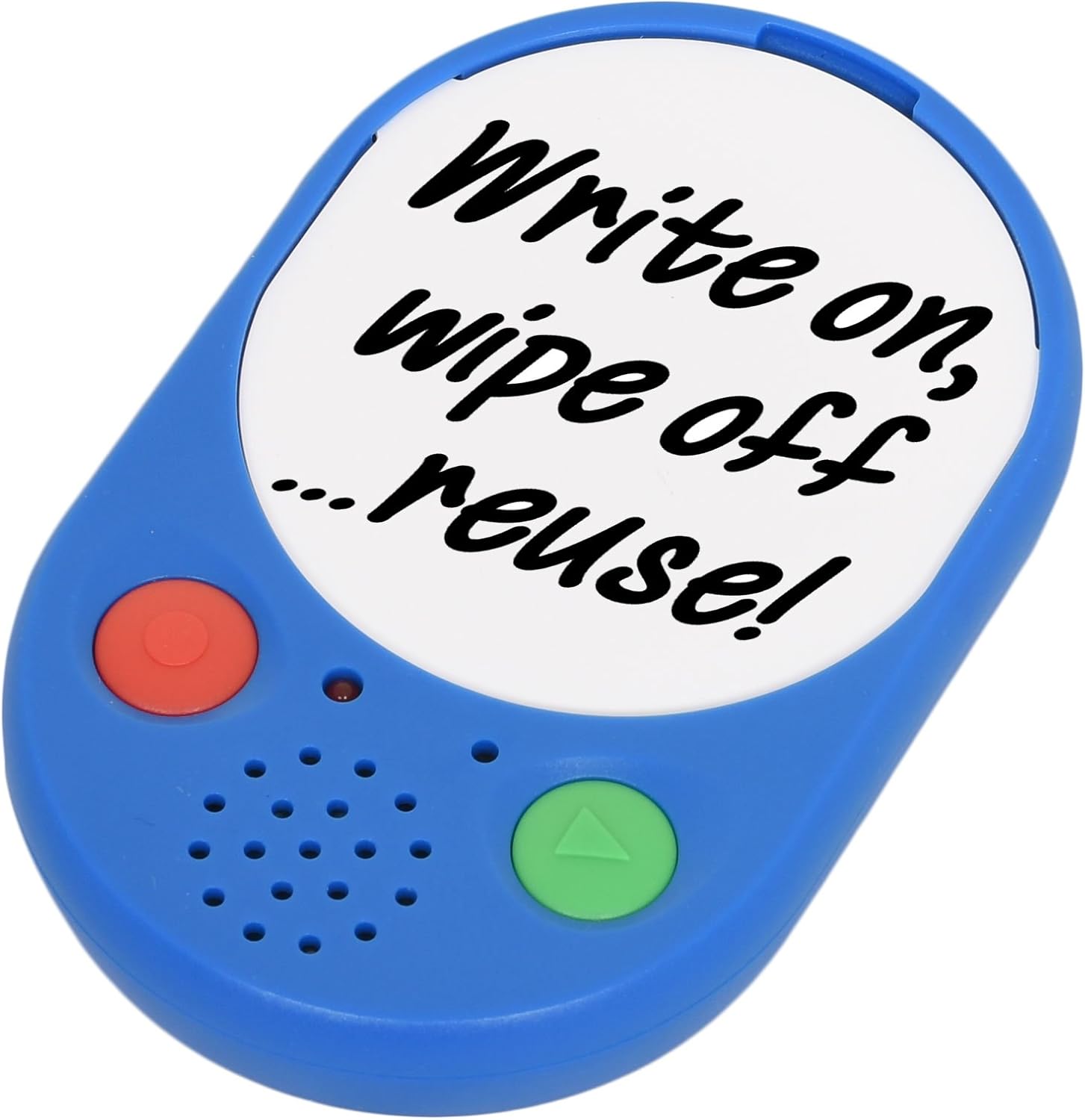
Image 1: The Voice Pad Voice Recorder, highlighting its reusability for custom messages.
2. Caractéristiques
- 40-Second Recording: Record and playback up to 40 seconds of speech, music, or sound effects.
- Re-recordable: Messages can be re-recorded as many times as desired, overwriting previous content.
- Affichage personnalisable : Includes a removable clear cover, allowing you to insert photographs or pictures to match your recordings.
- Placement polyvalent : Features a wall mounting hole, built-in magnets, and a kickstand for flexible positioning.
- Convivial: Equipped with large, tactile buttons for easy operation.
- Fonctionne sur batterie : Requires replaceable AAA batteries for power.

Image 2 : Vue de face détaillée view of the Voice Pad, highlighting its key components.

Image 3 : Vue arrière détaillée view of the Voice Pad, illustrating its mounting and control features.
3. Contenu du colis
Veuillez vous assurer que tous les articles sont présents dans votre colis :
- 1 x Voice Pad Voice Recorder Unit
- 1 x Removable Clear Cover
- 1 x Dry Wipe Insert
Remarque : 3 piles AAA sont nécessaires et ne sont pas incluses dans l'emballage.
4. Installation
- Installation de la batterie :
- Locate the battery compartment on the rear side of the Voice Pad.
- Carefully open the battery door.
- Insérez 3 piles AAA en veillant à respecter la polarité (+/-).
- Fermez bien le couvercle de la batterie.
- Marche/Arrêt :
- Faites glisser le Interrupteur marche/arrêt on the rear of the device to the 'ON' position to power it on.
- Slide to 'OFF' to power down.
- Contrôle du volume :
- Réglez le volume de lecture à l'aide du LOW/HIGH Switch located on the rear side.
- Message Protection Lock:
- To prevent accidental erasure of your recorded message, slide the Commutateur de VERROUILLAGE on the rear to the 'ON' position after recording.
- Personnalisation de l'affichage :
- Gently remove the clear cover from the front of the Voice Pad.
- Insert a photograph, picture, or use the provided dry wipe insert to write a message.
- Replace the clear cover securely.
5. Mode d'emploi
5.1 Enregistrement d'un message
- Ensure the Voice Pad is powered on (ON/OFF switch to 'ON').
- Assurez-vous que le Message Protection LOCK Switch on the rear is in the 'OFF' position.
- Appuyez et maintenez enfoncé le red 'REC' button sur le devant de l'appareil.
- Speak clearly into the built-in microphone. The device will record for up to 40 seconds.
- Release the 'REC' button to stop recording. The new recording will automatically overwrite any previous message.
5.2 Diffuser un message
- Ensure the Voice Pad is powered on.
- Appuyez sur le green 'PLAY' button on the front of the device once to play your recorded message.
- Press the 'PLAY' button again to pause playback.
5.3 Protecting Your Message
To prevent accidental erasure of your recorded message:
- After recording, slide the Message Protection LOCK Switch on the rear of the device to the 'ON' position. This will disable the recording function until switched back to 'OFF'.

Image 4: Voice Pads used for phonics programs, demonstrating the customizable inserts.
Video 1: An official product video from Talking Products Limited demonstrating the Voice Pad's use for creating talking photo frames and fridge magnets, showcasing its recording and customization features.
6. Entretien et maintenance
- Nettoyage: Wipe the Voice Pad with a soft, dry cloth. Avoid using abrasive cleaners, solvents, or harsh chemicals, as these may damage the device.
- Entretien de la batterie: If the device will not be used for an extended period, remove the batteries to prevent potential leakage and damage.
- Stockage: Store the Voice Pad in a cool, dry place, away from direct sunlight, extreme temperatures, and excessive moisture.
- Manutention: Manipulez l'appareil avec précaution pour éviter de le faire tomber ou de le soumettre à des chocs violents, qui pourraient endommager ses composants internes.
7. Dépannage
- No Sound or Low Sound During Playback:
- Assurez-vous que l'appareil est sous tension.
- Vérifiez le LOW/HIGH Switch on the rear and set it to 'HIGH' for maximum volume.
- Verify that the batteries are correctly installed and have sufficient power. Replace with fresh AAA batteries if necessary.
- Cannot Record a Message:
- Assurez-vous que Message Protection LOCK Switch on the rear is in the 'OFF' position.
- Confirm that the batteries have sufficient power. Low battery levels can prevent recording.
- Recorded Message is Unclear or Distorted:
- Ensure you are speaking clearly and directly into the microphone during recording.
- Évitez d'enregistrer dans des environnements excessivement bruyants.
- Try re-recording the message.
- L'appareil ne s'allume pas :
- Vérifiez l'installation de la batterie et assurez-vous que la polarité est correcte.
- Remplacez les piles par des neuves.
- Assurez-vous que Interrupteur marche/arrêt is firmly in the 'ON' position.
8. Spécifications
| Fonctionnalité | Détail |
|---|---|
| Durée d'enregistrement | 40 secondes |
| Source d'énergie | 3 piles AAA (non incluses) |
| Dimensions du produit | 4.92 x 3.15 x 0.79 pouces |
| Poids de l'article | 2.82 onces |
| Numéro de modèle | VP3-40-BLU |
| Fabricant | Produits Parlants Ltée |
9. Garantie et assistance
Ce produit bénéficie d'une politique de retour de 30 jours pour remboursement ou échange, conformément aux conditions générales de vente au détail.
For any product inquiries, technical support, or further assistance, please contact Talking Products Ltd directly. Refer to the product packaging or the official Talking Products website pour les informations de contact les plus récentes.


