1. Introduction
Thank you for choosing the HTC USB Type-C Hi-Res Earphones, Model 99H20317-00. These earphones are designed to provide a high-quality audio experience with their advanced features and ergonomic design. This manual provides essential information for the proper setup, operation, maintenance, and troubleshooting of your new earphones.
Les principales caractéristiques comprennent :
- Concert hall design for unparalleled sound.
- Larger 13mm speakers for a fuller sound profile.
- Enhanced port optimization for improved bass reproduction.
- Lighter and thinner aerospace polymer diaphragm to increase sound frequency response.
- Ergonomic design for maximum comfort during extended use.
2. Consignes de sécurité
Please read and follow these safety guidelines to ensure safe and optimal use of your earphones:
- Protection auditive : Évitez d'écouter à un volume sonore élevé pendant une période prolongée afin de prévenir les dommages auditifs.
- Sensibilisation à l'environnement: Do not use earphones in situations where the inability to hear ambient sounds could be dangerous, such as while driving, cycling, or walking in traffic.
- Nettoyage: Clean the earphones regularly with a soft, dry cloth. Do not use liquid cleaners or solvents.
- Exposition à l'eau : Ces écouteurs ne sont pas étanches. Évitez tout contact avec l'eau ou une humidité excessive.
- Enfants: Keep out of reach of small children due to small parts that could pose a choking hazard.
3. Contenu du colis
Vérifiez que tous les éléments sont présents dans votre colis :
- HTC USB Type-C Hi-Res Earphones (Model: 99H20317-00)
- Additional ear tips (if included)
- Manuel de l'utilisateur (ce document)
4. Installation
These earphones are designed for simple plug-and-play operation.
- Connecter: Insert the USB Type-C connector of the earphones into the USB Type-C port of your compatible device (Smartphone, Laptop, Tablet).
- Reconnaissance de l'appareil : Your device should automatically recognize the earphones. If prompted, select the earphones as the audio output device.
- Régler le volume : Begin playback at a low volume and gradually increase to a comfortable listening level.
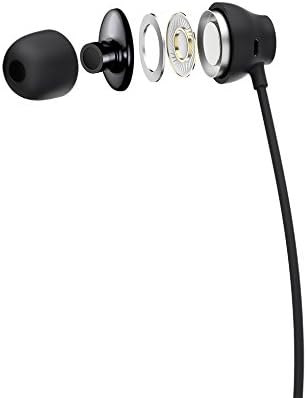
Figure 1: HTC USB Type-C Hi-Res Earphones connected to a device.
5. Mode d'emploi
Once connected, your earphones are ready for use.
- Lecture audio : Play audio from your connected device. The sound will be routed through the earphones.
- Gestion des appels : For devices supporting call functions, you can typically answer/end calls using the device's interface.
- Contrôle de l'application : This model supports control via an application. Refer to your device's app store for any official HTC audio control applications that may offer additional features or sound customization.
6. Maintenance et entretien
Proper care extends the lifespan of your earphones:
- Conseils de nettoyage des oreilles : Gently remove ear tips and clean them with a mild soap solution and water. Ensure they are completely dry before reattaching.
- Nettoyage du corps des écouteurs : Wipe the earphone body and cable with a soft, dry, lint-free cloth. Do not use abrasive materials or harsh chemicals.
- Stockage: When not in use, store the earphones in a clean, dry place, preferably in a protective pouch to prevent tangling and damage.
- Gestion des câbles: Avoid tightly winding the cable or subjecting it to sharp bends, which can damage internal wires.
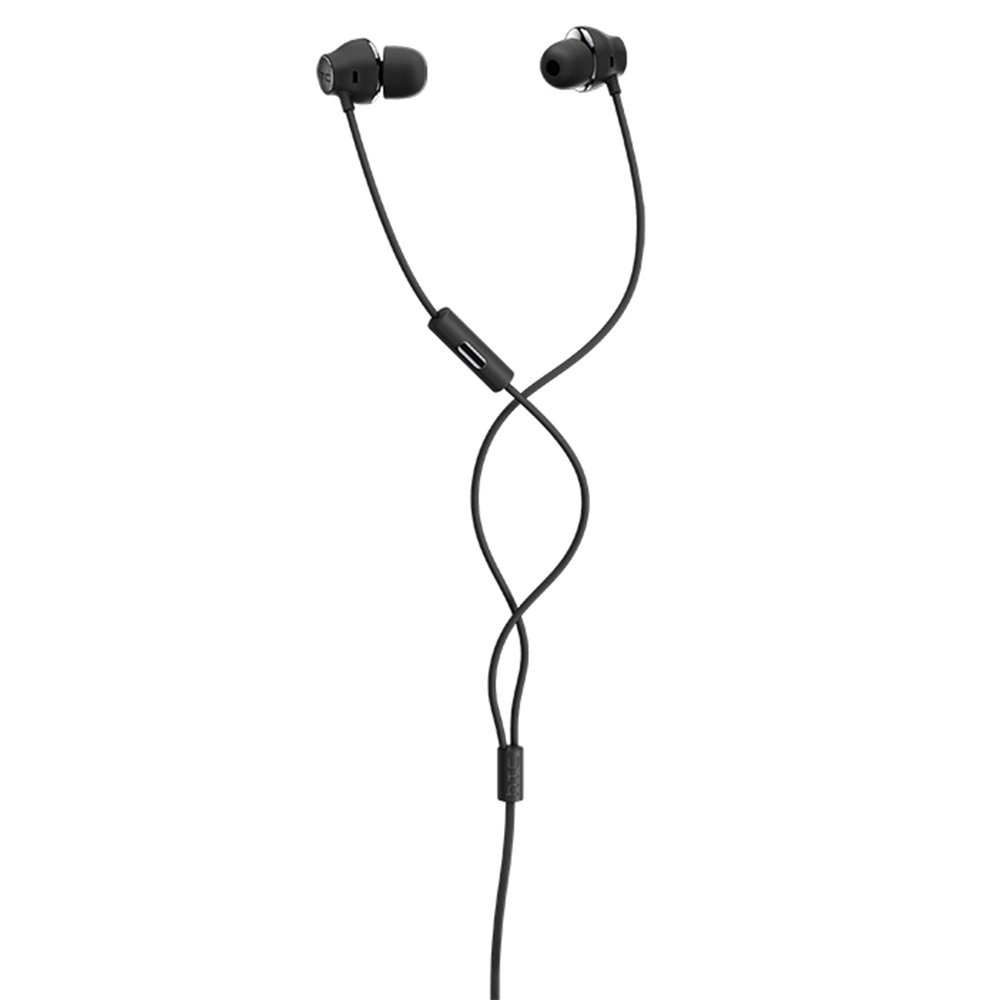
Figure 2 : Vue éclatée view of earphone components, highlighting the 13mm speaker and aerospace polymer diaphragm.
7. Dépannage
En cas de problème, veuillez consulter la liste des problèmes courants et leurs solutions ci-dessous :
| Problème | Cause possible | Solution |
|---|---|---|
| Pas de son | Earphones not properly connected; device volume too low; incorrect audio output selected on device. | Ensure the USB Type-C connector is fully inserted. Increase device volume. Check device audio settings to confirm earphones are selected as output. |
| Mauvaise qualité sonore | Dirty ear tips; damaged cable; low-quality audio source. | Clean ear tips. Inspect the cable for visible damage. Try a different audio source or file. |
| Earphones uncomfortable or fall out | Embouts d'oreille de taille incorrecte. | Try different sized ear tips (if provided) to find the best fit for your ears. |
8. Spécifications
| Fonctionnalité | Détail |
|---|---|
| Marque | HTC |
| Numéro de modèle | 99H20317-00 |
| Technologie de connectivité | Filaire (USB Type-C) |
| Taille du haut-parleur | 13 mm |
| Matériel | Synthetic leather (ear tips/housing accents) |
| Poids | 50 grammes |
| Dimensions du produit | 0.1 x 0.1 x 0.1 cm (packaging/shipping dimensions, actual earphone size is compact) |
| Méthode de contrôle | Application |
| Prise en charge Bluetooth | Non |
| Piles requises | Non |
| Appareils compatibles | Smartphone, Laptop, Tablet with USB Type-C audio output |
| Couleur | Gris foncé |
| Placement des oreilles | Dans l'oreille |
9. Garantie et assistance
For warranty information and technical support, please refer to the documentation provided with your purchase or visit the official HTC support webConsultez le site. Conservez votre preuve d'achat pour toute réclamation au titre de la garantie.


