Produit terminéview
The Ultimate Ears WONDERBOOM is a compact, portable, and waterproof Bluetooth speaker designed to deliver surprisingly serious sound. Its robust design makes it ideal for outdoor adventures, poolside parties, or even use in the shower. With 360-degree sound and impressive battery life, the WONDERBOOM ensures your music is always with you.
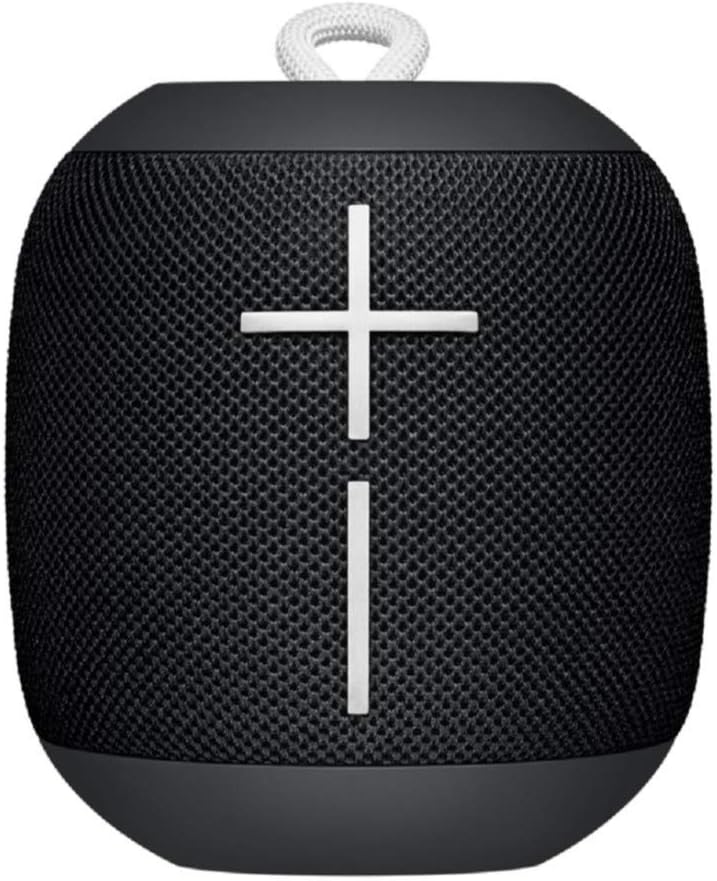
Image : Avant view of the Ultimate Ears WONDERBOOM speaker in Phantom Black, showcasing its compact, cylindrical design with large volume controls.
Qu'y a-t-il dans la boîte
- Ultimate Ears WONDERBOOM Speaker
- Câble de chargement USB
- Guide de démarrage rapide de l'utilisateur
Installation
1. Mise sous tension
Press the power button located on the top of the speaker. A sound will indicate that the speaker is powered on and ready for pairing.
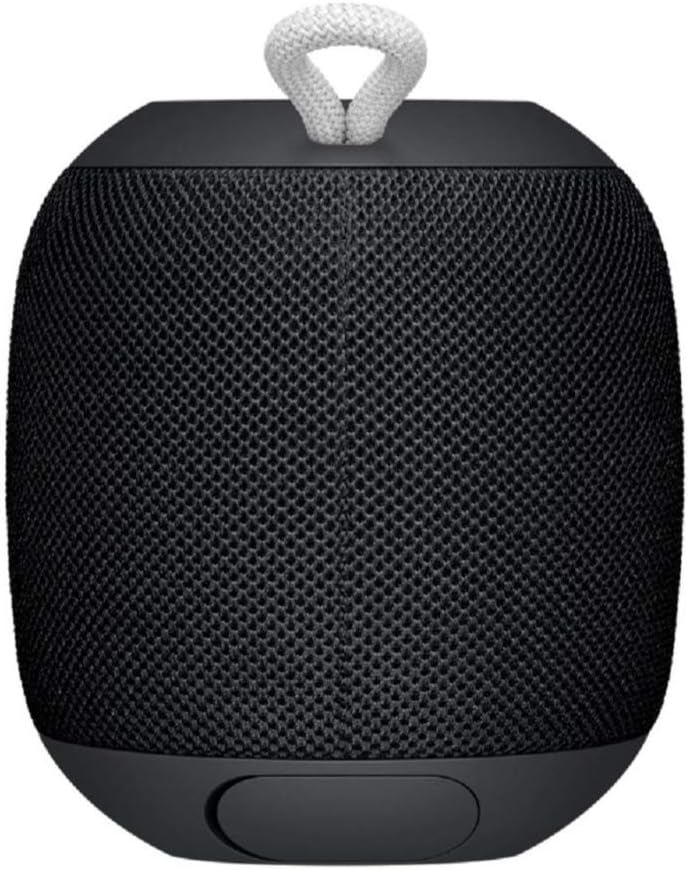
Image: Close-up of the top surface of the WONDERBOOM speaker, highlighting the power button and the Ultimate Ears logo.
2. Couplage Bluetooth
- Turn on your WONDERBOOM speaker.
- Sur votre appareil mobile, accédez aux paramètres Bluetooth.
- Select 'WONDERBOOM' from the list of available devices to pair.
- Once paired, the speaker will emit a confirmation sound.
Mode d'emploi
Commandes de base
- Lecture/Pause : Press the UE logo button on the top of the speaker once.
- Ignorer la chanson: Double-tap the UE logo button to skip to the next track.
- Contrôle du volume : Utilisez les gros boutons « + » et « - » situés à l'avant de l'enceinte pour régler le volume.

Image : Avant view of the WONDERBOOM speaker, clearly showing the prominent '+' and '-' buttons for volume control.
Double Up (Pairing Two WONDERBOOMs)
For a louder and more immersive audio experience, you can wirelessly pair two WONDERBOOM speakers together.
- Ensure both WONDERBOOM speakers are powered on.
- On one speaker, press and hold the UE logo button on the top until you hear a confirmation tone.
- Répétez l'opération sur le deuxième haut-parleur.
- Both speakers will now play audio from the same source, creating a stereo sound.

Image: Two individuals interacting with two WONDERBOOM speakers, demonstrating the 'Double Up' pairing feature for enhanced sound.
Caractéristiques d'étanchéité
The WONDERBOOM is IPX7 rated, meaning it can be immersed in water up to 1 meter (3.3 feet) for up to 30 minutes. It is designed to float, making it perfect for use around pools, beaches, or in the shower.
Video: An official product video demonstrating the Ultimate Ears WONDERBOOM's waterproof capabilities and robust design.
Autonomie de la batterie et charge
The WONDERBOOM offers up to 10 hours of continuous playback on a single charge. When the battery is low, the speaker will indicate this with an audible alert.
Chargement
To charge your WONDERBOOM, open the weather door at the bottom of the speaker and connect the included USB charging cable to a power source. A full charge takes approximately 2.8 hours.
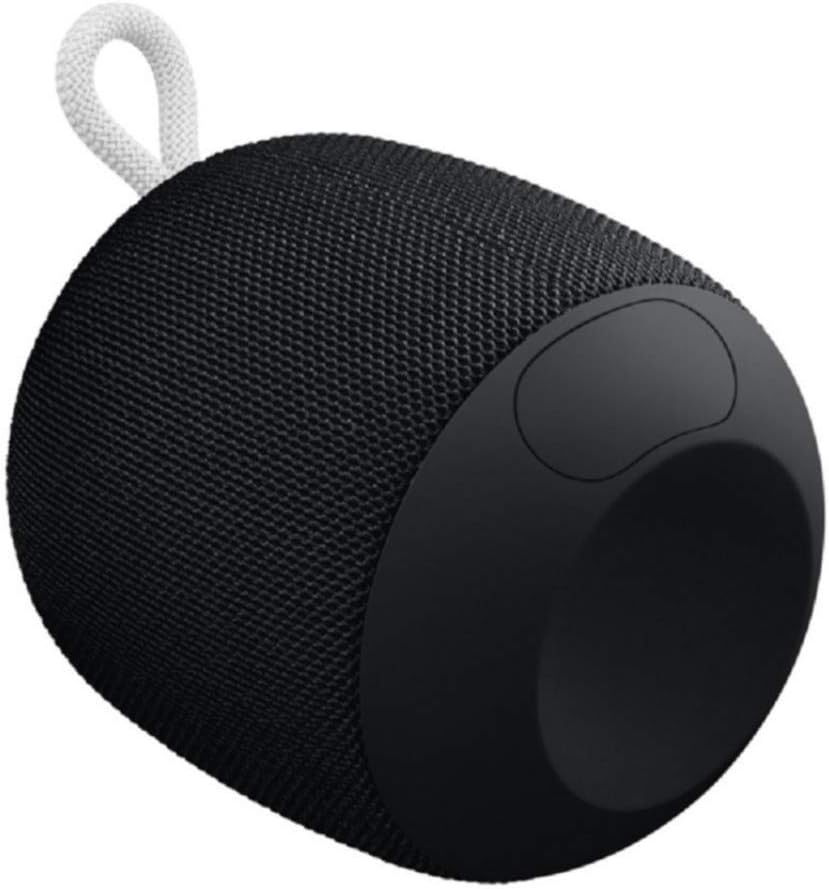
Image: The underside of the WONDERBOOM speaker, showing the protective flap covering the charging port in an open position.
Caractéristiques
| Fonctionnalité | Description |
|---|---|
| Nom du modèle | BOUM DES MERVEILLES |
| Type de haut-parleur | De plein air |
| Caractéristiques spéciales | Stereo pairing, Portable |
| Autonomie de la batterie | Jusqu'à 10 heures |
| Résistance à l'eau | IPX7 (Waterproof up to 1m for 30 mins) |
| Temps de charge | Environ 2.8 heures |
| Portée sans fil | Jusqu'à 100 pieds (30 mètres) |
| Poids de l'article | 0.5 livres (8 onces) |
| Dimensions du produit | 4.2"P x 4.6"L x 5.3"H |
| Connectivité | Bluetooth |
| Fabricant | Logitech |
Entretien
To ensure the longevity of your WONDERBOOM speaker, follow these maintenance guidelines:
- Nettoyage: Essuyez le haut-parleur avec un chiffon doux, damp tissu. N'utilisez pas de produits chimiques agressifs ou de nettoyants abrasifs.
- Stockage: Rangez l'enceinte dans un endroit frais et sec lorsqu'elle n'est pas utilisée. Évitez toute exposition prolongée à des températures extrêmes.
- Port de charge : Ensure the charging port cover is securely closed when the speaker is not charging, especially when near water, to maintain its waterproof integrity.
Dépannage
If you encounter issues with your WONDERBOOM speaker, try the following solutions:
- Pas d'alimentation : Ensure the speaker is fully charged. Connect it to a power source using the provided USB cable.
- Problèmes de connectivité Bluetooth :
- Assurez-vous que Bluetooth est activé sur votre appareil.
- Rapprochez le haut-parleur de votre appareil.
- Supprimez l'enceinte des paramètres Bluetooth de votre appareil et réappairez-la.
- Redémarrez le haut-parleur et votre appareil.
- Aucun son/Son faible :
- Vérifiez le niveau sonore de l'enceinte et de votre appareil connecté.
- Vérifiez que le haut-parleur n'est pas coupé.
- If using 'Double Up', ensure both speakers are properly paired.
Garantie et assistance
The Ultimate Ears WONDERBOOM comes with a Limited Warranty. For detailed warranty information and support, please refer to the official User Guide (PDF) available for download or visit the Ultimate Ears support website.


