1. Introduction
Thank you for choosing the Lenco PDR-030 DAB+/FM Portable Digital Radio. This manual provides essential information for setting up, operating, and maintaining your device. The PDR-030 offers high-quality digital radio reception (DAB+) and traditional FM radio, along with features such as an integrated rechargeable battery for portability, an RDS display, station memory, and an alarm clock function.
Composants inclus :
- Lenco PDR-030 Digital Radio
- AC Power Adapter (220 Volt)
- Manuel d'utilisation
2. Informations importantes sur la sécurité
- N’exposez pas l’appareil à la pluie ou à l’humidité afin d’éviter tout risque d’incendie ou d’électrocution.
- Assurez-vous que le volume de l'adaptateur secteurtage correspond à votre alimentation électrique locale.
- N'ouvrez pas le casing. Confiez toutes les interventions de maintenance à un personnel qualifié.
- Évitez de placer l’appareil à proximité de sources de chaleur ou en plein soleil.
- Handle the integrated battery with care. Do not attempt to replace it yourself.
- Gardez l'appareil à l'écart des champs magnétiques puissants.
3. Produit terminéview
Familiarize yourself with the main components and controls of your Lenco PDR-030 radio.
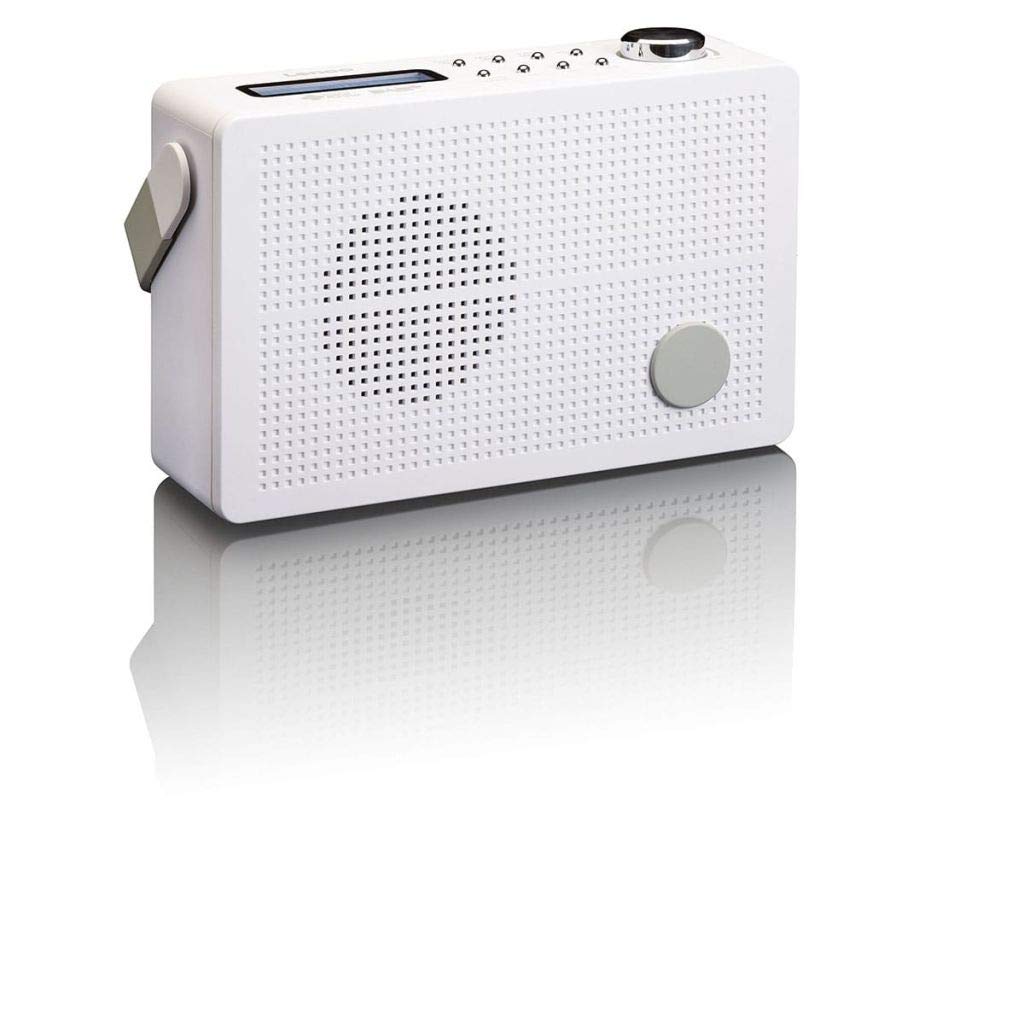
Figure 3.1 : Front Panel of Lenco PDR-030 Radio. Features include a blue backlit LCD display, power/source button, alarm, sleep, info/menu, preset buttons, select/snooze, scan, previous, next buttons, and a rotary volume knob.
Principales commandes et fonctionnalités :
- Afficher: Two-line illuminated LCD for time, date, station name, and information.
- Bouton Marche/Arrêt/Source : Turns the radio on/off and switches between DAB+ and FM modes.
- Bouton de volume : Ajuste le niveau de sortie audio.
- Antenne télescopique : Pour une réception optimale du signal radio.
- Prise casque (3.5 mm) : Pour une écoute privée.
- Alarm/Sleep/Info/Menu/Preset Buttons: For various functions including setting alarms, sleep timer, accessing information, menu navigation, and managing station presets.
- Select/Snooze/Scan/Prev/Next Buttons: For station tuning, menu selection, and snooze function.
4. Installation
4.1 Alimentation de la radio
The PDR-030 can be powered by the included AC adapter or its integrated rechargeable battery.
- Alimentation secteur : Connect the supplied 220V AC power adapter to the DC input jack on the radio and then to a wall outlet. The radio will automatically begin charging the internal battery.
- Puissance de la batterie : The integrated Lithium-ion battery allows for portable use. Ensure the battery is sufficiently charged before use without the AC adapter.
4.2 Configuration de l'antenne
Extend the telescopic antenna fully for optimal reception of both DAB+ and FM signals. Adjust its position for the best signal quality.
4.3 Initial Power On and Station Scan
- Appuyez sur le Source d'énergie bouton pour allumer la radio.
- Upon first use, the radio will automatically enter DAB+ mode and perform a full scan for available digital radio stations. This may take a few minutes.
- Une fois la recherche terminée, la radio se syntonisera sur la première station disponible.
5. Mode d'emploi
5.1 Mise sous/hors tension
Appuyez sur le Source d'énergie bouton pour allumer ou éteindre la radio.
5.2 Sélection du mode (DAB+/FM)
Appuyez sur le Source Appuyez plusieurs fois sur le bouton pour basculer entre les modes radio DAB+ et FM.
5.3 Stations de syntonisation
- Mode DAB+ :
- Après le scan initial, utilisez le Précédent et Suivant buttons to navigate through the list of available DAB+ stations.
- To perform a new full scan, press the Menu button, navigate to "Full Scan" using Précédent/Suivant, et appuyez sur Sélectionner.
- Mode FM:
- Appuyez sur le Balayage bouton pour rechercher automatiquement la prochaine station FM disponible.
- Pour un accordage manuel, appuyez et maintenez la touche enfoncée. Précédent or Suivant boutons pour régler la fréquence avec précision.
5.4 Enregistrement et rappel des stations préréglées
La radio vous permet de mémoriser jusqu'à 10 stations préréglées DAB+ et 10 stations FM.
- Pour enregistrer un préréglage :
- Syntonisez la station souhaitée.
- Appuyez et maintenez enfoncé le Préréglage appuyer sur le bouton jusqu'à ce que « Preset Store » apparaisse à l'écran.
- Utilisez le Précédent/Suivant boutons pour sélectionner un numéro prédéfini (1-10).
- Presse Sélectionner pour confirmer et sauvegarder la station.
- Pour rappeler un préréglage :
- Appuyez sur le Préréglage bouton brièvement.
- Utilisez le Précédent/Suivant boutons pour sélectionner le numéro prédéfini souhaité.
- Presse Sélectionner to tune to the preset station.
5.5 Contrôle du volume
Faites pivoter le Bouton de volume Tournez dans le sens des aiguilles d'une montre pour augmenter le volume et dans le sens inverse pour le diminuer.
5.6 RDS Functionality (FM Mode)
In FM mode, the RDS (Radio Data System) function displays information such as station name, program type, and other broadcast data on the two-line LCD display.
5.7 Fonction réveil
The PDR-030 can be used as an alarm clock with two separate alarm times.
- Définir une alarme :
- Appuyez sur le Alarme bouton.
- Utiliser Précédent/Suivant pour sélectionner Alarme 1 ou Alarme 2, appuyez ensuite sur Sélectionner.
- Follow the on-screen prompts to set the alarm time, duration, source (Buzzer or Radio), frequency (Daily, Once, Weekdays, Weekends), and volume.
- Ensure the alarm is set to "On" and press Sélectionner pour sauver.
- Fonction de répétition: Lorsque l'alarme sonne, appuyez sur la Somnoler bouton pour le désactiver temporairement pendant une période déterminée.
- Minuterie de veille: Appuyez sur le Dormir button repeatedly to set a sleep timer (e.g., 15, 30, 45, 60 minutes) after which the radio will automatically turn off.
5.8 Connexion casque
Connect 3.5mm stereo headphones to the headphone jack for private listening. The internal speaker will be muted automatically.
6. Entretien
6.1 Nettoyage
Wipe the radio's exterior with a soft, dry cloth. Do not use abrasive cleaners, waxes, or solvents as they may damage the finish. Ensure no liquids enter the device.
6.2 Entretien de la batterie
The integrated Lithium-ion battery is designed for long life. To maximize battery lifespan:
- Évitez de décharger complètement la batterie fréquemment.
- If storing the radio for an extended period, charge the battery to approximately 50% and store in a cool, dry place.
- Do not attempt to replace the battery yourself. Contact qualified service personnel if battery issues arise.
7. Dépannage
| Problème | Cause possible | Solution |
|---|---|---|
| Pas de courant | Adaptateur secteur non connecté ou défectueux ; batterie déchargée. | Check AC adapter connection. Charge the battery. |
| Mauvaise réception DAB+/FM | Antenne non déployée ; zone de signal faible ; interférences. | Fully extend and adjust the telescopic antenna. Move the radio to a location with better signal. Avoid placing near other electronic devices. |
| Pas de son | Volume trop faible ; écouteurs connectés ; mode muet activé. | Increase volume. Disconnect headphones. Check if mute is active (if applicable). |
| L'alarme ne sonne pas | Alarme non activée ; volume de l’alarme trop faible ; réglage de l’heure incorrect. | Ensure alarm is set to "On". Check alarm volume. Verify current time and alarm time settings. |
8. Spécifications
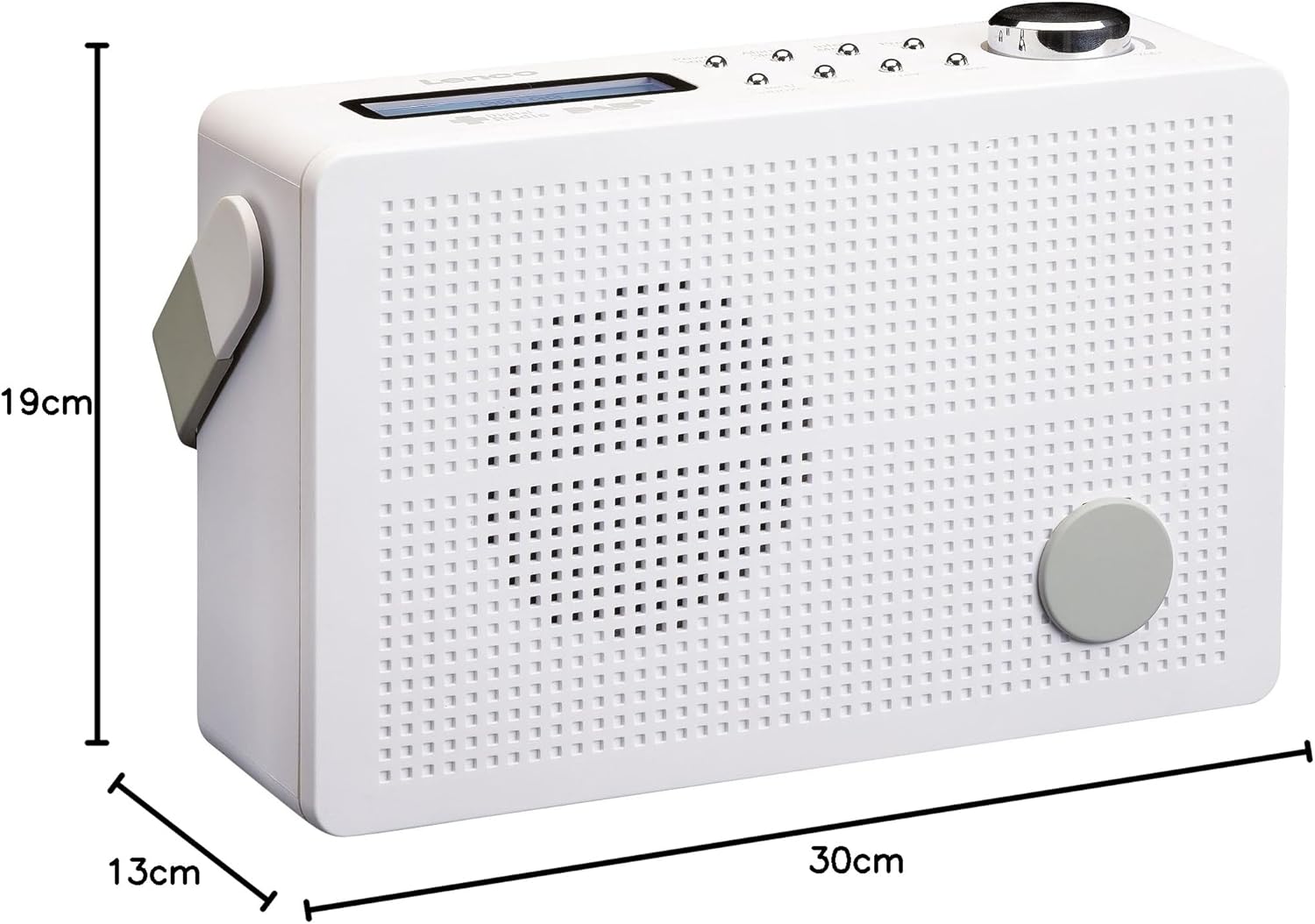
Figure 8.1 : Lenco PDR-030 Dimensions.
| Fonctionnalité | Détail |
|---|---|
| Numéro de modèle | PDR-030 |
| Technologie d'accordeur | DAB+, FM (Ukw) |
| Source d'énergie | Battery-Powered (Integrated Lithium-ion), AC Adapter |
| Vol ACtage | 220 volts |
| Dimensions du produit (L x P x H) | 21.4 x 6.5 x 13.8 cm (approx. 22.5 x 8.5 x 15 cm as per another spec) |
| Poids de l'article | 9 g (Note: This seems incorrect, likely 670g from description) |
| Type de matériau | Plastique |
| Interface matérielle | Prise audio 3.5 mm (prise casque) |
| Caractéristiques spéciales | Portable, RDS Display, Alarm Clock, Station Memory (10 DAB+, 10 FM) |
Note: Some dimensions and weight specifications provided by the manufacturer may vary slightly. The description states 670 grams for weight, while specifications list 9g. Please refer to the product packaging for the most accurate information.
9. Garantie et assistance
Lenco products are designed for reliability and performance. This product typically comes with a 24-month manufacturer's warranty from the date of purchase, covering defects in materials and workmanship. Please retain your proof of purchase for warranty claims.
For technical support, service, or warranty inquiries, please refer to the contact information provided on the Lenco official website or your local retailer. Do not attempt to repair the device yourself.
Pour plus d'informations, vous pouvez consulter le site web suivant : Lenco Store on Amazon.


