1. Introduction
This manual provides essential instructions for the safe and effective use of your Superer 5V 2A 10W Micro USB Power Adapter. This charger is designed to provide power to compatible Dragon Touch and KidzPad tablet PCs, as well as other devices requiring a 5V 2A Micro USB power input. Please read this manual thoroughly before use and retain it for future reference.
Remarque importante sur la compatibilité : This charger is suitable for Dragon Touch A1X Plus, V10 10.1 Inch, M10X, i8 pro, M8, M7, E97, E70, E71, DT24 Wireless Video Baby Monitor DT24 pro, DT40 Tablet PC, KidzPad Y80, Y88X Pro, and Notepad K10. It is pas compatible with Dragon Touch Max 10 plus or any device requiring more than 2A output.
2. Contenu du produit
Le forfait comprend les éléments suivants :
- 1 x Superer 5V 2A 10W Power Adapter with integrated Micro USB cable.
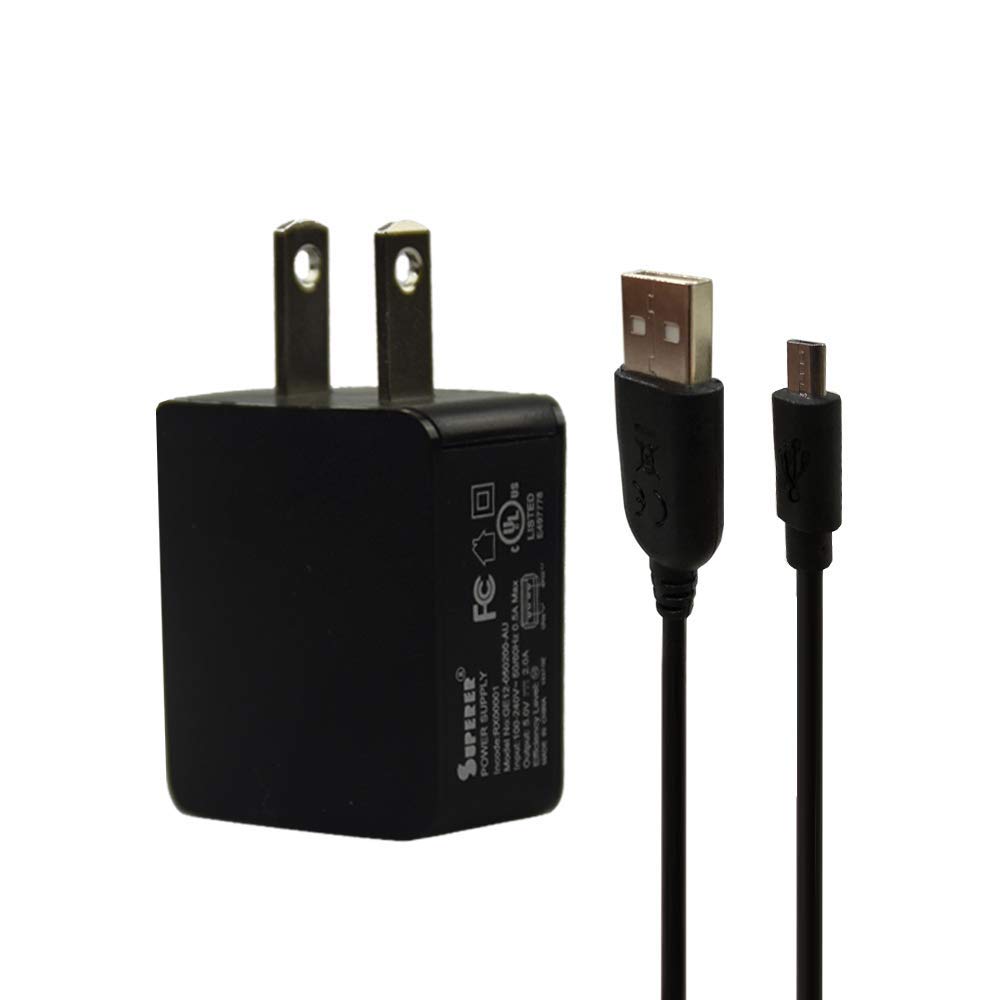
Image 1: Superer 5V 2A 10W Micro USB Power Adapter. The image displays the black power adapter with its integrated cable, featuring a standard USB-A connector on one end and a Micro-USB connector on the other. A magnified inset shows the Micro-USB connector type.
3. Installation
- Déballer le chargeur : Retirez soigneusement l'adaptateur secteur de son emballage.
- Identifiez les connecteurs : The adapter has a standard two-prong AC plug for wall outlets and an integrated cable with a Micro USB connector at the end.
- Connectez-vous à l'appareil : Insert the Micro USB connector into the charging port of your compatible tablet or device. Ensure the connector is oriented correctly to avoid damage.
- Connectez-vous à une prise de courant : Plug the AC power adapter into a standard 100-240V wall outlet.

Image 2: Various angles of the Superer power adapter. This composite image shows the charger from the front, back, top, and bottom, highlighting the US-style prongs and the integrated Micro USB cable.
4. Mode d'emploi
Once connected, the charger will automatically begin supplying power to your device. The charging status is typically indicated by an LED light on your device or on the device's screen. The Superer charger is designed with safety features to protect your device during charging.
- Caractéristiques de sécurité : This charger is UL Listed, meeting nationally recognized standards for electronic safety. It includes overcharge protection and short circuit protection.
- Charge optimale : For best results, ensure your device's battery is not completely depleted before charging.
- Déconnexion : Once your device is fully charged, disconnect the charger from the wall outlet first, then from your device.
5. Entretien
- Nettoyage: Disconnect the charger from power before cleaning. Use a dry, soft cloth to wipe the surface of the adapter. Do not use liquid cleaners or solvents.
- Stockage: Rangez le chargeur dans un endroit frais et sec, à l'abri de la lumière directe du soleil et de l'humidité lorsqu'il n'est pas utilisé.
- Entretien des câbles : Avoid bending or crimping the cable excessively, as this can damage the internal wires. Do not pull the cable to disconnect; always grasp the plug or connector.
- Inspection: Periodically inspect the charger and cable for any signs of damage, such as frayed wires or cracked casing. En cas de dommages, cesser immédiatement l'utilisation.
6. Dépannage
If you encounter issues with your Superer charger, please refer to the following common solutions:
- L'appareil ne se charge pas :
- Assurez-vous que le chargeur est bien branché à la fois à la prise murale et à votre appareil.
- Vérifiez que le port de chargement de votre appareil est propre et exempt de débris.
- Confirm that your device is compatible with a 5V 2A Micro USB charger. This charger is not suitable for devices requiring more than 2A.
- Test the charger with another compatible device or try a different wall outlet to rule out power supply issues.
- Loose Connection / Charger Not Fitting:
- Ensure the Micro USB connector is fully inserted into your device's charging port.
- Confirm your device uses a Micro USB port. Some devices may use USB-C or other connector types.
- Specific Incompatibility: This charger is explicitly stated as not fit for Dragon Touch Max 10 plus. If you own this model, this charger will not work correctly.
- Chargement lent :
- Ensure your device is not in heavy use while charging.
- Verify that the charger is providing its full 2A output.
- Vérifiez si des applications en arrière-plan sur votre appareil consomment une quantité excessive d'énergie.
7. Spécifications
| Fonctionnalité | Détail |
|---|---|
| Numéro de modèle | PSD0502000US |
| Vol d'entréetage | 100-240V AC |
| Volume de sortietage | 5 V CC |
| Sortir Amprage | 2 Amps |
| Puissance de sortie | 10 W |
| Type de connecteur | Connecteur micro USB |
| Dimensions du produit | 2.1 x 2.5 x 2.8 pouces |
| Poids de l'article | 2.08 onces |
| Caractéristiques de sécurité | UL Listed, Overcharge Protection, Short Circuit Protection |
8. Garantie et assistance
Garantie: This Superer product is eligible for replacement or returns within 30 days of purchase. The manufacturer provides an additional 12-month guarantee covering defects in materials and workmanship under normal use.
Assistance clientèle : For technical assistance, warranty claims, or any questions regarding your Superer charger, please contact Superer customer service through the retailer's platform or the official Superer website. Please have your product model number (PSD0502000US) and purchase details ready.