1. Produit terminéview
The Radiolink R9DS is a 10-channel 2.4GHz RC receiver designed for reliable long-range control of various remote-controlled models, including airplanes, cars, and multirotors. It supports both PWM and SBUS signal outputs, offering flexibility for different control systems. Featuring DSSS&FHSS pseudo-random algorithm technology, the R9DS provides excellent anti-interference capabilities for stable operation.
Caractéristiques principales
- Excellente résistance aux interférences : Utilise l'algorithme pseudo-aléatoire DSSS&FHSS pour une intégrité du signal robuste.
- 9/10 chaînes : Supports PWM/SBUS signal output, compatible with Radiolink AT9/AT9S/AT9S Pro/AT10/AT10II transmitters.
- Réponse rapide : High resolution ratio of 4096 and stability of 0.5us ensure quick, low-latency connections.
- Contrôle à longue portée : Offers an outstanding control range of up to 2.1 miles in optimal environments.
- Quick to Bind and Anti-polarity Protection: No complex settings required for binding. Features reverse polarity protection to prevent damage from incorrect power connection.
2. Contenu du colis
- 1 x Radiolink R9DS Receiver
3. Guide de configuration
3.1. Binding the R9DS Receiver
Follow these steps to bind your R9DS receiver with a compatible Radiolink transmitter:
- Place the transmitter and receiver close to each other, within 30-50 centimeters.
- Turn on the transmitter, then power on the R9DS receiver.
- Press the binding button on the R9DS receiver for 1 second and release. The LED indicator on the receiver will flash quickly during the binding process.
- For AT10II transmitters, ensure the SYSTEM channel selection is set to 10ch mode for proper operation.
Description de la vidéo : This video demonstrates the correct procedure for binding the Radiolink R9DS receiver with your radio transmitter, ensuring a stable connection for your RC model.
3.2. Signal Output Modes (PWM/SBUS)
The R9DS receiver supports two signal output modes: PWM and SBUS. The mode is indicated by the color of the LED on the receiver.
- PWM (Red LED): Provides 9 channels of Pulse Width Modulation output.
- SBUS (Blue LED): Provides 10 channels of Serial Bus output.
To switch between modes, short press the binding button twice within one second. The LED color will change to indicate the active mode.

Description de l'image : This image illustrates the two signal output modes of the R9DS receiver. The top diagram shows PWM output with 9 channels, indicated by a red LED. The bottom diagram shows SBUS output with 10 channels, indicated by a blue LED, along with the corresponding wiring for each mode.
3.3. Vol.tagConnexion de télémétrie
Pour activer voltage telemetry and display your airplane's battery voltage on your transmitter screen, the R9DS receiver must be equipped with a telemetry module like the PRM-01 or PRM-03. Connect one end of the PRM-01 module to the telemetry port of the R9DS receiver, and the other end to the airplane's battery.

Description de l'image : This diagram details the connection for voltage telemetry. It shows the R9DS receiver, a PRM-01 Telemetry Module, an ESC (Electronic Speed Controller), and an airplane battery, illustrating how to wire them to display external battery voltage on the transmitter.
Description de la vidéo : This video demonstrates how to set up and view the telemetry data, specifically the airplane's battery voltage, directly on the screen of a Radiolink AT9S Pro transmitter using the R9DS receiver and a PRM-01 telemetry module.
4. Instructions d'utilisation
4.1. Transmitter Channel Selection
When using the R9DS receiver with a 12-channel transmitter like the AT10II, it is crucial to set the transmitter's system channel selection to 10-channel mode. Failure to do so may result in improper functionality or unstable servo control.

Description de l'image : This image displays the system menu of Radiolink AT9S Pro and AT10/AT10II transmitters, highlighting the 'CH-SELECT' option. It instructs users to set this option to '10CH' to ensure proper compatibility and operation with the R9DS receiver.
Description de la vidéo : This video explains how to configure a Radiolink AT9S Pro transmitter to work correctly with a 12-channel receiver, demonstrating the necessary channel selection adjustments within the transmitter's system menu.
Description de la vidéo : This video guides users on how to make a 10-channel receiver function properly with a 12-channel Radiolink AT10II transmitter, detailing the critical channel selection settings to ensure stable control.
4.2. Receiver Installation Guide
For optimal signal reception and range, ensure the receiver's antenna is kept straight and positioned away from metal objects or carbon fiber structures that could interfere with the signal. Secure the receiver firmly within your model to prevent movement during operation.

Description de l'image : This image provides a visual guide for installing the R9DS receiver in an RC airplane. It emphasizes keeping the antenna straight and properly positioned for maximum signal reception and reliability.
5. Compatibilité
5.1. Émetteurs compatibles
The R9DS receiver is compatible with the following Radiolink transmitters:
- Radiolink AT9
- Radiolink AT9S
- Radiolink AT9S Pro
- Radiolink AT10
- Radiolink AT10II
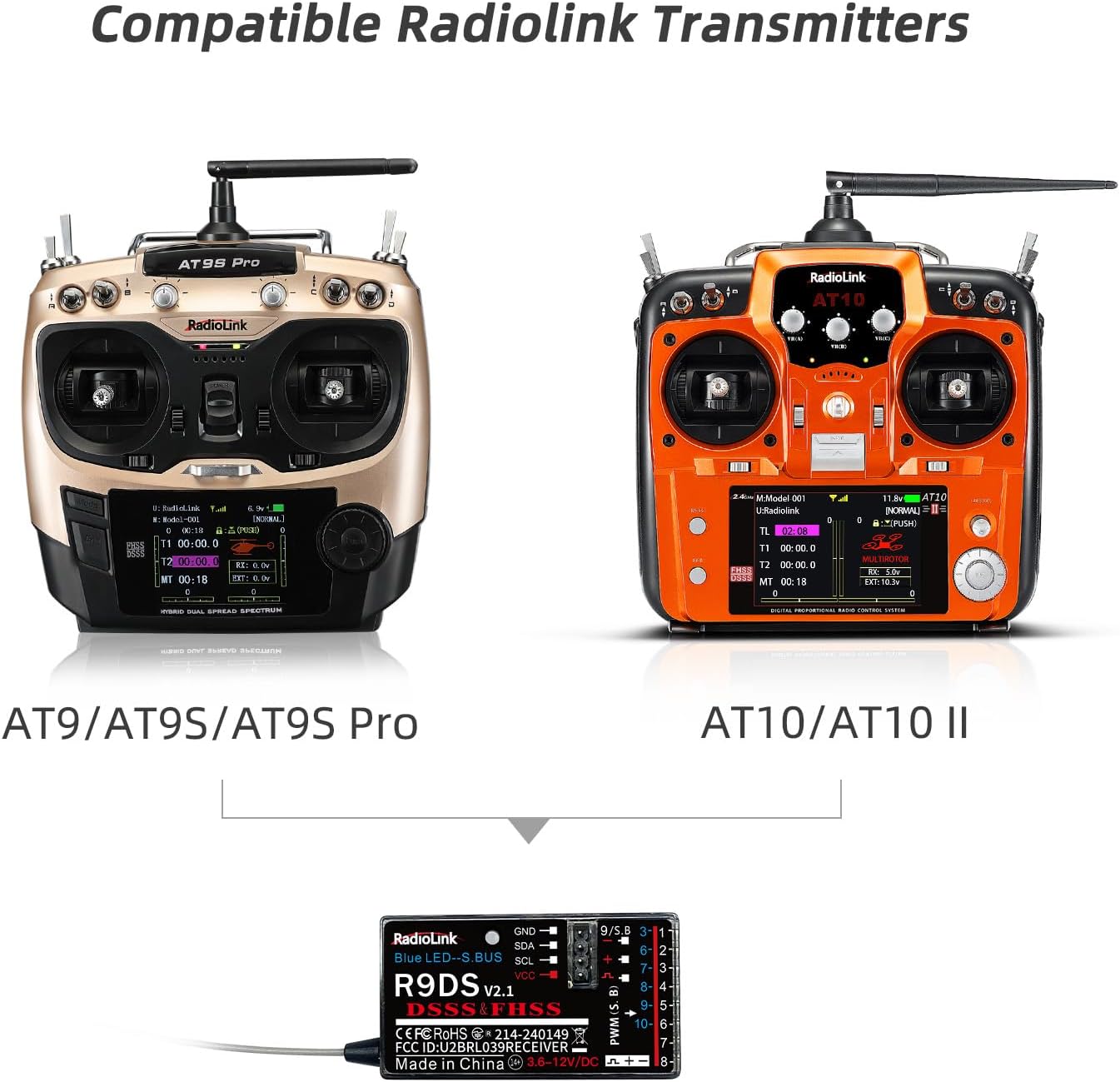
Description de l'image : This image displays two compatible Radiolink transmitters, the AT9S Pro and the AT10/AT10II, highlighting their compatibility with the R9DS receiver for various RC applications.
5.2. Suitable Models
The R9DS receiver is suitable for a wide range of RC models, including:
- Avions
- Voitures
- Multirotors (Drones)
- Hélicoptères
- Bateaux

Description de l'image : This image showcases a selection of RC models, including a helicopter, airplane, drone, car, and boat, all of which are suitable for use with the Radiolink R9DS receiver.
6. Spécifications du produit
| Fonctionnalité | Valeur |
|---|---|
| Dimensions du produit | 1.69 x 0.94 x 0.59 pouces |
| Poids de l'article | 0.352 onces |
| Numéro de modèle de l'article | R9DS |
| Fabricant | Radiolink |
| Vol d'exploitationtage | 4.8-10V DC |
| Signal Output Modes | PWM (9 Channels) / SBUS (10 Channels) |
| Plage de contrôle | Jusqu'à 2.1 miles (selon l'environnement) |

Description de l'image : Cette image offre une vue claire view of the R9DS receiver with its key dimensions labeled, showing its compact size for easy integration into various models.

Description de l'image : A detailed comparison table showcasing various Radiolink receiver models, including the R9DS, with information on channels, signal output, voltage telemetry, control range, dimensions, weight, and compatible transmitters.
7. Entretien et maintenance
- Keep the receiver dry and away from moisture.
- Évitez d'exposer le récepteur à des températures extrêmes ou à la lumière directe du soleil.
- Regularly inspect antenna connections for any damage or loose contacts.
- Clean the receiver gently with a soft, dry cloth if necessary. Do not use harsh chemicals.
- Ensure proper ventilation when installed in a model to prevent overheating.
8. Conseils de dépannage
- Aucun problème de signal/liaison : Ensure the transmitter is powered on and the binding procedure is followed correctly (transmitter and receiver within 30-50cm). Check that the transmitter's RF mode is enabled and the channel selection matches the receiver (e.g., 10CH for R9DS).
- Unstable Servo Control: Verify that the transmitter's channel selection matches the receiver's capabilities. Incorrect channel settings can lead to erratic servo behavior.
- Aucune donnée de télémétrie : Confirm that the PRM-01/PRM-03 telemetry module is correctly connected to both the R9DS receiver and the model's battery. Ensure the transmitter's firmware supports telemetry display.
- Portée réduite : Check for any obstructions or damage to the receiver's antenna. Ensure the antenna is positioned straight and away from carbon fiber or metal components.
- Le récepteur ne s'allume pas : Check the power supply to the receiver. The R9DS operates between 4.8-10V DC. Ensure correct polarity; the receiver has anti-polarity protection but always double-check connections.
9. Garantie et support client
Radiolink products are manufactured to high-quality standards and are covered by a manufacturer's warranty against defects in materials and workmanship. For specific warranty details, technical assistance, or troubleshooting not covered in this manual, please refer to the official Radiolink website or contact Radiolink customer support directly. Online user instructions, FAQs, and troubleshooting resources are also available on the product's sales page.


