Introduction
Thank you for choosing the Divoom Onbeat 500 Portable Wireless Bluetooth Speaker. This device is designed to deliver powerful sound with convenient wireless connectivity. This manual will guide you through the setup, operation, and maintenance of your speaker to ensure optimal performance and longevity.
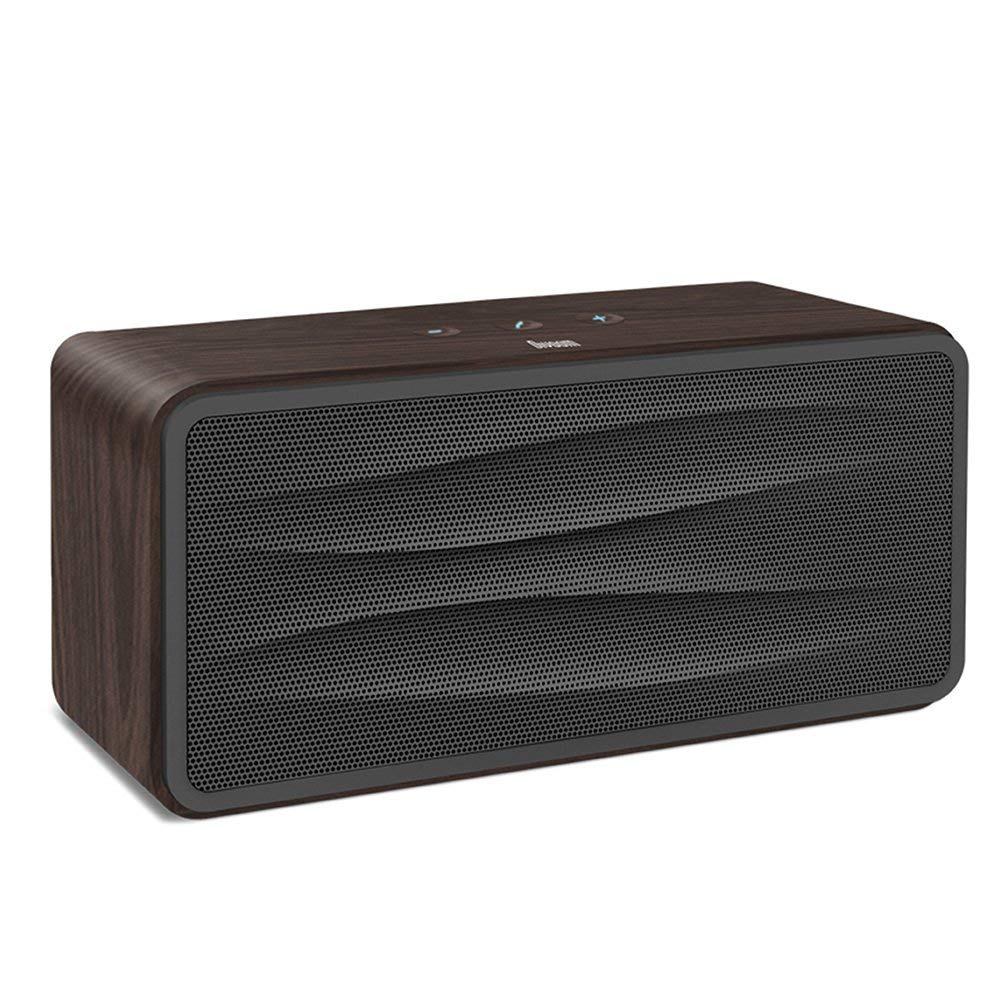
Figure 1 : Devant view of the Divoom Onbeat 500 speaker. This image displays the speaker's main grille and overall design.
Contenu du colis
Veuillez vérifier que le colis contient les éléments suivants :
- Divoom Onbeat 500 Speaker
- Câble de chargement micro USB
- Câble auxiliaire
- Manuel de l'utilisateur (ce document)
- Carte de garantie
Caractéristiques du produit
The Divoom Onbeat 500 speaker offers a range of features for an enhanced audio experience:
- Son puissant : 2.1 channel design with a proprietary passive bass radiator for rich audio.
- Technologie NFC : Tap-to-pair functionality for quick and easy Bluetooth connection.
- Connectivité Bluetooth : Wirelessly play and control music from up to 33 feet (10 meters) away.
- Haut-parleur intégré : Allows you to make and take calls directly from the speaker.
- Batterie longue durée : Integrated 5000mAh battery provides extended playback time.
- Entrée auxiliaire : For wired connection to non-Bluetooth devices.
Installation
1. Chargement du haut-parleur
Before initial use, fully charge your Divoom Onbeat 500 speaker. Use the provided Micro USB charging cable to connect the speaker to a USB power source (e.g., computer USB port, USB wall adapter). The charging indicator light will illuminate during charging and turn off or change color when fully charged. A full charge typically provides 8-10 hours of playback.
2. Mise sous/hors tension
- Pour allumer : Maintenez le bouton Marche/Arrêt enfoncé pendant quelques secondes jusqu'à entendre un signal sonore ou voir le voyant s'allumer.
- Pour éteindre : Maintenez le bouton Marche/Arrêt enfoncé pendant quelques secondes jusqu'à ce que l'enceinte s'éteigne.
3. Couplage Bluetooth
The Onbeat 500 offers two methods for wireless connection:
Appairage NFC (Near Field Communication) :
If your device supports NFC, you can pair quickly:
- Assurez-vous que la fonction NFC est activée sur votre smartphone ou tablette.
- With the Onbeat 500 powered on, gently tap your NFC-enabled device against the NFC area on the speaker.
- Confirm the pairing request on your device. The speaker will indicate a successful connection.
Appairage Bluetooth standard :
For devices without NFC or for manual pairing:
- Power on the Divoom Onbeat 500 speaker. It will automatically enter Bluetooth pairing mode if no device is connected, or you may need to press a dedicated Bluetooth button (refer to speaker controls).
- On your audio device (smartphone, tablet, computer), go to the Bluetooth settings and enable Bluetooth.
- Rechercher available devices. You should see "Divoom Onbeat 500" in the list.
- Select "Divoom Onbeat 500" to connect. The speaker will confirm the connection with an audible prompt.
4. Connexion AUX
To connect a device using the auxiliary cable:
- Connect one end of the provided auxiliary cable to the AUX-in port on the Divoom Onbeat 500.
- Connect the other end of the auxiliary cable to the headphone jack or audio output of your device.
- The speaker will automatically switch to AUX mode, or you may need to select it manually (refer to speaker controls).

Figure 2 : Côté view of the Divoom Onbeat 500, illustrating the location of the charging port, AUX input, and control buttons.
Utilisation du haut-parleur
1. Lecture de musique
Once connected via Bluetooth or AUX, you can control music playback from your connected device. The speaker may also have integrated controls for volume adjustment, play/pause, and track skipping. Refer to the speaker's physical buttons for these functions.
2. Fonctionnalité haut-parleur
When connected to a smartphone via Bluetooth, the Divoom Onbeat 500 can be used as a speakerphone:
- Répondre à un appel: Press the Call button (often indicated by a phone icon) on the speaker.
- Terminer un appel : Appuyez à nouveau sur le bouton Appeler.
- Rejeter un appel: Appuyez longuement sur le bouton d'appel.

Figure 3 : Arrière view of the Divoom Onbeat 500, highlighting the passive bass radiator for enhanced low-frequency sound.
Entretien
1. Nettoyage
Pour préserver l'apparence et le fonctionnement de votre enceinte :
- Essuyez l'extérieur avec un chiffon doux, sec et non pelucheux.
- N’utilisez pas de nettoyants abrasifs, d’alcool, de benzène ou d’autres solvants chimiques, car ceux-ci pourraient endommager la finition.
- Évitez de laisser pénétrer l’humidité dans les ouvertures.
2. Entretien de la batterie
Pour prolonger la durée de vie de la batterie lithium-ion intégrée :
- Évitez de décharger complètement la batterie fréquemment.
- Rangez l'enceinte dans un endroit frais et sec lorsqu'elle n'est pas utilisée pendant une période prolongée.
- Charge the speaker at least once every three months if stored for a long time to prevent deep discharge.
Dépannage
If you encounter issues with your Divoom Onbeat 500, please refer to the following common solutions:
| Problème | Solution possible |
|---|---|
| Le haut-parleur ne s'allume pas. | Ensure the battery is charged. Connect the speaker to a power source using the Micro USB cable and try again. |
| Aucun son du haut-parleur | Check the volume level on both the speaker and your connected device. Ensure the speaker is correctly paired via Bluetooth or connected via AUX. Try re-pairing the Bluetooth device. |
| L'appairage Bluetooth échoue | Ensure the speaker is in pairing mode. Turn off and on Bluetooth on your device. Move your device closer to the speaker. Clear previous Bluetooth connections on your device and try again. |
| Mauvaise qualité sonore | Ensure the speaker and connected device are within range (for Bluetooth). Check for interference from other wireless devices. Try a different audio source or cable. |
Caractéristiques
Detailed technical specifications for the Divoom Onbeat 500 speaker:
- Nom du modèle : Divoom Onbeat 500
- Type de haut-parleur : Computer Speaker
- Technologie de connectivité: Bluetooth
- Technologie de communication sans fil : Bluetooth
- Méthode de contrôle : Touche
- Source d'alimentation : Alimenté par batterie
- Batterie: 1 batterie lithium-ion (5000 mAh)
- Audio Wattage: 20 watts
- Puissance de sortie maximale du haut-parleur : 100 watts
- Configuration du canal de son surround : 2.1
- Appareils compatibles : Android, Windows, iPhone (iOS)
- Type de connecteur : USB (pour le chargement)
- Dimensions du produit : 22.5 x 7.49 x 10.49 cm (LxPxH)
- Poids de l'article : 1.55 kg
- Couleur: Charbon de bois
- Caractéristiques spéciales : NFC, Built-in Speakerphone, Passive Bass Radiator
Garantie et assistance
Your Divoom Onbeat 500 speaker comes with a limited warranty. Please refer to the included Warranty Card for detailed terms and conditions, including warranty period and coverage.
For technical support, service inquiries, or further assistance, please visit the official Divoom website or contact their customer service department using the information provided on your Warranty Card or product packaging. Please have your model number (Onbeat 500) and purchase details ready when contacting support.


