Introduction
Thank you for choosing the LogiLink PA0132 Universal Solar Power Bank. This device is designed to provide portable power for your electronic devices, featuring a built-in 5000 mAh battery and solar charging capabilities. Please read this manual carefully before using the product to ensure proper operation and longevity.
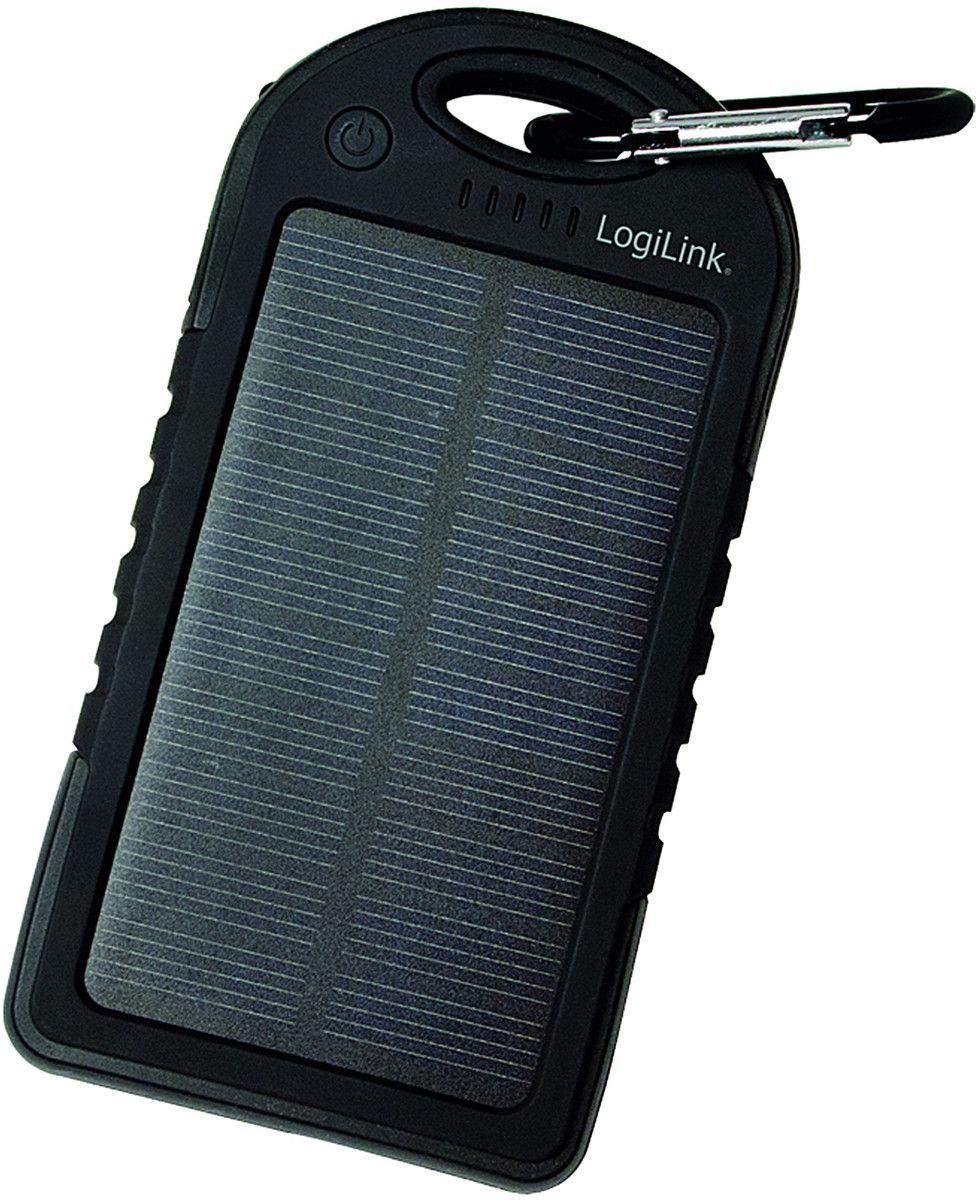
Image: LogiLink PA0132 Universal Solar Power Bank, black, showing its front with solar panel and ports.
Consignes de sécurité
- N’exposez pas la batterie externe à des températures extrêmes (supérieures à 45 °C ou inférieures à -10 °C).
- Évitez de laisser tomber ou de soumettre l'appareil à des impacts violents.
- Do not disassemble, repair, or modify the power bank yourself. Contact qualified service personnel.
- Keep away from water and high humidity. Although splash-resistant, it is not waterproof.
- N’utilisez pas la batterie externe si elle est endommagée ou gonflée.
- Tenir hors de portée des enfants.
Contenu du colis
- 1 x LogiLink PA0132 Solar Power Bank
- 1 câble de chargement USB (pour charger la batterie externe)
- 1 x Manuel d'utilisation
Produit terminéview
The LogiLink PA0132 features a robust design suitable for outdoor use. It includes a solar panel for emergency charging and multiple ports for connecting devices.
- Panneau solaire : For supplementary charging under direct sunlight.
- Ports de sortie USB (x2) : To charge your electronic devices.
- Port d'entrée micro USB : To charge the power bank via a wall adapter or computer.
- LED Indicators (x5): To display battery charge status and charging activity.
- Bouton d'alimentation : Pour vérifier l'état de la batterie ou lancer la charge.
Installation
Charge initiale de la batterie externe
Before first use, fully charge the power bank using the included USB cable and a wall adapter (not included) or a computer USB port. Solar charging is primarily for emergency use and is significantly slower than wall charging.
- Connect the micro USB end of the charging cable to the power bank's input port.
- Connect the standard USB end to a USB wall charger or a computer's USB port.
- The LED indicators will light up, showing the charging progress. When all 5 LEDs are solid, the power bank is fully charged.
Recharge solaire
Place the power bank with the solar panel facing direct sunlight. The LED indicators will show charging activity. Note that solar charging is slow and intended for emergency power replenishment, not as a primary charging method.
Opérationnel
Chargement d'appareils externes
The LogiLink PA0132 can charge two devices simultaneously.
- Connectez le câble de chargement de votre appareil à l'un des ports de sortie USB de la batterie externe.
- Connectez l'autre extrémité du câble à votre appareil.
- La batterie externe devrait démarrer automatiquement la charge de votre appareil. Si ce n'est pas le cas, appuyez une fois sur le bouton d'alimentation pour lancer la charge.
- Les indicateurs LED afficheront le niveau de batterie restant de la batterie externe.
- Déconnectez votre appareil une fois qu'il est complètement chargé.
Vérification de l'état de la batterie
Press the power button once to check the remaining battery capacity. The 5 LED indicators will light up to show the charge level:
- 1 LED : Charge de 0 à 20 %
- 2 LED : Charge de 20 à 40 %
- 3 LED : Charge de 40 à 60 %
- 4 LED : Charge de 60 à 80 %
- 5 LED : Charge de 80 à 100 %
Entretien
- Nettoyez la batterie externe avec un chiffon doux et sec. N'utilisez pas de produits chimiques agressifs ni de nettoyants abrasifs.
- Rangez la batterie externe dans un endroit frais et sec, à l'abri de la lumière directe du soleil lorsqu'elle n'est pas utilisée.
- Pour une durée de vie optimale de la batterie, rechargez complètement la batterie externe au moins une fois tous les trois mois si vous ne l'utilisez pas régulièrement.
Dépannage
- Problem: Power bank is not charging.
-
- Assurez-vous que le câble de charge est bien connecté à la fois à la batterie externe et à la source d'alimentation.
- Essayez un autre câble USB ou un autre adaptateur secteur.
- If using solar charging, ensure the solar panel is exposed to direct, strong sunlight. Note that solar charging is very slow.
- Problem: Device is not charging from the power bank.
-
- Assurez-vous que la batterie externe est suffisamment chargée (vérifiez les indicateurs LED).
- Appuyez sur le bouton d'alimentation de la batterie externe pour activer la charge.
- Essayez un autre port de sortie USB sur la batterie externe.
- Essayez un autre câble de chargement pour votre appareil.
- Assurez-vous que votre appareil est compatible avec la charge USB 5V.
- Problem: Solar charging seems ineffective.
-
- Solar charging is a supplementary feature and is significantly slower than wall charging. It is designed for emergency use.
- Ensure the solar panel is clean and directly exposed to strong sunlight without obstructions.
Caractéristiques
| Fonctionnalité | Spécification |
|---|---|
| Modèle | PA0132 |
| Marque | LogiLink |
| Type de batterie | Lithium Polymère (LiPo) |
| Capacité de la batterie | 5000 mAh (3.7 V, 18.5 Wh) |
| Source d'énergie | Solar powered, USB input |
| Vol d'entréetage | 5 V |
| Ports de sortie | 2 x USB |
| Appareils compatibles | Universal (smartphones, tablets, GPS, cameras, etc.) |
| Dimensions (L x l x H) | 14.5 x 7.5 x 1.5 cm |
| Poids | 190 g |
| Caractéristiques | Splash-proof, shock-resistant, 5 LED status indicators |
Garantie et assistance
For warranty information and technical support, please refer to the documentation provided with your purchase or contact your retailer. LogiLink products typically come with a manufacturer's warranty against defects in materials and workmanship.
You may also visit the official LogiLink website for further assistance or to find contact information for customer support.