1. Introduction
This manual provides essential instructions for the proper setup, operation, and maintenance of your YI YAS.1616.INT 4K Action Camera Kit. Please read this manual thoroughly before using the product to ensure optimal performance and safety. Keep this manual for future reference.
2. Produit terminéview
2.1 Contenu du kit
The YI YAS.1616.INT 4K Action Camera Kit includes the following components:
- YI 4K Action Camera
- YI Monopod
- Télécommande Bluetooth
- Batterie rechargeable
- Câble USB
- Manuel d'instructions

Image 2.1: Contents of the YI 4K Action Camera Kit.
2.2 Caractéristiques de la caméra
The YI 4K Action Camera is designed for high-quality video and photo capture, featuring:
- 4K/30fps Video Recording: Captures video at 60mbps, offering 4 times the quality of standard 1080p.
- Advanced Imaging Hardware: Equipped with an Amarelle A9SE75 chip, Sony IMX377 image sensor, and 7-layer optical glass lenses with an F2.8 large aperture for enhanced light intake.
- Écran tactile LCD de 2.19 pouces : A 640 x 360 high-resolution display with Gorilla Glass Retina for easy previewing, shooting, and scratch resistance.
- Longue durée de vie de la batterie : A 1400mAh 4.4V lithium-ion battery provides up to 120 minutes of 4K/30fps video recording on a single charge.
- Système de refroidissement efficace : Prevents overheating during extended recording sessions.
- Connectivité : Built-in Wi-Fi for smartphone app control and Bluetooth for remote control.
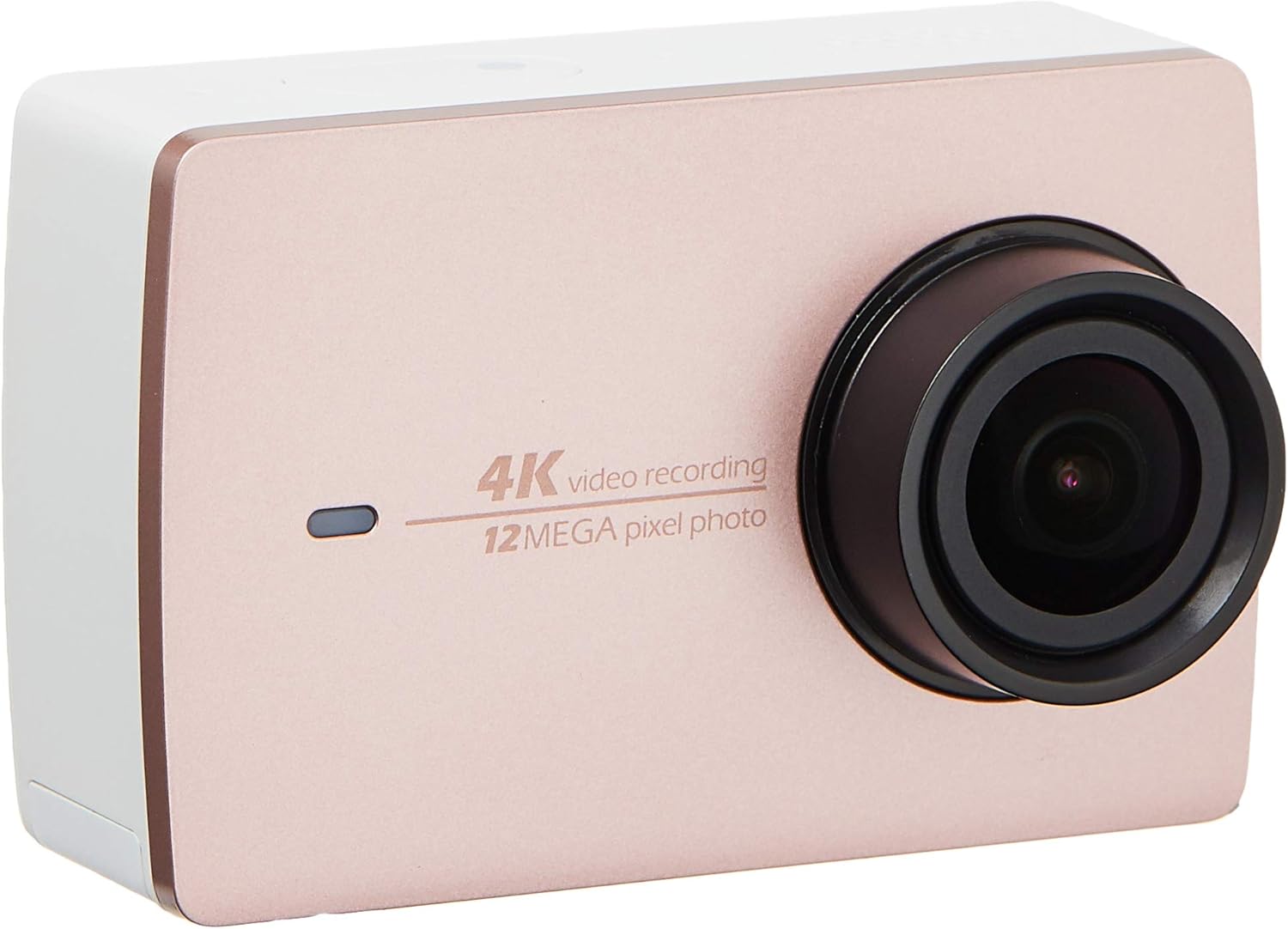
Illustration 2.2 : Avant view of the YI 4K Action Camera.
3. Installation
3.1 Installation et charge de la batterie
- Localisez le compartiment de la batterie sur l'appareil photo.
- Insert the 1400mAh lithium-ion battery, ensuring correct polarity.
- Fermez soigneusement le compartiment à piles.
- Branchez l'appareil photo à une source d'alimentation à l'aide du câble USB fourni pour le recharger. Le voyant de charge s'allumera.
3.2 Installation de la carte mémoire
The YI 4K Action Camera supports SDHC and SmartMedia flash memory types.
- Ouvrez le couvercle du logement de la carte mémoire.
- Insert a compatible memory card (not included) into the slot with the contacts facing the correct direction. Push until it clicks into place.
- Fermez le couvercle du logement de la carte mémoire.
3.3 Mise sous/hors tension
- Pour allumer : Maintenez le bouton Marche/Arrêt enfoncé jusqu'à ce que l'écran s'allume.
- Pour éteindre : Maintenez le bouton Marche/Arrêt enfoncé jusqu'à ce que l'appareil photo s'éteigne.
3.4 Connecting the Bluetooth Remote
The included Bluetooth remote allows for convenient control of the camera.
- Assurez-vous que la caméra est sous tension.
- Activate Bluetooth pairing mode on the camera via the settings menu.
- Follow the remote's instructions to enter pairing mode.
- Once paired, the remote can be used to switch between video and photo modes and trigger recording/capture.

Image 3.1: The YI Monopod, included in the kit.
4. Utilisation de l'appareil photo
4.1 Navigation tactile
The 2.19" LCD touchscreen provides intuitive control:
- Glisser: Navigate through different modes (Video, Photo, Time-lapse, etc.) and settings.
- Robinet: Select options, adjust settings, or start/stop recording.
- Préview: View votre foo capturétage and photos directly on the screen.
4.2 Enregistrement vidéo
- Select the Video mode on the touchscreen.
- Adjust video resolution (e.g., 4K/30fps) and other settings as desired.
- Press the Shutter button or tap the record icon on the screen to start recording.
- Press the Shutter button or tap the record icon again to stop recording.
4.3 Capture de photos
- Select the Photo mode on the touchscreen.
- Adjust photo settings such as resolution, exposure, and white balance.
- Press the Shutter button or tap the capture icon on the screen to take a photo.
4.4 Connectivité Wi-Fi et utilisation de l'application
The camera's built-in Wi-Fi allows connection to a smartphone app for remote control, live preview, and content management.
- Download the official YI Action Camera app from your device's app store.
- Activez le Wi-Fi sur l'appareil photo via le menu des paramètres.
- Connect your smartphone to the camera's Wi-Fi network (SSID and password displayed on camera screen).
- Open the YI Action Camera app to control the camera, view footage, et transfert files.
5. Entretien
5.1 Nettoyage
- Use a soft, lint-free cloth to clean the camera body and touchscreen.
- Pour la lentille, utilisez un chiffon et une solution de nettoyage spécifiques. Évitez les matériaux abrasifs.
- Assurez-vous que tous les ports sont exempts de poussière et de débris.
5.2 Stockage
- Rangez l'appareil photo dans un endroit frais et sec, à l'abri de la lumière directe du soleil et des températures extrêmes.
- Retirez la batterie si vous prévoyez de stocker l'appareil pendant une période prolongée afin d'éviter les fuites.
5.3 mises à jour du micrologiciel
Periodically check the official YI website or the YI Action Camera app for available firmware updates. Keeping your camera's firmware updated ensures optimal performance and access to new features.
6. Dépannage
6.1 Problèmes courants et solutions
- La caméra ne s'allume pas : Assurez-vous que la batterie est complètement chargée et correctement insérée.
- L'enregistrement s'arrête de manière inattendue : Check if the memory card has sufficient space or if it's a high-speed card suitable for 4K recording. Ensure the battery is not depleted.
- Écran tactile non réactif : Try restarting the camera. If the issue persists, ensure the screen is clean and dry.
- La télécommande Bluetooth ne se connecte pas : Ensure both the camera and remote are in pairing mode and within range. Check the remote's battery.
- Problèmes de connexion Wi-Fi : Verify the camera's Wi-Fi is enabled and your smartphone is connected to the correct network. Try restarting both devices.
For further assistance, refer to the official YI support resources.
7. Spécifications
| Fabricant | YI |
| Numéro de modèle | 90010 |
| Dimensions du produit | 6.6 x 3 x 4.3 cm |
| Poids | 96.39 g |
| Technologie de capteur photo | CMOS |
| Résolution de capture vidéo | 4K |
| Distance focale maximale | 1 |
| Ouverture maximale | 2.8 millimètres |
| Type de mémoire flash | SDHC, SmartMedia |
| Format de capture vidéo | MP4 |
| Format audio pris en charge | CAA, MP3 |
| Taille de l'écran | 2.19 pouces |
| Technologie de connectivité | Wifi |

Image 7.1: YI 4K Action Camera with monopod, illustrating approximate dimensions.
8. Garantie et assistance
8.1 Informations sur la garantie
Ce produit est livré avec un 1 Year Local (Singapore) WarrantyVeuillez conserver votre preuve d'achat pour toute réclamation au titre de la garantie. La garantie couvre les défauts de fabrication dans des conditions normales d'utilisation.
8.2 Assistance clientèle
For technical support, service, or warranty inquiries, please visit the official YI Technology website or contact their authorized service centers in Singapore. Contact information can typically be found on the product packaging or the official website.