Introduction
The Master & Dynamic MW60 Wireless Bluetooth Foldable Headphones are designed to deliver a high-quality audio experience with effective sound isolation. They feature 45mm neodymium drivers for clear audio reproduction across various music genres. Equipped with Bluetooth 4.1, these headphones offer wireless connectivity and up to 16 hours of battery life. Constructed with lightweight stainless steel and aluminum, and featuring leather ear pads, the MW60 headphones are designed for comfort and durability, with a foldable design for portability.
Qu'y a-t-il dans la boîte
- Master & Dynamic MW60 Wireless Headphones
- Câble audio (3.5 mm)
- Adaptateur audio
- Câble de chargement micro USB vers USB
- Carry Case for Headphones
- Carry Pouch for Accessories
Produit terminéview
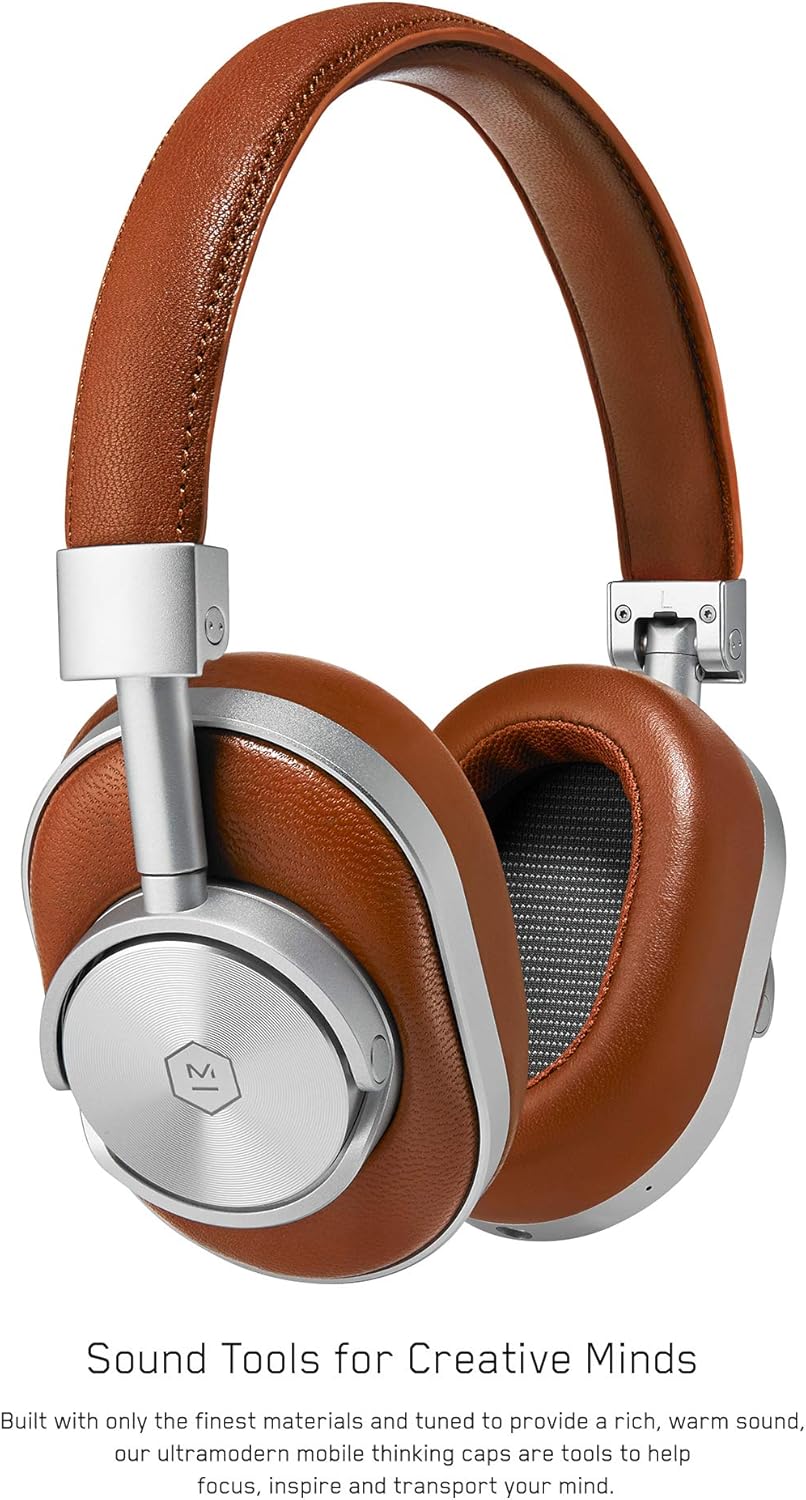
Figure 1 : Devant view of the Master & Dynamic MW60 Wireless Headphones. This image displays the over-ear design with silver metal accents and brown leather earcups and headband.

Figure 2 : Close-up of the right earcup showing the control buttons and ports. Visible controls include volume up/down, a multi-function button, and the power/pairing switch. A 3.5mm audio jack and micro USB charging port are also present.
Commandes et ports
- Power/Pairing Switch: Located on the earcup, used to turn the headphones on/off and initiate Bluetooth pairing.
- Bouton multifonction : Controls playback (play/pause), call management, and voice assistant activation.
- Boutons de volume haut / bas: Adjusts audio volume. Can also be used for track skipping (hold for next/previous track).
- Prise audio 3.5 mm : Pour une connexion filaire à l'aide du câble audio inclus.
- Port micro-USB : Pour recharger la batterie interne.
- Microphone: Intégré pour les appels mains libres.
Installation
Charger les écouteurs
- Connect the Micro USB end of the charging cable to the Micro USB port on the headphone earcup.
- Connectez l'extrémité USB-A du câble de chargement à un port USB alimenté (par exemple, un ordinateur, un adaptateur secteur).
- Le voyant indicateur affichera l'état de charge. Une charge complète prend généralement environ 2 heures.
Appariement Bluetooth
- Assurez-vous que les écouteurs sont complètement chargés.
- Slide the Power/Pairing switch to the ON position.
- To enter pairing mode, slide and hold the Power/Pairing switch to the far right (pairing icon) until the indicator light begins to flash.
- Sur votre appareil (smartphone, tablette, ordinateur), activez le Bluetooth et recherchez les appareils disponibles.
- Select "MW60" from the list of detected devices.
- Once paired, the indicator light will turn solid blue or white, depending on the model.
Mode d'emploi
Fonctions de base
- Marche/Arrêt : Slide the Power/Pairing switch to the ON or OFF position.
- Lecture/Pause : Appuyez une fois sur le bouton multifonction.
- Contrôle du volume : Appuyez sur les boutons Volume + ou Volume -.
- Piste suivante : Appuyez sur le bouton Volume + et maintenez-le enfoncé.
- Piste précédente: Appuyez sur le bouton Volume Bas (-) et maintenez-le enfoncé.
Gestion des appels
- Répondre/Terminer l'appel : Appuyez une fois sur le bouton multifonction.
- Rejeter l'appel : Appuyez et maintenez enfoncé le bouton Multifonction.
- Activer l'assistant vocal: Appuyez deux fois sur le bouton Multifonction.
Connexion filaire
To use the headphones with a wired connection, plug the included 3.5mm audio cable into the audio jack on the earcup and the other end into your audio source. The headphones will automatically switch to wired mode, conserving battery life.
Entretien
Nettoyage
- Essuyez les écouteurs avec un chiffon doux et sec.
- N'utilisez pas de produits chimiques agressifs ou de matériaux abrasifs.
- For leather parts, use a specialized leather cleaner if necessary, following product instructions.
Stockage

Figure 3 : The MW60 headphones folded into a compact form, demonstrating their portability and ease of storage in the included carry case.
- When not in use, fold the headphones and store them in the provided carry case to protect them from dust and damage.
- Évitez de stocker dans des températures extrêmes ou une humidité élevée.
Dépannage
| Problème | Solution possible |
|---|---|
| Les écouteurs ne s'allument pas | Assurez-vous que les écouteurs sont complètement chargés. Branchez-les à une source d'alimentation à l'aide du câble micro USB. |
| Impossible de coupler via Bluetooth | Ensure headphones are in pairing mode (flashing indicator light). Turn off and on Bluetooth on your device. Try forgetting the device on your phone and re-pairing. Ensure no other devices are actively connected. |
| Déconnexions audio ou de connexion intermittentes | Ensure your device is within the Bluetooth range. Avoid physical obstructions between the headphones and your device. Minimize interference from other wireless devices. |
| Aucun son en mode filaire | Ensure the 3.5mm audio cable is securely connected to both the headphones and the audio source. Check the volume levels on both the headphones and the audio source. |
| Earcups detach easily | Ensure earcups are properly aligned and securely attached to the magnetic mounts. |
Caractéristiques
| Fonctionnalité | Détail |
|---|---|
| Nom du modèle | MW60S2 |
| Technologie de connectivité | Sans fil (Bluetooth 4.1) |
| Type de pilote audio | 45mm Neodymium Dynamic Drivers |
| Autonomie de la batterie | Jusqu'à 16 XNUMX heures |
| Matériels | Aluminum, Stainless Steel, Leather |
| Poids de l'article | 3 livres (environ 1.36 kg) |
| Dimensions du produit | 10 x 3.75 x 8 pouces (25.4 x 9.5 x 20.3 cm) |
| Impédance | 32 Ohms |
| Contrôle du bruit | Isolation acoustique (passive) |
| Prise pour casque | 3.5 mm Jack |
Garantie et assistance
Warranty information for your Master & Dynamic MW60 Wireless Headphones is typically provided with your purchase. Please refer to the documentation included in your product packaging for specific warranty terms and conditions.
For technical support, service, or further inquiries, please contact Master & Dynamic customer service directly. Contact details can usually be found on the manufacturer's official websur votre site ou dans la documentation de votre produit.


